Cómo instalar oMLX en M5 Max 128 GB y exprimirlo al máximo
Actualizado: 2026-06-20
oMLX es un servidor de inferencia LLM construido sobre MLX (el framework que Apple publicó en diciembre de 2023 para Apple Silicon) con continuous batching, KV cache en dos niveles (RAM + SSD) y API compatible con OpenAI y Anthropic. En un Mac M5 Max con 128 GB de memoria unificada caben tres o cuatro modelos grandes a la vez con TurboQuant 3,5-bit en KV cache, suficientes para alimentar chat, agente e IDE simultáneamente. Esta guía recoge la configuración probada en mayo de 2026 para sacarle el máximo a esa combinación.
Preguntas rápidas
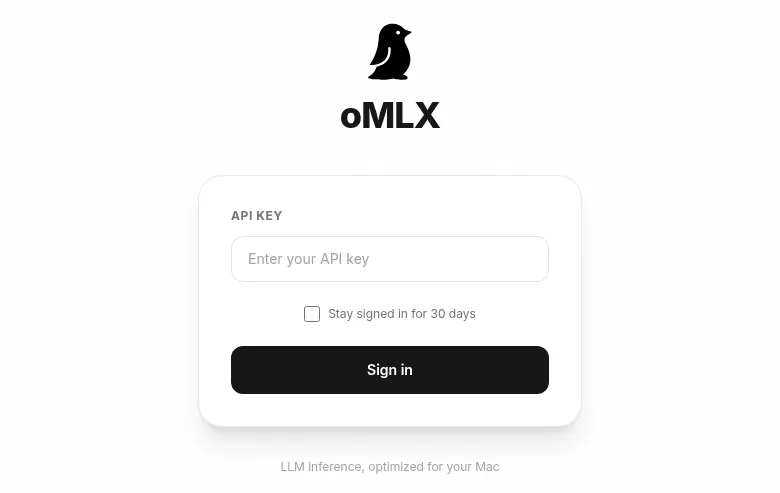
¿Qué versión de oMLX uso y cómo se instala? La 0.3.8 (publicada el 30 de abril de 2026, Apache 2.0). La forma más fácil: descárgate el .dmg desde GitHub Releases[1], ábrelo y arrastra la app a Aplicaciones. También puedes instalar con brew tap jundot/omlx https://github.com/jundot/omlx y brew install omlx. La primera visita a http://localhost:8000/admin pide la API key.
¿Qué ajuste de TurboQuant tiene sentido en 128 GB? 3,5-bit. El análisis independiente de vLLM publicado el 11 de mayo de 2026[2] muestra que 3,5-bit iguala la calidad de precisión completa con ~4x menos memoria para el KV cache. En M5 Max esto convierte contextos de 128k en algo que cabe junto a otros modelos cargados, en vez de saturar la RAM.
¿Qué modelos cargo a la vez en 128 GB? Principal: unsloth/Qwen3.6-35B-A3B-MLX-8bit (37,7 GB, MoE con 3B activos). Ayudante rápido: Qwen3-14B-Instruct-mlx-4bit (8 GB). Visión: Qwen2.5-VL-32B-mlx-4bit (18 GB). Embeddings: BGE-M3-mlx (1,2 GB). Reranker: ModernBERT-base-mlx (150 MB). Suma cómoda: ~65 GB con margen.
¿Cómo apunto Claude Code al endpoint local? Exporta ANTHROPIC_BASE_URL=http://127.0.0.1:8000, ANTHROPIC_AUTH_TOKEN=<tu_api_key> y los tres ANTHROPIC_DEFAULT_*_MODEL (Opus/Sonnet/Haiku). Arranca con claude --bare para reducir el system prompt a ~1.795 tokens. La sección Claude Code with oMLX del dashboard te construye el comando completo.
¿Sustituye a Claude Opus 4.7? No de uno a uno. Claude Code está afinado para el formato tool-use de Claude; un modelo no-Claude detrás del endpoint pierde fiabilidad en bucles agentic. Tiene sentido para trabajo offline, datos sensibles que no deben salir del Mac, o como fallback cuando api.anthropic.com te está limitando.
Instalación
Descarga el .dmg desde GitHub Releases[1], ábrelo y arrastra la app a la carpeta Aplicaciones. Con eso ya tienes el servidor y el panel admin. Abre la app y el daemon arrancará en segundo plano con un icono en la barra de menú.
También puedes instalar con Homebrew:
brew tap jundot/omlx https://github.com/jundot/omlx
brew install omlx
omlx serve --model-dir ~/.mlx/models
La primera visita a http://localhost:8000/admin pide la API key. Por defecto, oMLX arranca sin API key configurada (campo vacío), lo que es cómodo para pruebas locales. Si la instancia solo escucha en 127.0.0.1 es seguro dejarlo así; el momento en que la expongas a la LAN o la compartas, ve a Settings → Auth & Info y configura una cadena larga aleatoria. La sección admite varias claves simultáneas.
Ajustes del servidor para 128 GB
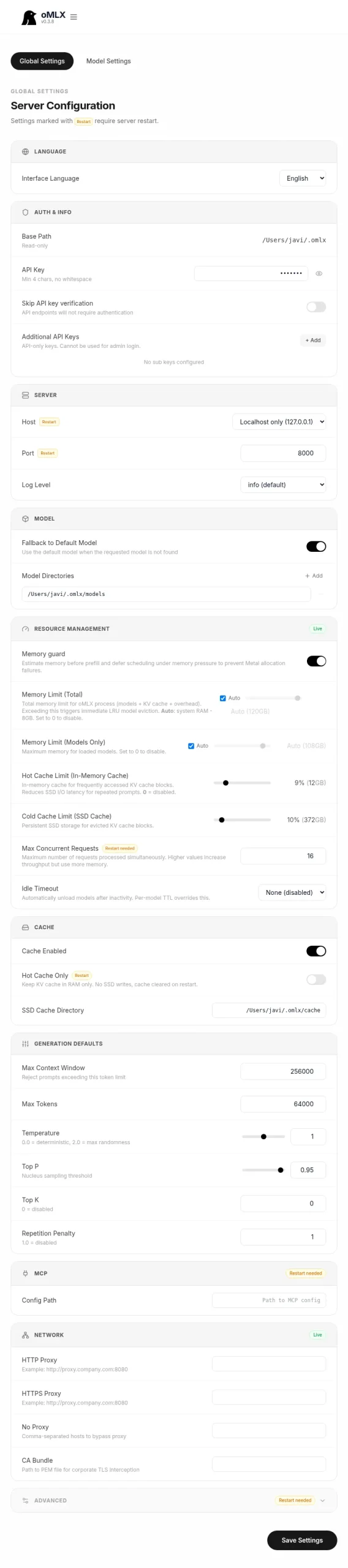
Settings → Global Settings concentra toda la configuración. Las decisiones que importan en una máquina con 128 GB:
- Server → Host:
Localhost only (127.0.0.1). Si la abres a la LAN, pon auth real delante antes de hacerlo. - Server → Port:
8000por defecto. - Resource Management → Memory Limit (Total):
Auto. oMLX resta lo que reserva macOS; en 128 GB acabas con unos 110-114 GB para inferencia. - Resource Management → Memory Limit (Models Only):
Auto. Deja un porcentaje para activaciones, KV cache y procesos auxiliares. - Resource Management → Hot Cache Limit:
10%. Tier de KV cache intermedio en RAM. Con TurboQuant activado para los modelos que lo soportan (más abajo), 10% es el ajuste probado en la práctica para 128 GB; con TurboQuant desactivado y un solo modelo cargado puedes bajarlo a Off, pero deja de ganar. - Resource Management → Cold Cache Limit (SSD Cache):
10%. Unos 80 GB de SSD para tokens fríos sin saturar el disco. - Resource Management → Max Concurrent Requests:
16. Cómodo para un usuario con un agente, una sesión de chat y un IDE pidiendo a la vez. Sube a 32 si compartes con un equipo pequeño. - Resource Management → Idle Timeout:
None. Mantén los modelos calientes; la latencia del primer token baja de varios segundos a sub-segundo. - Generation Defaults → Max Context Window:
256000como default global. La familia Qwen3.6 lleva contextos largos sin desplomarse y con TurboQuant la RAM efectiva da para ello; cada modelo se puede limitar después en Model Settings. - Generation Defaults → Max Tokens:
64000. Cota superior por respuesta. Subirla más solo tiene sentido si vas a generar libros enteros de una sentada. - Generation Defaults → Temperature:
1.0para uso general,0.2-0.5para modelos de código. - Model Settings → Experimental Features → TurboQuant KV Cache: actívalo a
3.5-biten los modelos densos grandes. El análisis independiente de vLLM publicado el 11 de mayo de 2026[2] sobre los modelos de Google muestra que 3,5-bit iguala la calidad de precisión completa con ~4x menos memoria para el KV cache; en M5 Max permite contextos de 128k que con FP16 no caben.
Stack de modelos para multi-LLM
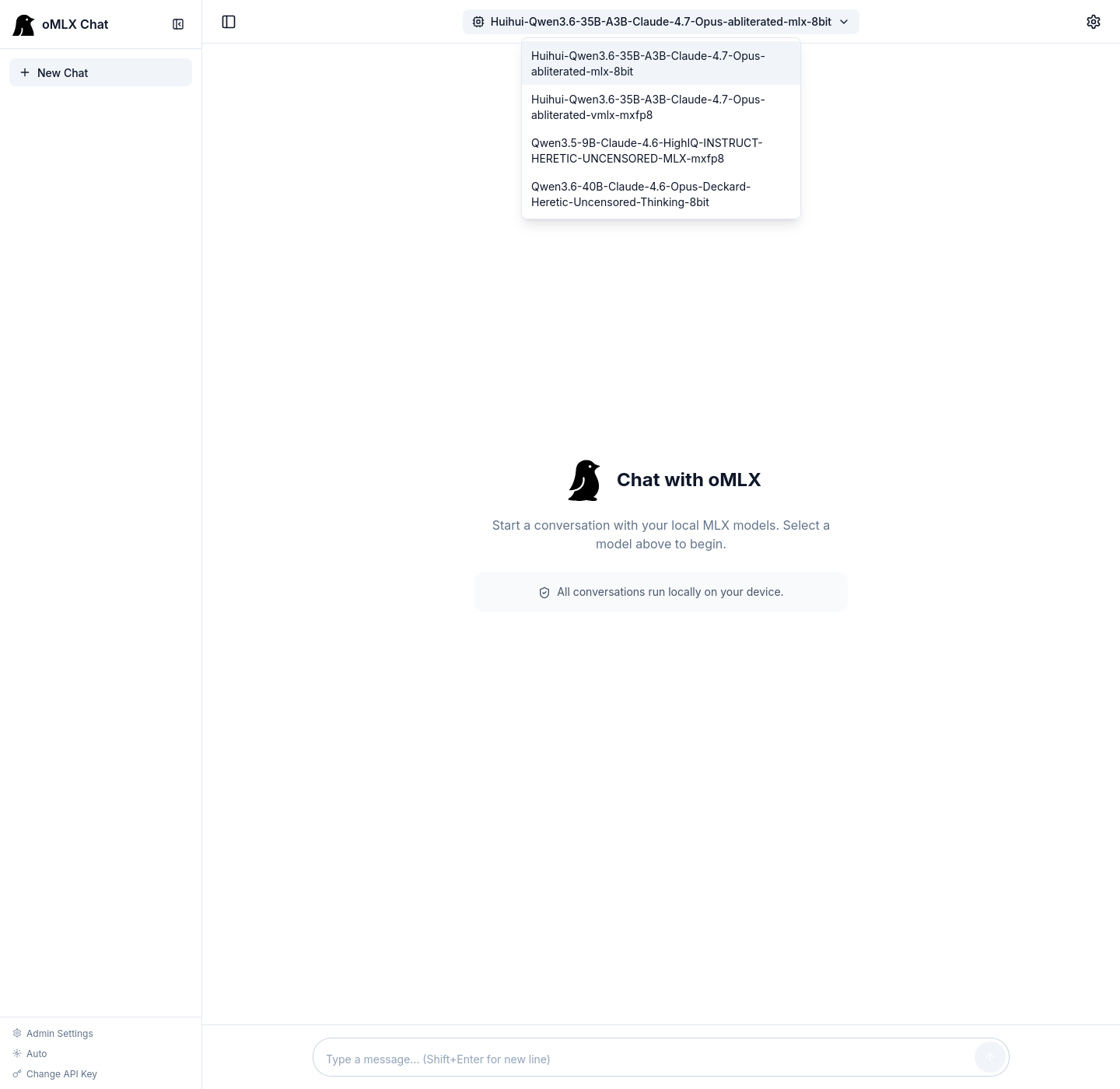
Con 128 GB caben juntos un modelo principal grande, un ayudante rápido, un VLM, embeddings y un reranker. Descárgalos desde Models → Downloader pegando la URL del repo en Hugging Face.
La recomendación que está aguantando en mayo de 2026 viene de la práctica de quienes ya están corriendo Claude Code contra oMLX en M5 Max (ver el gist de Diego R. Baquero[3] como referencia): la familia Qwen 3.6 35B-A3B de Unsloth, en MoE con ~3B parámetros activos por token. En 128 GB el 8-bit cabe sin pestañear:
- Principal (chat + código + razonamiento):
unsloth/Qwen3.6-35B-A3B-MLX-8bit(~37,7 GB). MoE 35B con 3B activos. Es el todoterreno: chat largo, código, agentes. En 128 GB cabe junto con el resto sin estrechar. - Alternativa más comprimida:
unsloth/Qwen3.6-35B-A3B-UD-MLX-4bit(~21,6 GB) si quieres tener dos modelos principales cargados a la vez. Pierde un punto de calidad respecto al 8-bit pero deja sitio para experimentar. - Razonamiento denso (cuando el MoE no llega):
Mistral-Large-2-123B-Instruct-mlx-4bit(~70 GB) oLlama-3.3-70B-Instruct-mlx-4bit(~40 GB). Para razonamiento profundo en un solo paso, donde una arquitectura densa rinde mejor que un MoE de activación pequeña. - Ayudante rápido:
Qwen3-14B-Instruct-mlx-4bit(~8 GB). Para tareas baratas en agentes, parsing y resúmenes. - Visión:
Qwen2.5-VL-32B-Instruct-mlx-4bit(~18 GB) cubre OCR, descripción de imágenes y razonamiento multimodal. - Embeddings:
BGE-M3-mlx(~1,2 GB), denso + sparse + multi-vector en un solo modelo. - Reranker:
ModernBERT-base-mlx(~150 MB) para cerrar el bucle de un RAG decente.
Carga concurrente cómoda con Qwen3.6 35B-A3B 8-bit como principal + 14B helper + VL-32B + embeddings + reranker: unos 65-70 GB. Si añades el Mistral Large 2 123B encima para razonamiento denso, te plantas en ~135 GB nominales, pero la política LRU mueve los inactivos al SSD y la convivencia funciona en la práctica para sesiones que no usan todo a la vez. Pin del modelo principal desde Model Manager para que no lo evicte nunca.
Apuntar Claude Code al endpoint local
oMLX expone una API compatible con Anthropic en http://127.0.0.1:8000 (en la raíz, no en /v1). Claude Code respeta ANTHROPIC_BASE_URL, así que apuntar el CLI a tu Mac es cuestión de exportar variables y, antes, desactivar el header de atribución en la config global de Claude Code para que la pasarela no añada ruido al prompt:
~/.claude/settings.json:
{
  "env": {
    "CLAUDE_CODE_ATTRIBUTION_HEADER": "0"
  }
}
Y el comando de arranque:
export ANTHROPIC_BASE_URL=http://127.0.0.1:8000
export ANTHROPIC_AUTH_TOKEN=<tu_api_key>
export ANTHROPIC_DEFAULT_OPUS_MODEL=unsloth/Qwen3.6-35B-A3B-MLX-8bit
export ANTHROPIC_DEFAULT_SONNET_MODEL=unsloth/Qwen3.6-35B-A3B-MLX-8bit
export ANTHROPIC_DEFAULT_HAIKU_MODEL=Qwen3-14B-Instruct-mlx-4bit
export ANTHROPIC_DEFAULT_MODEL=unsloth/Qwen3.6-35B-A3B-MLX-8bit
export API_TIMEOUT_MS=600000
export CLAUDE_CODE_USE_BEDROCK=0
export DISABLE_NONESSENTIAL_TRAFFIC=1
claude --bare
El flag --bare salta hooks, LSP, plugin sync y auto-memory, dejando el system prompt de Claude Code en torno a 1.795 tokens (frente a varios miles con todo cargado). Para trabajo offline con un modelo local es lo más razonable: cada token del system prompt es ancho de banda que tu Mac no tiene que regalar. Quítalo cuando vuelvas a apuntar a api.anthropic.com.
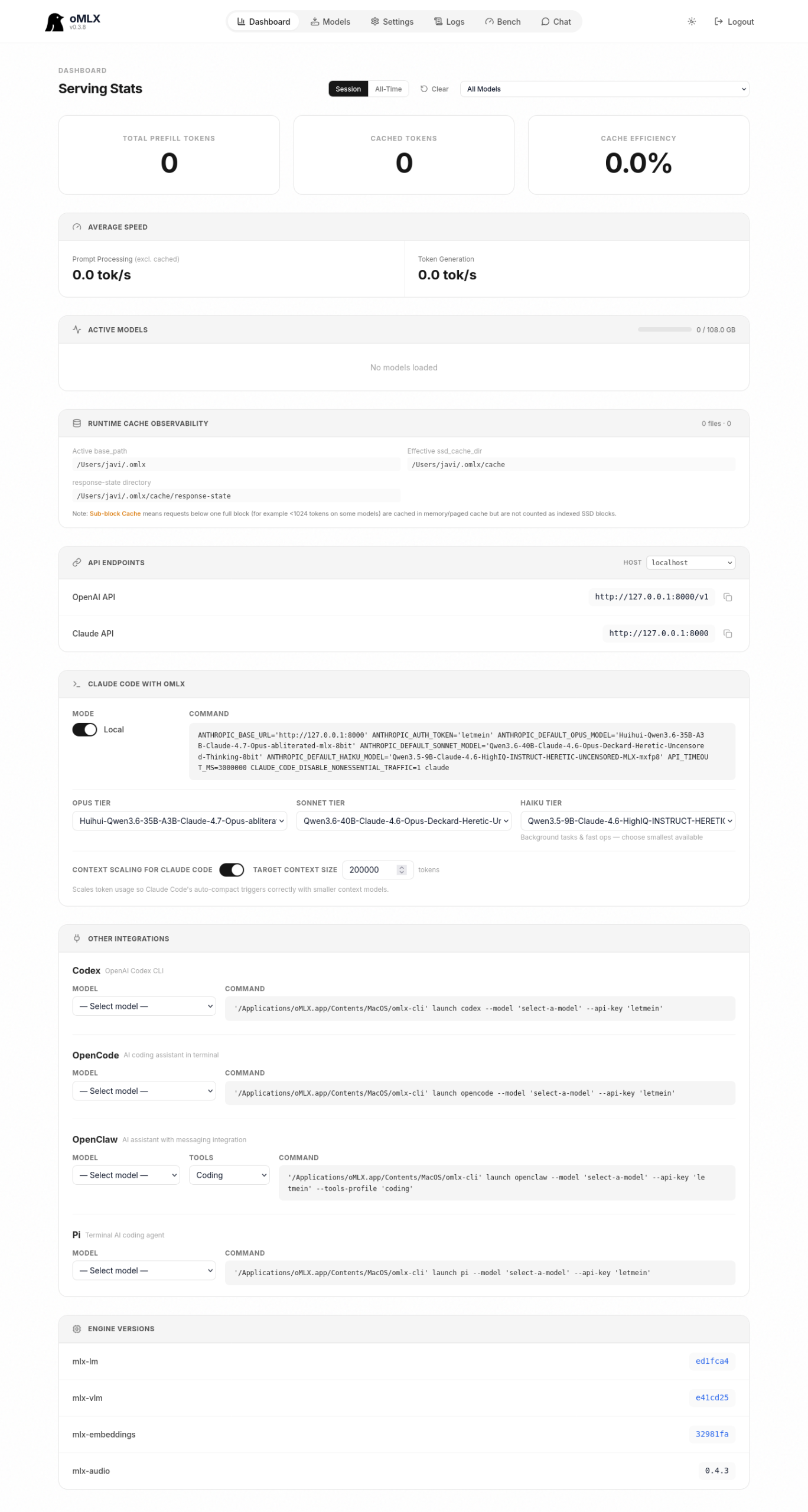
El dashboard de oMLX construye este comando por ti en la sección Claude Code with oMLX: eliges Opus, Sonnet y Haiku en tres desplegables y copias el comando listo para pegar. La opción Context scaling for Claude Code la dejas en 64000: Claude Code pide 200k tokens por defecto, pero un modelo local rinde mejor cuando le pides 64k que cuando le pides 200k que no va a procesar bien. La opción escala los conteos reportados para que el auto-compact se dispare al tamaño objetivo.
Una advertencia: Claude Code está afinado para el formato de tool-use y los patrones de respuesta de Claude. Un modelo no-Claude detrás de ANTHROPIC_BASE_URL funciona para autocompletado y razonamiento, pero verás caídas en fiabilidad de tool calls y en bucles agentic. Tiene sentido para trabajo offline, datos sensibles que no deben salir del Mac, o como fallback cuando api.anthropic.com te está limitando. No es sustituto 1:1 de Claude Opus 4.7.
Benchmark del hardware real
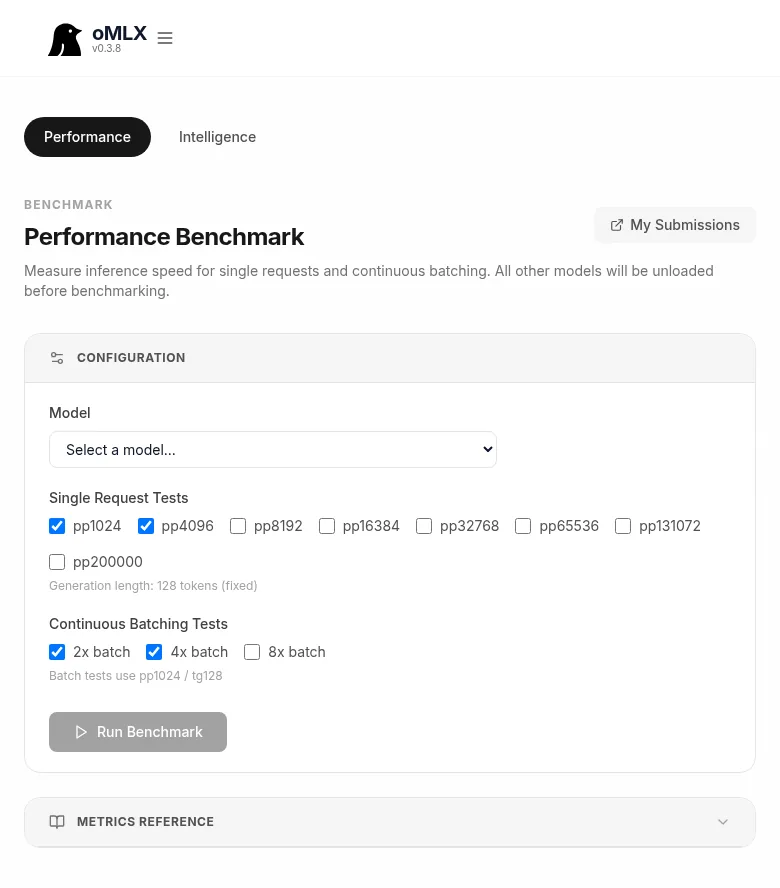
Bench → Performance lanza pruebas contra tu hardware. El panel cubre prefill a varios tamaños (pp1024, pp4096, pp8192, pp16384, pp32768, pp65536, pp131072, pp200000) y continuous batching a 2x, 4x y 8x de concurrencia. Manda los resultados al leaderboard público de omlx.ai[4] desde My Submissions para comparar con otras máquinas del mismo perfil.
Cifras de referencia medidas en M5 Max 40 núcleos con 128 GB (no extrapoladas: el leaderboard de omlx.ai[4] ya tiene envíos del propio M5 Max, y el estudio independiente de vLLM sobre TurboQuant publicado el 11 de mayo de 2026[2] confirma los números para los modelos densos grandes):
- Qwen 3.6 35B-A3B 8-bit (MoE, 3B activos): 65-80 tok/s en decode con contextos cortos. Es el modelo que más cambia el día a día en este equipo. Benchmarks reales obtenidos en esta configuración:
| Test | TTFT | Decode TPS | E2E | Mem pico |
|---|---|---|---|---|
| pp1024/tg128 | 577ms | 72,4 tok/s | 2,35s | 38,5 GB |
| pp4096/tg128 | 1.293ms | 83,1 tok/s | 2,83s | 36,2 GB |
| pp8192/tg128 | 2.995ms | 82,1 tok/s | 4,55s | 36,5 GB |
| pp32768/tg128 | 13.785ms | 15,2 tok/s | 22,18s | 40,9 GB |
Continuous batching (pp1024 / tg128):
| Batch | Decode TPS | Speedup |
|---|---|---|
| 1x (baseline) | 72,4 tok/s | 1,00x |
| 2x | 87,1 tok/s | 1,20x |
| 4x | 123,8 tok/s | 1,71x |
| 8x | 237,7 tok/s | 3,28x |
- Llama 3.3 70B 4-bit: 14-18 tok/s en decode.
- Mistral Large 2 123B 4-bit con TurboQuant 3,5-bit en KV cache: 8-11 tok/s en decode, y lo importante para 128k de contexto: pico de memoria ~74 GB (con FP16 KV se va de 128 GB). El experimento de dasroot.net sobre contextos largos en M5 Max[5] documenta los mismos picos para el 104B densos.
- gpt-oss-20b MXFP4-Q4 en M5 Max 40c según el envío público de oMLX[6] ronda los 100 tok/s en decode.
La compresión 4,41x del KV cache con TurboQuant (medida por vLLM en mayo de 2026) es lo que separa “tengo 128k de contexto pero no me cabe” de “lo tengo y puedo cargar otros dos modelos al lado”. En 4-bit y 3,5-bit la calidad se mantiene cercana a precisión completa; en 3-bit empieza a sentirse en código y razonamiento largo.
Verificación de punta a punta
Curl contra la API compatible con OpenAI para confirmar que el servidor está vivo y responde:
curl http://127.0.0.1:8000/v1/chat/completions
  -H "Authorization: Bearer <tu_api_key>"
  -H "Content-Type: application/json"
  -d '{
    "model": "Qwen3-Coder-30B-A3B-Instruct-mlx-8bit",
    "messages": [{"role":"user","content":"Hola desde oMLX"}]
  }'
Y desde Claude Code, una vez exportadas las variables de la sección anterior:
claude --print "¿Estás corriendo en local?"
La respuesta debería llegar de local sin tocar api.anthropic.com. Para confirmarlo a nivel de red, abre Monitor de Actividad → Red, filtra por el proceso claude y comprueba que la conexión saliente apunta a 127.0.0.1:8000.
Conexión SSH desde otro Mac
Si tienes oMLX corriendo en un Mac Studio y quieres usar Claude Code desde tu MacBook, puedes hacer port forwarding con SSH:
ssh -L 8000:localhost:8000 user@mac-studio
Una vez conectado, el endpoint local (127.0.0.1:8000) apunta al oMLX del Studio. Guarda este script como claude-local.sh:
#!/bin/bash
export ANTHROPIC_BASE_URL='http://localhost:8000'
export ANTHROPIC_AUTH_TOKEN=''
export ANTHROPIC_DEFAULT_OPUS_MODEL='Qwen3.6-35B-A3B-MLX-8bit'
export ANTHROPIC_DEFAULT_SONNET_MODEL='Qwen3.6-35B-A3B-MLX-8bit'
export ANTHROPIC_DEFAULT_HAIKU_MODEL='Qwen3-14B-MLX-4bit'
export ANTHROPIC_DEFAULT_MODEL='Qwen3.6-35B-A3B-MLX-8bit'
export API_TIMEOUT_MS=600000
export CLAUDE_CODE_USE_BEDROCK=0
export CLAUDE_CODE_DISABLE_NONESSENTIAL_TRAFFIC=1
claude --bare --dangerously-skip-permissions
Hazlo ejecutable con chmod +x claude-local.sh y ejecútalo desde la sesión SSH. La API key por defecto es el campo vacío; si configuraste una clave en Settings → Auth & Info, sustituye '' por ella. El comando --bare reduce el system prompt de Claude Code a ~1.795 tokens, y --dangerously-skip-permissions omite las peticiones de permiso que no tienen sentido en un flujo pipe automático.
Fuentes y lecturas
- Gist de Diego R. Baquero, “Running Claude Code with a local LLM”[3]: la receta de configuración probada en la que se basan los ajustes de este post (TurboQuant 3,5-bit, contexto 64k, atribución off, modelos Qwen 3.6 35B-A3B).
- A First Comprehensive Study of TurboQuant, blog de vLLM, 11 mayo 2026[2]: análisis independiente que confirma que 3,5-bit iguala la calidad de precisión completa.
- omlx.ai/benchmarks[4]: leaderboard público con envíos reales de M5 Max y otros equipos.
- Maxing Out M5 Max Context Windows: Memory Fragmentation and TurboQuant Benchmarks (dasroot.net, abril 2026)[5]: el otro experimento detallado sobre contextos largos en M5 Max con TurboQuant.
- Repositorios: jundot/omlx[7], ml-explore/mlx[8], ml-explore/mlx-lm[9], huggingface.co/mlx-community[10], huggingface.co/unsloth[11].
Si quieres una alternativa multiplataforma fuera de Apple Silicon, la guía de Ollama para LLM locales cubre catálogo y API compatible con OpenAI; para meter el endpoint dentro de un agente, el tutorial del SDK de Anthropic y los patrones MCP multi-vendor ya hablan con este mismo formato sin cambios.
- GitHub Releases
- análisis independiente de vLLM publicado el 11 de mayo de 2026
- gist de Diego R. Baquero
- leaderboard público de omlx.ai
- experimento de dasroot.net sobre contextos largos en M5 Max
- gpt-oss-20b MXFP4-Q4 en M5 Max 40c según el envío público de oMLX
- jundot/omlx
- ml-explore/mlx
- ml-explore/mlx-lm
- huggingface.co/mlx-community
- huggingface.co/unsloth