Apple M4 Pro on developer machines: real-world experience

Actualizado: 2026-05-03
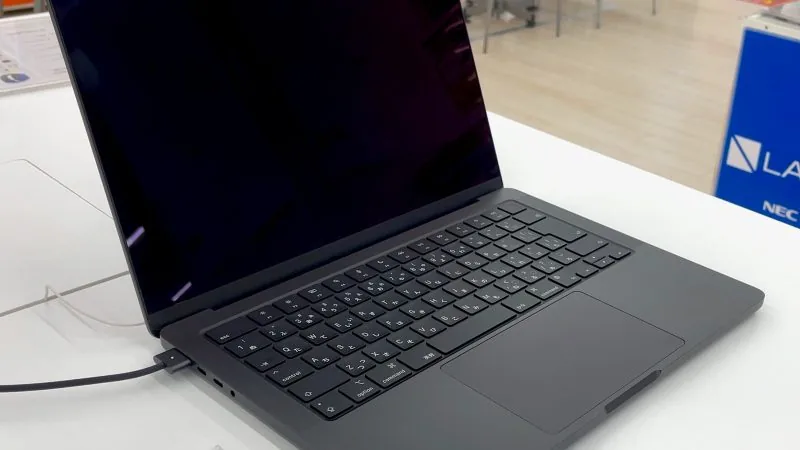
Since January I’ve been using a 14-inch MacBook Pro with the M4 Pro chip as my main work machine. The M4 Pro was announced in October 2024 alongside the Mac mini and the redesigned MacBook Pros, and the initial coverage was the usual: Geekbench numbers, efficiency promises and Intel comparisons nobody needs anymore. Six months on, the useful question is not whether the chip is fast, but whether the jump from an M2 Pro or M1 Pro justifies the outlay.
Key takeaways
- The main improvement comes from memory bandwidth (LPDDR5X-8533, nearly double the M2 Pro), not CPU frequency gains.
- Compilation: 25–30 % improvement over the M2 Pro (not the 2× or 3× factors some videos sell).
- Containers: bringing up a 15-service Docker Compose stack drops from 45 to 28 seconds.
- Real battery: 11–12 hours in mixed work (writing, browser with 20 tabs, video meeting).
- If you are coming from a base M1 or M2 with 16 GB, the jump to M4 Pro with 48 GB is transformative due to memory. If you have an M2 Pro with 32 GB, wait for the M5.
What is new in the M4 Pro
The M4 Pro keeps the Apple Silicon architecture but moves to a more refined 3-nanometer process and adds memory subsystem improvements. Variants come with 12 or 14 CPU cores, up to 16 GPU cores and a 16-core Neural Engine. Apple sells 48 GB of unified memory as the Pro’s ceiling, leaving 64 and 128 GB for the M4 Max.
The most visible practical difference versus the M2 Pro is memory speed. The M4 Pro moves to LPDDR5X-8533, nearly double the bandwidth of the M2 Pro. In workloads where the bottleneck was memory — heavy Rust compilation, Docker images with many small layers, local model inference — the improvement shows without needing to measure. The CPU also gains, but the memory gain is what transforms the experience.
Compilation and code execution
In compilation I’ve measured respectable but not magical differences. A mid-sized Rust project, about 150 thousand lines, moves from 2 minutes 40 on my old M2 Pro to 1 minute 55 on the M4 Pro. A TypeScript monorepo with about 40 packages drops from 95 to 68 seconds on a full build with turbo. These are 25 to 30 % improvements, not the 2× or 3× factors some videos sell.
Where I do notice the difference daily is in container startup and concurrent operations. Bringing up a Docker Compose stack with fifteen services drops from 45 to 28 seconds. The difference comes from memory: containers initialise in parallel and all hit disk and memory at once, and the M4 Pro handles that stress better. This interacts directly with containerd 2.0 in production improvements that also reduce memory-management overhead.
What does not improve substantially is pure interpreted script execution. Python, Ruby and JavaScript running single-threaded improve 10 to 15 %, which is what you’d expect from the frequency bump.
Local AI workloads
This is where the M4 Pro gets sold as a machine to run local models, and nuance matters. The 16-core Neural Engine at 38 TOPS is faster than the M2 Pro’s, but most language model inference runtimes use the GPU via Metal, not the Neural Engine.
On large quantised models, llama.cpp running a 7 billion parameter model at Q4, the M4 Pro with 48 GB delivers 18 to 22 tokens per second. An M2 Pro with 32 GB delivered 12 to 14. The improvement comes more from memory bandwidth than from the GPU itself. For larger models, 30 billion parameters or more, the problem remains memory: with 48 GB there’s room but it’s tight, whereas the Max with 128 GB is what lets you work with serious models without going to the cloud.
If the idea is to run local models as a main task, the Pro is not the chip. You need to go to the Max or consider a workstation with a dedicated GPU.
Battery life and thermal behaviour
The area where the M4 Pro has surprised me most is not raw performance but efficiency. In real work, writing code in an editor with active linter, browser with 20 tabs, a video meeting, battery life moves from the M2 Pro’s 7 or 8 hours to a real 11 or 12 hours. Not the marketing’s 24, but a perceptible improvement.
In sustained loads the story is different. A one-hour compile drops the battery to 60 % and fans spin up to medium. On the M2 Pro fans were already at maximum with the same load. This is useful on a train or in a café: the M4 Pro sustains heavy work without burning your legs or sounding like a turbine.
What still falls short
Not everything is positive. Four points:
- The 2024 redesign keyboard is the same as recent years, good but nothing new.
- The camera moves up to 12 megapixels but is still not the level of a recent iPad.
- macOS’s classic development issue — ARM versus x86 image fragmentation in Docker — remains. Every time I test an image not tagged as multi-arch, I end up emulating with qemu and performance halves.
- The price: a useful development configuration (48 GB memory and 1 TB disk) costs around 3,800 euros in Spain with VAT. For many freelancers and small firms that is a lot of money for a 25 % compilation bump.
My take
Six months in, the conclusion is that the M4 Pro is a good machine but not revolutionary. The main improvement comes from memory bandwidth, which benefits real workloads mixing compilation, containers and simultaneous tools. In pure compute or single-threaded scripts the gain is modest.
The user profile it suits most is one working with large monorepos, many local services, small AI models, and travelling often. Real 11-hour battery changes your relationship with power: you stop hunting for sockets.
If your current machine is a base M1 or M2 with 16 GB, the jump to the M4 Pro with 48 GB is transformative, more because of memory than the chip. If you already have an M2 Pro with 32 GB or more, I would wait for the M5 or the next iteration with a more accessible Max. The rush to change is rarely paid back well in Apple Silicon: each generation brings real changes, but not urgent ones.