Essential Software for Your New M5 Mac (2026 guide)
Table of contents
- Browser
- Arc
- Vivaldi
- Brave
- Orion
- Safari
- Password manager
- 1Password
- Bitwarden
- Proton Pass
- Dashlane
- Apple Passwords
- Mimestream
- Spark
- Proton Mail
- Mail (Apple)
- Superhuman
- Calendar
- Fantastical
- Notion Calendar
- BusyCal
- Calendar (Apple)
- Vimcal
- Notes & PKM
- Obsidian
- Notion
- Bear
- Apple Notes
- Logseq
- Tasks
- Things 3
- Todoist
- TickTick
- OmniFocus 4
- Apple Reminders
- Office suite
- Microsoft 365
- iWork (Pages, Numbers, Keynote)
- Google Workspace
- LibreOffice
- OnlyOffice
- Cloud storage
- iCloud Drive
- Dropbox
- Google Drive
- Proton Drive
- Sync.com
- Comms & video
- Slack
- Zoom
- Microsoft Teams
- Discord
- Telegram
- Reader
- Reeder Classic
- NetNewsWire
- Feedly
- Inoreader
- Readwise Reader
- System maintenance
- CleanMyMac
- Stats
- AppCleaner
- iStat Menus
- The Unarchiver
- Backup & encryption
- Time Machine
- Arq Backup
- Backblaze
- Carbon Copy Cloner
- VeraCrypt
- Terminal
- Ghostty
- Warp
- iTerm2
- WezTerm
- Alacritty
- Editor / IDE
- Cursor
- Visual Studio Code
- Zed
- JetBrains Toolbox / IntelliJ IDEA
- Nova
- API client
- Bruno
- Postman
- Insomnia
- Paw / RapidAPI for Mac
- HTTPie Desktop
- Database GUI
- TablePlus
- DBeaver
- DataGrip
- Beekeeper Studio
- Postico 2
- Local containers + K8s
- OrbStack
- Docker Desktop
- Podman Desktop
- k9s
- Lens
- AI coding assistant
- Cursor (capa IA)
- GitHub Copilot
- Claude Code
- Windsurf
- Continue
- Desktop LLM client
- Claude Desktop
- ChatGPT for macOS
- LM Studio
- Ollama
- Raycast AI
- Media (capture, video, convert)
- CleanShot X
- ScreenFlow
- HandBrake
- IINA
- Final Cut Pro
- Conclusion
More about this article
Quick summary
- 100 apps for M5 Mac across 20 categories, covering general-purpose picks and a DevOps/AI tilt, chosen through community, editorial and metric signals.
- Every selection weighs Reddit r/macapps votes, Wirecutter/MacStories references and hard data: App Store ratings, Homebrew installs, GitHub stars.
- Each entry covers purpose, key features, pros/cons, useful plugins, EUR pricing and the official link.
- Prices use 'starting at' to outlast manufacturer changes; the list is reviewed every six to twelve months.
Key concepts
- Browser: Arc, Vivaldi, Brave, Orion and Safari are the five options for M5 Mac, ranging from aggressive privacy to tight Apple ecosystem integration.
- Password manager: 1Password, Bitwarden, Proton Pass and Dashlane all have end-to-end encryption and passkey support, with different pricing models and open-source options.
- Email: Mimestream, Spark, Proton Mail and Superhuman are the native, private and high-productivity mail clients worth evaluating on Mac.
Useful links


Actualizado: 2026-05-16
Apple unveiled the M5 at the end of the previous cycle with a sizeable jump in on-device AI performance and unified memory bandwidth. Unboxing one raises the classic question: what do I install first? This guide collects 100 apps organised into 20 categories, twelve general-purpose and eight with a DevOps/AI tilt, picked by combining three signal classes: community consensus (Reddit r/macapps, Hacker News, Product Hunt), editorial references (Wirecutter, MacStories, Setapp, App Store Editor’s Choice) and quantitative metrics (App Store ratings, Setapp downloads, Homebrew installs, GitHub stars). Every entry carries purpose, key features, pros/cons, essential plugins when relevant, an editorial line, EUR pricing and the official link. Prices use “starting at” to stay date-resilient; the last_reviewed field in the frontmatter covers the natural six-to-twelve month rotation.
Browser
Arc

Arc UI screenshot on macOS, Chromium-based browser with a dominant sidebar and a Spaces model for separating contexts …
Purpose. Chromium-based browser with a dominant sidebar and a Spaces model for separating contexts (work, client, personal). Its maker, The Browser Company, now part of Atlassian, has shifted focus to Dia, so Arc gets security patches but no new features.
Key features. – Spaces and Profiles to isolate tabs, cookies and extensions per project. – Vertical sidebar with tabs that auto-expire to free up RAM. – Native Split View for up to four tabs in the same window. – Easels and Boosts to annotate and tweak pages without touching code. – Command bar (Cmd+T), Raycast-style, as a universal entry point.
Pros & cons. Pros: beloved sidebar tab ergonomics, solid performance on Apple Silicon, smooth iCloud/iPhone sync, full Chrome extension ecosystem. Cons: confirmed maintenance mode after the Atlassian acquisition, no new features, steep initial curve for users coming from a classic browser.
Essential plugins. The entire Chrome Web Store works: 1Password, Vimium, Bitwarden, uBlock Origin, Refined GitHub.
Editorial. If you already use it and it organises you well, it still earns its keep; if you’re starting fresh, consider Zen, Vivaldi or Orion as heirs to the spaces model before investing in a tool with no roadmap.
Pricing. Gratis (free). Web. arc.net[1]
Vivaldi
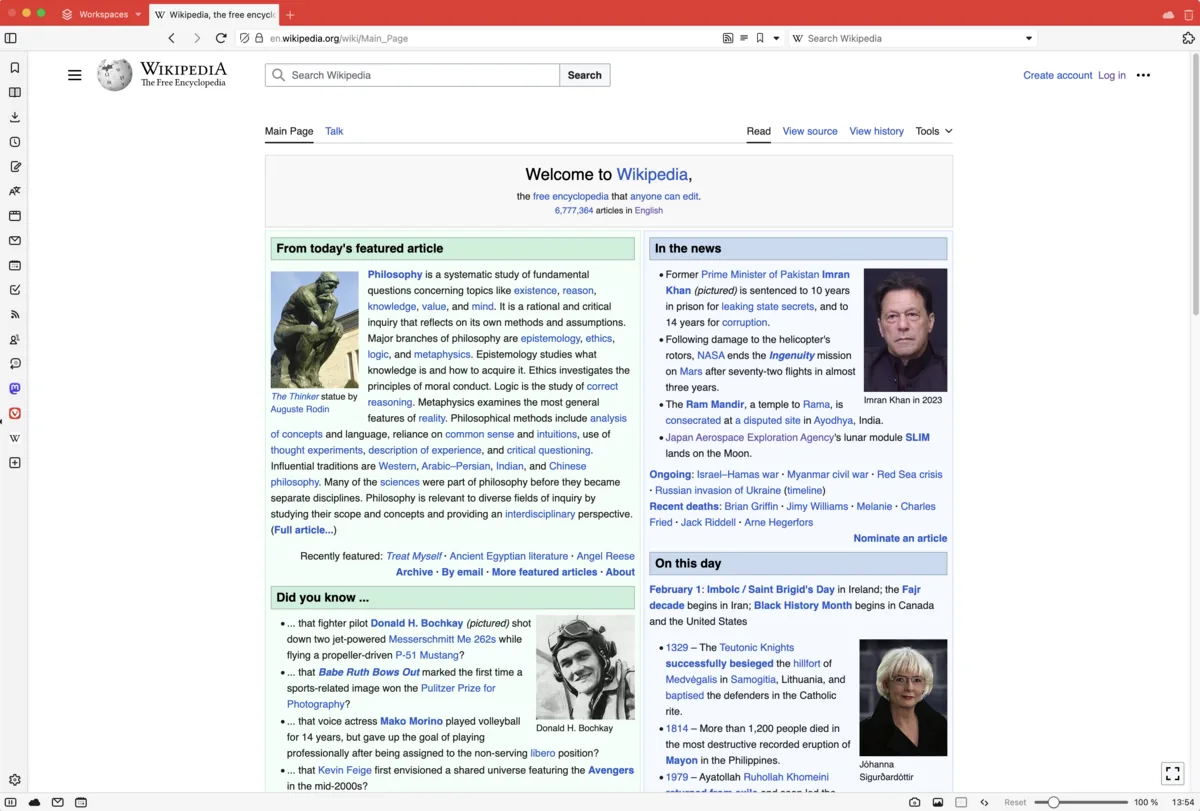
Vivaldi UI screenshot on macOS, Chromium browser built for power users: maximum customisation, advanced tab management (st…
Purpose. Chromium browser built for power users: maximum customisation, advanced tab management (stacks, tiling, hibernation) and built-in tools (mail, calendar, RSS, notes) that reduce reliance on extensions.
Key features. – Tab stacking, tiling and workspaces to juggle many tabs at once. – Built-in mail client, calendar and feed reader inside the browser itself. – Native ad and tracker blocker, no extra extension required. – End-to-end encrypted sync across devices. – Keyboard shortcuts, mouse gestures and command chains, all fully remappable.
Pros & cons. Pros: deep customisation, efficient tab hibernation, built-in productivity suite, private sync. Cons: dense and overwhelming UI at first, perceived higher RAM use versus Safari on Apple Silicon.
Essential plugins. Compatible with the Chrome Web Store: 1Password, uBlock Origin, Vimium, Bitwarden.
Editorial. The browser for those who need to bend the browser to their flow, not the other way round; worth it if you live among 50 tabs and custom shortcuts.
Pricing. Gratis (free). Web. vivaldi.com[2]
Brave
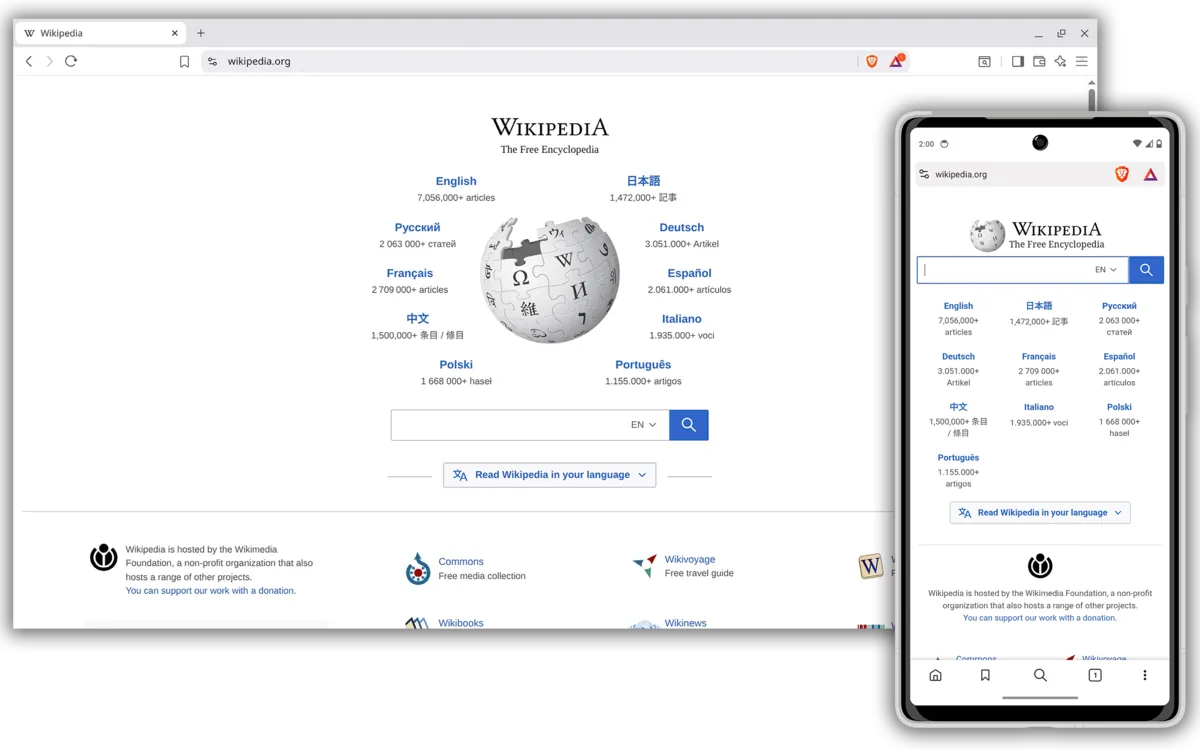
Brave UI screenshot on macOS, Chromium browser focused on privacy: ad and tracker blocking on by default, Rust-based adb…
Purpose. Chromium browser focused on privacy: ad and tracker blocking on by default, Rust-based adblock engine and bundled services (search, VPN, Leo AI) if you want out of the Google ecosystem.
Key features. – Shields: ad, tracker, fingerprinting and third-party cookie blocking on by default. – Rust-based adblock engine with memory usage cut by roughly 75%. – Brave Search with AI and results independent of Google’s index. – Optional Brave Firewall + VPN covering all device traffic. – Built-in Leo AI assistant for summarising, answering and generating text.
Pros & cons. Pros: strong privacy by default, battery savings on Mac laptops, Chromium base with full compatibility. Cons: past controversies around affiliate ad replacement, BAT/crypto program that may feel superfluous to the average user.
Essential plugins. The entire Chrome Web Store: 1Password, Bitwarden, Vimium, Dark Reader.
Editorial. The natural Chrome replacement for those who want aggressive blocking without touching settings; ignore the crypto layer if it doesn’t interest you and you’re left with a fast, clean browser.
Pricing. Gratis (free). Web. brave.com[3]
Orion
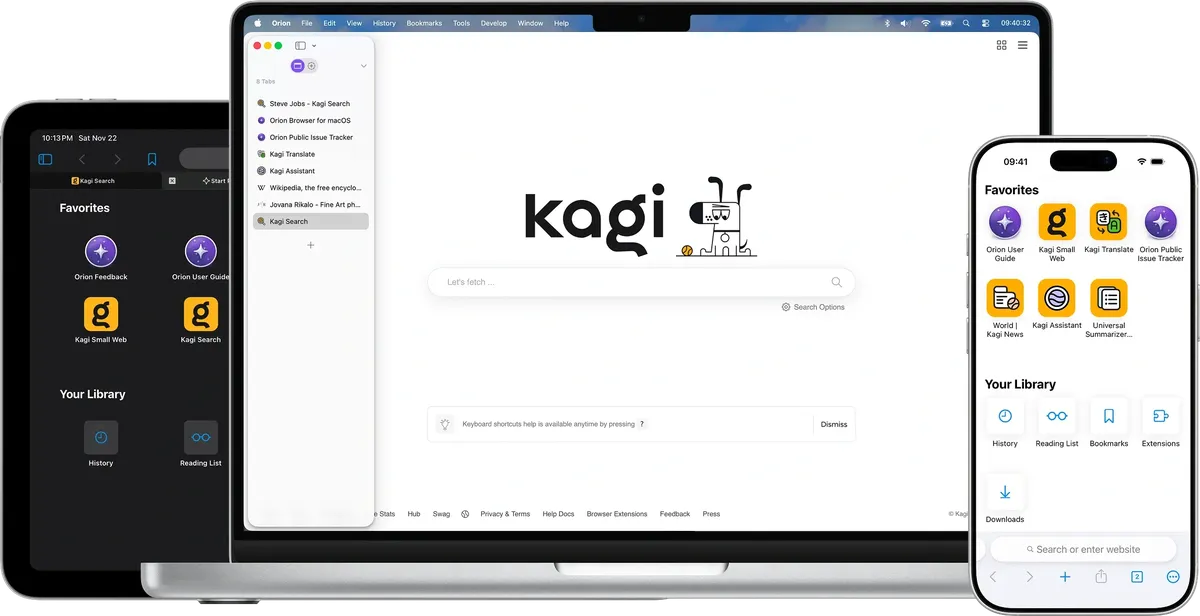
Orion UI screenshot on macOS, WebKit-based browser (same engine as Safari) built by Kagi: zero telemetry, curated suppor…
Purpose. WebKit-based browser (same engine as Safari) built by Kagi: zero telemetry, curated support for Chrome and Firefox extensions, and low resource use on Apple Silicon.
Key features. – Native WebKit engine: performance and battery life on par with Safari. – Built-in ad and tracker blocker, no external extension needed. – Support for Chrome and Firefox extensions (a curated list of about 20). – Vertical, nested tabs and a minimalist focus mode. – Integration with Kagi search, translation and other ecosystem tools.
Pros & cons. Pros: very low resource use, real privacy, a native Safari alternative without being tied to Google. Cons: extension compatibility still uneven, Linux and Windows builds still in alpha.
Essential plugins. Curated set (~20) of Chrome and Firefox extensions: 1Password, Bitwarden, Vimari, Dark Reader.
Editorial. The browser for those who want Safari’s strengths (efficiency, battery) without depending on Apple’s ecosystem, and for Kagi search subscribers looking for consistency with their search engine.
Pricing. Gratis · Orion+ desde 5,00 $/mes (≈ 4,60 €/mes) o licencia perpetua única. Web. orionbrowser.com[4]
Safari
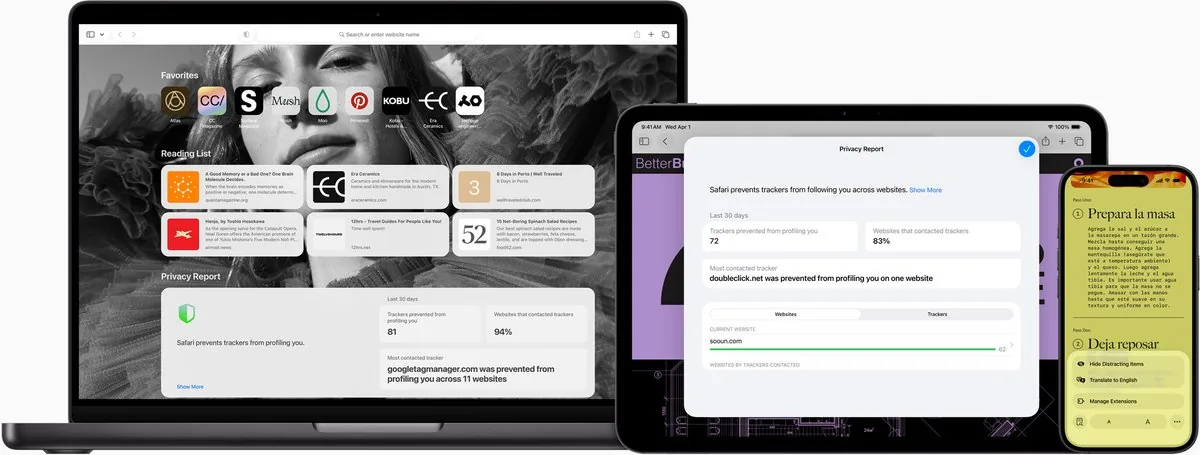
Safari UI screenshot on macOS, macOS’s built-in browser: native WebKit engine, deep Apple Silicon integration (energy eff…
Purpose. macOS’s built-in browser: native WebKit engine, deep Apple Silicon integration (energy efficiency, Handoff, iCloud Keychain) and first-class support for passkeys and tracking prevention.
Key features. – Class-leading energy efficiency on Mac laptops, several extra hours of video versus Chrome. – Intelligent Tracking Prevention and private browsing mode with per-window isolation. – Tab Groups and Profiles to separate work and personal with different extensions. – Native passkey support and iCloud Keychain synced across the whole ecosystem. – Handoff with iPhone, iPad and Apple Watch to continue reading across devices.
Pros & cons. Pros: RAM and battery use clearly lower than Chrome, flawless Apple integration, passkeys out of the box. Cons: limited extension ecosystem versus Chrome/Firefox, occasional compatibility issues with Chromium-only sites.
Essential plugins. Safari Extensions Gallery on the App Store: 1Password, Vimari, StopTheMadness, Hush, Wipr.
Editorial. If you live entirely inside Apple’s world and don’t need niche extensions, it’s hard to beat; worth keeping open as a second browser even when it isn’t your primary.
Pricing. Gratis con macOS (free with macOS). Web. www.apple.com/safari[5]
Password manager
1Password

1Password UI screenshot on macOS, Commercial password manager with the most polished UI on macOS, native passkey support, sh…
Purpose. Commercial password manager with the most polished UI on macOS, native passkey support, shared family/team vaults and unique features like Travel Mode to hide vaults when crossing borders.
Key features. – AES-256 end-to-end encryption with an additional Secret Key on sign-in. – Watchtower: alerts for compromised, weak or reused passwords. – Travel Mode to hide selected vaults when crossing borders. – Support for passkeys, TOTP 2FA, SSH keys and identity items. – Integration with Touch ID, Apple Watch, Safari and every major browser.
Pros & cons. Pros: excellent native Mac UI, solid cross-platform ecosystem, smooth Touch ID and Safari integration, advanced features (Travel Mode, SSH agent). Cons: no free plan, mandatory subscription, perpetual licence no longer sold.
Essential plugins. Official extensions for Safari, Chrome, Firefox, Brave and Edge; op CLI for terminal and SSH/Git integrations.
Editorial. The manager for those who value the macOS experience over the price; it costs more than Bitwarden, but the daily flow with Touch ID and Watchtower justifies it.
Pricing. Individual desde 2,40 $/mes (≈ 2,20 €/mes); Families desde 3,60 $/mes (≈ 3,30 €/mes). Web. 1password.com[6]
Bitwarden

Bitwarden UI screenshot on macOS, Open-source password manager with an unlimited free plan, independent audits and an option…
Purpose. Open-source password manager with an unlimited free plan, independent audits and an optional self-hosted server. The reference choice for those who prioritise transparency and price.
Key features. – AES-256 zero-knowledge encryption, independently audited. – Unlimited free plan: passwords, devices and sync with no caps. – Self-hosted server option (Vaultwarden) if you want the vault on your own infrastructure. – Built-in TOTP, encrypted file storage and emergency access on Premium. – Full-featured CLI, plus Bitwarden Send for ephemeral secret sharing.
Pros & cons. Pros: very generous free plan, audited open source, unbeatable Premium price ($1.65/mo), real self-hosting. Cons: less polished UI than 1Password, occasionally flaky autofill, recent incident with the CLI npm package compromised for 90 minutes in April 2026.
Essential plugins. Official extensions for Safari, Chrome, Firefox, Brave, Edge and Vivaldi; bw CLI and SDK to integrate it into pipelines.
Editorial. The manager I’d recommend to anyone who wants the right thing without paying a premium; the free plan is enough for most, and Premium costs less than a monthly coffee.
Pricing. Gratis · Premium desde 1,65 $/mes (≈ 1,50 €/mes); Families 3,99 $/mes (≈ 3,65 €/mes). Web. bitwarden.com[7]
Proton Pass

Proton Pass UI screenshot on macOS, Password manager from the Proton ecosystem: end-to-end encryption, email aliases integrate…
Purpose. Password manager from the Proton ecosystem: end-to-end encryption, email aliases integrated with Proton Mail and a bundle option with VPN, Mail, Calendar and Drive under Proton Unlimited.
Key features. – Zero-knowledge E2E encryption on Swiss infrastructure. – Unlimited hide-my-email aliases (Plus) with custom domain support. – Proton Sentinel: AI-driven account takeover protection. – Built-in TOTP and secure vault sharing with up to 10 people. – Native apps for macOS, iOS and Android plus extensions for every major browser.
Pros & cons. Pros: very useful integrated email aliases, Swiss jurisdiction, attractive Unlimited bundle if you already pay for Proton Mail/VPN, no vault breaches to date. Cons: younger ecosystem than 1Password/Bitwarden, occasionally weak autofill on multi-step logins, no live support on personal plans.
Essential plugins. Official extensions for Safari, Chrome, Firefox, Brave and Edge.
Editorial. The logical pick if you’re already inside Proton; the aliases on Plus alone are worth looking into the ecosystem for.
Pricing. Gratis · Pass Plus desde 2,49 $/mes (≈ 2,30 €/mes anual). Web. proton.me/pass[8]
Dashlane

Dashlane UI screenshot on macOS, Commercial password manager pivoted to a pure web app, with extras like unlimited VPN, dar…
Purpose. Commercial password manager pivoted to a pure web app, with extras like unlimited VPN, dark web monitoring and a generator with history. Free plan discontinued in September 2025.
Key features. – Unlimited VPN (Hotspot Shield) included with Premium. – Dark Web Monitoring with real-time alerts. – Generator History to recover passwords you generated and forgot. – Unlimited item sharing on the Friends & Family plan. – Health Score and advanced autofill for complex forms.
Pros & cons. Pros: unique extras in its range (VPN, dark web), generator history, Friends & Family plan up to 10 people, 24/7 support. Cons: pricier than rivals without those extras, the move to a pure web app didn’t please part of the community, no free plan since Sept 2025.
Essential plugins. Official extensions for Safari, Chrome, Firefox and Edge; the rest of the product lives in the web app.
Editorial. Makes sense if you value the full bundle (manager + VPN + monitoring) on a single invoice; if you only want passwords, Bitwarden or 1Password come out ahead.
Pricing. Premium desde 4,99 $/mes (≈ 4,60 €/mes); Friends & Family 7,49 $/mes (≈ 6,90 €/mes). Web. www.dashlane.com[9]
Apple Passwords
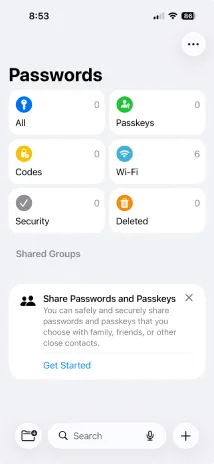
Apple Passwords UI screenshot on macOS, Native Passwords app introduced in macOS Sequoia / iOS 18: manages passwords, passkeys, Wi…
Purpose. Native Passwords app introduced in macOS Sequoia / iOS 18: manages passwords, passkeys, Wi-Fi credentials and verification codes with end-to-end iCloud Keychain sync. Zero cost if you already own a Mac.
Key features. – E2E sync across Mac, iPhone, iPad, Vision Pro and Windows (via iCloud). – First-class passkey support, integrated directly into the autofill flow. – Verification codes (TOTP) and autofill straight from the Passwords app. – Share credentials via Shared Groups or AirDrop with no third-party services. – Alerts for weak, reused or breached passwords (Security Recommendations).
Pros & cons. Pros: free and preinstalled, flawless Apple integration, native passkeys, E2E iCloud sync, Safari autofill with no extensions. Cons: no rich item types (only username/password/notes), limited import from other managers, the experience degrades outside Apple’s world.
Essential plugins. ~
Editorial. The reasonable default if you live 100% Apple and don’t share credentials with non-Apple teams; anyone needing custom fields or shared vaults across a mixed family will still need 1Password or Bitwarden.
Pricing. Gratis con macOS/iOS (free with macOS/iOS). Web. apps.apple.com/us/app/passwords/id6473799789[10]
Mimestream
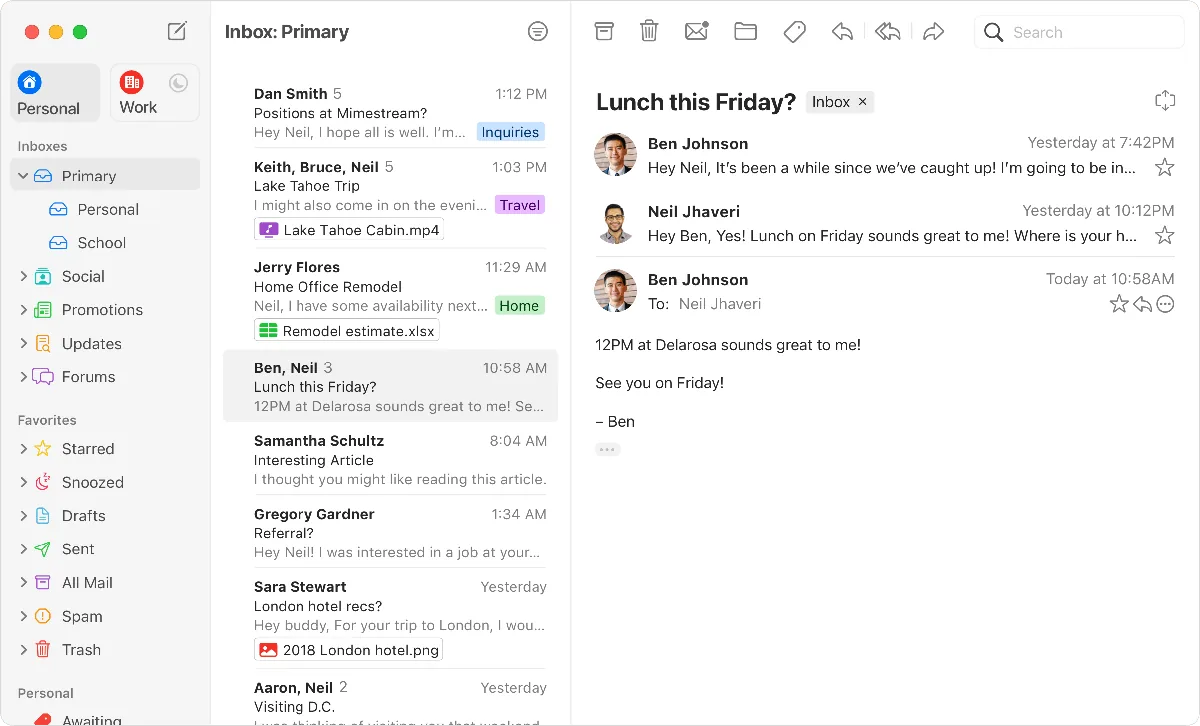
Mimestream UI screenshot on macOS, Native macOS email client for Gmail built by a former Apple Mail engineer. Uses the Gmail …
Purpose. Native macOS email client for Gmail built by a former Apple Mail engineer. Uses the Gmail API (not IMAP), so it mirrors server-side categories, labels and filters with native-app speed.
Key features. – Categories, labels and filters synced directly through the Gmail API. – Support for aliases, mentions, code blocks, Markdown shortcuts and undo send. – Tracker blocking (75+ services) and Calendar invitation responses. – Keyboard shortcuts, swipe gestures, dark mode and an Apple-style menu bar app. – Multi-account with an optional unified inbox.
Pros & cons. Pros: native macOS speed and look, parity with the Gmail web app (categories, filters), respect for Apple conventions. Cons: Gmail/Workspace only (no generic IMAP), still no official iPhone/iPad app, subscription mandatory since 1.0.
Essential plugins. ~
Editorial. The macOS email client for Gmail users; if you spend your day in Gmail and want to leave the browser tab without losing any feature, there’s no finer alternative.
Pricing. Desde 4,99 $/mes o 49,99 $/año (≈ 4,60 €/mes o 46 €/año), prueba gratuita 14 días. Web. mimestream.com[11]
Spark
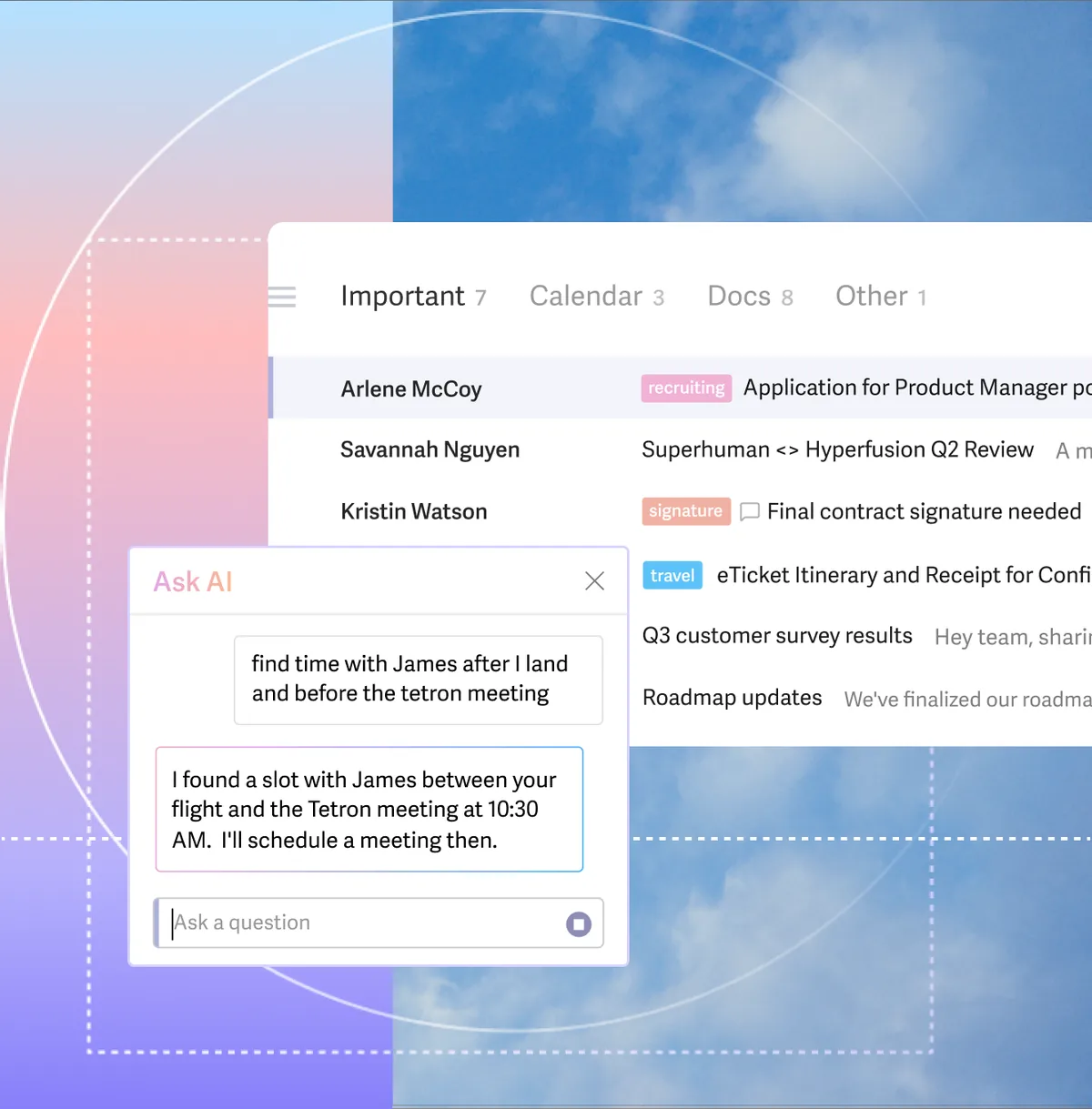
Spark UI screenshot on macOS, Cross-platform email client by Readdle with Smart Inbox, generative AI for writing and sum…
Purpose. Cross-platform email client by Readdle with Smart Inbox, generative AI for writing and summarising, and collaboration tools (shared drafts, templates, Gatekeeper) aimed at small teams.
Key features. – Smart Inbox that surfaces important mail and filters out noise. – Built-in AI: draft, summarise, translate and edit messages. – Gatekeeper to pre-approve unknown senders. – Real-time collaborative drafts with teammates. – Native apps for Mac, iPhone, iPad, Apple Watch, Windows and Android.
Pros & cons. Pros: very complete cross-platform ecosystem, App Store Editors’ Choice, useful AI features, free plan good enough for solo use. Cons: Spark 3 introduced performance regressions criticised on Reddit, reliance on Readdle servers (privacy), key features behind Premium.
Essential plugins. Native integrations with Todoist, Trello, Asana, OneDrive, Google Drive, Dropbox, Zoom and Pocket.
Editorial. The cross-platform option for those who share drafts with a team and want something prettier than Outlook; watch the reviews after Spark 3 if stability matters to you.
Pricing. Gratis · Premium desde 4,99 $/mes anual (≈ 4,60 €/mes) o 7,99 $/mes mensual. Web. sparkmailapp.com[12]
Proton Mail

Proton Mail UI screenshot on macOS, End-to-end encrypted email service based in Switzerland, with a native Mac desktop app and…
Purpose. End-to-end encrypted email service based in Switzerland, with a native Mac desktop app and a complete ecosystem (Mail, Calendar, Drive, VPN, Pass) under Proton Unlimited. Built for those who want real privacy, not marketing.
Key features. – E2E and zero-access encryption on every stored message. – PhishGuard to block spoofing and suspicious emails. – Hide-my-email aliases and custom domains (on Plus). – Encrypted password protection for sending mail to non-Proton accounts. – Native apps for macOS, iOS, Android and a modern webapp.
Pros & cons. Pros: real and verifiable encryption, Swiss jurisdiction, integrated ecosystem (Mail+Calendar+Drive+VPN), 100M active accounts, no ads. Cons: subject lines not encrypted, no IMAP on free plan, search weaker than Gmail, slow customer support on personal plans.
Essential plugins. Proton Mail Bridge to use Apple Mail, Outlook or Thunderbird with E2E encryption over local IMAP/SMTP.
Editorial. The email if privacy is a requirement, not a nice-to-have; the Unlimited bundle puts Google Workspace to shame for anyone who doesn’t need Docs.
Pricing. Gratis · Mail Plus desde 4,99 $/mes anual (≈ 4,60 €/mes); Unlimited 11,99 $/mes anual (≈ 11 €/mes). Web. proton.me/mail[13]
Mail (Apple)

Mail (Apple) UI screenshot on macOS, macOS’s built-in email client: IMAP, Exchange, iCloud, Gmail and any standard account, int…
Purpose. macOS’s built-in email client: IMAP, Exchange, iCloud, Gmail and any standard account, integration with Keychain, Hide My Email (iCloud+) and Siri/Spotlight. No extra cost over the Mac itself.
Key features. – Native support for IMAP, Exchange (EWS), iCloud and Gmail. – Integration with iCloud Keychain, Contacts, Calendar and Spotlight. – Hide My Email (iCloud+) to spin up disposable aliases on the fly. – Strips trackers from external senders (Mail Privacy Protection). – Smart Mailboxes and local rules to sort incoming mail.
Pros & cons. Pros: stable, free, integrated with the whole system, supports any IMAP/Exchange account, reasonable privacy by default. Cons: inline attachment handling (not as icons) frustrates some users, search worse than Gmail web, no modern features like AI or snippets.
Essential plugins. Third-party Mail plug-ins: SaneBox, MailButler, MailTrack; Hide My Email integrations via iCloud+.
Editorial. If you have a non-Gmail corporate IMAP account, it’s still the most sensible choice; free, integrated and good enough.
Pricing. Gratis con macOS (free with macOS). Web. support.apple.com/mac-mail[14]
Superhuman
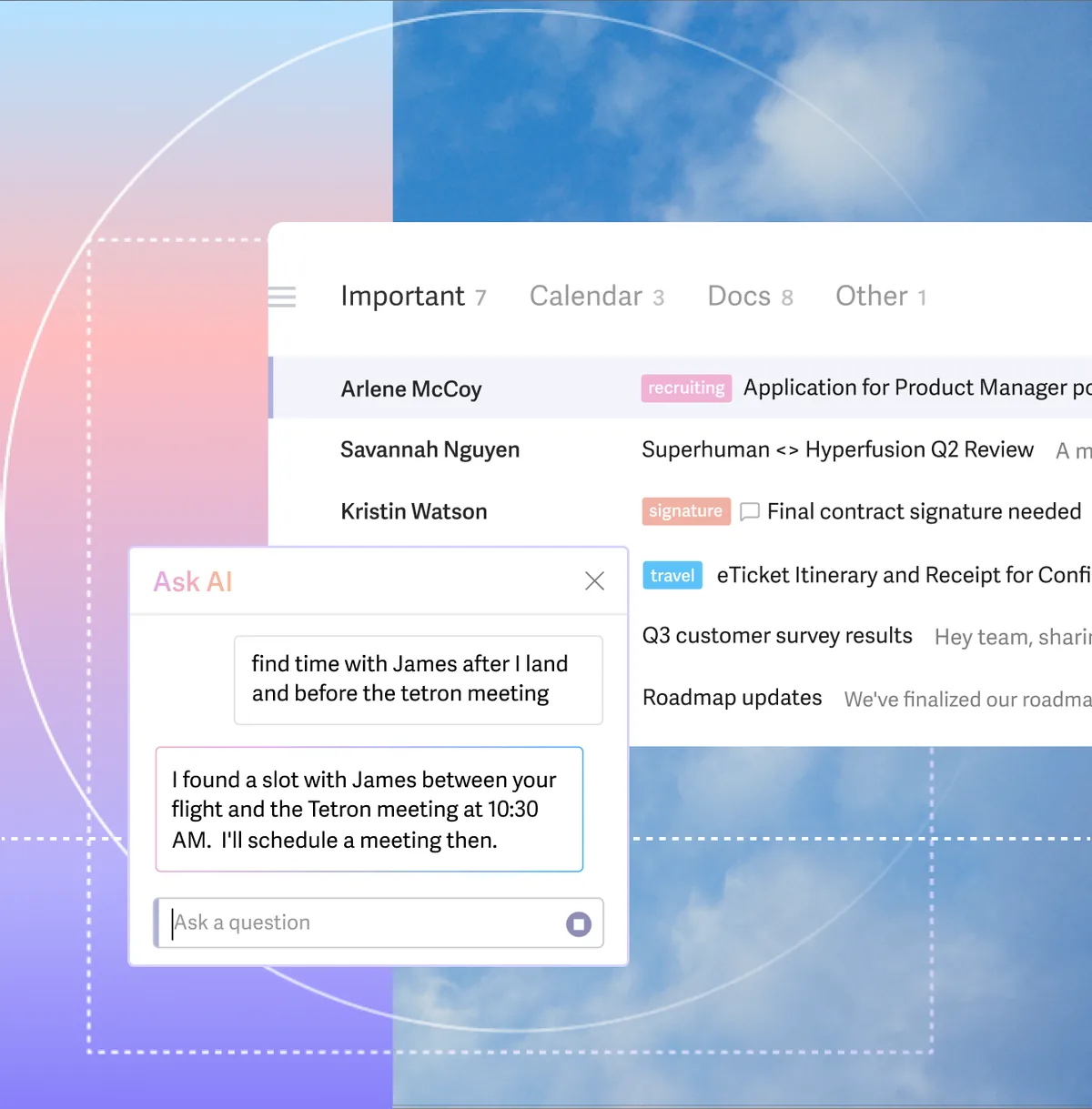
Superhuman UI screenshot on macOS, Premium email client for Gmail/Outlook focused on speed: keyboard shortcuts, generative AI…
Purpose. Premium email client for Gmail/Outlook focused on speed: keyboard shortcuts, generative AI, split inbox and a promise of processing email 2-3× faster. Deliberately expensive to filter out casual users.
Key features. – Keyboard shortcuts for everything: archive, snooze, label, reply. – Split Inbox and Read Statuses (no third-party trackers). – Generative AI to draft replies in your own voice. – Snippets, Send Later, built-in Calendar and team comments. – Compatible with Gmail, Google Workspace and Microsoft 365/Outlook.
Pros & cons. Pros: real speed with keyboard shortcuts, polished design, useful AI for drafting, measurable time savings at high volume. Cons: high price ($30/mo Starter), AI features notably slower since the Grammarly acquisition, post-acquisition continuity concerns.
Essential plugins. Native integrations with HubSpot, Salesforce and Pipedrive on the Business plan.
Editorial. Only makes sense if you process more than 100 emails a day and your hour is worth more than its fee; for everyone else, Mimestream or Apple Mail are the rational answer.
Pricing. Starter desde 25 $/mes anual (≈ 23 €/mes); Business 33 $/mes anual (≈ 30 €/mes). Web. superhuman.com[15]
Calendar
Fantastical
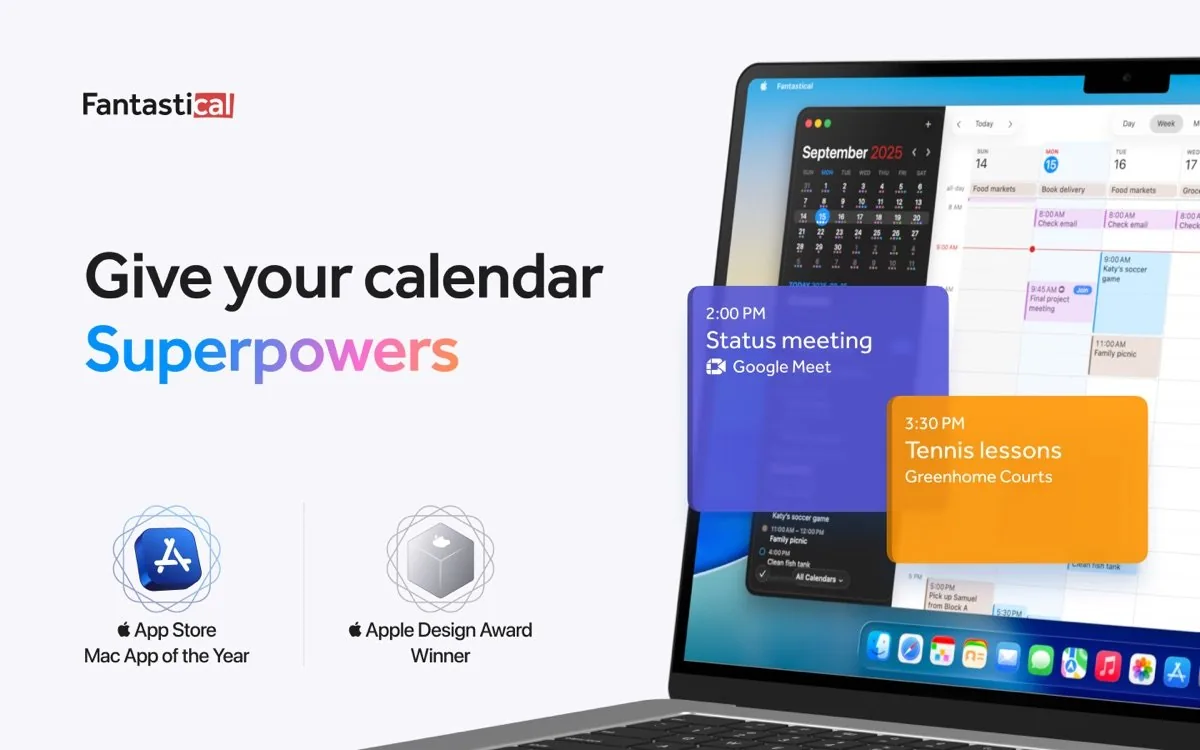
Fantastical UI screenshot on macOS, Premium calendar by Flexibits for Mac, iPhone, iPad, Apple Watch and Vision Pro: natural l…
Purpose. Premium calendar by Flexibits for Mac, iPhone, iPad, Apple Watch and Vision Pro: natural language event creation, support for every common service (iCloud, Google, Exchange, CalDAV, Todoist) and integrated task management.
Key features. – Natural-language input (‘meeting with Sarah tomorrow at 1pm’). – DayTicker plus Day/Week/Month/Quarter/Year views and meeting proposals. – Openings: shareable Calendly-style availability blocks. – Support for 30+ video-call services (Zoom, Meet, Teams, Webex). – 14 widgets for Home Screen, Lock Screen and the menu bar.
Pros & cons. Pros: natural language very well solved in Spanish, full Apple ecosystem (Watch, Vision Pro), Apple Design Award and Todoist integration. Cons: expensive subscription for what it is (~$57/year), no Linux/Android/web app, several key features behind Premium.
Essential plugins. Native integrations with Todoist, Google Tasks, Google Meet, Zoom, Teams, Webex, GoToMeeting and other conference services.
Editorial. The default calendar if you live inside Apple and want something other than Calendar.app; natural language and widgets justify the subscription if you use them daily.
Pricing. Gratis · Premium desde 4,75 $/mes (≈ 4,40 €/mes), familia hasta 5 personas. Web. flexibits.com/fantastical[16]
Notion Calendar

Notion Calendar UI screenshot on macOS, Successor to the cult-favourite Cron after Notion’s 2022 acquisition: free calendar, light…
Purpose. Successor to the cult-favourite Cron after Notion’s 2022 acquisition: free calendar, lightning-fast on keyboard, with menu bar app, Google Calendar/Apple Calendar sync and direct linking to Notion pages.
Key features. – Keyboard shortcuts and a command menu so you never touch the mouse. – Link events to Notion pages (meeting notes, agendas). – Multi-account view combining several Google Calendar accounts in one place. – Free Calendly-style shareable availability slots. – Multi-time-zone support with a ‘time travel’ view.
Pros & cons. Pros: free, fast and clean, Cron’s keyboard UX heritage, natural Notion integration, native apps for Mac/Windows/iOS/Android. Cons: Google Calendar-centric (Apple Calendar is secondary support), no native Exchange/Outlook, requires a Notion account for some features.
Essential plugins. Native integrations with Google Meet, Zoom, Microsoft Teams and Notion (linking pages to events).
Editorial. The most recommendable free calendar of 2026 if you live in Google Calendar and/or Notion; at zero cost it has no rival there.
Pricing. Gratis (free). Web. calendar.notion.so[17]
BusyCal
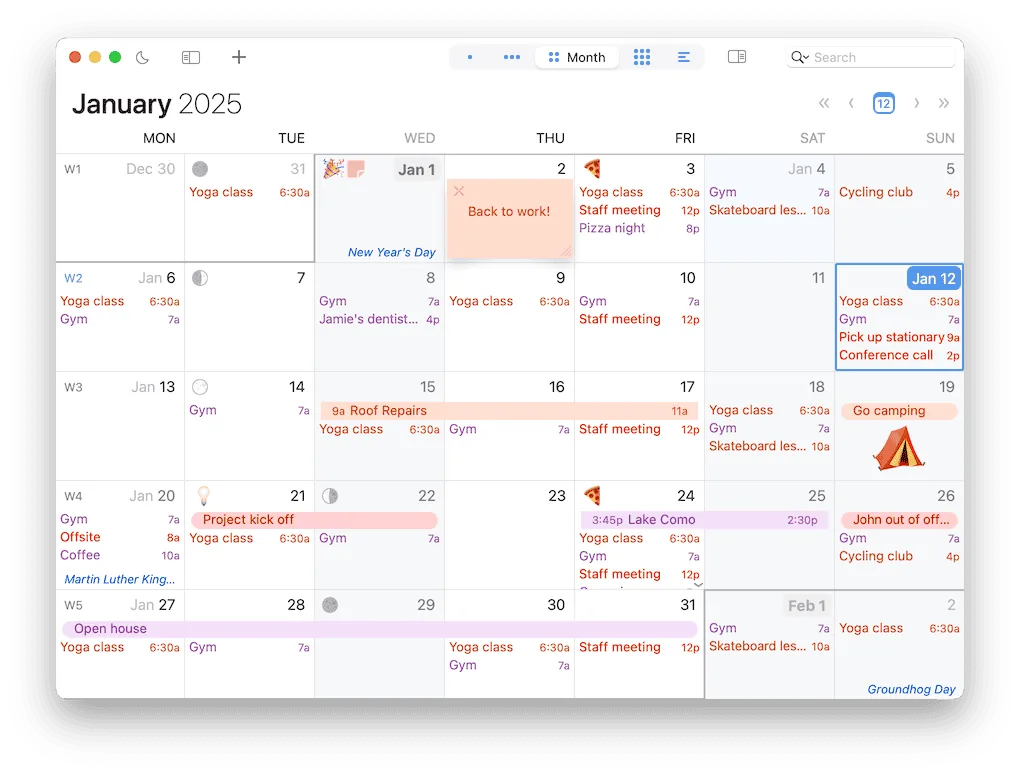
BusyCal UI screenshot on macOS, Veteran calendar by BusyMac for Mac and iOS with integrated tasks, smart filters, customis…
Purpose. Veteran calendar by BusyMac for Mac and iOS with integrated tasks, smart filters, customisable views (including Year Planner) and a one-time purchase (no subscription) or via Setapp.
Key features. – Day/Week/Month/Year Planner/List views, all fully configurable. – Tasks with carry-over to the next day, integrated into the calendar view. – Smart filters and calendar sets to focus on specific contexts. – Natural language in 8 languages, plus a menu bar with an availability heat map. – Travel time, weather, moon phases and sticky notes on events.
Pros & cons. Pros: one-time purchase ($49.99) versus competitors’ subscription model, real tasks, Year Planner view unique in its class, CalDAV support. Cons: less modern visual design than Fantastical or Notion Calendar, no web or Android app, BusyMac ecosystem is Apple-only.
Essential plugins. Integration with BusyContacts, Apple Reminders, Todoist, Google Tasks and a Claude Desktop Extension for AI assistance.
Editorial. The pick if you hate paying a monthly subscription for a calendar; pay once and it’s yours, with the functional depth of a 15-year-old product.
Pricing. 49,99 $ compra única (≈ 46 €) o incluido en Setapp. Web. www.busymac.com/busycal[18]
Calendar (Apple)
Calendar (Apple) UI screenshot on macOS, Built-in calendar for macOS, iOS, iPadOS and watchOS: supports iCloud, Google, Exchange an…
Purpose. Built-in calendar for macOS, iOS, iPadOS and watchOS: supports iCloud, Google, Exchange and any CalDAV, deep integration with Siri, Spotlight, Mail and Reminders, no extra cost over the Mac itself.
Key features. – Native iCloud, Google, Exchange/Microsoft 365 and CalDAV accounts. – Integration with Siri, Spotlight, Mail (event detection), Reminders and Maps. – Sync across Mac, iPhone, iPad and Apple Watch with zero setup. – Share public or private calendars with family and team. – Support for.ics invitations and RSVP responses by email.
Pros & cons. Pros: free, reliable, total system integration, supports any standard service, problem-free iCloud sync. Cons: functional but dull design, no advanced natural language or meeting proposals, limited views versus BusyCal/Fantastical.
Essential plugins. ~
Editorial. The default calendar many underrate: if you don’t need natural language or a Year Planner view, it’s more than enough; when you start missing something, you can jump to Fantastical or BusyCal.
Pricing. Gratis con macOS (free with macOS). Web. www.apple.com/macos[19]
Vimcal
Vimcal UI screenshot on macOS, Premium calendar built for ‘people with too many meetings’: sub-100 ms response, Vim-style…
Purpose. Premium calendar built for ‘people with too many meetings’: sub-100 ms response, Vim-style shortcuts, time-zone management, focus mode with pomodoro and Calendly-grade availability sharing.
Key features. – Sub-100 ms UI latency with keyboard shortcuts everywhere. – Time travel: see overlaps of working hours across any time zone. – Focus mode with backdrops, pomodoro timer and ambient sounds. – Unified account (work + personal) in a single view. – Tags and analytics: how much time you spend on each event type.
Pros & cons. Pros: the fastest calendar on the market, unique time-zone handling, social intelligence (attendee profiles), web/desktop/mobile apps. Cons: expensive ($20/mo), built for high meeting volume, no native SwiftUI app (Electron-style), Google Calendar-centric.
Essential plugins. Integrations with Zoom, Google Meet, Microsoft Teams, Linear, Notion and CRMs (Salesforce, HubSpot).
Editorial. Only worth it if your schedule is brutal and you coordinate across time zones; for everyone else, free Notion Calendar does 80% of the job.
Pricing. Desde 20 $/mes o 200 $/año (≈ 18,40 €/mes o 184 €/año), prueba gratuita. Web. www.vimcal.com[20]
Notes & PKM
Obsidian
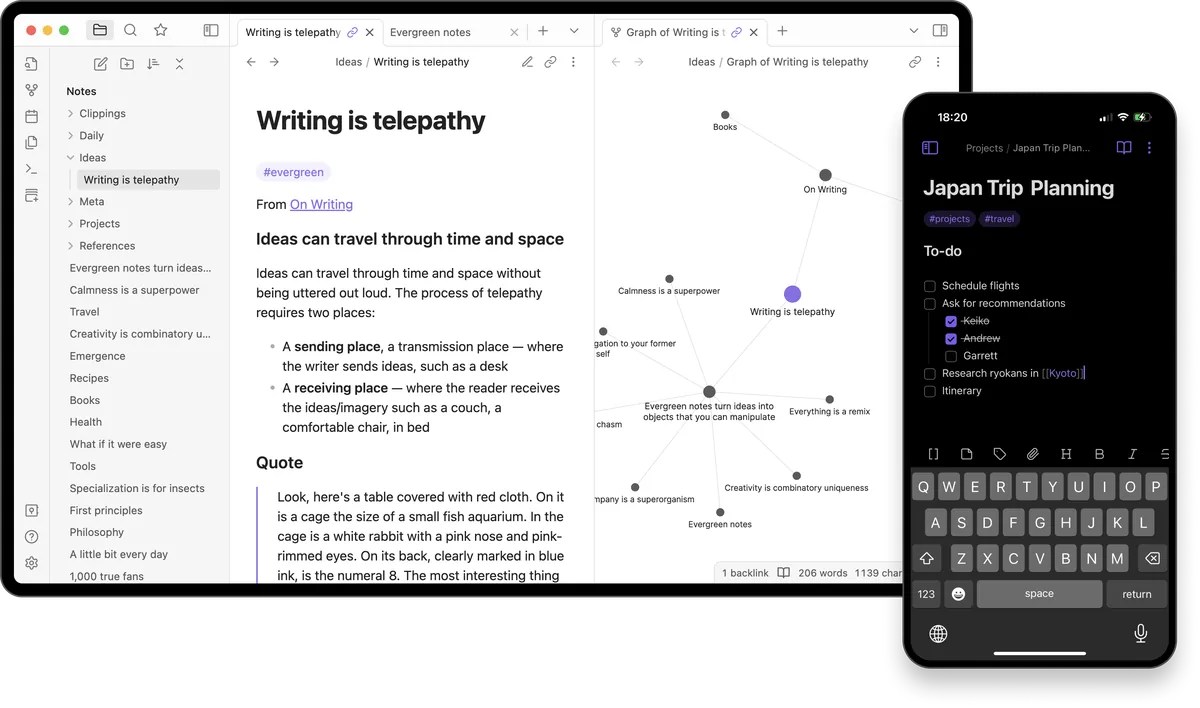
Obsidian UI screenshot on macOS, Local Markdown vault with backlinks and a knowledge graph; native Apple Silicon app that r…
Purpose. Local Markdown vault with backlinks and a knowledge graph; native Apple Silicon app that reads and writes files on disk with no proprietary format.
Key features. – Plain Markdown notes stored on disk; no lock-in and git-friendly. – Bidirectional links and a visual knowledge graph. – Over 1,500 community plugins and themes installable from the app itself. – Canvas for mind maps and infinite whiteboards. – Reading/live-edit modes, templates and daily notes built in.
Pros & cons. Pros: local files you keep owning, huge plugin ecosystem, commercial use free since 2024, solid Apple Silicon performance. Cons: steep learning curve, plugins demand setup time, first-party Sync is paid.
Essential plugins. Dataview (SQL queries over your notes), Templater (dynamic templates), Excalidraw (diagrams), Git (automatic versioning).
Editorial. The default pick if you want to build a second brain and keep your notes in plain text for decades; worth the upfront investment.
Pricing. Gratis · Sync desde 4 $/mes (≈ 3,70 €/mes) · Publish desde 8 $/mes (≈ 7,40 €/mes). Web. obsidian.md[21]
Notion

Notion UI screenshot on macOS, All-in-one workspace combining notes, wiki, relational databases and project management as…
Purpose. All-in-one workspace combining notes, wiki, relational databases and project management as composable blocks; Electron Mac client synced to the cloud.
Key features. – Nested pages and databases with table, kanban, calendar, gallery and timeline views. – Community templates and built-in forms. – Notion AI (summaries, assisted writing, questions about your workspace). – Real-time multi-user collaboration with granular permissions. – Notion Calendar and Notion Mail integrated into the ecosystem.
Pros & cons. Pros: near-infinite flexibility to model any workflow, smooth collaboration, ready-to-go templates. Cons: heavy Electron client on RAM, no truly reliable offline mode, lock-in to Notion’s cloud.
Essential plugins. Native integrations ecosystem (Slack, GitHub, Jira, Google Drive) plus thousands of templates at notion.so/templates.
Editorial. The right piece when you work in a team and need docs, tasks and databases to live together; overkill for strictly personal notes.
Pricing. Gratis · Plus desde 9,50 €/mes (≈ $10.50/mo) · Business desde 19,50 €/mes (≈ $21.50/mo). Web. www.notion.com[22]
Bear
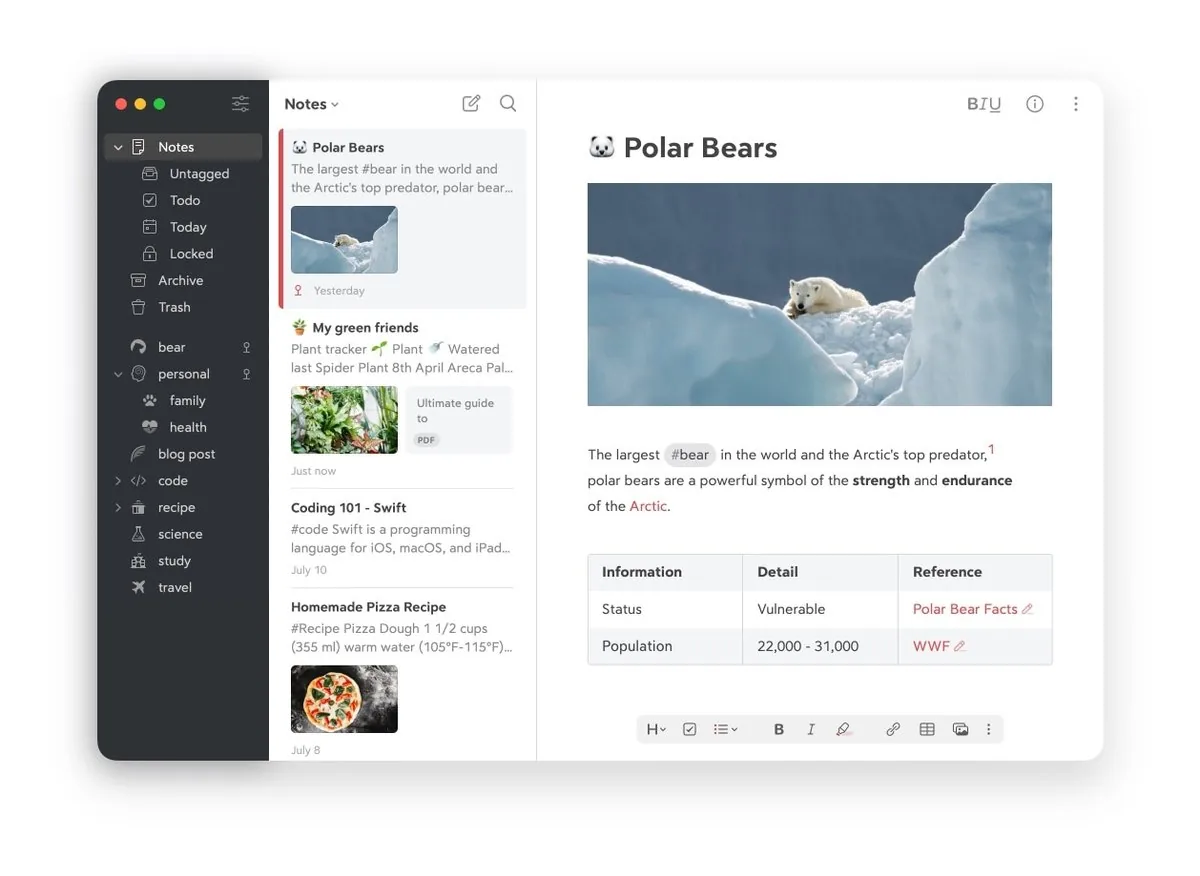
Bear UI screenshot on macOS, Elegant Markdown editor for macOS, iOS and watchOS focused on pleasant writing and hierarc…
Purpose. Elegant Markdown editor for macOS, iOS and watchOS focused on pleasant writing and hierarchical tag organisation; iCloud sync.
Key features. – Markdown editor with inline preview and carefully crafted typography. – Hierarchical tags (#work/clients/x) instead of folders. – Wikilinks between notes by title. – Export to HTML, PDF, DOCX, ePub, JPG. – Document scanning and OCR search inside PDFs and images (Pro).
Pros & cons. Pros: award-winning design and typography, fully native Apple Silicon app, tag model faster than folders. Cons: Apple-only, no plugin ecosystem, no free sync option.
Editorial. The best pick if you live fully in the Apple ecosystem and value writing in an app that feels native rather than extensible.
Pricing. Gratis · Pro desde 2,99 $/mes (≈ 2,75 €/mes) o 29,99 $/año (≈ 27,50 €/año). Web. bear.app[23]
Apple Notes

Apple Notes UI screenshot on macOS, Notes app bundled with macOS that syncs over iCloud across Mac, iPhone, iPad and web; supp…
Purpose. Notes app bundled with macOS that syncs over iCloud across Mac, iPhone, iPad and web; supports rich text, sketches, scans, tables and smart folders.
Key features. – iCloud sync with zero setup across all your Apple devices. – Smart folders based on tags, dates, lists, attachments or mentions. – Quick Notes from any app via hot corner or shortcut. – Per-note locking with password, Touch ID or Face ID. – Apple Intelligence: summarise, rewrite and suggest follow-up tasks (M-series).
Pros & cons. Pros: preinstalled and free, full Apple Intelligence integration, native sharing through Messages. Cons: no Markdown, no clean bulk export, total iCloud dependency.
Editorial. A reasonable default if you don’t want to pay and all your devices are Apple; it has come a long way with tags, smart folders and Apple Intelligence.
Pricing. Gratis (free), incluida con macOS. Web. www.icloud.com/notes[24]
Logseq
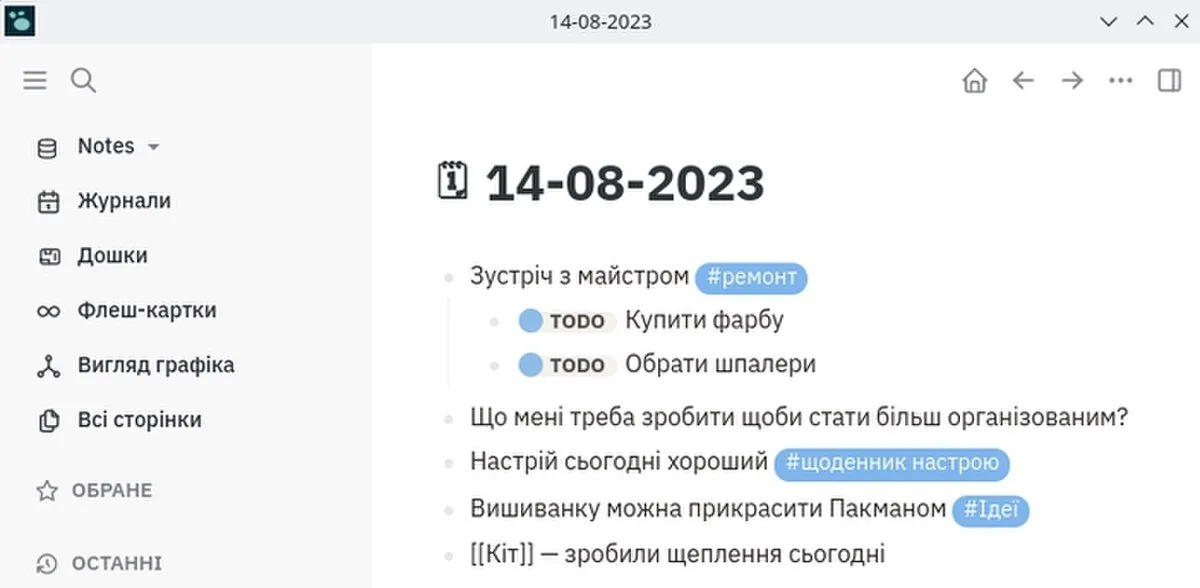
Logseq UI screenshot on macOS, Open-source, local-first block outliner for PKM with automatic daily journal, block refere…
Purpose. Open-source, local-first block outliner for PKM with automatic daily journal, block references and Datalog-style queries; an alternative to Roam and Obsidian for block thinkers.
Key features. – Block-based outliner with cross-references and embeds. – Automatic daily journal as the main entry point. – Datalog queries and a graph view across your notes. – Native PDF annotation and Zotero integration. – Local Markdown or Org-mode storage (you keep ownership of the files).
Pros & cons. Pros: fully open source and free, superior block model for outliners, journaling built in. Cons: shaky performance on very large graphs (the DB beta fixes this), plugin ecosystem smaller than Obsidian’s.
Essential plugins. Own marketplace with community plugins for themes, views and exporters; Zotero integration.
Editorial. The pick if Roam-style outliners attract you but you want local files and open source; today it’s the strongest alternative in that family.
Pricing. Gratis · Logseq Sync desde 5 €/mes (≈ $5.50/mo) vía Open Collective. Web. logseq.com[25]
Tasks
Things 3
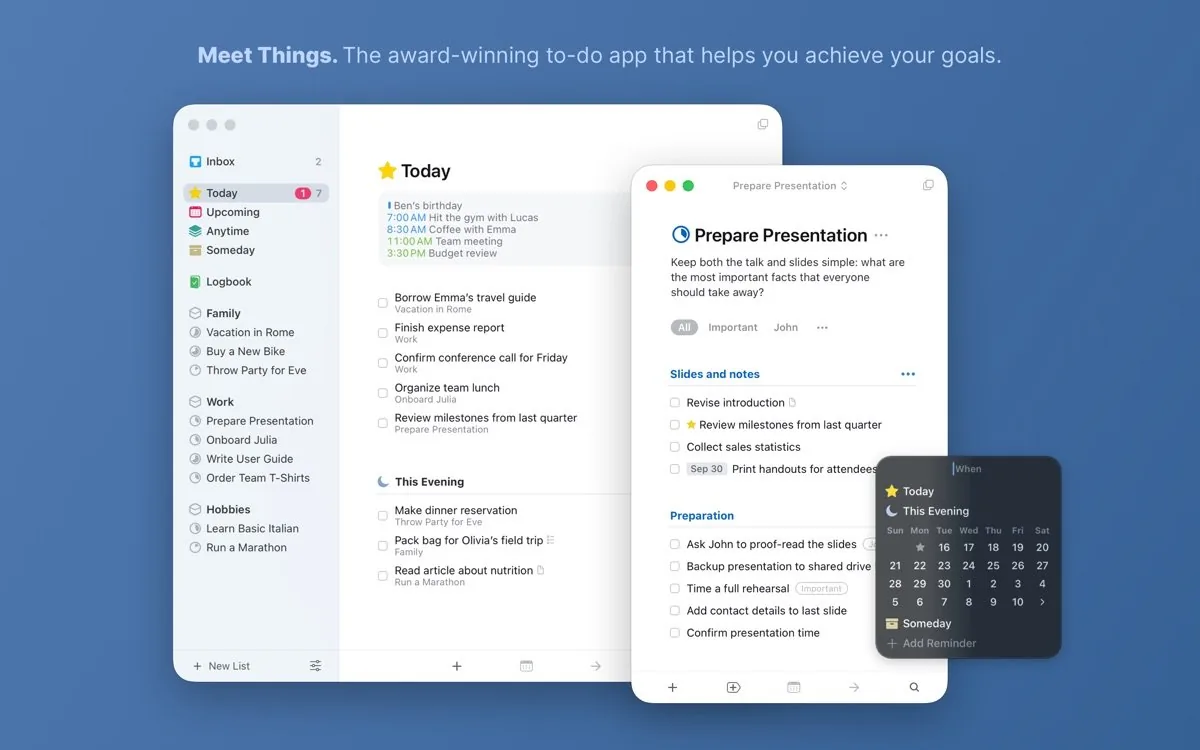
Things 3 UI screenshot on macOS, Premium task manager for Mac, iPhone, iPad and Apple Watch built around GTD; prioritises c…
Purpose. Premium task manager for Mac, iPhone, iPad and Apple Watch built around GTD; prioritises clarity, animations and keyboard shortcuts over raw features.
Key features. – Areas, projects and to-dos with a clean GTD-style hierarchy. – Magic Plus: drag the + button to the exact spot where you want a task. – Universal inbox with quick capture (Ctrl+Space) from any app. – Today, This Evening, Upcoming, Anytime, Someday as planning views. – Full keyboard shortcuts and native Apple Silicon support.
Pros & cons. Pros: outstanding design and craft, no subscription, Things Cloud sync included, Calendar/Reminders integration. Cons: per-platform purchase (Mac, iPhone, iPad separately), Apple-only, no multiuser collaboration.
Editorial. The Mac task manager with the highest craft; worth it if you live on Apple and prefer paying once over subscribing.
Pricing. Mac 49,99 € · iPad 19,99 € · iPhone+Watch 9,99 € (≈ paquete completo $80). Web. culturedcode.com/things[26]
Todoist
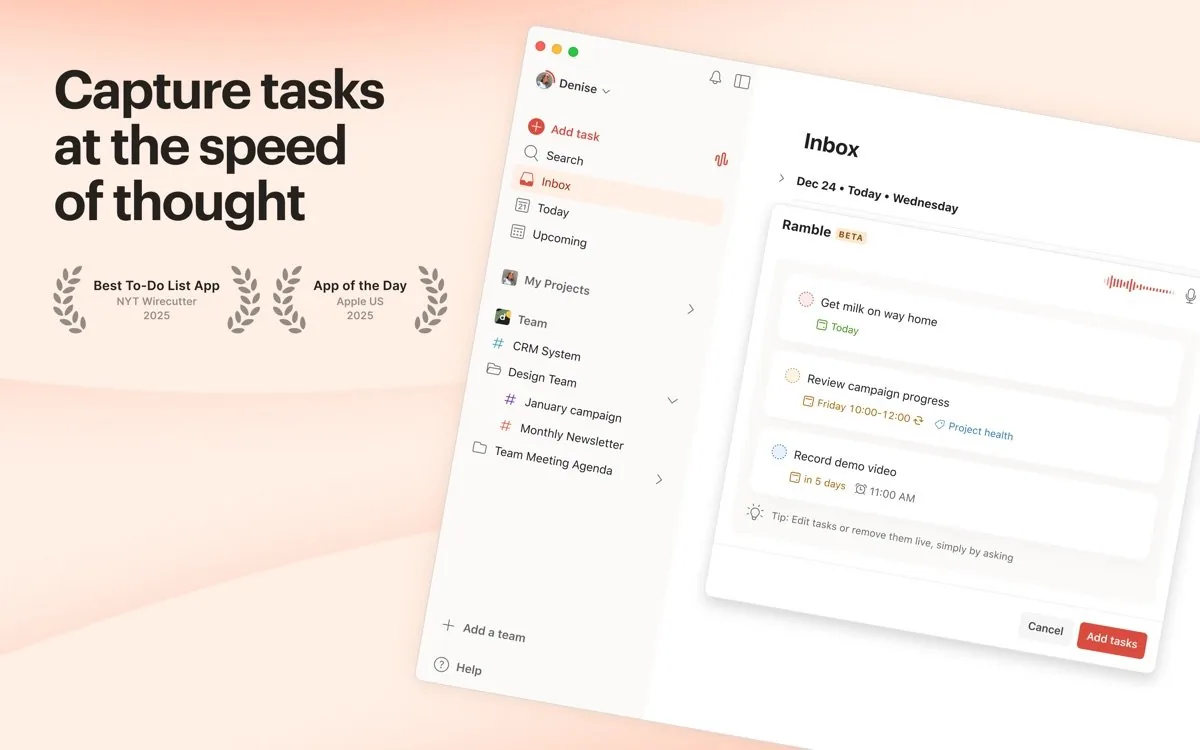
Todoist UI screenshot on macOS, Cross-platform task manager (Mac, iOS, Android, Windows, web, CLI) with natural-language c…
Purpose. Cross-platform task manager (Mac, iOS, Android, Windows, web, CLI) with natural-language capture, labels, filters and shared-project collaboration.
Key features. – Natural-language capture (‘tomorrow 9am every Monday #work p1’). – Powerful filter queries (overdue & p1 & #client-x). – List, Board (kanban) and Calendar views. – Karma and streaks to gamify consistency. – Over 80 integrations (Slack, Gmail, Google Calendar, Alexa).
Pros & cons. Pros: truly cross-platform, top-notch natural-language parser, wide integrations, smooth collaboration. Cons: free plan got tight (5 projects), Pro went up to $5/mo, depends on Doist’s cloud.
Essential plugins. Native integrations with Google Calendar, Outlook, Slack, Zapier, IFTTT and Gmail; public API for custom automations.
Editorial. The default pick if you work across Mac, iPhone, Windows and Android, or if you need to share projects with non-Apple folks.
Pricing. Gratis · Pro desde 4 €/mes (≈ $5/mo, anual) · Business desde 6 €/usuario/mes (≈ $8/user/mo). Web. www.todoist.com[27]
TickTick
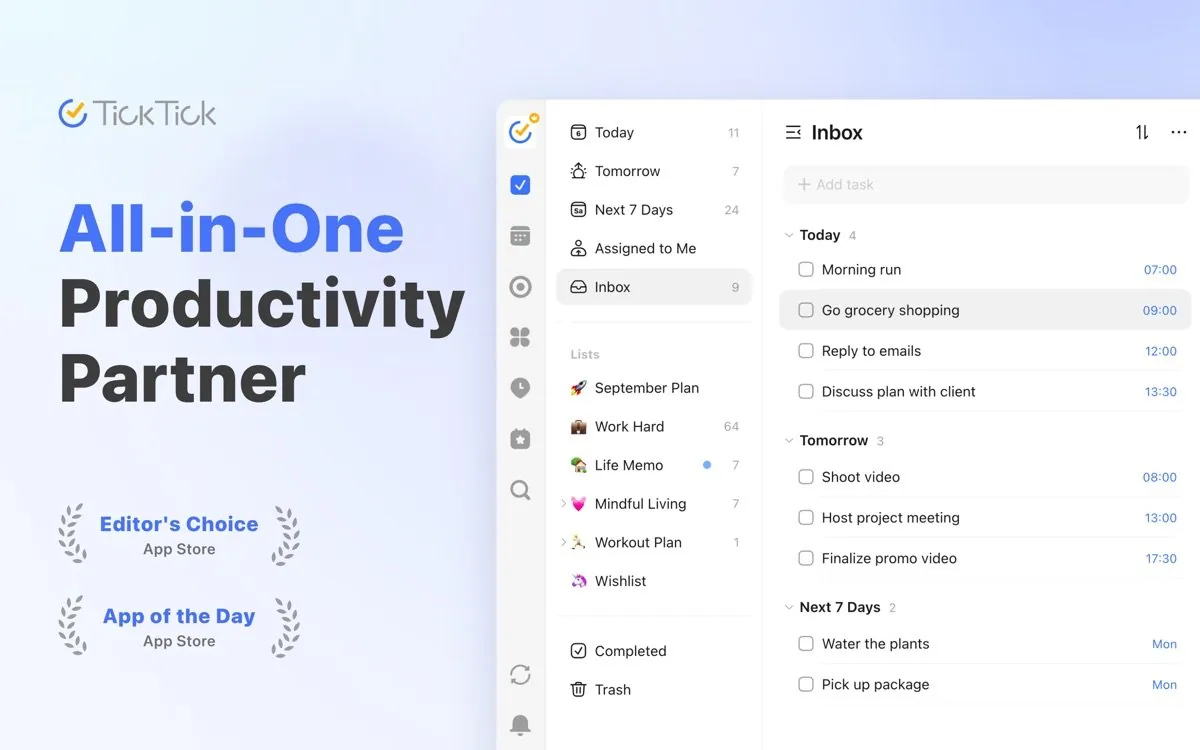
TickTick UI screenshot on macOS, Cross-platform task manager with calendar, habits, Pomodoro timer and Eisenhower view buil…
Purpose. Cross-platform task manager with calendar, habits, Pomodoro timer and Eisenhower view built in; an all-in-one Todoist alternative at a lower price.
Key features. – Calendar view (month, week, day) that combines tasks and events. – Habits with streaks, statistics and reminders. – Pomodoro and Focus mode with white-noise sounds. – Natural-language capture and voice input. – List, Kanban, Calendar and Eisenhower (urgency/importance matrix) views.
Pros & cons. Pros: everything in one app (tasks + calendar + habits + pomodoro), cheap Premium, truly cross-platform. Cons: design is a step below Things or Todoist, calendar sync gated to Premium.
Essential plugins. Integrations with Google/Outlook/iCloud Calendar, Gmail (turn email into tasks), Zapier, IFTTT and Siri Shortcuts.
Editorial. The pick for replacing three or four apps (tasks, calendar, habits, pomodoro) with one and paying as little as possible.
Pricing. Gratis · Premium desde 35,99 $/año (≈ 33 €/año) o 3,99 $/mes (≈ 3,70 €/mes). Web. www.ticktick.com[28]
OmniFocus 4
OmniFocus 4 UI screenshot on macOS, Pro task manager for Mac, iPhone, iPad, Apple Watch and web aimed at orthodox GTD, with cu…
Purpose. Pro task manager for Mac, iPhone, iPad, Apple Watch and web aimed at orthodox GTD, with custom perspectives, tags, reviews and Omni Automation scripting.
Key features. – Custom Perspectives with complex filters saved as views. – Forecast view that combines tasks with calendar events. – Periodic project Reviews in canonical GTD style. – Omni Automation (JavaScript) for scripts and plug-ins. – Web access included with subscription and Pro purchase.
Pros & cons. Pros: deepest GTD on the Mac, native scripting automation, Omni end-to-end-encrypted sync. Cons: steep learning curve, utilitarian interface, Apple-only (web aside).
Essential plugins. Community JavaScript plug-ins via Omni Automation; shareable perspectives and templates.
Editorial. For GTD users who already know what they want and need real perspectives, tags and reviews; overkill for grocery lists.
Pricing. Suscripción 99,99 $/año (≈ 92 €/año) · v4 perpetua desde 74,99 $ (≈ 69 €) · Pro perpetua 149,99 $ (≈ 138 €). Web. www.omnigroup.com/omnifocus[29]
Apple Reminders

Apple Reminders UI screenshot on macOS, Tasks app bundled with macOS and iOS that syncs over iCloud and supports shared lists, sec…
Purpose. Tasks app bundled with macOS and iOS that syncs over iCloud and supports shared lists, sections, templates, time/location reminders and Apple Intelligence autocomplete.
Key features. – Lists shared with family and colleagues at no extra cost. – Sections to break a list into blocks. – Reusable templates (packing list, moving day, onboarding). – Reminders triggered on arriving/leaving a place or messaging someone. – Apple Intelligence suggests tasks based on Mail and Messages.
Pros & cons. Pros: preinstalled and free, full integration with Siri, Apple Watch and Messages, free shared lists. Cons: no advanced natural-language parser, no complex filters, not GTD-friendly out of the box.
Editorial. The pick if all you need is lists, time/location reminders and sharing with family; it has improved a lot and costs nothing.
Pricing. Gratis (free), incluida con macOS. Web. www.icloud.com/reminders[30]
Office suite
Microsoft 365

Microsoft 365 UI screenshot on macOS, The reference office suite (Word, Excel, PowerPoint, Outlook, OneNote) with native Apple S…
Purpose. The reference office suite (Word, Excel, PowerPoint, Outlook, OneNote) with native Apple Silicon clients, OneDrive and embedded Copilot; the de-facto standard across enterprise and public sector.
Key features. – Native Word, Excel, PowerPoint, Outlook and OneNote for Apple Silicon. – 1 TB of OneDrive storage per user included. – Microsoft 365 Copilot embedded in Word, Excel, PowerPoint and Outlook. – Full compatibility with.docx/.xlsx/.pptx (it is the source format). – Real-time co-authoring in the cloud and automatic versioning.
Pros & cons. Pros: format compatibility with no surprises, Excel is still irreplaceable, advanced Copilot integration. Cons: subscription required for full use, heavy installers, intrusive telemetry.
Essential plugins. AppSource and Office Add-ins (Grammarly, DocuSign, Zoom, Power Automate); VBA macros and Office Scripts in Excel.
Editorial. If you work with corporate or public-sector clients, assume you need real Word and Excel; there is no equivalent for serious spreadsheets.
Pricing. Personal desde 99,00 €/año (≈ $109/yr) · Family desde 129,00 €/año (≈ $142/yr). Web. www.microsoft.com/microsoft-365[31]
iWork (Pages, Numbers, Keynote)

iWork (Pages, Numbers, Keynote) UI screenshot on macOS, Apple’s native office suite for macOS, iOS and web: Pages for documents, Numbers for free-…
Purpose. Apple’s native office suite for macOS, iOS and web: Pages for documents, Numbers for free-canvas spreadsheets and Keynote for cinematic presentations; free with any Mac.
Key features. – Pages: visual layout with templates, plus Word Processing and Page Layout modes. – Numbers: free-canvas spreadsheets with multiple tables per sheet. – Keynote: Magic Move animations and Live Video during presentations. – Real-time co-authoring via iCloud (also accessible from iCloud.com on Windows). – Apple Intelligence: assisted writing and image generation in Pages/Keynote (M-series).
Pros & cons. Pros: 100% native Apple Silicon, free with any Mac, Keynote is still the king of presentations. Cons: imperfect compatibility with.docx/.xlsx (especially advanced formulas), new Creator Studio freemium model has been criticised.
Editorial. A reasonable default for personal Mac use and for presentations (Keynote clearly beats PowerPoint); real friction once you collaborate with Office users.
Pricing. Gratis con cualquier Mac (Apple Creator Studio opcional desde 12,99 $/mes ≈ 12 €/mes). Web. www.apple.com/apps[32]
Google Workspace

Google Workspace UI screenshot on macOS, Fully web-based office suite (Docs, Sheets, Slides, Gmail, Drive, Calendar, Meet) with roc…
Purpose. Fully web-based office suite (Docs, Sheets, Slides, Gmail, Drive, Calendar, Meet) with rock-solid real-time co-authoring and embedded Gemini; zero local install.
Key features. – Docs, Sheets and Slides with market-leading real-time co-authoring. – Gmail with custom domain and Google’s anti-spam. – Google Drive (30 GB to 5 TB depending on plan) and Drive for Desktop with native Spotlight on macOS 26. – Google Meet with noise cancellation and live captions. – Gemini integrated into Docs, Sheets, Slides and Gmail depending on plan.
Pros & cons. Pros: real co-authoring with no conflicts, no install, unbeatable Gmail antispam, broad extensions ecosystem. Cons: Sheets still trails Excel for heavy calculations, full browser dependency, lock-in to Google’s native formats.
Essential plugins. Google Workspace Marketplace (Asana, DocuSign, Trello, Slack); Apps Script for macros and automations.
Editorial. The pick if your team already lives in Gmail and needs frictionless co-authoring; the Drive for Desktop client on macOS 26 is finally solid.
Pricing. Business Starter desde 6,80 €/usuario/mes (≈ $7.50/user/mo) · Standard desde 13,60 €/usuario/mes (≈ $15/user/mo). Web. workspace.google.com[33]
LibreOffice

LibreOffice UI screenshot on macOS, Open-source office suite (Writer, Calc, Impress, Draw, Base, Math) under the Mozilla Publi…
Purpose. Open-source office suite (Writer, Calc, Impress, Draw, Base, Math) under the Mozilla Public License 2.0; a free, local alternative to Microsoft Office, maintained by The Document Foundation.
Key features. – Writer, Calc, Impress, Draw, Base and Math in a single install. – Native compatibility with.docx/.xlsx/.pptx (read/write). – Native ODF format (ISO/IEC 26300 standard). – Templates, extensions and macros (Basic, Python, JavaScript). – Skia/Vulkan rendering on Mac and GPU-accelerated Impress from 26.x onwards.
Pros & cons. Pros: fully free and open source, works offline, ODF as open format, active community. Cons: UI dated compared to Office.docx/.xlsx compatibility with formatting drift, no Outlook equivalent.
Essential plugins. LibreOffice Extensions repository: dictionaries, templates, exporters, Zotero integrations, etc.
Editorial. The default if you need a real office suite without paying and with files on disk; expect friction when collaborating in.docx with an Office user.
Pricing. Gratis (free), open source bajo Mozilla Public License 2.0. Web. www.libreoffice.org[34]
OnlyOffice

OnlyOffice UI screenshot on macOS, Open-source office suite with free Desktop Editors for macOS and a self-hostable DocSpace …
Purpose. Open-source office suite with free Desktop Editors for macOS and a self-hostable DocSpace server; better.docx/.xlsx/.pptx compatibility than LibreOffice with a modern tabbed UI.
Key features. – Documents, Spreadsheets and Presentations editors with an Office-style tabbed UI. – Very high compatibility with.docx/.xlsx/.pptx (same engine as the server). – PDF and fillable-form editing and creation. – Self-hostable DocSpace for collaboration in private rooms (free for up to 12 users). – 400+ spreadsheet functions, pivot tables and JavaScript macros.
Pros & cons. Pros: free Desktop Editors, better MS Office fidelity than LibreOffice, self-hosted option via DocSpace. Cons: smaller user base than Office or Workspace, smaller extension ecosystem, no Outlook or Base equivalent.
Essential plugins. OnlyOffice plugins (Translator, Mendeley, Zotero, ChatGPT, Draw.io); JavaScript API for custom extensions.
Editorial. The pick when you want Office compatibility without paying and, optionally, self-host collaboration on your own server.
Pricing. Gratis (free) Desktop Editors · DocSpace gratis hasta 12 usuarios, planes Business desde ≈ $20/admin/mes. Web. www.onlyoffice.com[35]
Cloud storage
iCloud Drive

iCloud Drive UI screenshot on macOS, Storage and sync service built into macOS, iOS, iPadOS and web; the default path to sync D…
Purpose. Storage and sync service built into macOS, iOS, iPadOS and web; the default path to sync Desktop, Documents, Photos, Messages and iPhone/iPad backups.
Key features. – Transparent Desktop + Documents sync on macOS. – Shared folders with per-person permissions. – iCloud+ adds Private Relay, Hide My Email and a custom email domain. – Advanced Data Protection: E2E encryption for Drive, Notes, Photos and Backups. – Family Sharing: share the plan with up to 5 family members while preserving privacy.
Pros & cons. Pros: unbeatable native integration across Mac/iPhone/iPad, free Family Sharing, optional E2E with Advanced Data Protection. Cons: outside the Apple ecosystem it’s anecdotal (Windows ok, Linux no), occasional conflicts on collaborative files.
Editorial. The default for an M5 Mac: turn it on, sign in and everything is where it was; enable Advanced Data Protection and Family Sharing to get the most out of it.
Pricing. 50 GB desde 0,99 $/mes (≈ 0,99 €/mes) · 200 GB 2,99 $/mes (≈ 2,99 €/mes) · 2 TB 9,99 $/mes (≈ 9,99 €/mes) · 6 TB 29,99 $/mes (≈ 29,99 €/mes). Web. www.apple.com/icloud[36]
Dropbox

Dropbox UI screenshot on macOS, Cross-platform storage and sync with block-level sync, version history, large transfers an…
Purpose. Cross-platform storage and sync with block-level sync, version history, large transfers and built-in e-signature; the historic reference in the space.
Key features. – Block-level sync (uploads only the delta of each large file). – 30 days of history and file recovery. – Transfers up to 50 GB per file (Dropbox Transfer). – Built-in PDF editing and signing. – Smart Sync to keep files in the cloud only until you open them.
Pros & cons. Pros: block-level sync unbeatable for large files, historic reliability, truly cross-platform (Mac, Windows, Linux, mobile). Cons: expensive vs iCloud or Google for the same capacity, ridiculous free tier (2 GB), recurring privacy concerns.
Essential plugins. Native integrations with Slack, Zoom, Microsoft 365, Google Workspace, Notion, Trello; public API.
Editorial. The pick if you handle heavy files (video, RAW, creative projects) and need real block-level sync; iCloud doesn’t compete there.
Pricing. Gratis 2 GB · Plus 2 TB desde 9,99 €/mes (≈ $10.99/mo) · Family 2 TB desde 16,99 €/mes (≈ $19/mo). Web. www.dropbox.com[37]
Google Drive

Google Drive UI screenshot on macOS, Google’s storage and sync with native Drive for Desktop client on macOS (WebKit, Spotlight…
Purpose. Google’s storage and sync with native Drive for Desktop client on macOS (WebKit, Spotlight integration) and 15 GB free; the natural pair for Docs, Sheets, Slides and Gmail.
Key features. – 15 GB free, shared with Gmail and Google Photos. – Drive for Desktop with on-demand file streaming. – Native Spotlight integration on macOS 26+. – Sharing with per-user or per-link permissions. – Automatic detection of mass encryption (anti-ransomware) on Mac/Windows.
Pros & cons. Pros: generous 15 GB free, Drive for Desktop with native Spotlight, full Workspace integration, Google’s antivirus. Cons: Drive for Desktop has had historic reliability issues on macOS, no real E2E encryption, Google telemetry.
Essential plugins. Google Workspace Marketplace (Slack, DocuSign, Adobe Acrobat, Smartsheet); public API and webhooks.
Editorial. The default if you already live in Gmail or Workspace; otherwise you lose the Docs/Sheets coupling that is its biggest advantage.
Pricing. Gratis 15 GB · 100 GB desde 1,99 €/mes (≈ $2.20/mo) · 2 TB desde 9,99 €/mes (≈ $10.99/mo). Web. www.google.com/drive[38]
Proton Drive

Proton Drive UI screenshot on macOS, Swiss end-to-end-encrypted storage, part of the Proton ecosystem (Mail, VPN, Pass, Calenda…
Purpose. Swiss end-to-end-encrypted storage, part of the Proton ecosystem (Mail, VPN, Pass, Calendar); native Apple Silicon app and encrypted web client.
Key features. – E2E encryption by default on every file (zero-access). – Shared folders with password-protected, expiring links. – Proton Docs and Sheets, encrypted, inside Drive. – File version recovery. – Native client for Apple Silicon, Windows, Linux beta, iOS and Android.
Pros & cons. Pros: real E2E encryption from the first file, Swiss jurisdiction, open source, coherent Proton ecosystem. Cons: macOS client still younger than competitors, no block-level sync, smaller integrations ecosystem.
Editorial. The pick when privacy and E2E encryption are real requirements (journalism, healthcare, legal) and you prefer a European company with Swiss jurisdiction.
Pricing. Gratis 5 GB · Drive Plus 200 GB desde 4,99 €/mes (≈ $5.50/mo) · Proton Unlimited 500 GB desde 9,99 €/mes (≈ $10.99/mo). Web. proton.me/drive[39]
Sync.com
Sync.com UI screenshot on macOS, Canadian storage with end-to-end, zero-knowledge encryption across the whole account; a pr…
Purpose. Canadian storage with end-to-end, zero-knowledge encryption across the whole account; a privacy-first Dropbox alternative with affordable 1 TB and 5 TB plans.
Key features. – Zero-knowledge across the entire account (not just separate folders). – E2E encryption in transit and at rest. – Shared links with passwords, expiry and revocation. – Vault for files that don’t sync automatically. – Apps for Mac, Windows, iOS and Android (no Linux client).
Pros & cons. Pros: real zero-knowledge across the whole account, Canadian jurisdiction, cheap 1 TB/5 TB plans, PIPEDA/GDPR compliant. Cons: slower than competitors, no Linux client, losing your password without a recovery key means losing the files.
Editorial. The pick if you want Dropbox without giving up privacy and don’t need enterprise integrations; have your recovery phrase ready before uploading anything important.
Pricing. Personal 150 GB desde 4 $/mes (≈ 3,70 €/mes) · 1 TB desde 8 $/mes (≈ 7,40 €/mes) · Pro Solo 5 TB desde 16 $/mes (≈ 14,75 €/mes). Web. www.sync.com[40]
Comms & video
Slack

Slack UI screenshot on macOS, Channel-based team messaging with threads, integrations and search. The default internal-c…
Purpose. Channel-based team messaging with threads, integrations and search. The default internal-comms hub for startups and tech-leaning companies.
Key features. – Public and private channels with threads to keep the main flow clean. – Huddles for quick voice and video calls inside a channel or DM. – Marketplace with thousands of integrations (GitHub, Linear, Google Drive, PagerDuty). – Workflow Builder to automate replies, forms and approvals with no code. – Federated search across messages, files and channels with Gmail-style operators. – Mac client rewritten in 2024 with ~33% faster startup and lower RAM usage.
Pros & cons. Pros: unmatched integration ecosystem, dense keyboard shortcuts, much-improved Mac client after the redesign. Cons: Free plan only keeps 90 days of history, multiple workspaces still spike RAM and CPU.
Essential plugins. Official Marketplace: GitHub, Linear, Loom, Notion, Zoom, Google Drive, PagerDuty, Datadog and thousands more.
Editorial. The de facto standard when the team is already on it; if you’re starting from scratch as a small shop, weigh Discord or Teams first on cost.
Pricing. Gratis · Pro desde 7,25 $/usuario/mes (≈ 6,70 €/usuario/mes) anual. Web. slack.com[41]
Zoom

Zoom UI screenshot on macOS, Video meeting and webinar platform with the widest market share for one-off external clien…
Purpose. Video meeting and webinar platform with the widest market share for one-off external client calls.
Key features. – Meetings of up to 100 participants with 30 hours on the Pro plan. – Breakout rooms, polls and reactions. – Local and cloud recording with automatic transcription. – AI Companion for meeting summaries and next steps (paid plans). – Native Apple Silicon client, virtual backgrounds with no green screen and noise suppression.
Pros & cons. Pros: robust audio/video quality even on flaky networks, virtually everyone already knows how to use it. Cons: loaded history of security incidents in the Mac client, aggressive installer and invasive notifications.
Essential plugins. Official App Marketplace: Slack, Google Calendar, Notion, HubSpot, Otter.ai, Salesforce.
Editorial. A must if you work with external clients; for internal meetings there are lighter options like Google Meet or Discord.
Pricing. Gratis · Pro desde 13,33 $/usuario/mes (≈ 12,30 €/usuario/mes) anual. Web. zoom.us[42]
Microsoft Teams

Microsoft Teams UI screenshot on macOS, Messaging, video meetings and collaboration integrated with the rest of Microsoft 365. The…
Purpose. Messaging, video meetings and collaboration integrated with the rest of Microsoft 365. The default when the company already pays for the suite.
Key features. – 1:1 and group chat, voice calls and video calls for up to 300 people. – Live co-authoring of Word, Excel and PowerPoint documents inside the client. – Calendar, OneDrive and SharePoint integrated without app-hopping. – Private and shared channels for cross-tenant collaboration. – New client (post-2024) with ~50% less memory and twice the startup speed.
Pros & cons. Pros: deep Office integration, calls and meetings with no extra license, guaranteed global presence. Cons: Mac client still stumbles after macOS Tahoe 26.x according to forums, inconsistent UX across modules.
Essential plugins. Microsoft AppSource store: Trello, Asana, GitHub, Polly, Mural, Power Automate.
Editorial. If your organisation pays for Microsoft 365 you already have Teams; otherwise it isn’t worth installing just for its chat.
Pricing. Gratis · Essentials desde 4,00 €/usuario/mes anual (≈ $4.00/user/mo). Web. www.microsoft.com/microsoft-teams/group-chat-software[43]
Discord

Discord UI screenshot on macOS, Chat servers with voice, video and screen-share organised in topic channels. Standard for …
Purpose. Chat servers with voice, video and screen-share organised in topic channels. Standard for tech communities, gaming and open-source projects.
Key features. – Servers with persistent, free-form text, voice and forum channels. – Always-on, low-latency voice channels, perfect for co-working or pair-programming. – Stage Channels and events for community meetups or AMAs. – Rich bots and webhooks (MEE6, Carl-bot, GitHub) without a paid marketplace. – Native Apple Silicon client since 2022, full macOS 26 support.
Pros & cons. Pros: free with no message cap, huge community, low-latency voice, GitHub integration heavily used in open source. Cons: no enterprise retention (no default export), Electron client eats RAM, moderation is per-server not platform-wide.
Essential plugins. Community bots: MEE6, Dyno, Carl-bot, GitHub, Statbot, MidJourney.
Editorial. Obvious choice if your community is technical or creative and has no compliance requirements; for corporate internal use, Slack or Teams.
Pricing. Gratis · Nitro Basic desde 2,99 $/mes (≈ 2,75 €/mes), Nitro 9,99 $/mes (≈ 9,20 €/mes). Web. discord.com[44]
Telegram

Telegram UI screenshot on macOS, Cross-platform cloud messenger with groups up to 200,000, public channels and bots. Native…
Purpose. Cross-platform cloud messenger with groups up to 200,000, public channels and bots. Native macOS client written in Swift.
Key features. – Cloud sync across any device, no need for the phone to be on. – Public channels for broadcasting and groups of up to 200,000 members. – Full-featured bots (HTTP API, inline mode, payments) with solid documentation. – Optional E2E encryption in Secret Chats; client and MTProto protocol are open source. – Folders, scheduled messages, self-destruct and per-chat silent mode.
Pros & cons. Pros: genuinely native, fast Mac client, free with no ads, unlimited cloud storage for media. Cons: regular chats are not E2E by default (only Secret Chats), the server is proprietary even though the client is open source.
Essential plugins. Bots: BotFather, Combot, IFTTT, GitHub Notifier; inline integrations from inside any chat.
Editorial. The most polished Mac client of the bunch; perfect for communities, channels and bots, but don’t pick it if you need default E2E everywhere.
Pricing. Gratis · Premium desde 5,49 €/mes (≈ $5.99/mo). Web. telegram.org[45]
Reader
Reeder Classic
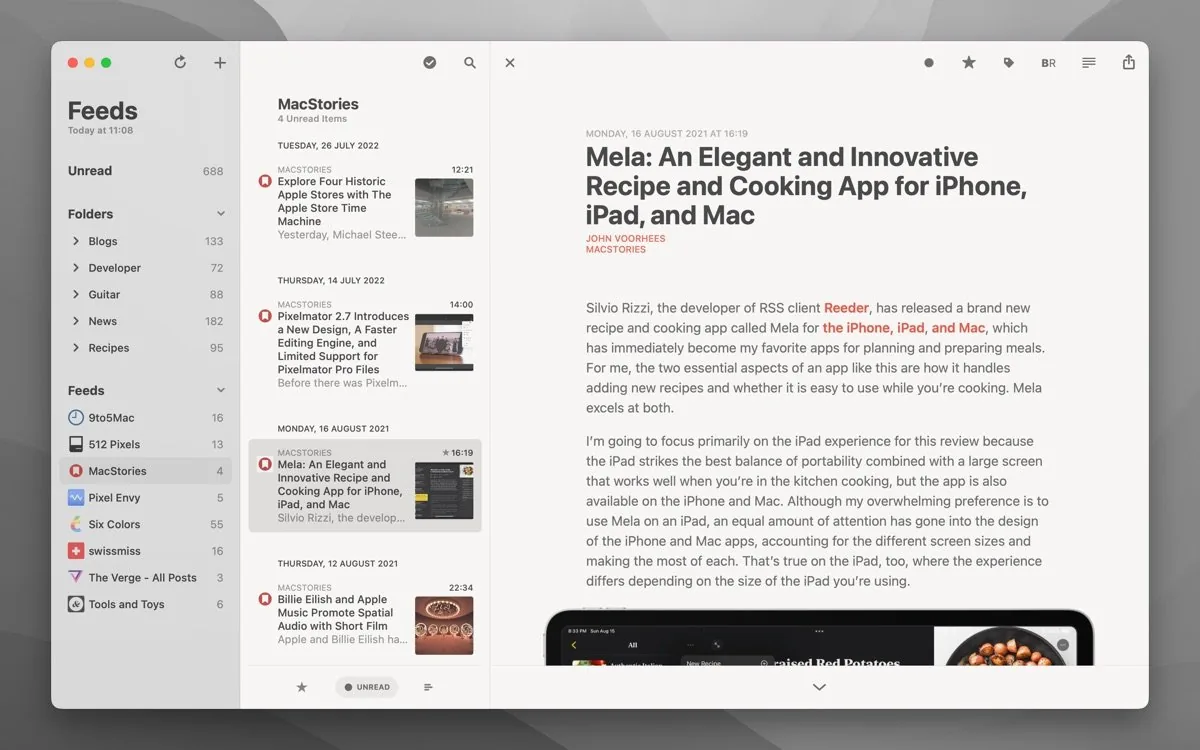
Reeder Classic UI screenshot on macOS, Silvio Rizzi’s classic RSS reader for macOS, with iCloud sync and support for every major …
Purpose. Silvio Rizzi’s classic RSS reader for macOS, with iCloud sync and support for every major feed service. The continuation of the old Reeder 5.
Key features. – iCloud sync across Mac, iPhone and iPad with no third-party server. – Supports Feedbin, Feedly, FeedHQ, NewsBlur, The Old Reader, Inoreader, BazQux, FreshRSS, Instapaper and Pocket. – Automatic per-feed Reader View to clean up typography and strip trackers. – Built-in Read Later service via iCloud with share extensions. – Optional Bionic Reading, dense keyboard shortcuts and configurable typography themes.
Pros & cons. Pros: authentic Mac design with careful typography, dense shortcuts, single purchase with no subscription. Cons: no AI or auto-summaries, you also have to buy the iOS app separately.
Editorial. Old-school RSS at its Mac best. Ideal if you’re coming from Reeder 5 and prefer to pay once instead of moving to the unified model of the new Reeder.
Pricing. 9,99 $ (≈ 9,20 €). Web. reederapp.com/classic[46]
NetNewsWire

NetNewsWire UI screenshot on macOS, Free, open-source RSS reader for macOS and iOS maintained by Brent Simmons. No subscriptio…
Purpose. Free, open-source RSS reader for macOS and iOS maintained by Brent Simmons. No subscriptions, no telemetry, no features hidden behind paywalls.
Key features. – Sync with iCloud, Feedbin, Feedly, BazQux, Inoreader, NewsBlur, The Old Reader and FreshRSS. – Reader View with keyboard navigation and light/dark themes. – Smart feeds (All Unread, Today), starred articles and OPML import/export. – AppleScript support, multiple windows and a customisable toolbar. – Safari extension to add feeds from the page you’re viewing.
Pros & cons. Pros: completely free and open source, blazing fast, native Apple Silicon, actively maintained. Cons: functional design without Reeder’s typographic polish, no built-in read-later.
Editorial. The first RSS reader to recommend to anyone who asks; costs zero, lasts forever and feels like a Mac app from the good old days.
Pricing. Gratis (free). Web. netnewswire.com[47]
Feedly

Feedly UI screenshot on macOS, Cloud RSS reader and market-intelligence aggregator with web, iOS and Android clients. The…
Purpose. Cloud RSS reader and market-intelligence aggregator with web, iOS and Android clients. The most-used in the space with 14M users.
Key features. – Sync between web, mobile and the main native clients (Reeder, NetNewsWire). – Boards to save and curate articles by topic or client. – Leo AI Assistant to filter feeds, dedupe and summarise pieces. – Integrations with Slack, Microsoft Teams, Notion, Pocket, Buffer and Zapier. – ‘Today’ view prioritised by your activity and a powerful search across all feeds.
Pros & cons. Pros: syncs with virtually any Mac RSS client, decent free tier, huge user base. Cons: no native Mac app (web only), Pro+ has gotten pricier and pushes AI features many don’t want.
Essential plugins. Native integrations with Slack, Teams, Notion, Buffer, IFTTT and Zapier.
Editorial. If you need feeds available everywhere and shareable with a team, it’s still the safe bet; use Reeder or NetNewsWire on top of it.
Pricing. Gratis · Pro desde 6,99 $/mes (≈ 6,45 €/mes), Pro+ desde 12,99 $/mes (≈ 11,99 €/mes). Web. feedly.com[48]
Inoreader

Inoreader UI screenshot on macOS, Power-user RSS reader with rules, filters, keyword monitoring and support for non-RSS sour…
Purpose. Power-user RSS reader with rules, filters, keyword monitoring and support for non-RSS sources (Reddit, Twitter/X, Telegram, newsletters).
Key features. – Up to 30 automatic rules and filters on Pro: mark, tag or forward articles hands-off. – Feed monitoring and boosting to force fast refresh on critical sources. – Newsletters: a dedicated email address to receive newsletters in the reader. – Reddit, Telegram and social-media feeds in addition to RSS/Atom/JSON Feed. – AI summaries and an ad-free experience on paid plans.
Pros & cons. Pros: unbeatable for professional monitoring, brings in non-RSS sources, solid annual discounts. Cons: interface is heavy for casual use, the Mac app is basically a web wrapper.
Essential plugins. Native integrations with Slack, Microsoft Teams, IFTTT, Zapier, Buffer and custom webhooks.
Editorial. For anyone tracking hundreds of sources and needing real rules; if you only read 30 blogs a day, NetNewsWire is simpler and free.
Pricing. Gratis · Pro desde 6,67 €/mes anual (≈ $7.30/mo), 8,99 €/mes mensual. Web. www.inoreader.com[49]
Readwise Reader
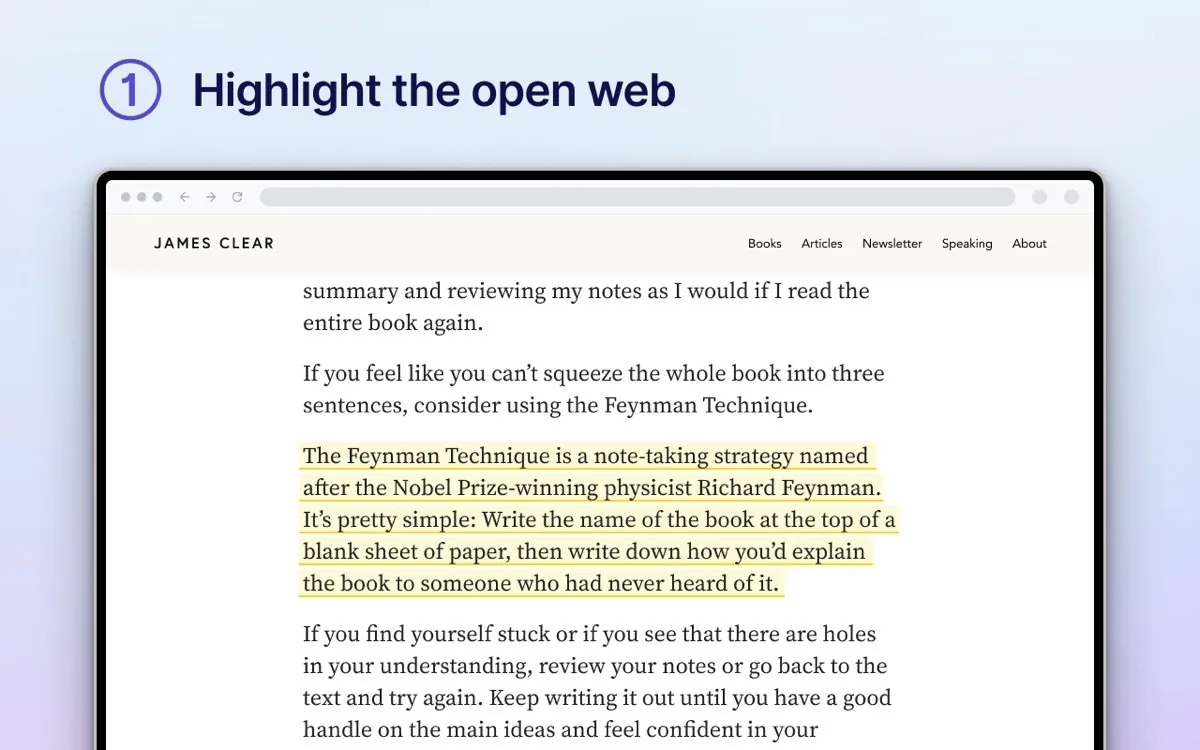
Readwise Reader UI screenshot on macOS, Read-later and active-reading app that unifies RSS, PDFs, newsletters, ebooks, YouTube tra…
Purpose. Read-later and active-reading app that unifies RSS, PDFs, newsletters, ebooks, YouTube transcripts and Twitter threads in a single timeline.
Key features. – Capture articles, PDFs, EPUBs, tweets and videos from any device. – Highlights, notes and tags that auto-export to Obsidian, Notion, Roam or Logseq. – Ghostreader (AI) for summaries, definitions and questions on the text. – Built-in RSS reader and an email address for receiving newsletters. – Sync with Readwise Highlights for daily spaced repetition.
Pros & cons. Pros: the most complete read-later out there, excellent PKM integrations, genuinely useful AI. Cons: one of the priciest options, requires the full Readwise subscription.
Essential plugins. Exports to Obsidian, Notion, Logseq, Roam, Bear and Apple Notes via official plugins.
Editorial. If you read a lot and turn it into notes, pay without thinking. If you just save for later, Pocket is gone but Instapaper or Matter cost less.
Pricing. Desde 9,99 $/mes anual (≈ 9,20 €/mes); 12,99 $/mes mensual. Web. readwise.io/read[50]
System maintenance
CleanMyMac

CleanMyMac UI screenshot on macOS, MacPaw’s macOS maintenance suite that combines junk-file cleanup, uninstaller, health dash…
Purpose. MacPaw’s macOS maintenance suite that combines junk-file cleanup, uninstaller, health dashboard and malware detection in one interface.
Key features. – Smart Care scans system, malware and privacy in a single pass. – Cleanup removes caches, logs,.DS_Store files and iOS/Xcode leftovers. – Applications: uninstalls apps along with their associated files and manages extensions. – Performance: shows RAM, CPU and disks in a dedicated menu bar widget. – Protection: anti-malware engine with a signature base maintained by MacPaw.
Pros & cons. Pros: very polished native UI, automates housekeeping people skip, active support and signature updates. Cons: many tasks overlap with modern macOS, annual subscription and duplication with XProtect/Gatekeeper.
Editorial. Worth it if you value convenience and a single dashboard; if you’re comfortable with Terminal and AppCleaner you cover 80% for free.
Pricing. Desde 39,95 €/año (≈ $39.95/yr) plan 1 Mac. Web. macpaw.com/cleanmymac
Stats
Stats UI screenshot on macOS, Free, open-source menu-bar system monitor by Serhiy Mytrovtsiy. Shows CPU, GPU, RAM, disk,…
Purpose. Free, open-source menu-bar system monitor by Serhiy Mytrovtsiy. Shows CPU, GPU, RAM, disk, network, sensors and battery.
Key features. – Modular design: each metric can be enabled, disabled and configured independently. – Full sensor support on Apple Silicon (frequency, voltages, temperatures). – Historical charts in the menu bar and an expanded dashboard on click. – Threshold notifications (CPU > X%, battery < Y%, public IP changes). – 40+ languages, install via DMG or Homebrew Cask.
Pros & cons. Pros: genuinely open source (MIT), 38k+ GitHub stars, actively maintained, zero cost. Cons: less visually polished than iStat Menus, sensors and bluetooth modules can spike CPU if you enable them all.
Editorial. If you want to see what your Mac is doing without paying and without telemetry, it’s the first install after Homebrew. Covers 90% of iStat Menus use cases.
Pricing. Gratis (free). Web. github.com/exelban/stats
AppCleaner
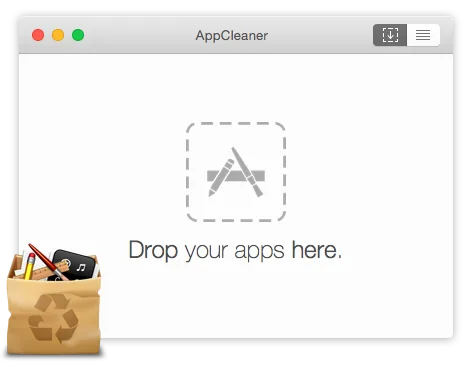
AppCleaner UI screenshot on macOS, macOS application uninstaller, veteran freeware from FreeMacSoft. Drag any app and it remo…
Purpose. macOS application uninstaller, veteran freeware from FreeMacSoft. Drag any app and it removes the binary plus every associated file.
Key features. – Drag and drop an app or use it from an internal browser with sizes and paths. – SmartDelete sentinel: detects when you drag an app to the Trash and offers a full cleanup. – Lists every support file, cache and preference before deletion (you can untick items). – Supports widgets, plugins and preference panes in addition to.app bundles. – Universal Binary, lightweight (<10 MB), no telemetry, no network calls.
Pros & cons. Pros: free, maintained after 15+ years, does one thing well, native Apple Silicon. Cons: minimal interface without advanced search, no uninstall history for undo.
Editorial. Essential and free. If you only install one maintenance app, make it this one.
Pricing. Gratis (free). Web. freemacsoft.net/appcleaner
iStat Menus
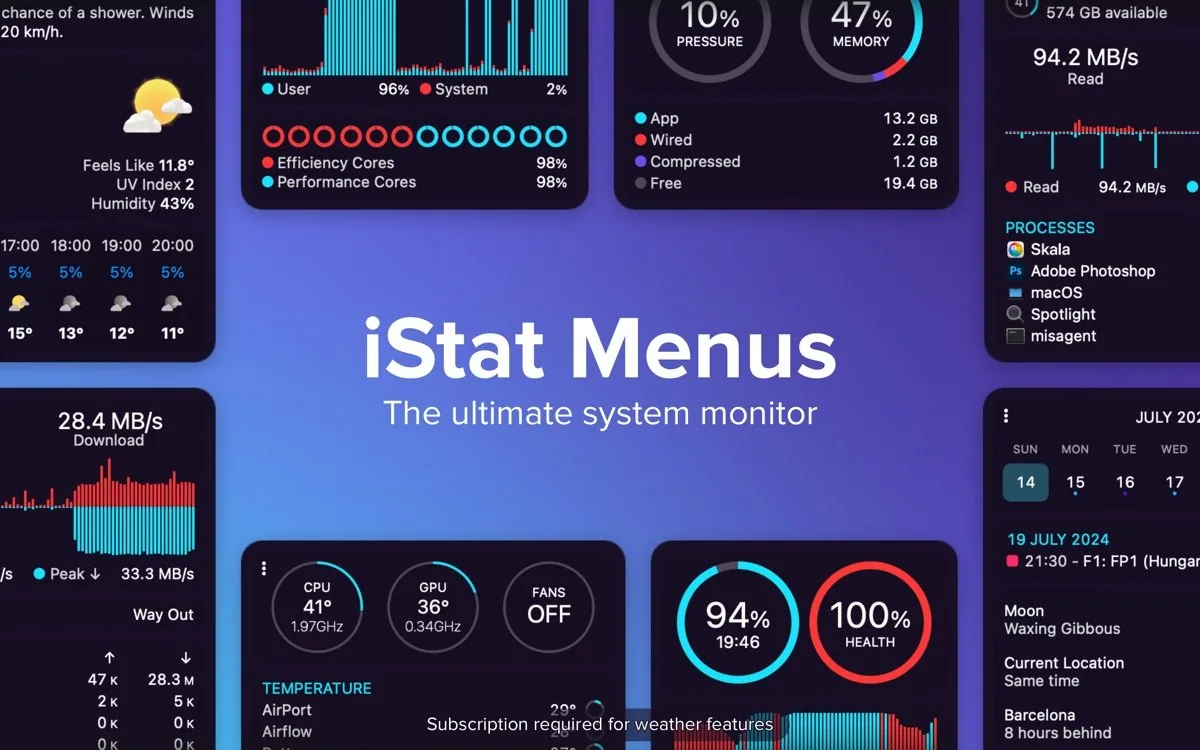
iStat Menus UI screenshot on macOS, macOS menu-bar system monitor maintained by Bjango since 2003. Version 7 with full redesig…
Purpose. macOS menu-bar system monitor maintained by Bjango since 2003. Version 7 with full redesign and deep Apple Silicon sensor support.
Key features. – CPU, GPU, RAM, disk, network, sensors, battery, power and a clock with multiple time zones. – Highly granular threshold notifications (CPU > 60% for 10s, public IP changes, etc.). – Much longer chart history than free apps. – Per-core frequency on Apple Silicon and additional sensors only available here. – Native design, extremely polished and CPU-efficient.
Pros & cons. Pros: the most complete and polished in the segment, single purchase, exceptional support since 2003. Cons: 6 to 7 upgrade path has been bumpy for some, Stats covers the basic case for free.
Editorial. If you live in your Mac and want the best visual monitor available, the $11.99 are worth it; otherwise, Stats is more than enough.
Pricing. 11,99 $ (≈ 11,05 €) licencia individual, 14,99 $ (≈ 13,80 €) familiar. Web. bjango.com/mac/istatmenus
The Unarchiver

The Unarchiver UI screenshot on macOS, Free utility to extract virtually any compressed-archive format on macOS, plugging the gap…
Purpose. Free utility to extract virtually any compressed-archive format on macOS, plugging the gaps in the built-in Archive Utility.
Key features. – Supports ZIP, RAR (including RAR5), 7z, TAR, Gzip, Bzip2, CAB, ISO and many legacy formats (StuffIt, LZH, ARJ). – Handles non-Latin filenames without breaking accents or symbols. – Extracts encrypted archives and multi-part volumes without wrestling with the command line. – Can be set as the default app for opening compressed files. – No ads, no telemetry, no in-app purchases.
Pros & cons. Pros: free, lightweight, supports literally every format you’ll encounter, maintained. Cons: doesn’t compress, only extracts; updates less often than other utilities.
Editorial. Two minutes after unboxing the Mac: install The Unarchiver and forget that macOS doesn’t open RAR out of the box.
Pricing. Gratis (free). Web. theunarchiver.com
Backup & encryption
Time Machine

Time Machine UI screenshot on macOS, macOS-native incremental backup system. Automatic, versioned backups to an external disk o…
Purpose. macOS-native incremental backup system. Automatic, versioned backups to an external disk or NAS with granular file restore or full Mac restoration.
Key features. – Hourly backups for 24h, daily for a month, weekly until the disk fills up. – Only copies deltas after the first backup, so day-to-day runs are very fast. – Optional password encryption on the destination disk. – Full restore on a brand-new Mac via Migration Assistant. – Supports USB / Thunderbolt drives and SMB/AFP-compatible NAS units.
Pros & cons. Pros: already installed, free, automatic, full Mac restore is trivial. Cons: backups can corrupt silently, it’s not a good off-site solution, slow when restoring individual older files.
Editorial. It’s the first leg of the 3-2-1 every Mac needs; not the only one. Layer a cloud backup on top.
Pricing. Gratis (free). Web. support.apple.com/en-us/104984
Arq Backup

Arq Backup UI screenshot on macOS, Encrypted backup software for Mac and Windows that sends data to whatever cloud you choose…
Purpose. Encrypted backup software for Mac and Windows that sends data to whatever cloud you choose (S3, Backblaze B2, Wasabi, Google Drive, OneDrive, SFTP, NAS) or to a local disk.
Key features. – End-to-end encryption with your own key: the storage provider never sees your files. – Filesystem snapshots for consistent backups even of files in use. – Version history with client-side deduplication and compression. – Automatic backup validation and granular or full restore. – Multiple destinations (cloud + local) running in parallel from the same app.
Pros & cons. Pros: you control where the data goes and at what price, real E2E encryption, perpetual license available. Cons: initial setup is more demanding than Time Machine, you also pay for the cloud separately.
Editorial. If predictable cost and choice of provider matter, Arq + Backblaze B2 is the SRE favourite combo.
Pricing. 49,99 $ (≈ 46,10 €) un pago para Arq 7 (1 año de updates) · Arq Premium desde 6 $/mes (≈ 5,50 €/mes). Web. www.arqbackup.com
Backblaze

Backblaze UI screenshot on macOS, Unlimited cloud backup service for Mac and Windows. Install the client, pick what to exclu…
Purpose. Unlimited cloud backup service for Mac and Windows. Install the client, pick what to exclude and forget: every file gets uploaded and versioned.
Key features. – Unlimited backup per computer, with no per-file size cap. – Includes external drives whenever they’re connected. – Native Apple Silicon client, lightweight and well-integrated. – 1-year version history by default, extendable to Forever Version History. – Recovery via download, mailed USB drive or web ZIP.
Pros & cons. Pros: flat predictable price, truly unlimited, set-and-forget; service maintained since 2007. Cons: doesn’t back up NAS or iCloud/Google Drive accounts, only Mac-attached disks; key by default lives on their servers.
Editorial. The easiest off-site backup to set up for a home Mac. Pair it with Time Machine and sleep easy.
Pricing. Desde 99 $/año (≈ 91,30 €/año) por ordenador. Web. www.backblaze.com
Carbon Copy Cloner
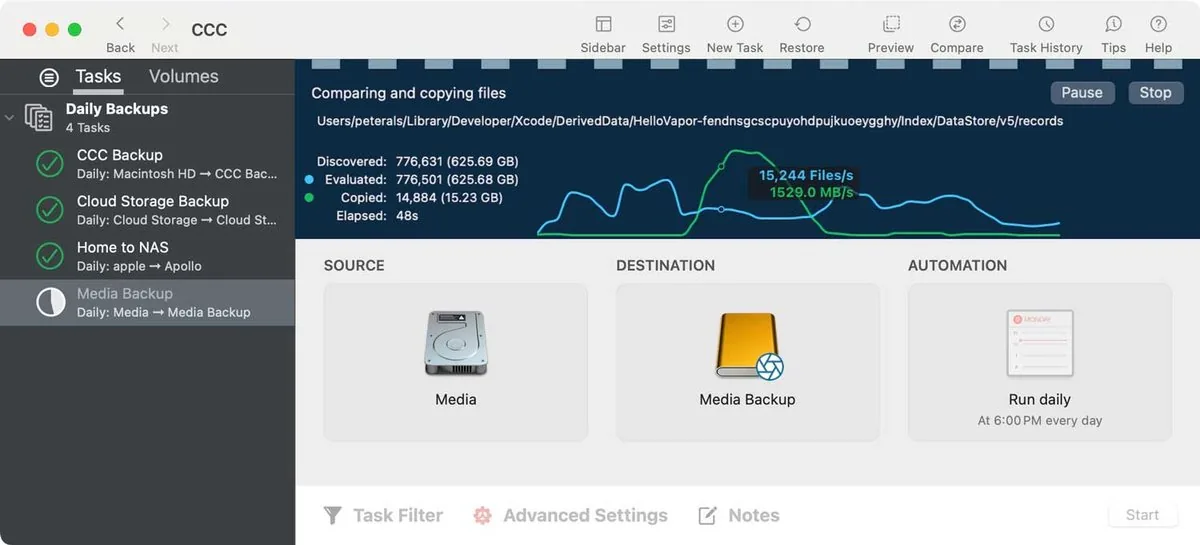
Carbon Copy Cloner UI screenshot on macOS, macOS disk cloner from Bombich Software. Creates exact volume copies, schedules tasks and …
Purpose. macOS disk cloner from Bombich Software. Creates exact volume copies, schedules tasks and keeps APFS snapshots, though since Big Sur the bootable clone is ‘best effort’.
Key features. – Scheduled tasks with conditions (only when the disk is connected, only on the home network, etc.). – SafetyNet: archives files removed from the source so you don’t lose them. – Snapshot Navigator to restore prior versions, even from APFS volumes. – Supports cloning to remote SSH targets and to NAS. – Email or Notification Center alerts with a per-task summary.
Pros & cons. Pros: total control over what gets cloned and when, solid snapshots, exceptional author support. Cons: bootable clones can no longer be guaranteed on Apple Silicon, personal license is per household (not per Mac).
Editorial. For anyone who wants disk cloning without surprises and with serious scheduling. If you just want to restore lost files, Time Machine is enough.
Pricing. 44,25 € (≈ $49.99) licencia personal/hogar, válida con CCC 5/6/7. Web. bombich.com
VeraCrypt
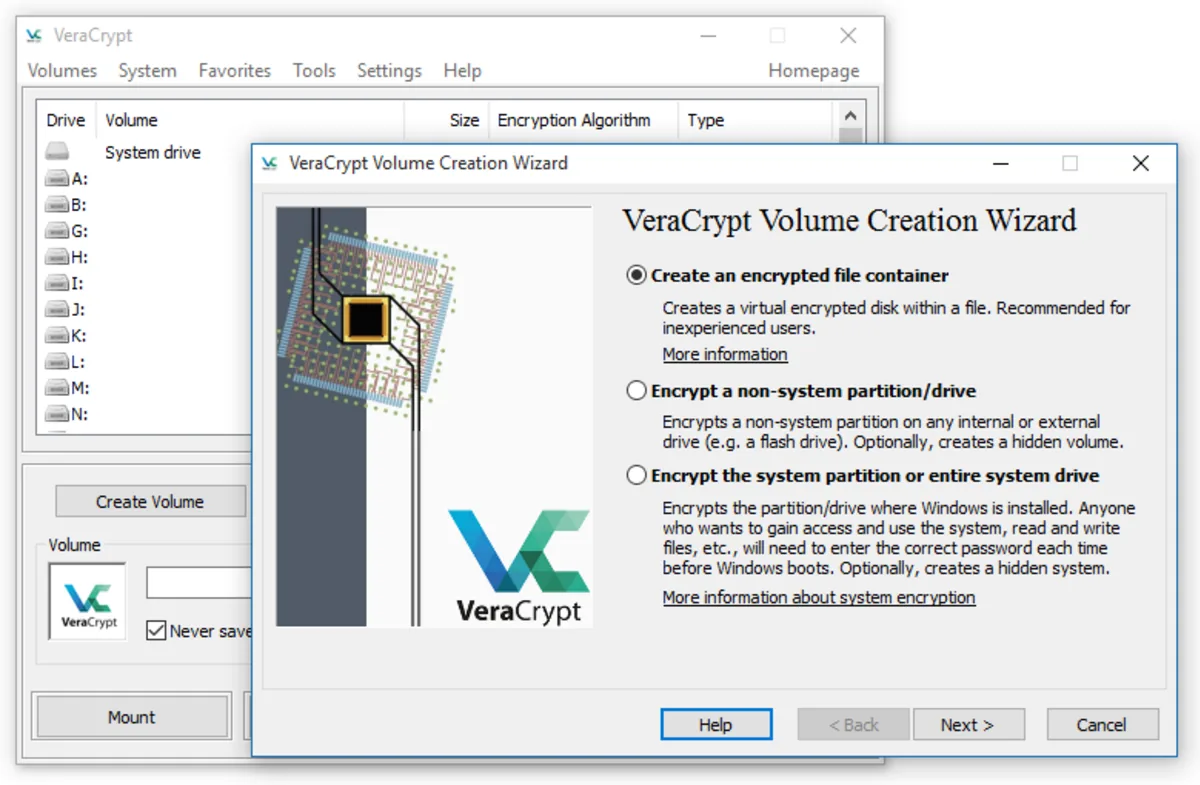
VeraCrypt UI screenshot on macOS, Free, open-source disk encryption forked from TrueCrypt. Creates encrypted containers that…
Purpose. Free, open-source disk encryption forked from TrueCrypt. Creates encrypted containers that mount as virtual drives, or encrypts whole partitions (Windows/Linux).
Key features. – AES, Serpent, Twofish, Camellia and Kuznyechik algorithms, chainable in cascade. – Hidden volumes and hidden operating systems for plausible deniability. – AES-NI hardware acceleration and multi-core parallelisation. – On Mac it requires macFUSE or FUSE-T (the recommended option on Apple Silicon). – Audited by QuarksLab through the Open Source Technology Improvement Fund.
Pros & cons. Pros: genuinely open source and audited, cross-platform, no vendor lock-in, maintained TrueCrypt fork. Cons: interface stuck in another era, needs FUSE-T on Apple Silicon, doesn’t encrypt the system volume on macOS (that’s FileVault).
Editorial. For moving sensitive data between Mac, Windows and Linux in a single format; FileVault is still the right choice to encrypt the Mac’s own drive.
Pricing. Gratis (free). Web. veracrypt.io
Terminal
Ghostty

Ghostty UI screenshot on macOS, Native, cross-platform terminal emulator written in Zig by Mitchell Hashimoto, with GPU re…
Purpose. Native, cross-platform terminal emulator written in Zig by Mitchell Hashimoto, with GPU rendering and native macOS UI (AppKit + Metal). Works zero-config and is very light on Apple Silicon.
Key features. – 100% native macOS UI (AppKit), no Electron, no SwiftUI wrapping HTML. – GPU rendering with Metal: very fast scroll and output with no tearing. – Configuration in a single plain-text file (~/.config/ghostty/config), no preferences GUI. – Built-in splits, tabs and a global quick terminal (dropdown style). – libghostty is embeddable in other apps; third-party terminals already build on it.
Pros & cons. Pros: GPU performance + native macOS UI, simple declarative config, very active project with frequent releases. Cons: no preferences GUI (config file only), plugin ecosystem nonexistent compared to iTerm2.
Essential plugins. No native plugin system. What does count: themes (hundreds in the repo), native shell integration for Bash/Zsh/Fish, and direct support for Powerlevel10k / Starship.
Editorial. Default pick on an M5 Mac if you come from iTerm2 or Terminal.app: you feel it on the first scroll of a long log. The only thing missing is a settings GUI for those who avoid editing config files.
Pricing. Gratis (free). Web. ghostty.org
Warp
Warp UI screenshot on macOS, Modern terminal built in Rust with block-based UI, AI autocomplete and agents that can gen…
Purpose. Modern terminal built in Rust with block-based UI, AI autocomplete and agents that can generate commands, deployment scripts or IaC from natural language. Built for collaborative DevOps flows.
Key features. – Blocks: each command + output is a navigable, copyable, shareable unit. – Warp AI: suggests commands, debugs errors and translates intent into a full CLI. – Workflows and Warp Drive to share parameterised commands with the team. – Cloud agents: agents that run long-running tasks on controlled remote infra. – SSO/SAML support and Zero Data Retention on paid plans.
Pros & cons. Pros: AI that actually helps inside the terminal, blocks change shell ergonomics, team support with SSO. Cons: requires account to start (no offline-first mode), pricing restructured several times-2026, telemetry uncomfortable for OSS-leaning users.
Essential plugins. No extension marketplace. Does support Powerlevel10k, Starship, fzf and native Zsh/Fish completers.
Editorial. If your day is kubectl + terraform + git rebase and you don’t mind signing in, Warp’s Build plan pays for itself in hours saved within a week. Otherwise, Ghostty.
Pricing. Gratis · Build desde 16,99 €/mes (≈ $18/mo). Web. www.warp.dev
iTerm2
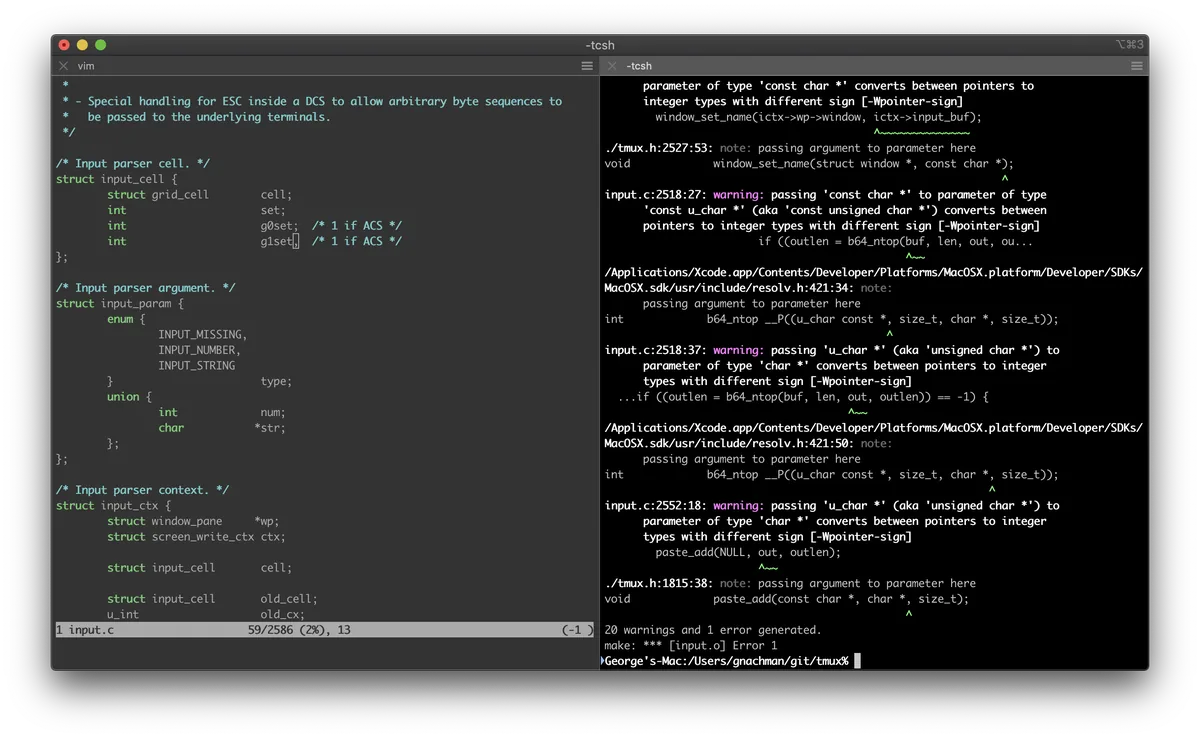
iTerm2 UI screenshot on macOS, Classic macOS terminal with an exhaustive preferences GUI and two decades of iteration. St…
Purpose. Classic macOS terminal with an exhaustive preferences GUI and two decades of iteration. Still the safe choice for anyone who wants tabs, splits and configurable triggers without touching a text file.
Key features. – Horizontal/vertical splits and tabs with independent profiles per project. – Triggers: run actions (highlight, command, alert) when a pattern appears in the output. – Shell integration with marks and badges per SSH session. – Powerful scrollback search with regex and Cmd+F-style filters. – Configurable global hotkey window (terminal dropdown).
Pros & cons. Pros: exhaustive preferences GUI, ecosystem of helper utilities (imgcat, it2copy), battle-tested in thousands of companies. Cons: CPU rendering: scroll noticeably slower than Ghostty/Alacritty on long logs, UI is showing its age.
Essential plugins. Official Shell Integration scripts (imgcat / it2dl / it2copy), tmux control-mode integration, Python API for custom extensions.
Editorial. If you’ve spent years curating a.iterm2 full of profiles and triggers, there’s no reason to leave; it’s still the gold standard for configurability.
Pricing. Gratis (free). Web. iterm2.com
WezTerm
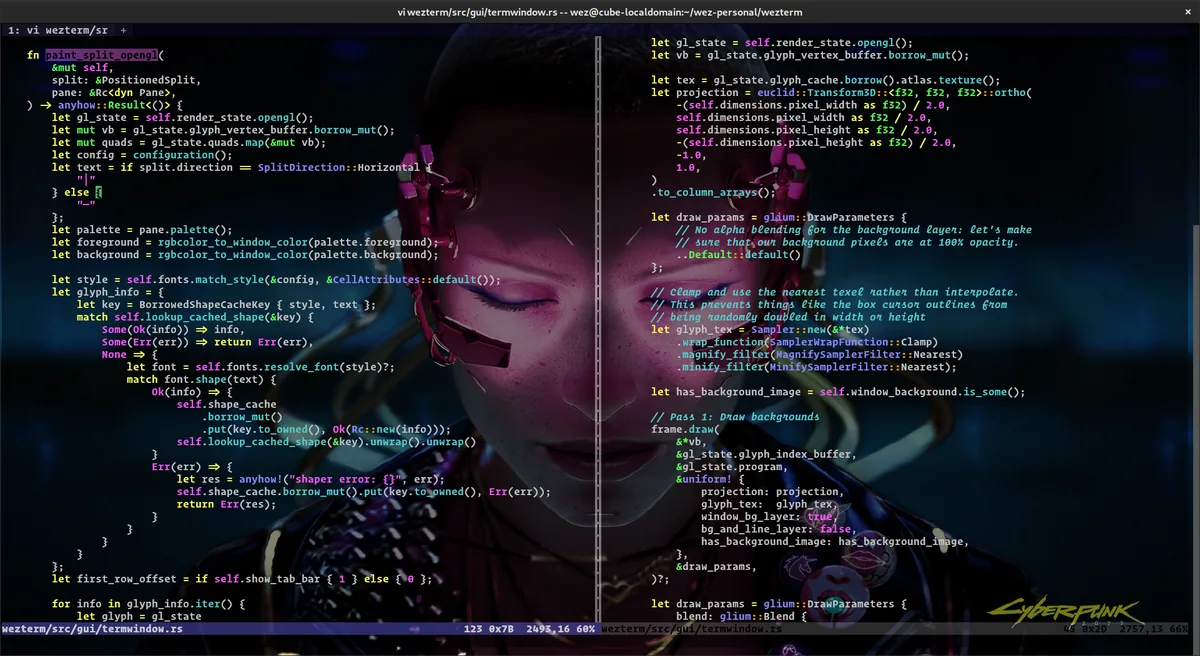
WezTerm UI screenshot on macOS, Cross-platform terminal and multiplexer written in Rust, configurable in Lua. Provides pan…
Purpose. Cross-platform terminal and multiplexer written in Rust, configurable in Lua. Provides panes, tabs, font ligatures and a built-in mux that replaces tmux for local and remote sessions.
Key features. – Lua-based configuration: conditional logic, hooks and a programmable status bar. – Built-in mux (wezterm mux) for persistent local and SSH sessions, no tmux required. – Advanced typography: ligatures, colour emoji, font fallback. – Native panes and tabs without relying on tmux for split-screen. – Clickable hyperlinks and true-color across every platform.
Pros & cons. Pros: programmable Lua config, built-in multiplexer avoids tmux, same binary on macOS / Linux / Windows / BSD. Cons: release cadence slower than Ghostty, rendering less polished than native Metal options on M-series.
Essential plugins. No formal marketplace, but the Lua API enables community plugins (wezterm-tabline, smart-splits.nvim) and a broad collection of schemes/fonts in the repo.
Editorial. For users who want to script their terminal in Lua and ditch tmux. If you just need a fast Mac terminal, Ghostty gives you more with less.
Pricing. Gratis (free). Web. wezterm.org
Alacritty
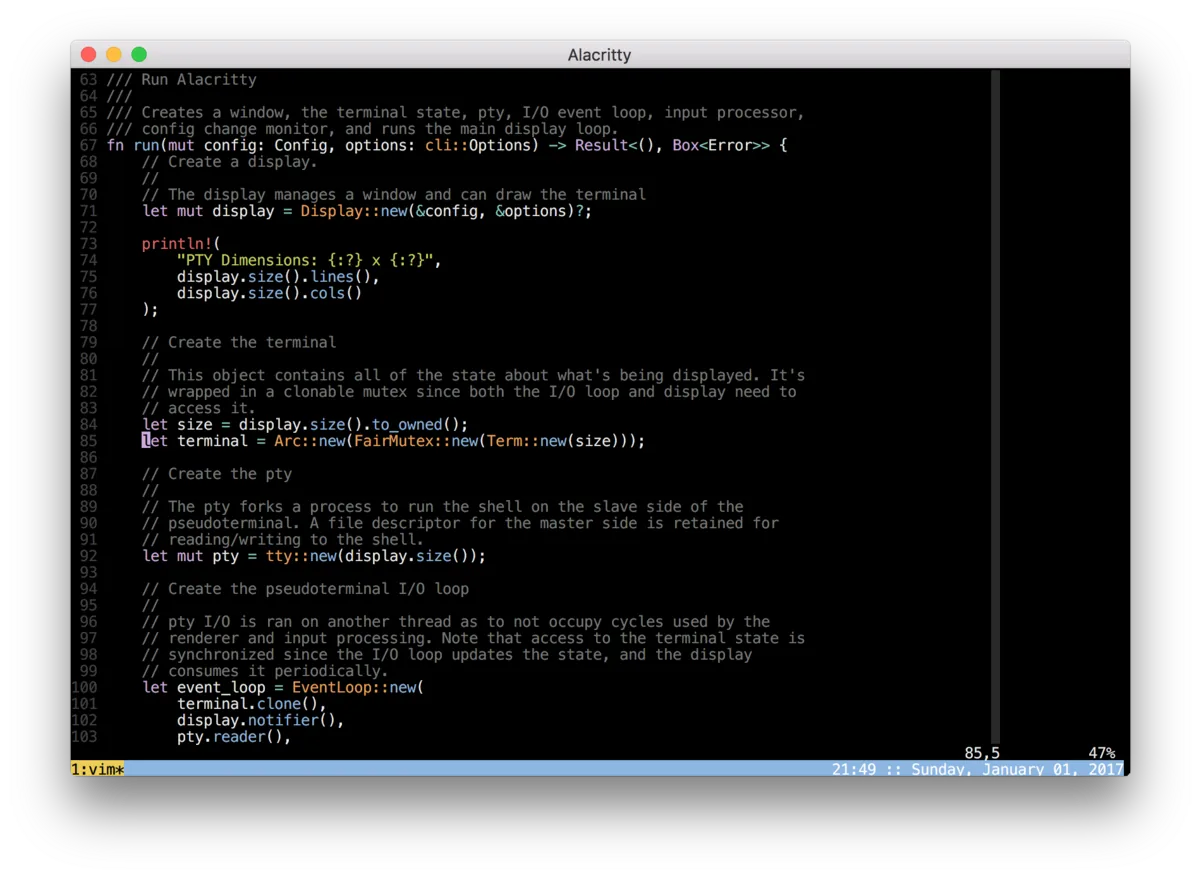
Alacritty UI screenshot on macOS, Minimalist terminal written in Rust with OpenGL rendering, deliberately without tabs or sp…
Purpose. Minimalist terminal written in Rust with OpenGL rendering, deliberately without tabs or splits. Its sole goal is being the fastest terminal available and delegating the rest to the window manager or tmux.
Key features. – OpenGL renderer: latency and throughput among the best measured on heavy log streams. – TOML configuration, no GUI. – Vi mode for selection and navigation with Vim bindings. – Scrollback search with regex. – Multi-window with a single shared process (saves RAM).
Pros & cons. Pros: fastest in pure benchmarks, declarative TOML config, dual-licensed Apache 2.0 / MIT. Cons: no tabs or splits by design: forces tmux/zellij; still marked beta after years; less visually polished than Ghostty.
Essential plugins. No plugin system. Pairs very well with tmux / zellij for multiplexing and with starship/p10k for the prompt.
Editorial. If you live in tmux and just want a fast surface that paints characters, Alacritty is still unbeatable. For everything else, more comfortable options exist.
Pricing. Gratis (free). Web. alacritty.org
Editor / IDE
Cursor

Cursor UI screenshot on macOS, VS Code-based code editor with a first-class AI agent. Works in chat, inline edit, multi-f…
Purpose. VS Code-based code editor with a first-class AI agent. Works in chat, inline edit, multi-file and autonomous execution with frontier models (GPT, Claude, Gemini).
Key features. – Composer / Agent mode: plans and executes multi-file changes with repo-wide context. – Predictive Tab autocomplete trained to jump to the next relevant edit. – Cmd+K: inline natural-language editing on the current selection. – Local codebase indexing + retrieval to answer questions about the whole repo. – Support for MCP, skills and cloud agents for long-running remote tasks.
Pros & cons. Pros: most mature integrated AI agent on the market, full VS Code extension compatibility, native Apple Silicon builds. Cons: real cost can balloon with frontier models, pivot to agent-first interface in Cursor 3 split the community.
Essential plugins. VS Code Marketplace works almost 100%: GitLens, ESLint, Prettier, Docker, Python, Tailwind IntelliSense; plus native MCP servers.
Editorial. The default AI editor if you want the best agent without leaving the VS Code stack. Watch the monthly bill and consider Claude Code alongside for long tasks.
Pricing. Gratis · Pro desde 18,99 €/mes (≈ $20/mo). Web. cursor.com
Visual Studio Code

Visual Studio Code UI screenshot on macOS, Microsoft’s open editor that has become the de facto development standard. With Copilot in…
Purpose. Microsoft’s open editor that has become the de facto development standard. With Copilot integrated by default, a massive marketplace and native support for nearly any language, runtime or devcontainer.
Key features. – GitHub Copilot included out of the box with agents and multi-file chat. – Marketplace with more than 80,000 extensions. – Dev Containers + Remote-SSH + Codespaces with no extra extensions. – Native MCP support to connect external tools to the assistant. – Optimised universal Apple Silicon build and a web mode (vscode.dev).
Pros & cons. Pros: unmatched extension ecosystem, Copilot included in free tier, cross-platform + web + Codespaces. Cons: high RAM use with several windows / heavy extensions, input latency visible compared with native editors like Zed.
Essential plugins. M5 must-haves: GitLens, ESLint, Prettier, Docker, Remote-SSH, Dev Containers, Tailwind CSS IntelliSense, Error Lens.
Editorial. The safe default editor: when in doubt, install VS Code. When latency starts to bother you, jump to Zed or Cursor and keep the same extensions.
Pricing. Gratis (free). Web. code.visualstudio.com
Zed

Zed UI screenshot on macOS, Editor written in Rust from scratch by the original Atom team, with GPU-based UI (GPUI) an…
Purpose. Editor written in Rust from scratch by the original Atom team, with GPU-based UI (GPUI) and microscopic input latency. Hit 1.0 in April 2026 with real-time collaboration, AI agents and integrated debugger.
Key features. – GPU rendering (GPUI): ~0.12s startup and ~2 ms input latency. – Real-time multiplayer collaboration with cursor following and voice. – Built-in AI agent with multi-model support and MCP. – Native DAP debugger and LSP/Tree-sitter support out of the box. – Built-in Vim mode and a ‘Zed AI’ tier with credit-based budget.
Pros & cons. Pros: subjectively fastest editor on M-series, real multiplayer collaboration, native Apple Silicon builds. Cons: small extension ecosystem compared with VS Code, some language / framework support still maturing.
Essential plugins. Growing Wasm extensions (themes, snippets, language servers); built-in Vim mode; native integration with Copilot, Claude and local models via Ollama.
Editorial. If VS Code’s latency is what hurts most, Zed fixes it in five minutes. It’s the editor that’s most pleasurable to write code in on an M5 Mac.
Pricing. Gratis · Pro desde 9,49 €/mes (≈ $10/mo). Web. zed.dev
JetBrains Toolbox / IntelliJ IDEA
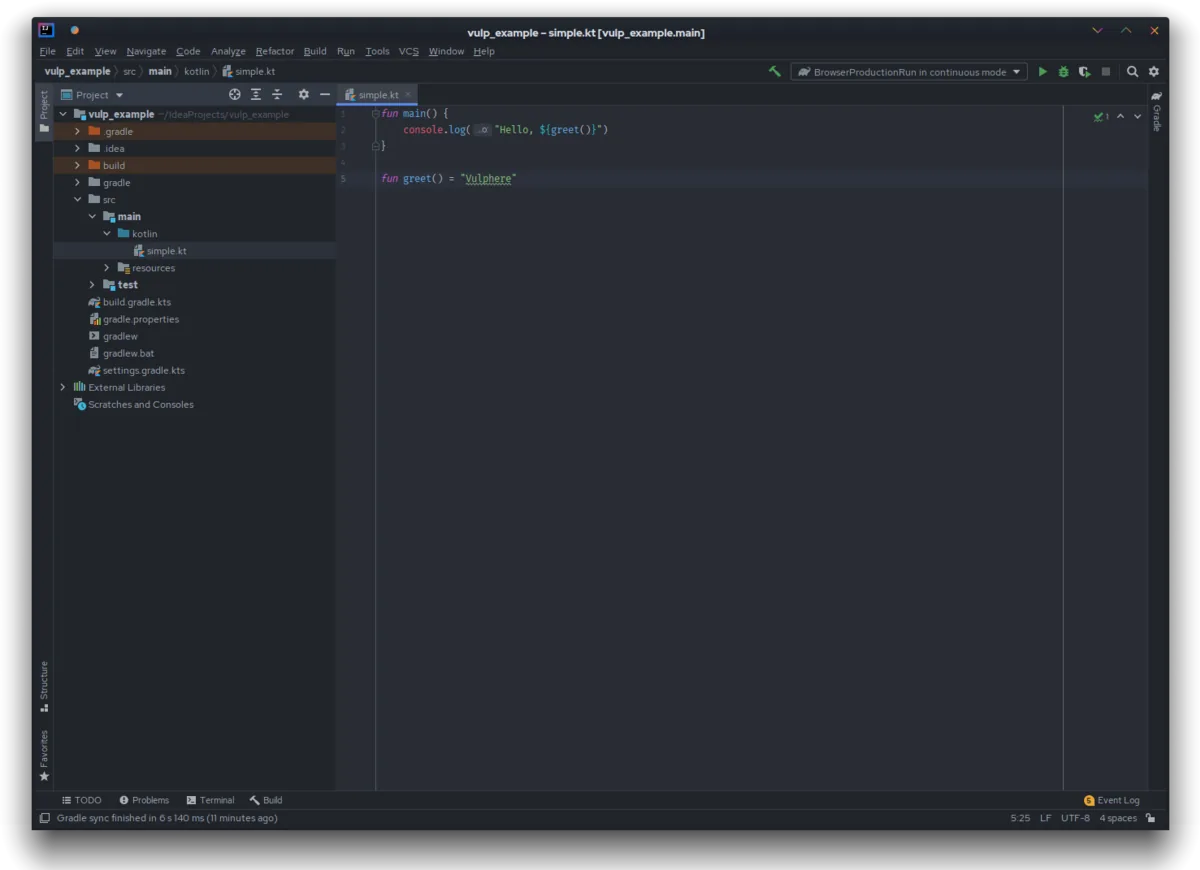
JetBrains Toolbox / IntelliJ IDEA UI screenshot on macOS, JetBrains IDE suite managed via Toolbox, with IntelliJ IDEA Ultimate as the flagship for J…
Purpose. JetBrains IDE suite managed via Toolbox, with IntelliJ IDEA Ultimate as the flagship for JVM and polyglot stacks. Integrated AI Assistant + Junie, reference-grade refactorings and a professional debugger.
Key features. – Unmatched cross-language semantic refactorings. – Built-in debugger and test instrumentation with visual coverage. – AI Assistant + Junie (agent) included in Pro/Ultimate plans. – Toolbox manages installations, JBR and version rollbacks. – Ultimate adds frameworks (Spring, Quarkus, Micronaut), Database tools and a Profiler.
Pros & cons. Pros: best refactor on the market, native Maven/Gradle/Kotlin/Scala integration, native Apple Silicon builds. Cons: higher RAM and CPU use than lightweight editors, annual subscription, steep initial learning curve.
Essential plugins. Own marketplace with thousands of plugins; must-haves: Key Promoter X.ignore, Rainbow Brackets, GitToolBox, String Manipulation, Maven Helper.
Editorial. For JVM, Kotlin or Scala there’s no debate: IntelliJ Ultimate is the standard. For Python/Go/Rust, weigh whether the comfort justifies the annual cost vs VS Code/Cursor.
Pricing. Community gratis · Ultimate desde 16,90 €/mes (≈ $19,90/mo) o 169 €/año (≈ $199/yr). Web. www.jetbrains.com/idea
Nova

Nova UI screenshot on macOS, Native macOS code editor by Panic (makers of Coda and Transmit). Combines editing, FTP/SFT…
Purpose. Native macOS code editor by Panic (makers of Coda and Transmit). Combines editing, FTP/SFTP client, Git, terminal and preview in a single app with 100% macOS look-and-feel.
Key features. – Native Cocoa editor with multi-cursor, autocomplete and minimap. – First-class FTP/SFTP/WebDAV client (heritage from Coda). – Built-in terminal, Git GUI and live preview. – Nova extension system with its own marketplace. – Sidebars and workspace with native macOS styling consistent with Tahoe.
Pros & cons. Pros: most polished macOS experience available, integrated FTP/SFTP client of high quality, very contained RAM use on M-series. Cons: limited extension ecosystem vs VS Code, no native AI agent comparable to Cursor / Copilot.
Essential plugins. Nova marketplace with hundreds of extensions (themes, language servers, linters, integrations for Tailwind, Astro, Laravel).
Editorial. The editor for users who want something that truly feels Mac and work on static sites / WordPress / Laravel without needing an AI agent. A delightful outlier.
Pricing. 99 € primer año, renovación opcional 49 €/año (≈ $99 / $49/yr). Web. nova.app
API client
Bruno

Bruno UI screenshot on macOS, Open-source, git-friendly API client. Stores collections as plain-text files (Bru Lang) in…
Purpose. Open-source, git-friendly API client. Stores collections as plain-text files (Bru Lang) inside your repo, no account, no cloud sync, with permissions inherited from Git.
Key features. – Collections as .bru files versioned alongside your code. – Support for REST, GraphQL, gRPC, WebSocket and SSE. – JavaScript scripting for pre/post request and assertions. – bru CLI to run collections in CI without opening the app. – Local variables, environments and secret vault.
Pros & cons. Pros: genuinely local-first, no account or telemetry, collections diff-able in PRs, MIT. Cons: no cloud mock servers or public hub like Postman; plugin ecosystem still early.
Essential plugins. No formal marketplace: extensibility comes via JS scripts (axios, lodash, ajv) and the CLI plugged into GitHub Actions / GitLab CI.
Editorial. If your team lives in PRs and wants to see the diff of a request change during code review, Bruno is the healthiest switch you can make from Postman.
Pricing. Gratis (free). Web. www.usebruno.com
Postman

Postman UI screenshot on macOS, The reference platform to design, document, test and govern APIs in teams. Offers API clie…
Purpose. The reference platform to design, document, test and govern APIs in teams. Offers API client, mock servers, monitors, API Catalog and a public hub with thousands of collections.
Key features. – Collaborative workspaces with roles, comments and review workflows. – Mock servers, monitors and test runners in the cloud. – API Catalog and governance for enterprise environments. – Postbot AI: generates tests, docs and examples from specs. – SDK generation and multi-protocol support (REST, GraphQL, gRPC, WebSocket, MQTT).
Pros & cons. Pros: most complete team feature set on the market, mock + monitors + docs in one surface. Cons: requires account and syncs to cloud by default, heavy Electron app, per-user pricing scales fast.
Essential plugins. No plugin marketplace, but native integrations with GitHub, GitLab, Jenkins, Slack, Datadog, Splunk and templates in the Postman Hub.
Editorial. Still the safe bet for teams that need mock servers, governance and a public catalog. For individual use, lighter options exist.
Pricing. Gratis · Solo desde 8,49 €/mes (≈ $9/mo); Team desde 17,99 €/usuario/mes (≈ $19/mo). Web. www.postman.com
Insomnia
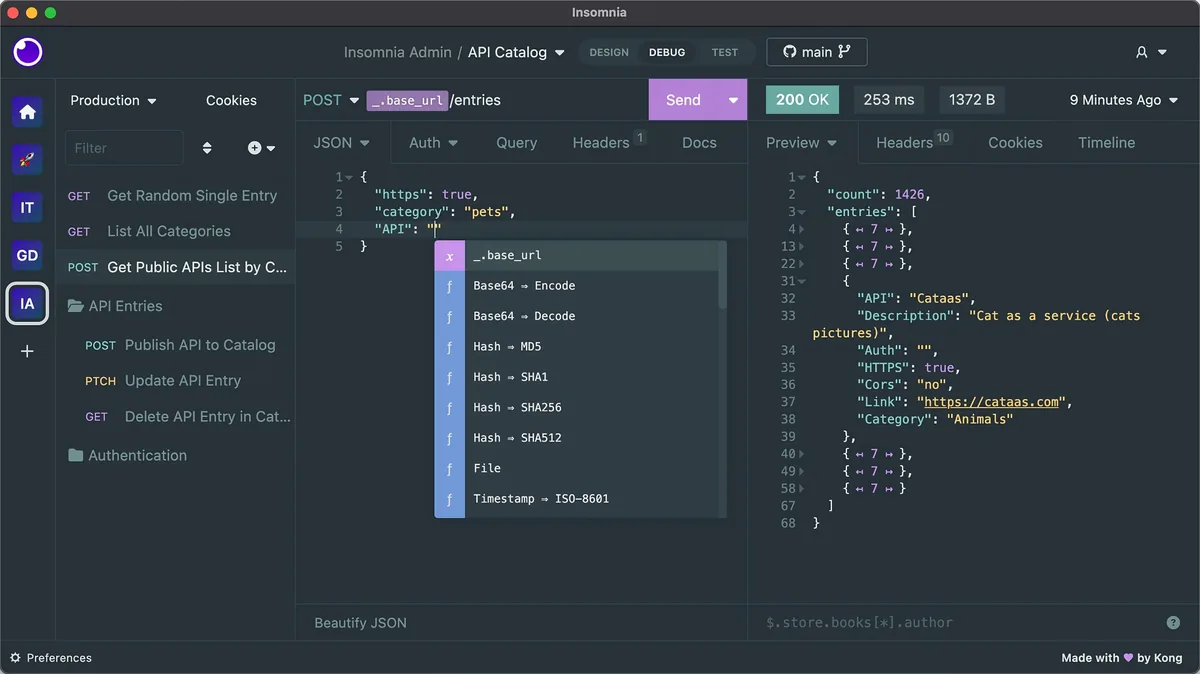
Insomnia UI screenshot on macOS, Open-source API client by Kong with a cleaner, faster UI than Postman. Supports REST, Grap…
Purpose. Open-source API client by Kong with a cleaner, faster UI than Postman. Supports REST, GraphQL, gRPC, WebSockets and a Design tool with OpenAPI for API-first flows.
Key features. – Multi-protocol support: REST, GraphQL, gRPC, WebSocket, SSE. – Built-in Design (OpenAPI) with Spectral linting. – Inso CLI to run collections and validate specs in CI. – Git Sync with any Git repo (GitHub, GitLab, Bitbucket). – JavaScript Plugin SDK with its own marketplace.
Pros & cons. Pros: fast clean UI, best GraphQL experience on the market, Git Sync without going through their cloud. Cons: requires cloud account by default since 2023 (controversial), per-user pricing on Pro/Enterprise.
Essential plugins. Own marketplace with auth plugins, themes, code generators and mock responses; Spectral integration for OpenAPI linting.
Editorial. For those wanting something lighter than Postman but without Bruno’s plugin gap. Insomnia is also the best home if your API is GraphQL.
Pricing. Gratis hasta 3 usuarios · Pro desde 11,49 €/usuario/mes (≈ $12/mo). Web. insomnia.rest
Paw / RapidAPI for Mac
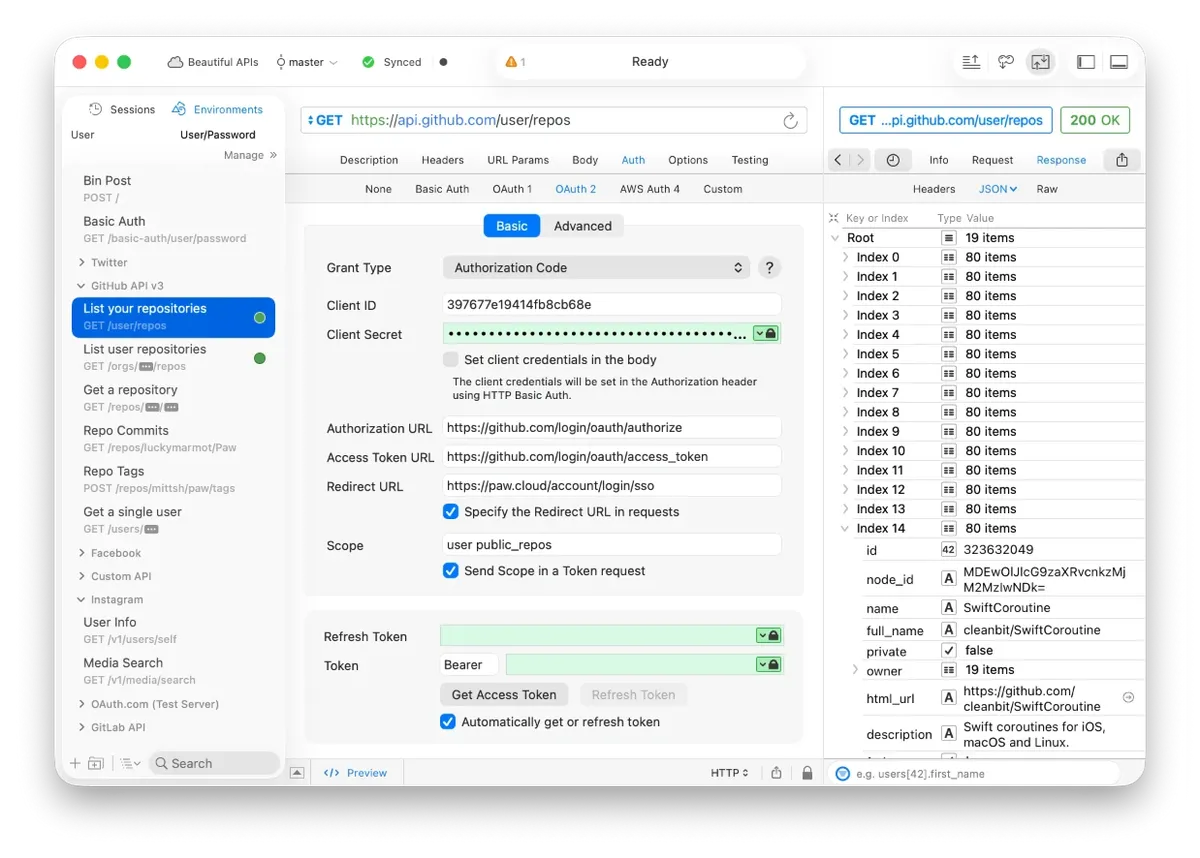
Paw / RapidAPI for Mac UI screenshot on macOS, The veteran native-macOS API client (formerly Paw, now RapidAPI for Mac). Pure Cocoa rende…
Purpose. The veteran native-macOS API client (formerly Paw, now RapidAPI for Mac). Pure Cocoa rendering, code generation to 30+ languages and a unique extension system.
Key features. – Native Cocoa app: instant startup and minimal RAM usage. – Code generation for 30+ languages (Swift, Kotlin, Go, Rust, curl, JS). – Custom JavaScript extensions for auth, dynamic values and formatting. – Optional sync with RapidAPI Hub and team support. – Built-in OAuth1/2, AWS Signature, Hawk and JWT support.
Pros & cons. Pros: most native and fastest macOS API client, broad code generation, ideal for iOS/macOS developers. Cons: Mac-only (no cross-platform team work), slower development pace than Bruno/Insomnia, small extension ecosystem.
Essential plugins. Publishable JS extensions (Dynamic Values, Importers, Code Generators, Auth Providers), small but useful set.
Editorial. For Apple-first developers who want an API client that feels Mac. If you work in a cross-platform team, Bruno or Insomnia scale better.
Pricing. Gratis (free). Web. paw.cloud
HTTPie Desktop
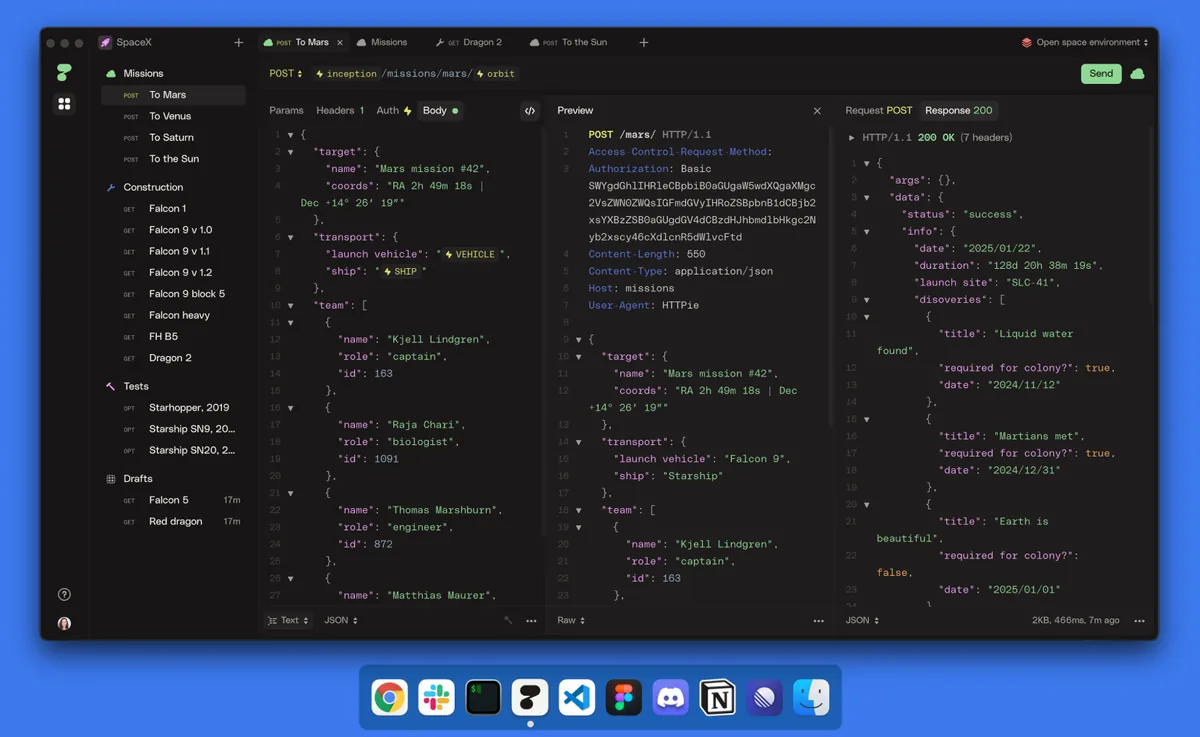
HTTPie Desktop UI screenshot on macOS, Desktop edition of the classic HTTPie CLI. Keeps the human-syntax philosophy of the origin…
Purpose. Desktop edition of the classic HTTPie CLI. Keeps the human-syntax philosophy of the original command and brings it to a minimalist, cross-platform UI with optional web sync.
Key features. – Simplified syntax consistent with the httpie CLI. – Support for REST, GraphQL, WebSocket and SSE. – Variables, environments and autosave for every request. – Companion web app for cross-device sync. – Works offline and account-free for local use.
Pros & cons. Pros: same mental model as the httpie CLI, lightweight focused UI, free for local use. Cons: younger than Bruno/Postman: notable feature gap (no advanced scripting, no plugin ecosystem).
Essential plugins. ~
Editorial. If you already live with httpie in the terminal and want a minimal UI on top, it fits perfectly. For complex needs, more mature alternatives exist.
Pricing. Gratis (free). Web. httpie.io/desktop
Database GUI
TablePlus
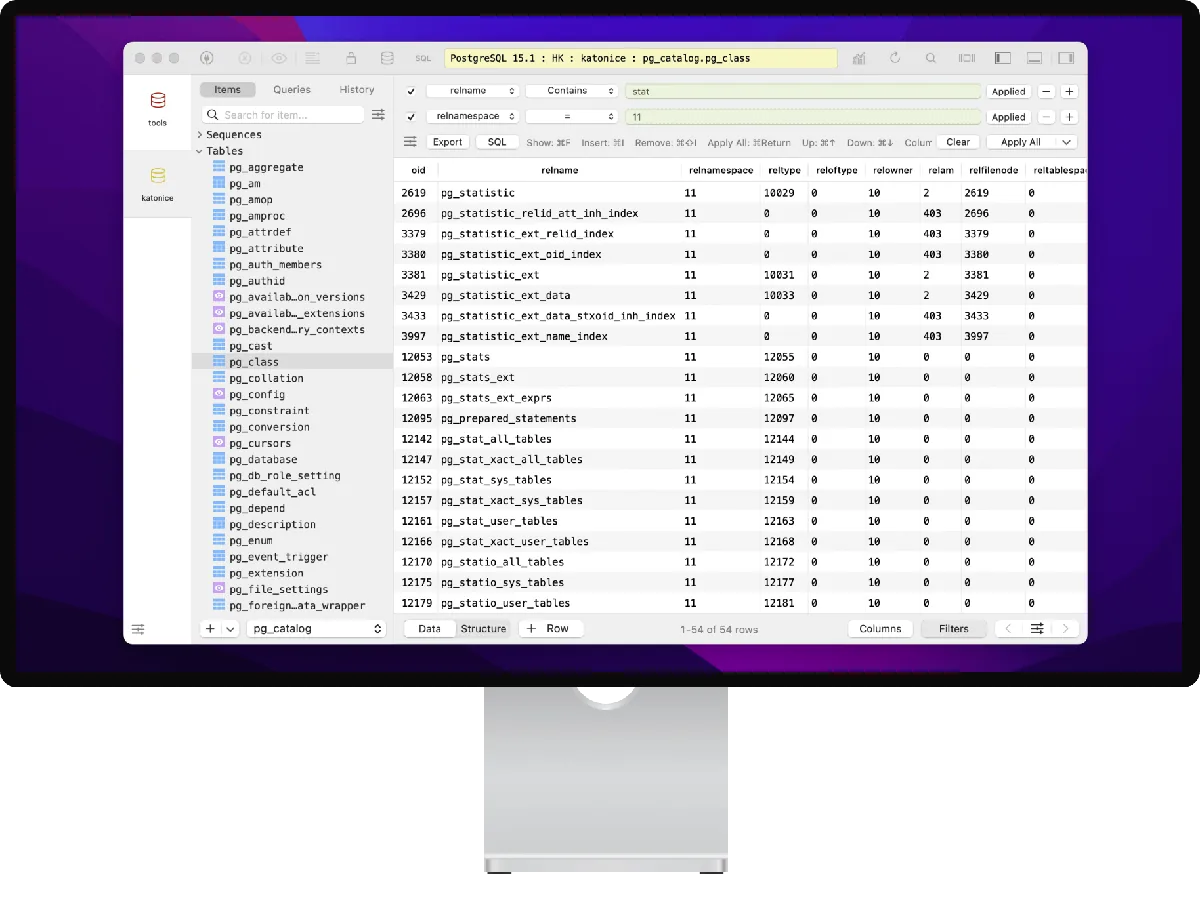
TablePlus UI screenshot on macOS, Native macOS SQL client with minimalist UI and query execution speed that beats the rest. …
Purpose. Native macOS SQL client with minimalist UI and query execution speed that beats the rest. Supports MySQL/MariaDB, PostgreSQL, SQLite, SQL Server, Redis, Cassandra, BigQuery and many more in a single universal binary.
Key features. – SQL editor with schema-aware autocomplete and inline formatting. – Inline row editing with explicit commit / discard. – Multi-tab + multi-connection with colour coding per environment. – Advanced filters, query history and schema snapshot/diff. – Native SSH tunnel and SSL with no external configuration.
Pros & cons. Pros: fastest on M-series for heavy queries, very polished native Cocoa UI, perpetual license without subscription. Cons: trial capped at 2 tabs/2 windows (frustrating until purchase), fewer engines supported than DBeaver.
Essential plugins. Own marketplace with themes, code snippets and a JS scripting system to extend commands; integration with SSH config and 1Password CLI.
Editorial. Default SQL client on an M5 Mac: pay once and forget about it. Only switch to DBeaver/DataGrip if you need an engine TablePlus doesn’t cover.
Pricing. 99 € licencia individual (≈ $99), perpetua con 1 año de actualizaciones. Web. tableplus.com
DBeaver

DBeaver UI screenshot on macOS, Universal SQL client written in Java on Eclipse RCP. The Community edition (Apache 2.0) su…
Purpose. Universal SQL client written in Java on Eclipse RCP. The Community edition (Apache 2.0) supports 80+ relational and NoSQL engines, with visual editor, ER diagrams and industrial-grade import/export.
Key features. – Support for 80+ engines: PostgreSQL, MySQL, Oracle, MSSQL, MongoDB, Cassandra, Redis, Snowflake, BigQuery. – Interactive ER diagrams generated from the schema. – SQL editor with autocomplete and visual execution plan. – Bulk import/export between databases. – Built-in AI Assistant in recent versions.
Pros & cons. Pros: unmatched engine coverage, fully free and open-source, identical cross-platform. Cons: Eclipse UI shows its age, high RAM use, latency noticeable vs TablePlus.
Essential plugins. Eclipse plugins + native DBeaver Pro extensions: Office Format Support, Git Integration, Visual Query Builder, PL/SQL Debugger.
Editorial. If your week includes Snowflake + Mongo + Postgres + Redis at once, DBeaver is the only client that covers everything without paying three separate licenses.
Pricing. Community gratis · Pro desde 19 €/mes (≈ $19/mo). Web. dbeaver.io
DataGrip

DataGrip UI screenshot on macOS, JetBrains’ professional database IDE, with the same refactor, navigation and introspection…
Purpose. JetBrains’ professional database IDE, with the same refactor, navigation and introspection quality of IntelliJ applied to SQL. Supports 30+ engines with full IDE features and many more via JDBC.
Key features. – Static SQL analysis with cross-object reference resolution. – Cross-database refactorings (renaming a table/column updates usages). – Editor with contextual completion, execution plan and profiling. – AI Assistant + Junie to generate queries and explain results. – Visual diff between schemas and migrations.
Pros & cons. Pros: best SQL editor in terms of intelligence, real SQL refactoring, broad engine support. Cons: annual subscription, steep initial learning curve, resource use similar to IntelliJ.
Essential plugins. JetBrains marketplace: Database Navigator, Rainbow Brackets.ignore, GitToolBox, Database Tools and SQL plugin (shared with IntelliJ Ultimate).
Editorial. For users who write SQL all day and feel at home with the JetBrains family. If you already pay for IntelliJ Ultimate, DataGrip is included, don’t think twice.
Pricing. Desde 9,90 €/mes (≈ $10,90/mo) o 99 €/año (≈ $109/yr) en plan individual. Web. www.jetbrains.com/datagrip
Beekeeper Studio
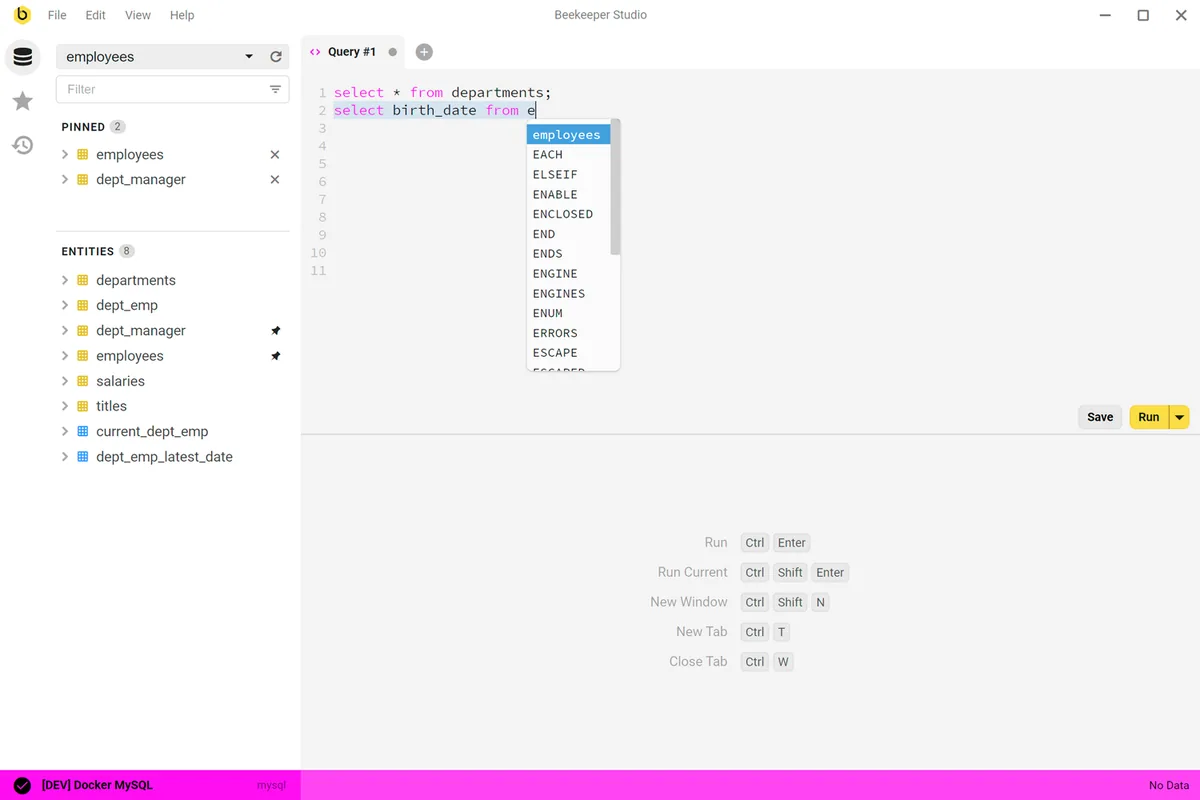
Beekeeper Studio UI screenshot on macOS, Modern open-source SQL client (GPLv3) with a polished UI and support for 25+ engines. Comm…
Purpose. Modern open-source SQL client (GPLv3) with a polished UI and support for 25+ engines. Community edition without sign-up for hobbyists and students; Ultimate adds backups, JSON viewer, advanced cloud connections.
Key features. – SQL editor with unlimited tabs and schema-aware autocomplete. – Support for 25+ engines: Postgres, MySQL, MSSQL, MariaDB, SQLite, BigQuery, Cassandra, Trino, Redis, SurrealDB. – Diff/migration tool and backup/restore (Ultimate). – Native dark/light theme and a low-latency Vue-based UI. – Local storage with no account required on Community.
Pros & cons. Pros: real GPLv3 (not open-core), modern UI aging well, identical cross-platform. Cons: Community gates useful features to Ultimate, performance somewhat below TablePlus on heavy queries.
Essential plugins. No plugin marketplace; themes and importable SQL templates available. Native integration with SSH config and common secret backends.
Editorial. The client for users who want something modern and open-source without TablePlus’ paid license or DBeaver’s weight. An honestly balanced middle ground.
Pricing. Community gratis · Indie desde 8,49 €/mes (≈ $9/mo, anual). Web. www.beekeeperstudio.io
Postico 2
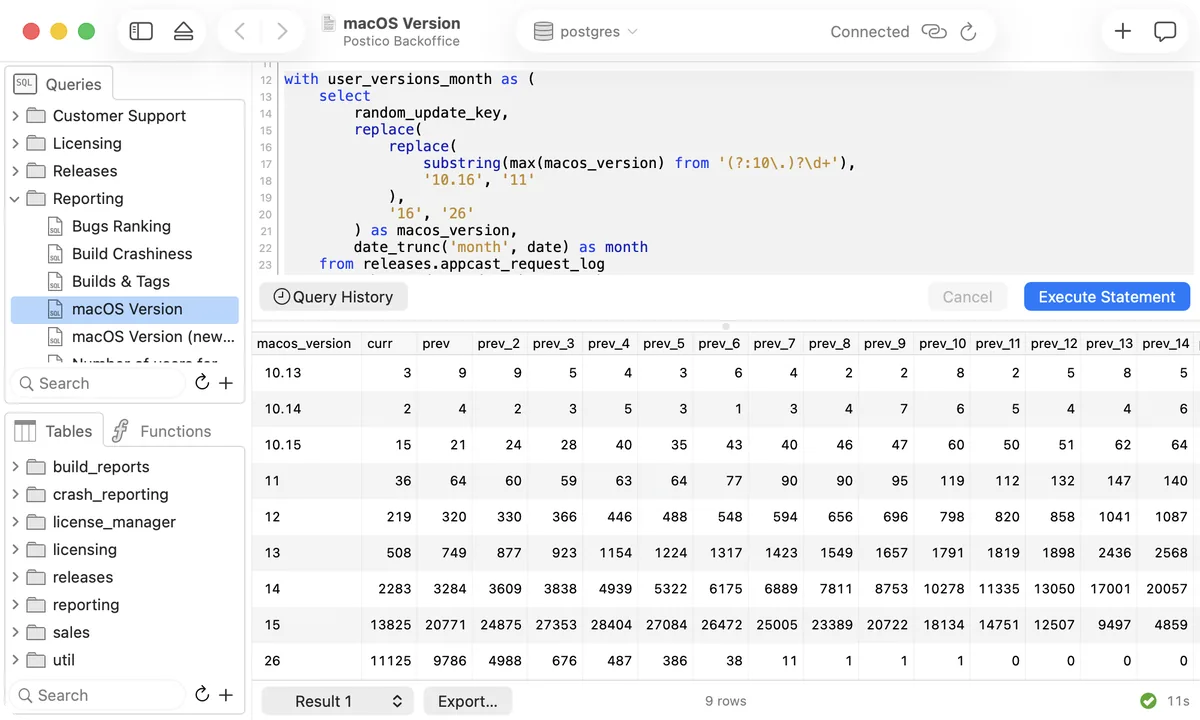
Postico 2 UI screenshot on macOS, Native-macOS PostgreSQL client by Egger Apps (makers of PG Commander). Elegant design focu…
Purpose. Native-macOS PostgreSQL client by Egger Apps (makers of PG Commander). Elegant design focused on one task: being the best way to talk to a Postgres from a Mac.
Key features. – Native Cocoa UI with table, query and structure views. – SQL editor with Postgres-specific syntax and autocomplete. – Inline row editing with explicit commit. – Sidebar with connections, schemas and favourites. – Native SSH tunnel and SSL.
Pros & cons. Pros: most elegant Postgres client on the Mac, minimal resource use, traditional Egger Apps perpetual license. Cons: Postgres-only (no MySQL or other engines), no plugin ecosystem, slow release cadence.
Essential plugins. ~
Editorial. If Postgres is your whole world, Postico 2 is the client you’ll want to open every morning. For multi-engine, go to TablePlus or DBeaver.
Pricing. Personal 62 € (≈ $69), licencia perpetua hasta 3 dispositivos. Web. eggerapps.at/postico2
Local containers + K8s
OrbStack
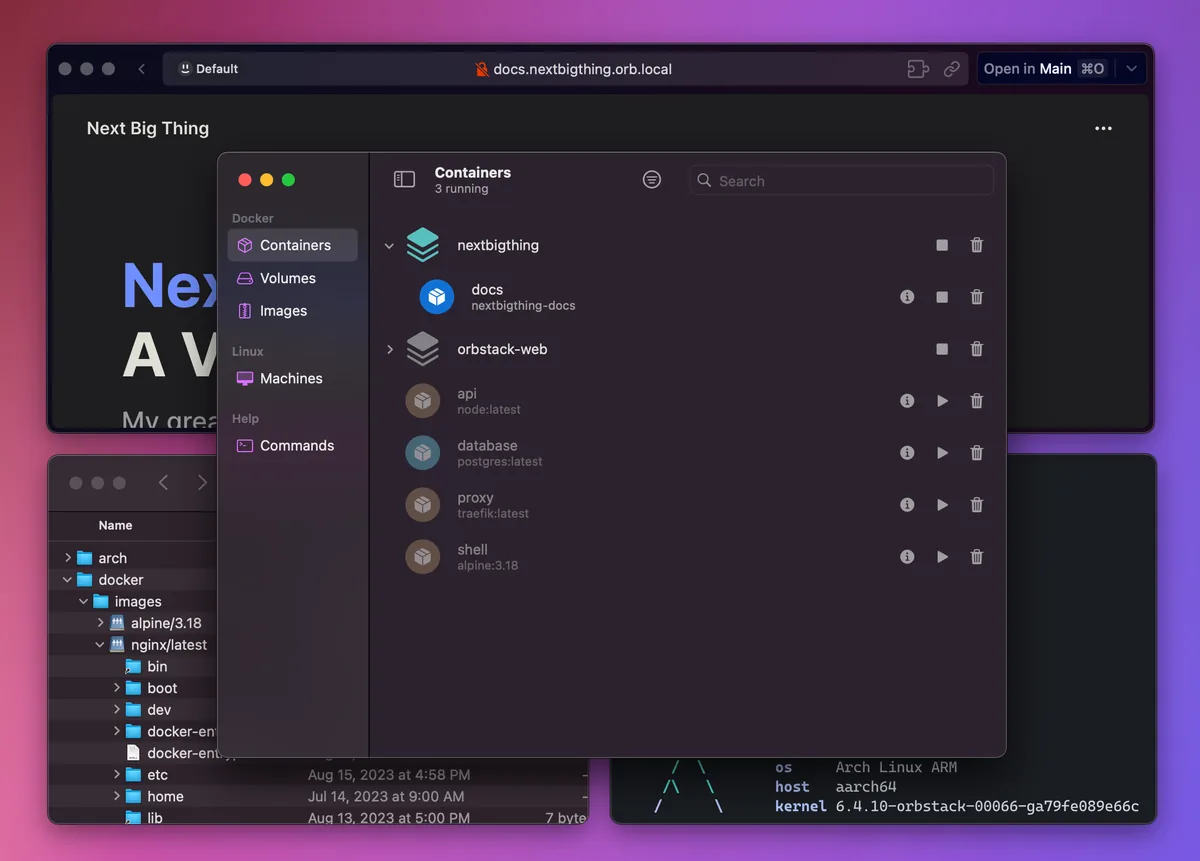
OrbStack UI screenshot on macOS, Native Docker Desktop replacement for macOS, written in Swift and tuned for Apple Silicon.…
Purpose. Native Docker Desktop replacement for macOS, written in Swift and tuned for Apple Silicon. Runs Docker containers, full Linux machines (15 distros) and an integrated Kubernetes with a fraction of the CPU and battery cost of the original.
Key features. – 100% compatible CLI: docker and docker compose work without touching Dockerfiles or scripts. – Lightweight Linux machines with SSH, systemd and Mac filesystem mounting. – One-click Kubernetes from the menu bar, with networking routed to the host. – Support for x86 images via Rosetta and IPv6/VPN-friendly networking. – Idle CPU usage <0.1% and ~2s startup versus ~30s for Docker Desktop.
Pros & cons. Pros: dramatically better performance and battery on M-series, smooth VS Code and file-sharing integration, clean install. Cons: not open source and the commercial licence forces a paid plan for professional use.
Editorial. The single highest-ROI swap for anyone running containers daily on a Mac: less fan noise, more battery and the same commands you already know.
Pricing. Gratis para uso personal · Pro desde 8 $/usuario/mes (≈ 7,40 €/usuario/mes). Web. orbstack.dev
Docker Desktop

Docker Desktop UI screenshot on macOS, The reference way to run Docker on macOS: engine, CLI, Compose, embedded Kubernetes and a …
Purpose. The reference way to run Docker on macOS: engine, CLI, Compose, embedded Kubernetes and a GUI with an extensions marketplace. Heavier than the alternatives, but still the most-documented path and the one most tutorials and CI pipelines assume.
Key features. – Docker Engine, CLI, Compose, Build and Kubernetes in a single installer. – Extensions marketplace (Snyk, Portainer, Telepresence). – Synchronized File Shares for fast mounts on large projects. – Docker Debug and Hardened Desktop for corporate environments. – Official multi-arch support (arm64/amd64) with optional Rosetta.
Pros & cons. Pros: unmatched ecosystem and documentation, official support, native Docker Hub and Docker Scout integration. Cons: noticeably higher RAM and CPU footprint than OrbStack or Podman; the free plan is restricted to personal use or small companies.
Essential plugins. Recommended extensions: Snyk, Portainer, JFrog Security, Disk Usage.
Editorial. The default if you work in a team and need everyone, CI included, to see exactly the same setup. For solo use, OrbStack outclasses it.
Pricing. Personal gratis · Pro desde 9 $/usuario/mes (≈ 8,30 €/usuario/mes anual) · Business desde 24 $/usuario/mes (≈ 22 €/usuario/mes). Web. www.docker.com/products/docker-desktop
Podman Desktop
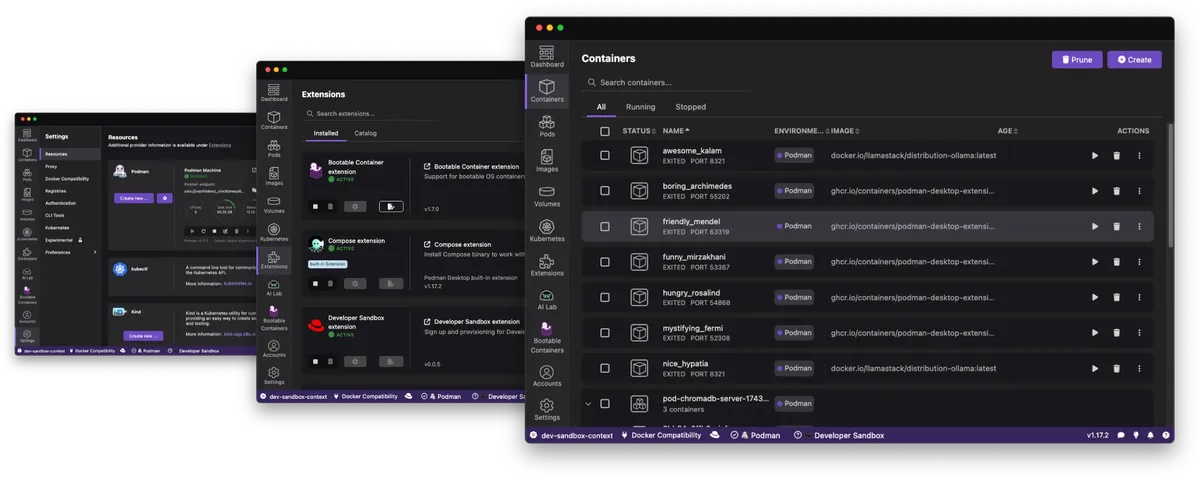
Podman Desktop UI screenshot on macOS, Open-source (Apache 2.0), vendor-neutral GUI for OCI containers and Kubernetes, maintained…
Purpose. Open-source (Apache 2.0), vendor-neutral GUI for OCI containers and Kubernetes, maintained by Red Hat and the community. Daemonless and rootless, it integrates with Kind, Minikube or remote clusters.
Key features. – Compatible with the docker CLI via an optional shim. – Manages Kubernetes pods with Kind/Minikube/Lima from the same UI. – Extensions system (Compose, Bootc, AI Lab for local LLMs). – Pure OCI support, rootless containers and SELinux. – Accepts proxies, VPNs and air-gapped installs for corporate environments.
Pros & cons. Pros: fully free with no licence restrictions, more secure daemonless model, solid extension ecosystem. Cons: file-sharing and network performance below OrbStack on macOS; some Compose integrations remain rougher than Docker Desktop.
Essential plugins. Useful extensions: Podman AI Lab, Compose, Bootc, Kubernetes Dashboard.
Editorial. The obvious pick when licensing and sovereignty matter: zero cost, open source and Red Hat backing the project.
Pricing. Gratis (free). Web. podman-desktop.io
k9s

k9s UI screenshot on macOS, Terminal UI for Kubernetes that replaces day-to-day kubectl. Two keystrokes get you to l…
Purpose. Terminal UI for Kubernetes that replaces day-to-day kubectl. Two keystrokes get you to logs, shell, port-forward, scale or describe on any cluster resource.
Key features. – Live views with metrics and events refreshed continuously. – Shortcuts for logs, exec, port-forward, YAML editing and scaling. – Filters, RBAC views and reverse permission lookup. – Skins, plugins and pulse for multi-cluster. – Built-in HTTP benchmarks against services and pods.
Pros & cons. Pros: blazing fast and lightweight (~30 MB of memory), pure keyboard navigation, very mature community plugins. Cons: shortcut learning curve at the start, depends on the local kubeconfig, no graphical dashboards like Lens.
Essential plugins. Common plugins: get-all, debug-container, log-tailing, kubectl-trace.
Editorial. If you live in the terminal, k9s replaces 90% of your kubectl usage and you feel it from the first session.
Pricing. Gratis (free). Web. k9scli.io
Lens
Lens UI screenshot on macOS, Graphical Kubernetes IDE maintained by Mirantis. Provides multi-cluster view, embedded ter…
Purpose. Graphical Kubernetes IDE maintained by Mirantis. Provides multi-cluster view, embedded terminal, Helm, metrics, AI integration (Lens Prism) and team-grade governance controls.
Key features. – Simultaneous connection to multiple clusters with kubeconfig RBAC. – Live view of pods, events, logs and Prometheus metrics. – Lens Prism: AI assistant to diagnose issues without leaving the app. – Integrations with AWS EKS, Azure AKS and Helm chart catalogs. – SSO (SAML/OIDC), SCIM and air-gapped mode on Enterprise plans.
Pros & cons. Pros: excellent global view for auditing other people’s clusters, integrated AI, official Mirantis support. Cons: the free open-source desktop client has been retired and the powerful features now require an account and a paid plan; relatively heavy on RAM.
Essential plugins. Built-in catalogs: Helm Charts Hub, Prometheus, Lens Prism AI, Mirantis Container Cloud.
Editorial. For teams that need a visual layer over k8s with governance and SSO; solo users usually stick with k9s and skip the subscription.
Pricing. Team gratis · Pro desde 25 $/usuario/mes (≈ 23 €/usuario/mes anual) · Enterprise desde 50 $/usuario/mes (≈ 46 €/usuario/mes anual). Web. lenshq.io
AI coding assistant
Cursor (capa IA)

Cursor (capa IA) UI screenshot on macOS, The AI tier inside Cursor: autonomous agent, Tab mode, Cmd-K and chat with model selection…
Purpose. The AI tier inside Cursor: autonomous agent, Tab mode, Cmd-K and chat with model selection (GPT-5.4, Claude Opus 4.7, Gemini 3 Pro or Cursor’s own Composer 2). Semantic repo indexing gives it context on your whole codebase.
Key features. – Agent mode with command execution, multi-file editing and cloud agents. – Custom-trained predictive Tab, completes several lines and files at once. – Cmd-K for one-off natural-language edits on the current selection. – Per-turn model picker and support for MCP, hooks and custom skills. – Semantic repository indexing and BugBot for automated code review.
Pros & cons. Pros: the best-tuned agent for multi-file editing, MCP/hooks support, native terminal, Slack and GitHub integrations. Cons: the switch to a credit-based model (June 2025) makes real costs hard to predict under heavy use.
Essential plugins. Key models: Claude Opus 4.7 (reasoning), GPT-5.4 (versatile), Gemini 3 Pro (long context), Composer 2 (fast), DeepSeek (cheap).
Editorial. If you come from Copilot and feel it falls short on big changes, Cursor is the natural leap, and the AI tier, not the editor itself, is the real reason people pay.
Pricing. Hobby gratis · Pro desde 20 $/mes (≈ 18,50 €/mes) · Pro+ desde 60 $/mes (≈ 55 €/mes) · Ultra desde 200 $/mes (≈ 184 €/mes). Web. cursor.com
GitHub Copilot

GitHub Copilot UI screenshot on macOS, The pioneer AI assistant, deeply integrated into VS Code, JetBrains, Visual Studio, GitHub…
Purpose. The pioneer AI assistant, deeply integrated into VS Code, JetBrains, Visual Studio, GitHub.com and GitHub Mobile. Combines autocomplete, chat, agent mode and code review with multiple models (Claude Sonnet 4.6, GPT-4o, Gemini 2.5 Pro, Claude Opus 4.7 on higher tiers).
Key features. – Inline suggestions and chat in VS Code, JetBrains and Visual Studio. – Agent mode with multi-file editing, test execution and terminal commands. – Automatic Copilot Code Review on pull requests. – GitHub Copilot CLI for assistance directly in the terminal. – Policy integration, IP indemnity and SSO on Business/Enterprise plans.
Pros & cons. Pros: huge ecosystem, native GitHub and JetBrains integration, solid free tier, IP indemnity for businesses. Cons: agent mode still trails Cursor or Claude Code on big changes; the more capable models require jumping to the Pro+ tier.
Essential plugins. Works with VS Code extensions (Copilot Chat, Copilot Edits) and JetBrains plugins; supports interchangeable Claude, GPT and Gemini models.
Editorial. The default AI assistant if you already live on GitHub: low price, PR integration and automatic review. When you need a more ambitious agent, step up to Cursor or Claude Code.
Pricing. Free 0 $/mes · Pro desde 10 $/usuario/mes (≈ 9,20 €/usuario/mes) · Pro+ desde 39 $/usuario/mes (≈ 36 €/usuario/mes) · Business y Enterprise bajo presupuesto. Web. github.com/features/copilot
Claude Code
Claude Code UI screenshot on macOS, Anthropic’s coding agent that lives in the terminal and in VS Code, Cursor, Windsurf and J…
Purpose. Anthropic’s coding agent that lives in the terminal and in VS Code, Cursor, Windsurf and JetBrains extensions. Works directly on the filesystem, runs tests, edits many files at once and supports MCP, hooks and custom skills.
Key features. – Agentic execution from the terminal with real shell, file and dev-tool access. – Diff viewer and a redesigned desktop app with parallel sessions and HTML/PDF previews. – Native MCP support: databases, GitHub, Slack, browsers, internal systems. – Hooks and skills versioned in the project repository. – Sonnet 4.6 and Opus 4.7 models with a 200k-token context window.
Pros & cons. Pros: the most capable agent for large refactors and architectural work, exploding MCP ecosystem, terminal-first by design. Cons: usage caps (even on Max) bite during intense sessions and per-request cost is the highest in the group.
Essential plugins. MCP ecosystem: filesystem, GitHub, PostgreSQL, Playwright, Slack; community-built skills and subagents.
Editorial. The pick for developers who already live in the terminal and want the agent to touch their real filesystem rather than a pre-baked sandbox.
Pricing. Pro desde 17 $/mes (≈ 15,70 €/mes) anual · Max y Team bajo presupuesto. Web. claude.com/product/claude-code
Windsurf
Windsurf UI screenshot on macOS, Agent-first IDE forked from VS Code (formerly Codeium) and now owned by Cognition AI. Its …
Purpose. Agent-first IDE forked from VS Code (formerly Codeium) and now owned by Cognition AI. Its Cascade engine reads the whole repo and proposes coordinated multi-file changes, with an in-house model (SWE-1.5) plus access to Claude, GPT and Gemini.
Key features. – Cascade: agent that understands project context and edits multiple files in a single instruction. – Tab previews and autocomplete with SWE-1.5 (a fast in-house model). – Devin Cloud sessions for asynchronous work in the cloud. – Inherits the VS Code Marketplace extension ecosystem. – Codemaps to visualise and navigate repository dependencies.
Pros & cons. Pros: meticulous agent, look-and-feel identical to VS Code, integration with the Devin/Cognition family after the acquisition. Cons: Cascade occasionally drifts out of intended scope (~3 of 17 sessions in independent tests); product roadmap uncertain after the ownership change.
Essential plugins. Full VS Code Marketplace (Prettier, GitLens, Tailwind); native integration with Cascade and Devin Cloud.
Editorial. The strongest agent if you insist on staying in an editor-first experience and don’t want to jump into Claude Code’s terminal.
Pricing. Free 0 $/mes · Pro desde 15 $/mes (≈ 13,80 €/mes) · Teams desde 30 $/usuario/mes (≈ 27,60 €/usuario/mes) · Enterprise desde 60 $/usuario/mes (≈ 55 €/usuario/mes). Web. windsurf.com
Continue

Continue UI screenshot on macOS, Open-source AI assistant for VS Code and JetBrains. The workhorse when you want to point c…
Purpose. Open-source AI assistant for VS Code and JetBrains. The workhorse when you want to point chat and autocomplete at your own model, local Ollama, a private API or a corporate endpoint, without paying for external tokens.
Key features. – Chat, edit, agent and autocomplete configurable in config.json per project. – Support for Ollama, LM Studio, Anthropic, OpenAI, Mistral, vLLM and OpenAI-compatible endpoints. – Reusable context blocks: files, docs, database, terminal. – Agent mode with local tools (file read/write, command execution). – Optional SaaS platform for PR checks on GitHub repos.
Pros & cons. Pros: fully free (Apache 2.0), absolute control over the model, ideal for private and on-prem workflows. Cons: file-based configuration still volatile; performance depends on the chosen model and your hardware.
Essential plugins. Common backends: Ollama (Qwen3, DeepSeek-Coder, Llama 3.1), LM Studio, Anthropic, OpenAI, Together AI.
Editorial. The honest pick if you’d rather not send your code to a closed vendor, or if you already pay for a model subscription and want to reuse it in the editor.
Pricing. Extensión gratis y open source · Plataforma de checks Starter desde 3 $/M tokens · Team desde 20 $/seat/mes (≈ 18,40 €/seat/mes). Web. www.continue.dev
Desktop LLM client
Claude Desktop
Claude Desktop UI screenshot on macOS, Anthropic’s official macOS client. Provides access to Sonnet 4.6 and Opus 4.7, integrates …
Purpose. Anthropic’s official macOS client. Provides access to Sonnet 4.6 and Opus 4.7, integrates Projects, Artifacts, Cowork and desktop extensions, and opens the door to MCP for plugging Claude into your filesystem, browsers and local APIs.
Key features. – Sonnet 4.6 and Opus 4.7 models with a 200k-token window and Extended Thinking mode. – Projects to keep persistent context across sessions. – Artifacts: side canvas with code, documents, SVG and HTML previews. – Native MCP support: filesystem, GitHub, Postgres, Slack and your own servers. – Cowork and Computer Use (research preview) to automate the desktop.
Pros & cons. Pros: the strongest model for long-form reasoning and code, excellent Artifacts pane, top-tier MCP support. Cons: message caps even on Pro; web search is clunkier than ChatGPT and voice is limited on desktop.
Essential plugins. Popular MCP servers: filesystem, github, postgres, brave-search, playwright, puppeteer.
Editorial. If your use case is writing, coding or thinking out loud over long documents, Claude Desktop is the client that gives you the least friction.
Pricing. Free 0 $/mes · Pro desde 17 $/mes (≈ 15,70 €/mes) anual · Max y Team bajo presupuesto. Web. claude.com/download
ChatGPT for macOS

ChatGPT for macOS UI screenshot on macOS, OpenAI’s native Mac app with a floating companion window (Option+Space), Work with Apps to…
Purpose. OpenAI’s native Mac app with a floating companion window (Option+Space), Work with Apps to read your IDE or terminal contents, DALL·E image generation, Canvas and Tasks. Default model is GPT-4o, with o3 and GPT-5 available depending on plan.
Key features. – Companion window with Option+Space, always on top of other apps. – Work with Apps: reads code from Xcode, VS Code, Terminal, Notion, Warp and more. – Canvas for side-by-side editing of documents and code. – Scheduled Tasks and Projects for recurring conversations. – DALL-E 3 built in for image generation from the same window.
Pros & cons. Pros: the best-known web search and reasoning model, huge GPT/plugins ecosystem, fast app well integrated with Spotlight. Cons: Voice mode retires from the macOS client on 15 January 2026 (still available on web and iOS); free tier has tight limits.
Essential plugins. GPTs and connector ecosystem: Zapier, Slack, Linear, Notion, GitHub, Google Drive.
Editorial. The most well-rounded client for general use: images, web search, mobile voice and a custom GPT for almost any personal workflow.
Pricing. Free 0 $/mes · Plus desde 20 $/mes (≈ 18,40 €/mes) · Pro desde 200 $/mes (≈ 184 €/mes) · Team desde 25 $/usuario/mes (≈ 23 €/usuario/mes). Web. openai.com/chatgpt/mac
LM Studio
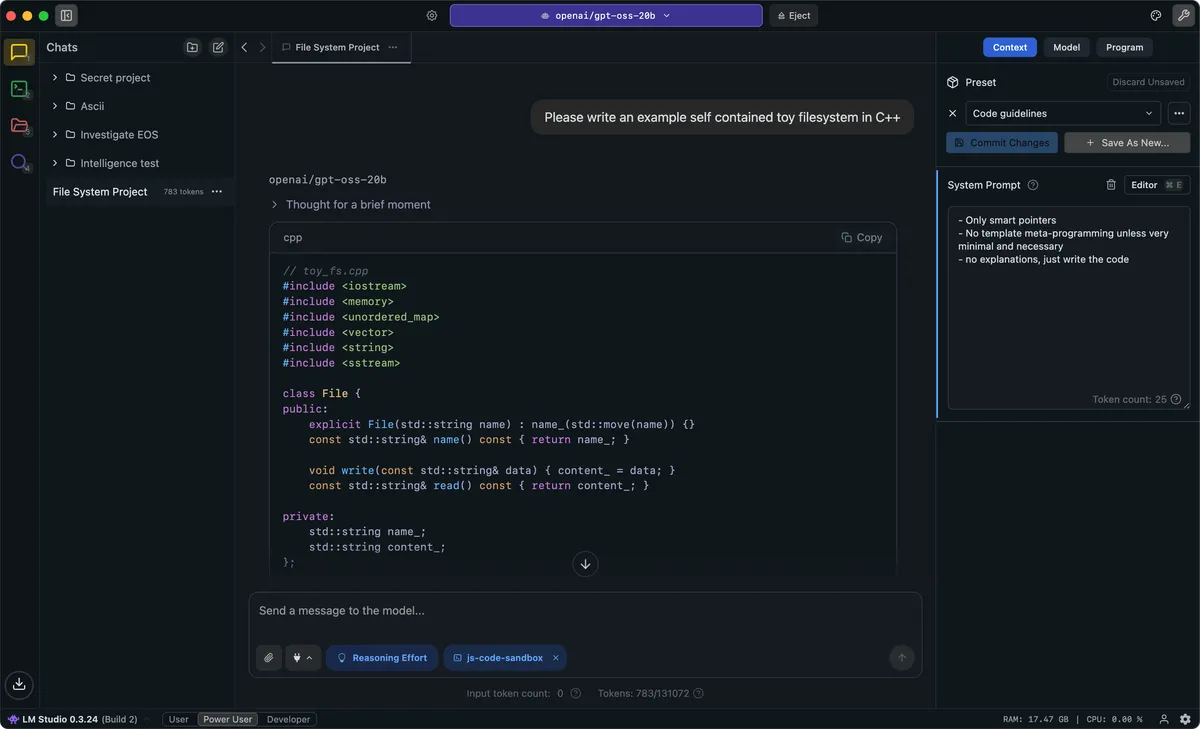
LM Studio UI screenshot on macOS, Desktop client to discover, download and run local LLMs on the Mac. Includes a Hugging Fac…
Purpose. Desktop client to discover, download and run local LLMs on the Mac. Includes a Hugging Face browser, chat UI, OpenAI-compatible local server and Apple MLX support, ideal for evaluating models without touching a terminal.
Key features. – Built-in Hugging Face catalog with one-click downloads. – Multi-model chat and side-by-side comparisons. – Local OpenAI-compatible server on localhost:1234 for external apps. – Apple MLX and GGUF support, with int4/int8 quantisations. – Headless llmster variant and Python/JavaScript SDKs.
Pros & cons. Pros: one-click install, very clear GUI for non-terminal users, free for both home and work use. Cons: not open source and the MLX engine landed later than in Ollama; heavier on disk (several GB of runtimes).
Essential plugins. Popular models on M5: Qwen3, Llama 3.1, DeepSeek-R1, Gemma 3, Mistral Small.
Editorial. The first step if you want to try local LLMs with zero commitment: install, download, test two models and then decide if Ollama is your next stop.
Pricing. Gratis (free). Web. lmstudio.ai
Ollama

Ollama UI screenshot on macOS, Developer-focused local LLM runtime: one command pulls and starts a model, exposes an Open…
Purpose. Developer-focused local LLM runtime: one command pulls and starts a model, exposes an OpenAI-compatible API on localhost:11434 and integrates with virtually any tool in the ecosystem. Since 0.19 it uses Apple MLX on Apple Silicon.
Key features. – Minimalist CLI: ollama run qwen3 and you’re done. – OpenAI-compatible API on localhost:11434 for instant integration. – MLX backend on M-series: 1.6-2x faster on prefill and decode. – Broad catalog: Llama, Qwen, Mistral, Gemma, DeepSeek, Phi. – Optional Cloud mode with extended concurrency and quotas.
Pros & cons. Pros: the r/LocalLLaMA community favourite, direct integration with Open WebUI, Continue, LangChain, n8n…. Cons: pure CLI by default, for a GUI you need to add Open WebUI, Enchanted or other frontends.
Essential plugins. Frontends and libraries: Open WebUI, Enchanted, Continue, LangChain, LlamaIndex, n8n.
Editorial. If you prefer terminal and APIs, Ollama is the shortest path between ‘I have an M5 Mac’ and ‘my app calls a local model with zero token cost’.
Pricing. Local gratis · Pro desde 20 $/mes (≈ 18,40 €/mes) · Max desde 100 $/mes (≈ 92 €/mes). Web. ollama.com
Raycast AI

Raycast AI UI screenshot on macOS, AI tier of the Raycast launcher. Layers chat, hotkey Quick AI, AI Commands and AI Extensio…
Purpose. AI tier of the Raycast launcher. Layers chat, hotkey Quick AI, AI Commands and AI Extensions on top of the Mac, with access to 32+ models (OpenAI, Anthropic, Google, Perplexity, DeepSeek). It is a paid add-on to the Raycast Pro plan, not a standalone app.
Key features. – Unified chat with 32+ models and PDF/image attachments. – Quick AI: floating window in any app via hotkey, with optional web search. – AI Commands: 30+ automation commands (‘improve this text’, ‘summarise’, ‘translate’). – AI Extensions via MCP: ‘open an issue in GitHub with this’, ‘block out my afternoon’. – Per-command model picker, depending on whether you want speed or depth.
Pros & cons. Pros: lives where your finger already is (⌘+Space), models from several providers under one bill, saves opening the browser for every micro-query. Cons: it is an add-on on top of Raycast Pro: an extra $8/mo for advanced models; no serious mobile app.
Essential plugins. Models available: GPT-4o, Claude Sonnet 4.6/Opus 4.7, Gemini 2.5 Pro, DeepSeek V3, Perplexity Sonar.
Editorial. For anyone already paying for Raycast Pro, Quick AI plus AI Extensions reshape your workflow more than any standalone chat app would.
Pricing. Pro desde 8 $/mes anual (≈ 7,40 €/mes) · Advanced AI add-on +8 $/mes (≈ +7,40 €/mes) · Teams Pro desde 12 $/usuario/mes (≈ 11 €/usuario/mes anual). Web. www.raycast.com/ai
Media (capture, video, convert)
CleanShot X

CleanShot X UI screenshot on macOS, Pro replacement for macOS’s built-in screenshot tool. Captures stills and video, does scro…
Purpose. Pro replacement for macOS’s built-in screenshot tool. Captures stills and video, does scrolling capture, OCR, annotation, desktop hiding and pins shots as floating windows, with one-click upload to CleanShot Cloud and shortened links on every action.
Key features. – Capture, crop and scrolling capture with automatic edge detection. – Screen and webcam recording with MP4 or GIF export. – Annotations, blur, counters, magnifier and a full keyboard-driven editor. – OCR over capture contents and a searchable local library. – Optional CleanShot Cloud with custom links and self-destruct.
Pros & cons. Pros: the most complete feature set on the market, integrations with Notion, Slack, Linear and Raycast, perpetual licence option. Cons: the Cloud Pro plan is subscription-based; the app is macOS-only, no iOS or web version.
Essential plugins. Native integrations: Slack, Notion, Linear, Raycast, Setapp; webhooks to upload to your own S3.
Editorial. If you take screenshots or short videos every day for docs, support or social, CleanShot X pays for itself within a week.
Pricing. App + Cloud Basic 29 $ una sola vez (≈ 26,80 €) · App + Cloud Pro desde 8 $/usuario/mes anual (≈ 7,40 €/usuario/mes). Web. cleanshot.com
ScreenFlow
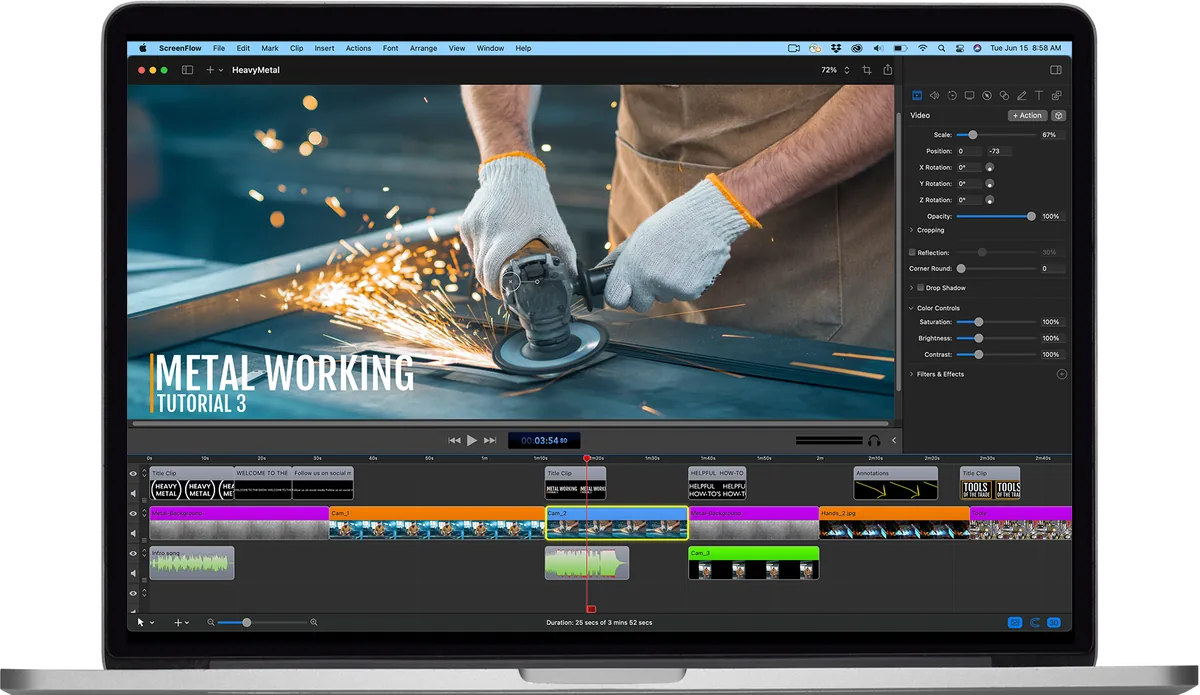
ScreenFlow UI screenshot on macOS, Classic Telestream tool for recording screen, camera, audio and iOS device, then editing t…
Purpose. Classic Telestream tool for recording screen, camera, audio and iOS device, then editing the result with a multi-track timeline, annotations, transitions and closed captions. Designed for tutorials, screencasts and product demos.
Key features. – Simultaneous recording of screen, camera, microphone and a connected iOS device. – Multitrack timeline with transitions, animations and audio curves. – Freehand annotations, callouts and automatic zooms to the cursor. – Closed captions with a built-in editor. – Export to ProRes, MP4, animated GIF and APNG.
Pros & cons. Pros: the most complete dedicated screencast editor on Mac, optional stock library, broadcast-grade exports. Cons: expensive upfront purchase with a separate stock library add-on; the UI carries a lot of legacy and doesn’t feel as modern as Final Cut.
Essential plugins. Useful add-ons: Stock Media Library ($99/yr), third-party transition packs, Wirecast integration.
Editorial. For serial tutorial creators it remains the reference: record, edit and publish without leaving the app.
Pricing. Desde 199 $ una sola vez (≈ 183 €). Web. www.telestream.net/screenflow
HandBrake
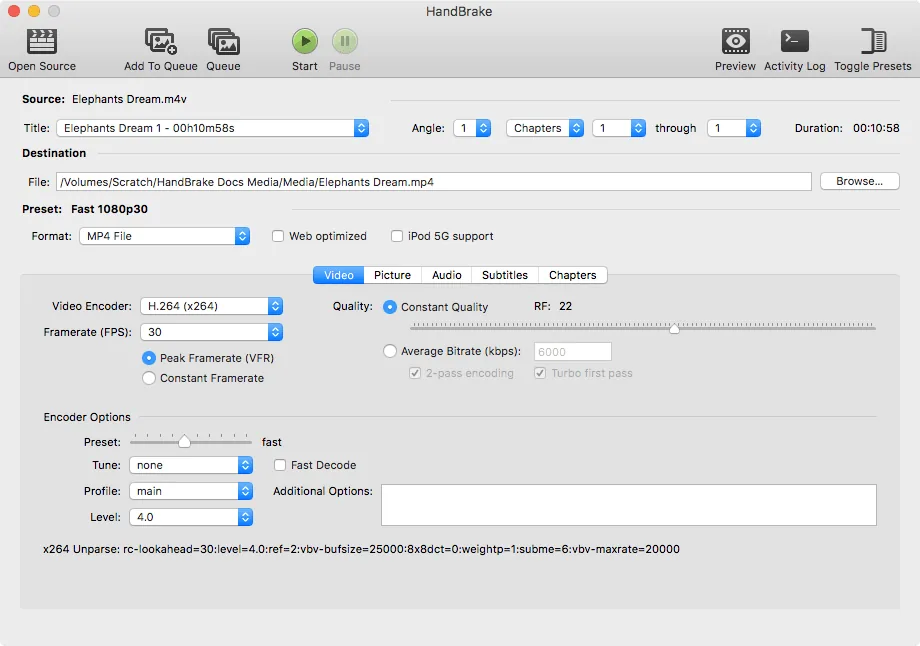
HandBrake UI screenshot on macOS, Open-source, multi-platform and multi-threaded video transcoder. Converts almost any input…
Purpose. Open-source, multi-platform and multi-threaded video transcoder. Converts almost any input format to H.264, H.265, AV1 or VP9 with presets for web, mobile or Apple TV. Runs offline, no telemetry, no cost.
Key features. – Support for modern codecs: H.264, H.265 (HEVC), AV1, VP9. – Hardware acceleration: Apple VideoToolbox, Intel QSV, NVIDIA NVENC, AMD VCE. – Over 40 official presets for devices and web services. – Batch queue with a CLI (HandBrakeCLI) for automation. – Filters: denoise, deinterlace, crop, scale, subtitles.
Pros & cons. Pros: GPL, no adware or telemetry, native Apple Silicon builds, regular security releases. Cons: austere UI and a steep initial curve; doesn’t edit, only transcodes.
Editorial. When you need to compress a big video without losing quality, HandBrake is still the first command to open.
Pricing. Gratis (free). Web. handbrake.fr
IINA
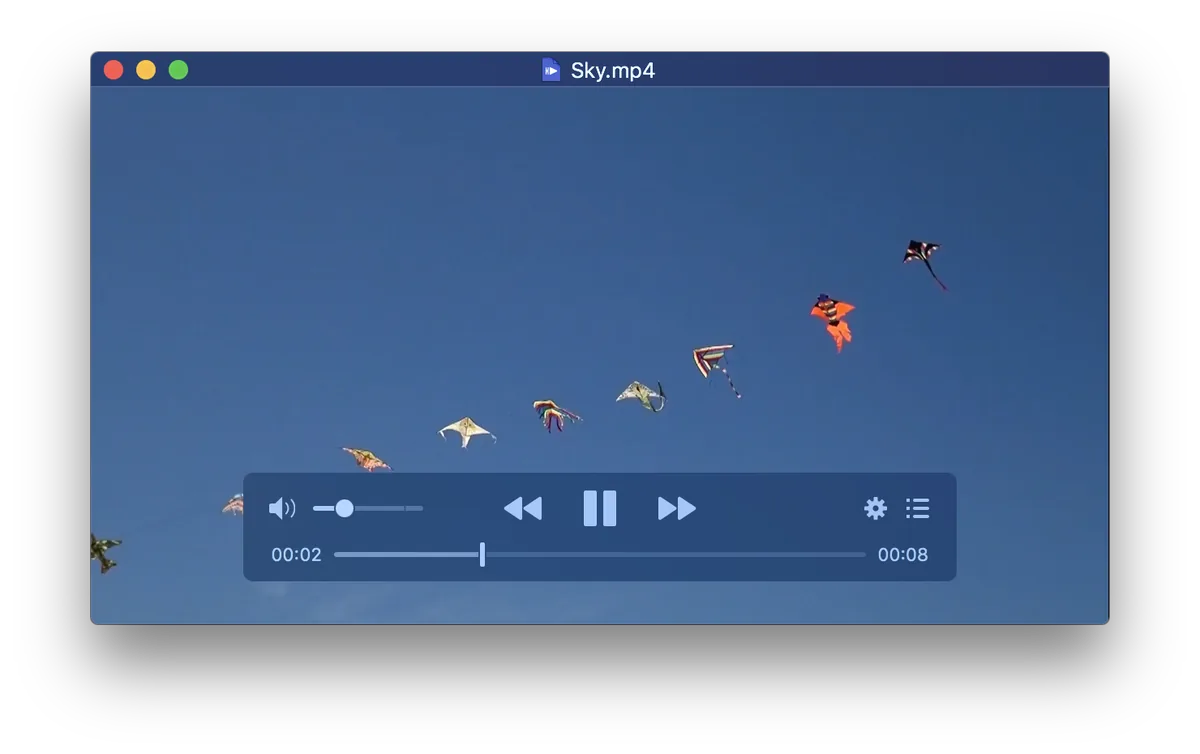
IINA UI screenshot on macOS, Modern macOS media player built on the mpv engine. Plays virtually any local or streaming …
Purpose. Modern macOS media player built on the mpv engine. Plays virtually any local or streaming format, with a native Swift UI, Picture-in-Picture, Touch Bar, trackpad gestures and a plugin system.
Key features. – mpv engine: virtually any format with no external codecs. – Native Picture-in-Picture, Touch Bar and System Media Controls. – Configurable trackpad gestures and keyboard shortcuts. – Online subtitles (OpenSubtitles, Assrt) with automatic loading. – JavaScript plugin system with documented APIs.
Pros & cons. Pros: feels like a proper Mac app (unlike VLC), GPLv3, native Apple Silicon builds. Cons: occasional instability with edge-case files; plugin catalogue is still small.
Editorial. The default pick if you come from QuickTime and need something that plays anything without fighting codecs.
Pricing. Gratis (free). Web. iina.io
Final Cut Pro
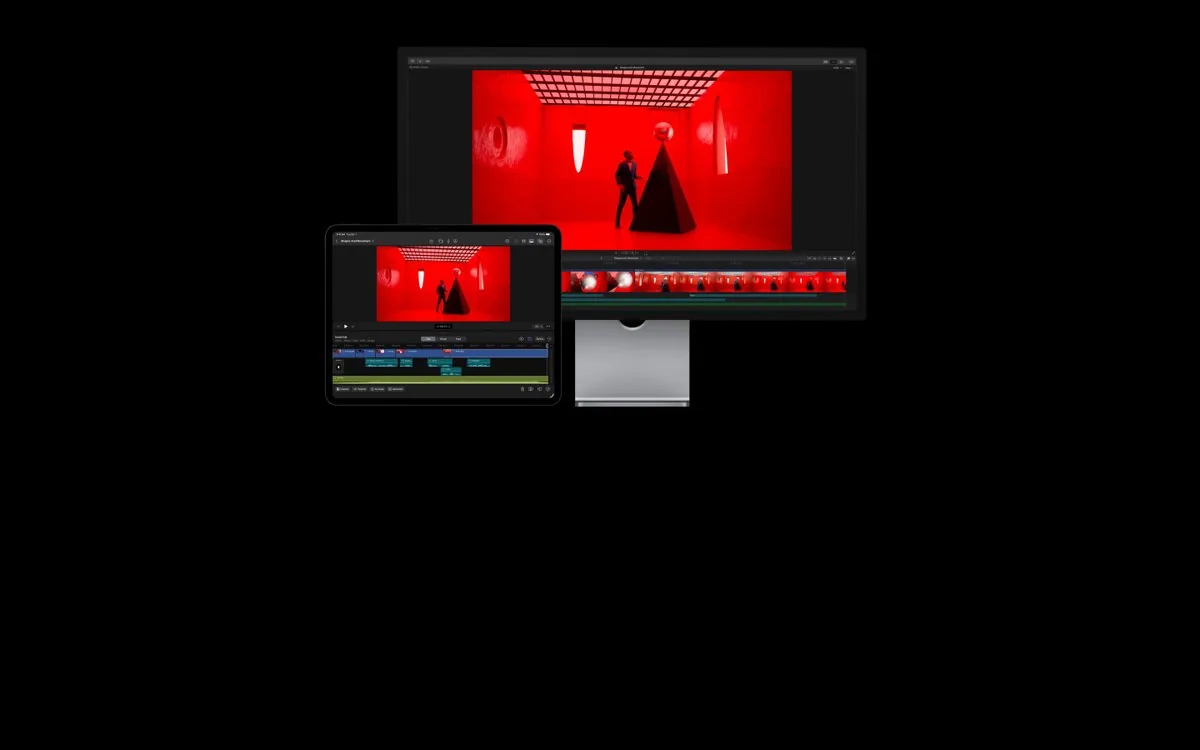
Final Cut Pro UI screenshot on macOS, Apple’s professional video editor, deeply optimised for Apple Silicon. Magnetic Timeline, …
Purpose. Apple’s professional video editor, deeply optimised for Apple Silicon. Magnetic Timeline, integrated AI (Magnetic Mask, Object Tracker, Smooth Slo-Mo, Transcribe to Captions), Media Engine-accelerated ProRes export and support up to 8K.
Key features. – Magnetic Timeline with Clip Connections for non-destructive editing. – Magnetic Mask and Object Tracker powered by machine learning. – Transcribe to Captions on-device. – ProRes export in real time on Apple Silicon’s Media Engine. – Visual Search and Transcript Search to locate shots by content.
Pros & cons. Pros: spectacular performance on M-series, single purchase without an individual subscription, Motion + Compressor ecosystem. Cons: after the launch of Apple Creator Studio (13 Jan 2026) there is no individual free trial; professional workflow less standard than Premiere or DaVinci in some industries.
Essential plugins. Plugin ecosystem: motionVFX, FxFactory, CoreMelt, Pixel Film Studios; integration with Motion and Compressor.
Editorial. The default editor on an M5 Mac if you want to squeeze the chip: zero subscription, hardware-accelerated rendering and Apple-quality AI tools.
Pricing. 299,99 $ una sola vez (≈ 276 €) · incluido en Apple Creator Studio desde 12,99 $/mes (≈ 11,95 €/mes) o 129 $/año (≈ 118,70 €/año). Web. www.apple.com/final-cut-pro
Conclusion
If I had to boil it down to a starter pile for a brand-new M5 Mac, it would be Raycast as command bar and Spotlight replacement, 1Password as password manager, Obsidian as second brain, Ghostty as Apple-Silicon-native terminal and Visual Studio Code as default editor. These are the picks that show up simultaneously in at least three of the signal buckets (community, editorial and quantitative metric) and that carry twelve-plus months of sustained activity. We’re deliberately not including browsers here, the right choice depends heavily on whether you live inside or outside the Apple ecosystem, or desktop LLM clients, where the iteration pace is fast enough that any closed recommendation goes stale quickly. The full list is reviewed every six to twelve months; if you miss something, drop us a line via the contact form and it will go into the next rotation.
- arc.net
- vivaldi.com
- brave.com
- orionbrowser.com
- www.apple.com/safari
- 1password.com
- bitwarden.com
- proton.me/pass
- www.dashlane.com
- apps.apple.com/us/app/passwords/id6473799789
- mimestream.com
- sparkmailapp.com
- proton.me/mail
- support.apple.com/mac-mail
- superhuman.com
- flexibits.com/fantastical
- calendar.notion.so
- www.busymac.com/busycal
- www.apple.com/macos
- www.vimcal.com
- obsidian.md
- www.notion.com
- bear.app
- www.icloud.com/notes
- logseq.com
- culturedcode.com/things
- www.todoist.com
- www.ticktick.com
- www.omnigroup.com/omnifocus
- www.icloud.com/reminders
- www.microsoft.com/microsoft-365
- www.apple.com/apps
- workspace.google.com
- www.libreoffice.org
- www.onlyoffice.com
- www.apple.com/icloud
- www.dropbox.com
- www.google.com/drive
- proton.me/drive
- www.sync.com
- slack.com
- zoom.us
- www.microsoft.com/microsoft-teams/group-chat-software
- discord.com
- telegram.org
- reederapp.com/classic
- netnewswire.com
- feedly.com
- www.inoreader.com
- readwise.io/read