
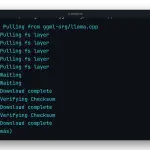
This lab runs llama.cpp server in Docker and tests it as if it were the OpenAI API. It is the Docker part of our guide how to install llama.cpp on Linux, macOS and Docker, carried through to the API we cover in llama-server as an OpenAI-compatible API in Docker. Everything you see in the terminal really ran, on an arm64 machine with no GPU.
What this lab does
You start the ghcr.io/ggml-org/llama.cpp:server-v0.5.0 image, the same tag the API guide pins. With -hf ggml-org/Qwen3.5-0.8B-GGUF:Q4_0 the container downloads the model from Hugging Face into a volume mounted at /cache. You wait for /health to return {"status":"ok"} in a bounded loop, and then you check three things: without a key, /v1/models answers 401; with the key, it lists the model; and /v1/chat/completions returns an answer with its usage block.
Why this model and not the one in the API guide
The API guide uses Qwen3 1.7B in Q8_0, a 1.8 GB GGUF. To keep the lab repeatable with a small download we picked the install guide’s model, Qwen3.5 0.8B, from the ggml-org/Qwen3.5-0.8B-GGUF repository, in its Q4_0 quantization. That repository has no Q4_K_M, so without the :Q4_0 tag the server would fetch the heavier Q8_0. Qwen3.5 reasons before answering, which is why the request carries "reasoning_effort": "none" and a max_tokens of 64. If you want to pick another quantization, it is explained in model quantization and llama.cpp on your laptop.
The API key and the cache volume
The key lives in a file with 600 permissions that the container mounts read-only and reads with --api-key-file, one key per line with # comments, according to the llama-server options reference. It is the same principle as in our lab on managing secrets in Docker: the key stays out of the image and out of the command line. The value tu_clave_de_api is a throwaway; on your server use a long random key.
The model is stored in a named volume, as the Docker volumes documentation describes. That is why, when you delete the container and create another with the same volume, the server starts without downloading the GGUF again. If you want to see that mechanism in more detail, watch the lab on how data persists in Docker with volumes and bind mounts.
How to use this API from your code
The request body follows the format of the OpenAI chat API, so the official SDK works with base_url pointed at http://127.0.0.1:8080/v1 and your key. The port is published on 127.0.0.1 only; to expose it outside, put it behind a reverse proxy with TLS. The GPU variants of the image, such as server-cuda and server-vulkan, are listed in the llama.cpp Docker documentation; we did not test them here because the machine has no GPU.
FAQ
Which llama.cpp image tag should I use in Docker?
A pinned tag such as ghcr.io/ggml-org/llama.cpp:server-v0.5.0. The unversioned server tag points at the nightly build and moves on its own; with a pinned version you upgrade when you decide to, by changing the tag. In this lab the binary in that image reports build 11146 for Linux aarch64.
Do I need a GPU to run llama-server in Docker?
No. The server image runs on CPU only, and this lab was recorded on an arm64 machine with no GPU using 4 threads (-t 4). A 0.8 B model in Q4_0 answers a short question in under a second. For a GPU there are the server-cuda and server-vulkan variants of the same image.
Why does /health answer without a key if I started llama-server with –api-key-file?
Because llama-server leaves /health open on purpose, so a Docker or reverse-proxy healthcheck can probe the service without knowing the key. Everything else, /v1/models included, returns a 401 with the message Invalid API Key when the Authorization header is missing.
Where does the container keep the model it downloads with -hf?
In the path the LLAMA_CACHE variable points to, with the Hugging Face cache layout (models–user–repository). If that path is a Docker volume, the GGUF survives docker rm and the next container starts without downloading it again.