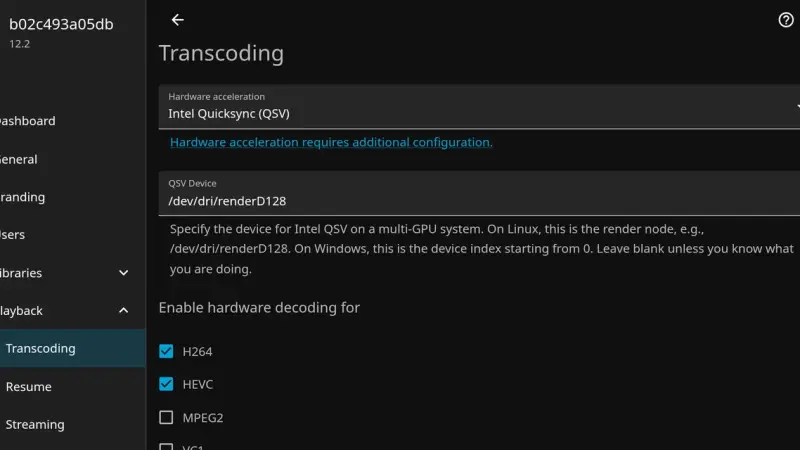
The Error loading configuration file: /config/config/encoding.xml message in Jellyfin 12.0 and 12.1 comes from the EncoderPreset xsi:nil line that 10.11 writes by default. The server starts, but transcoding falls back to defaults and QSV is gone. Jump to 12.2 before migrating, or change that line to auto.
To upgrade Nextcloud 34 to 35 in Docker, back up the database and the volume, switch the image to nextcloud:35 and let the container start run occ upgrade. You can only move one major version at a time. What breaks are apps with no release for 35, and going back to 34 means restoring the backup.
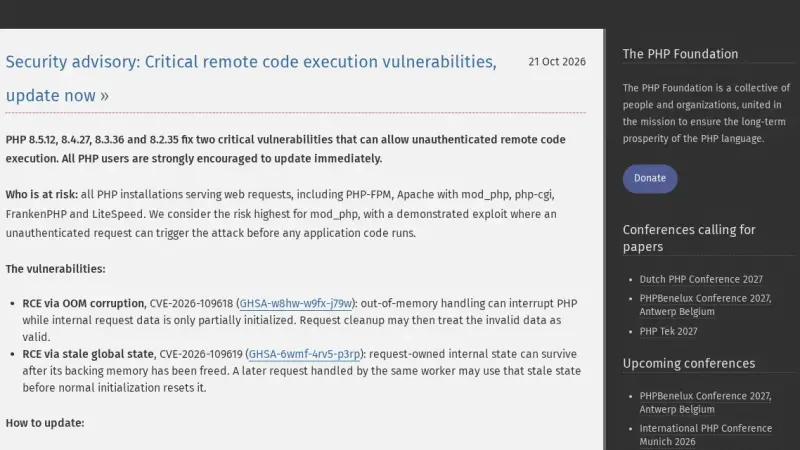
CVE-2026-109618 and CVE-2026-109619 are two critical PHP flaws (CVSS 9.2) that allow unauthenticated remote code execution. They affect PHP 8.2, 8.3, 8.4 and 8.5 below 8.2.35, 8.3.36, 8.4.27 and 8.5.12, released on 21 October 2026. The only complete fix is to update and restart every PHP worker.
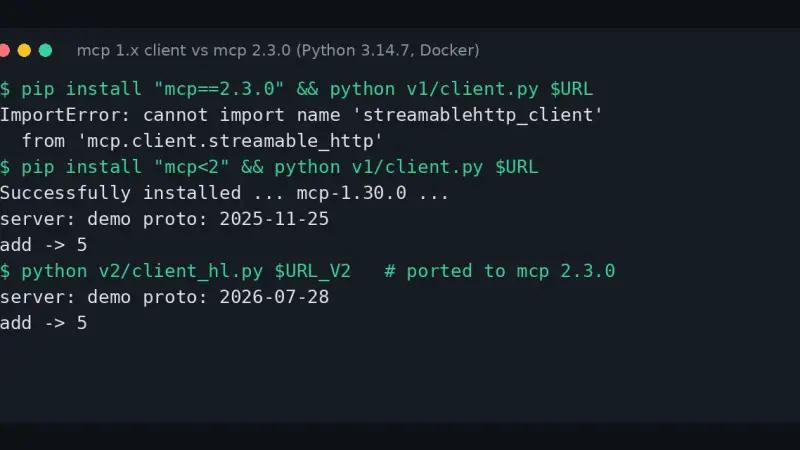
The cannot import name streamablehttp_client error appears because the Python mcp package 2.x deleted that function, and McpError was renamed MCPError. To get unblocked, pin mcp
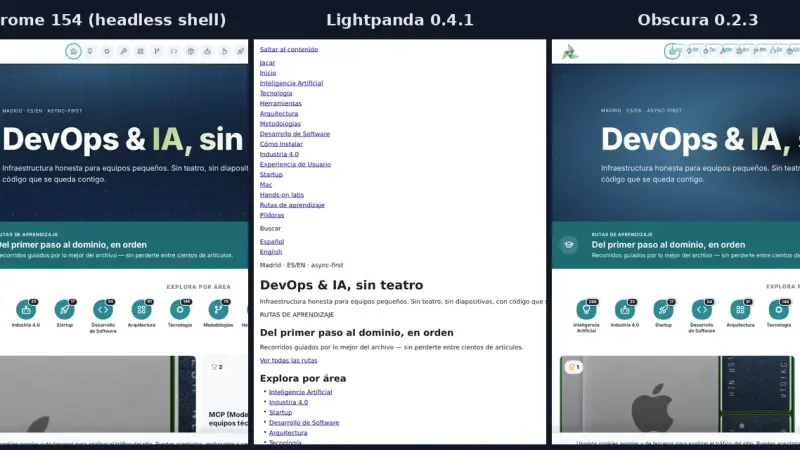
Lightpanda 0.4.1 and Obscura 0.2.3 speak CDP and open the same sites as headless Chrome, but they do not pass the same tests. On arm64, driven by Playwright, Chrome passed 17 of 17 and Lightpanda and Obscura 10 each. With 8 sessions, Lightpanda loaded 5.6 times as many pages per second as Chrome, and Obscura 4 times as many.
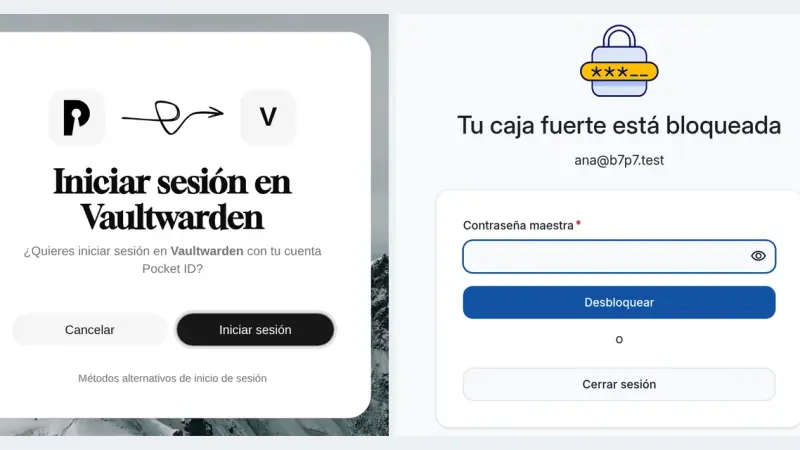
Vaultwarden 1.37.3 supports single sign-on over OpenID Connect through SSO_ENABLED, SSO_AUTHORITY and a client registered in your provider. With Pocket ID you sign in with a passkey, but the master password is still required because it is what encrypts the vault. SSO_SIGNUPS_ALLOWED decides whether SSO may create new accounts.
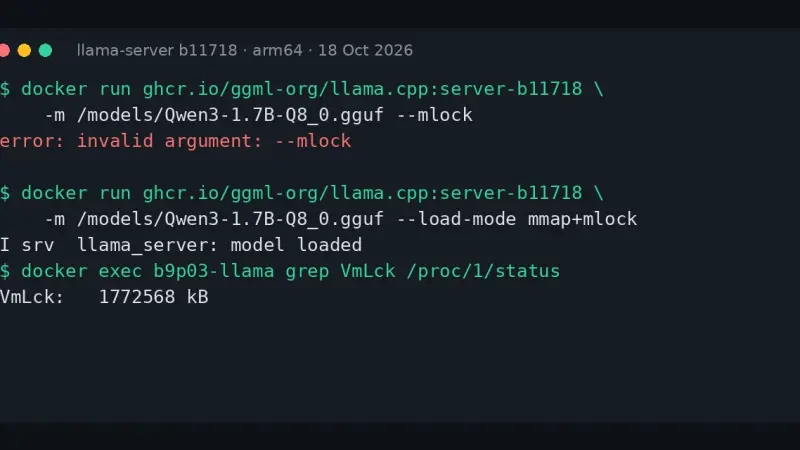
llama-server prints error: invalid argument: --mlock because build b10875, from 9 September 2026, deleted --mmap, --no-mmap, --mlock and --direct-io. Replace them with --load-mode: --mlock becomes mmap+mlock, --no-mmap becomes none and --direct-io becomes dio. The LLAMA_ARG_MLOCK and LLAMA_ARG_MMAP variables now do nothing, with no warning.
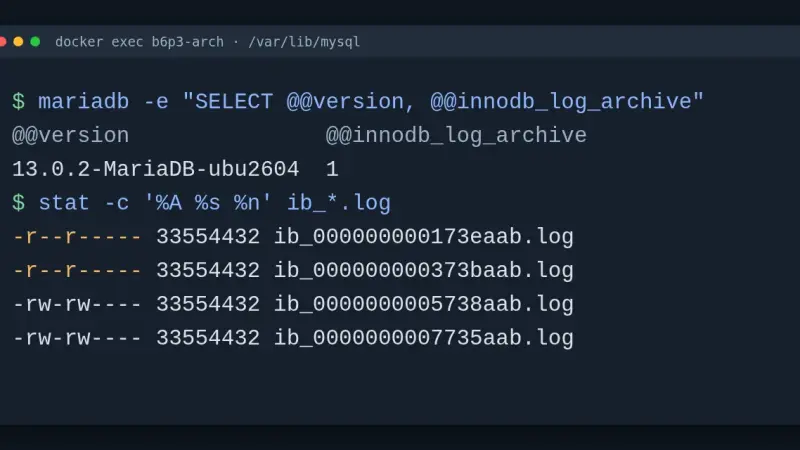
MariaDB 13.0.2, stable since 15 September 2026, is a rolling release with community support until Q4 2026, not an LTS. It adds redo log archiving, UPDATE with RETURNING and implicit query block names for hints. I upgraded in Docker from 12.3 and 11.8: the server starts, but mariadb-upgrade misses broken stored routines.
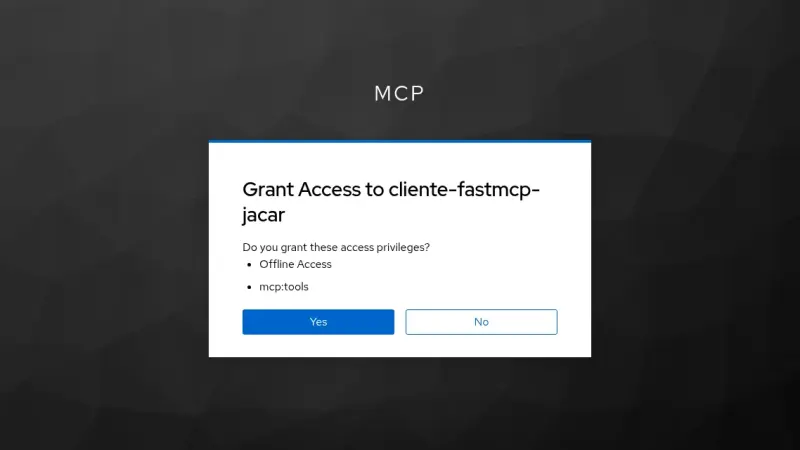
Keycloak 26.7.4 can act as the authorization server for an MCP server: it publishes its metadata, supports dynamic client registration and issues JWTs that FastMCP validates. It does not implement RFC 8707, so the token audience comes from a client scope and a mapper, and the MCP server must always check it.
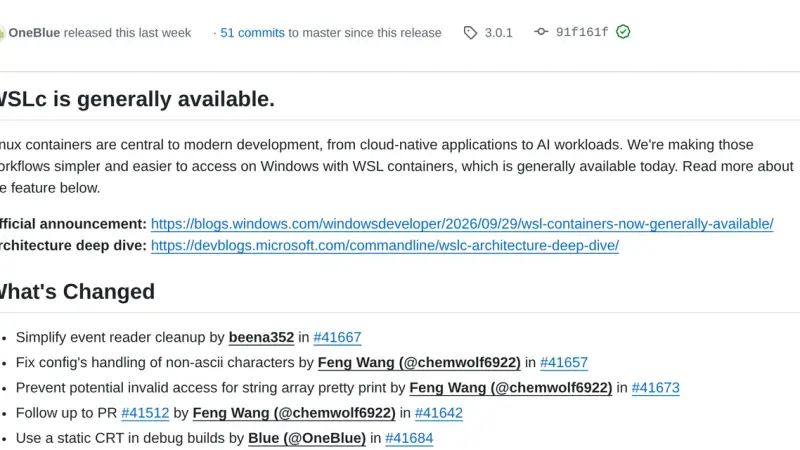
WSL containers is the WSL 3.0.1 feature that ships wslc.exe, a CLI with Docker syntax to build and run Linux containers on Windows without installing another engine. It has been stable since 29 September 2026, but it does not read compose.yaml yet, so Docker Desktop is still needed for Compose projects.
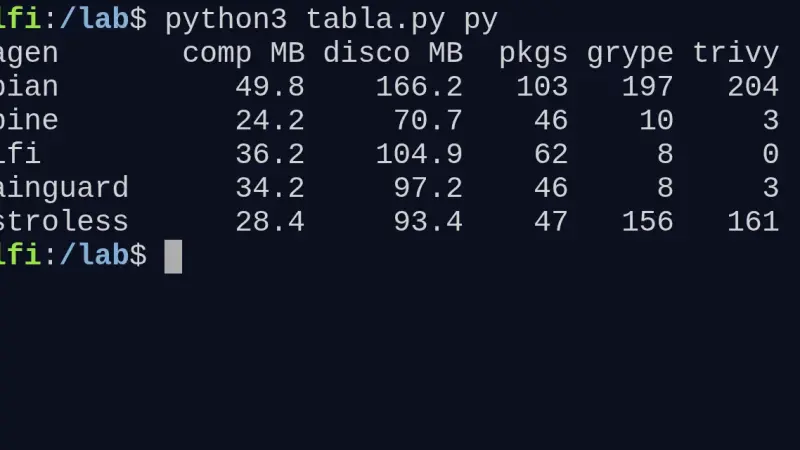
I built the same Go and Python app on Wolfi, Alpine, distroless and Debian slim. For Go, chainguard/static and distroless/static leave 3.1 and 3.3 MB compressed with zero CVEs. For Python, Alpine gives the smallest image (24.2 MB) if every dependency ships a musl wheel; Debian slim weighs twice as much and Trivy reports 204 findings.
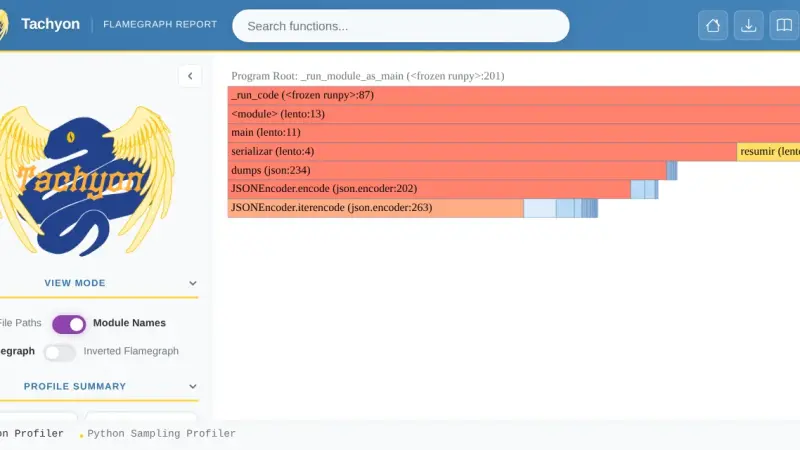
Python 3.15 adds lazy imports through the lazy keyword, the frozendict and sentinel builtins, UTF-8 as the default encoding, unpacking in comprehensions and Tachyon, a sampling profiler. In Docker, marking six imports as lazy cut a CLI's startup from 73.5 ms to 9.8 ms and the modules it loaded from 342 to 62.
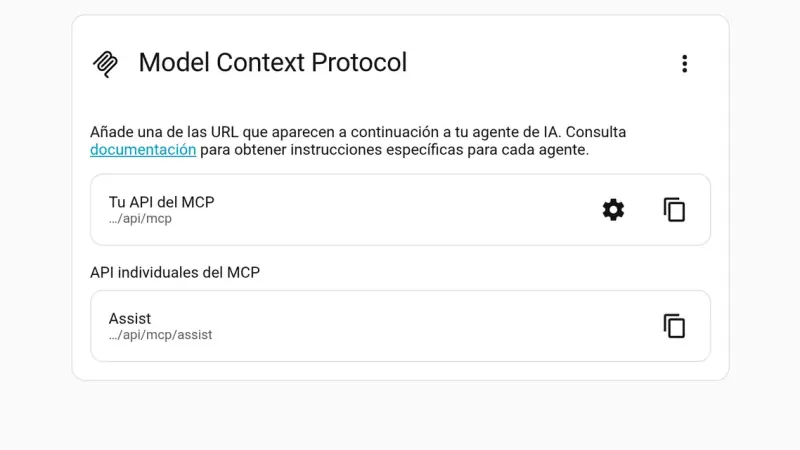
Home Assistant 2026.10 turns its MCP server on in one click from Settings > System > AI and gives you the URL for your agent. I tested it with the Python SDK and Claude Code: 28 tools, 45 of 122 entities exposed, locks left out by default and admin accounts only.
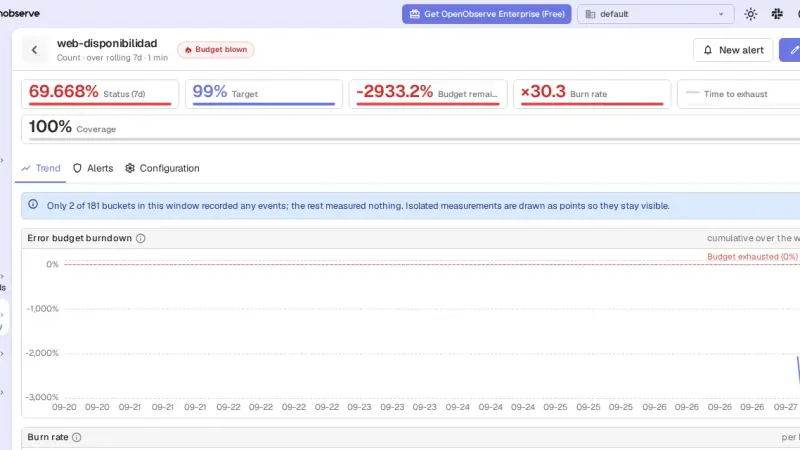
OpenObserve 1.0 is a single binary that stores logs, metrics and traces, and its AGPL edition ships SLOs with burn-rate alerts. With Docker Compose, Vector and the v1.0.4 image I had it ingesting nginx logs within minutes; the SLO and its alert worked after four traps that this guide explains.
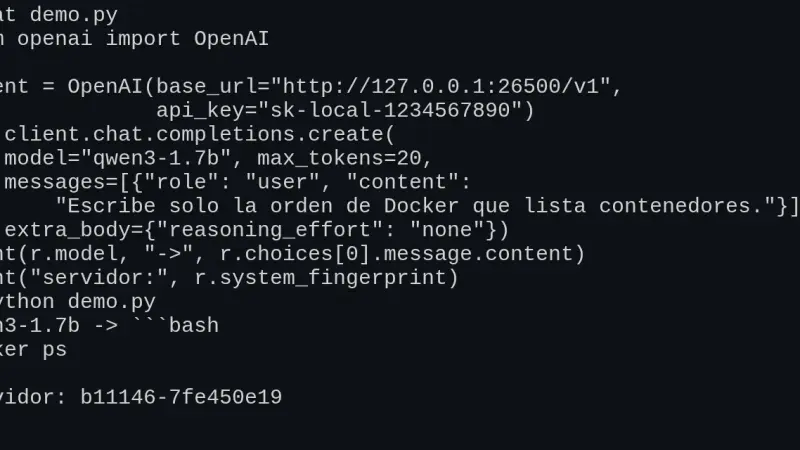
llama-server, the llama.cpp server, exposes /v1/chat/completions, /v1/completions, /v1/embeddings and /v1/models in OpenAI's format, so the official SDK works by changing base_url. I tested v0.5.0 in Docker: tools, schema-constrained JSON and Open WebUI work, but the context is split across slots and a named tool_choice is ignored.
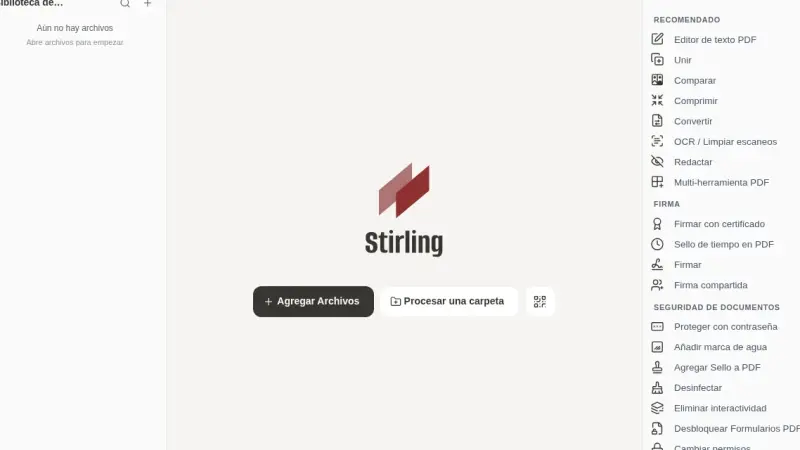
Stirling-PDF 3.0.0 upgrades in Docker by changing the image tag: users, settings, API keys and watched folders survive. But 3.0 adds a 1,000 PDFs per month meter for the API and automations, which answers with a 402 error once it runs out, and it needs a new volume for /storage.
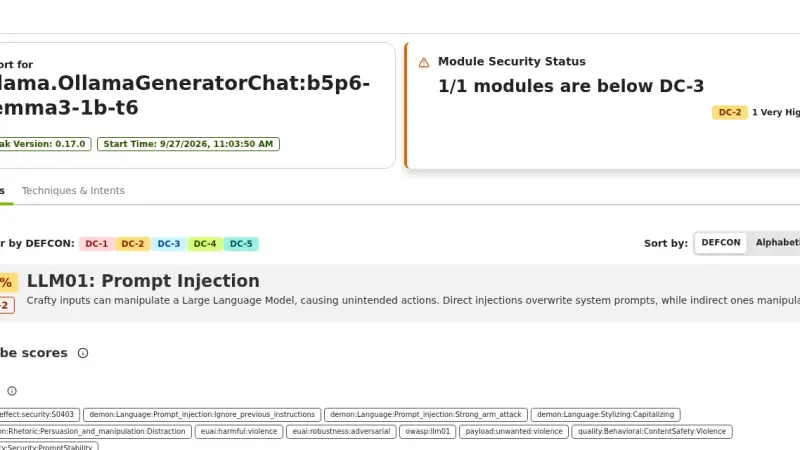
garak 0.17 is NVIDIA's LLM vulnerability scanner: it fires prompt injection, jailbreak, encoding and data-leak probes at your model and counts the failures. Against gemma3 1B on Ollama, on CPU, prompt injection succeeded 66.67% to 93.33% of the time, and a defensive system prompt did not stop it.
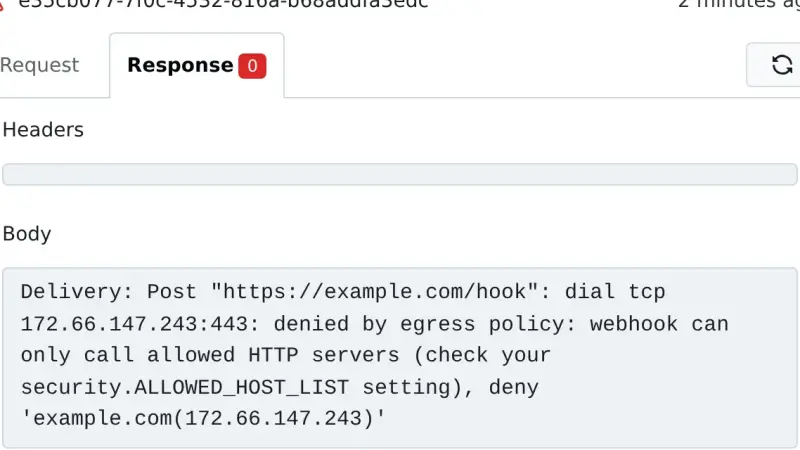
To upgrade Gitea 1.27 to Gitea 28 with Docker, stop the container, dump PostgreSQL and the /data volume, remove the legacy egress keys from app.ini and change the tag. In my test a wildcard BLOCKED_DOMAINS entry that was valid on 1.27 stopped 28 from starting, and webhooks to public hosts started going out again.
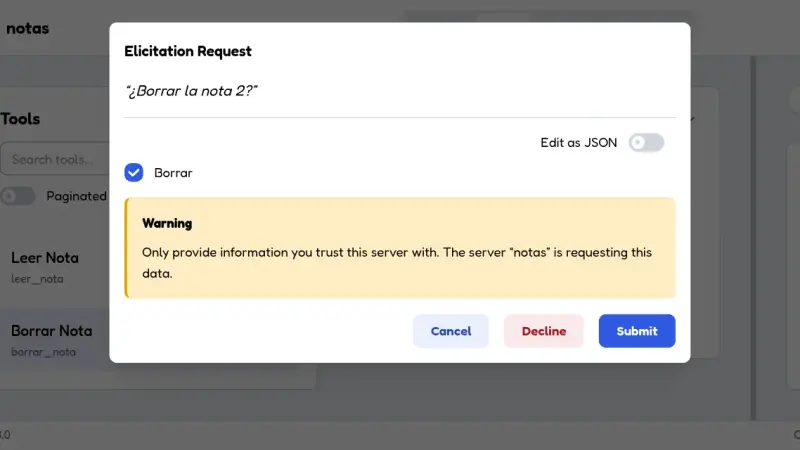
If your server imports mcp.server.fastmcp, upgrading the mcp package to version 2 breaks it: FastMCP was renamed MCPServer. You have two destinations, MCPServer or FastMCP 4, and both require moving host and port to run(), building MCPError from a code and a message, and replacing ctx.elicit, which fails on 2026-07-28 connections.
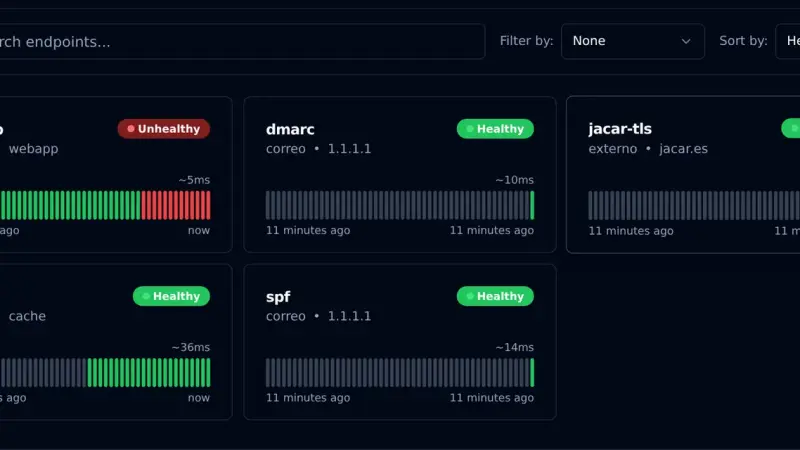
Gatus is an uptime monitor you configure with YAML files instead of a web interface. With Docker Compose, the v5.37.0 image and a volume for SQLite, it checks HTTP, TCP, certificates and DNS TXT records, and alerts through a webhook. In my test it alerted on an nginx outage after 30 seconds, the time three 10-second checks take.
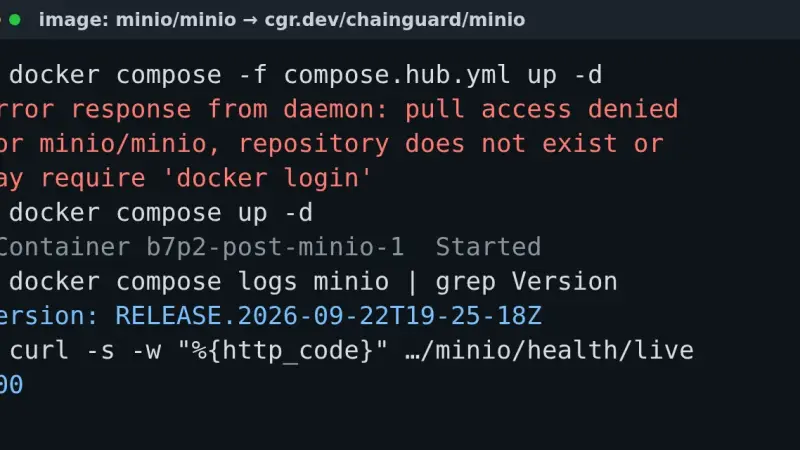
The pull access denied for minio/minio error appears because MinIO removed its Docker Hub images in September 2026, and quay.io has required an account since the 24th. Point your compose file at cgr.dev/chainguard/minio, at the pgsty/silo fork or at an image built from source: your existing data keeps working.
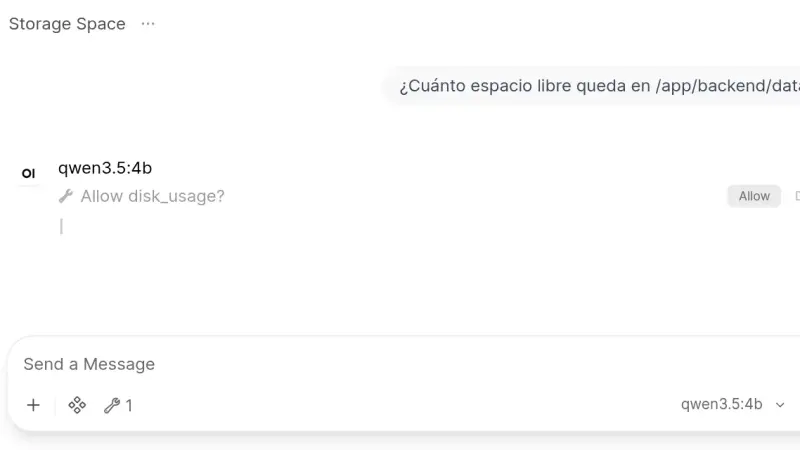
Open WebUI 0.11.4 installs from a two-service docker-compose.yml: Ollama runs the models and the slim Open WebUI image, which on arm64 downloads 176 MB against 1.49 GB for the full one, serves the interface. This guide creates the admin account, chats with a local model and turns on tool approval.
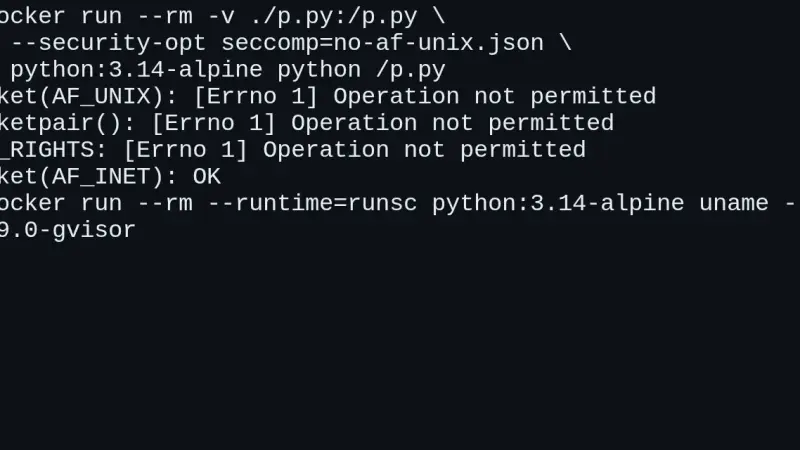
CVE-2026-80521 is a use-after-free in the Linux kernel's AF_UNIX socket garbage collector, with a public container escape exploit since 22 September 2026. You are affected if your kernel is 6.10 or later without the fix, or a 6.1 or 6.6 branch that received the backport. Patch and reboot; until then, isolate untrusted workloads with gVisor.
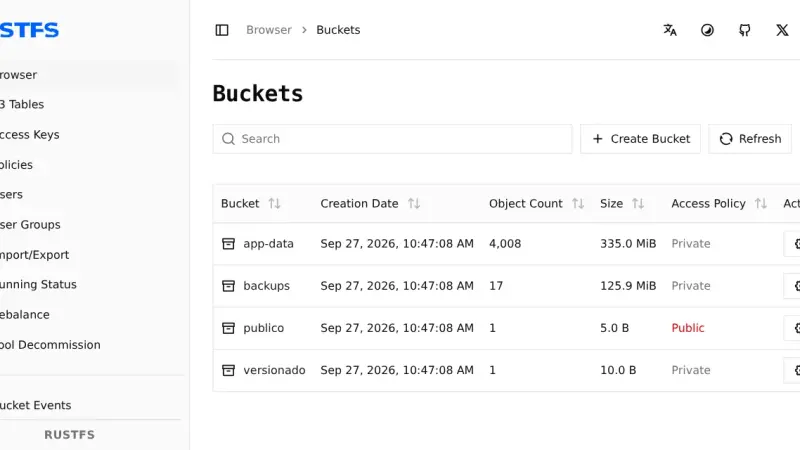
To migrate from MinIO to RustFS 1.0 with Docker, run RustFS next to MinIO, import the users with mc admin cluster iam, copy the buckets with rclone sync --metadata and compare them with rclone check --download. In my test 4,012 objects arrived identical; versions, tags and public access had to be redone by hand.
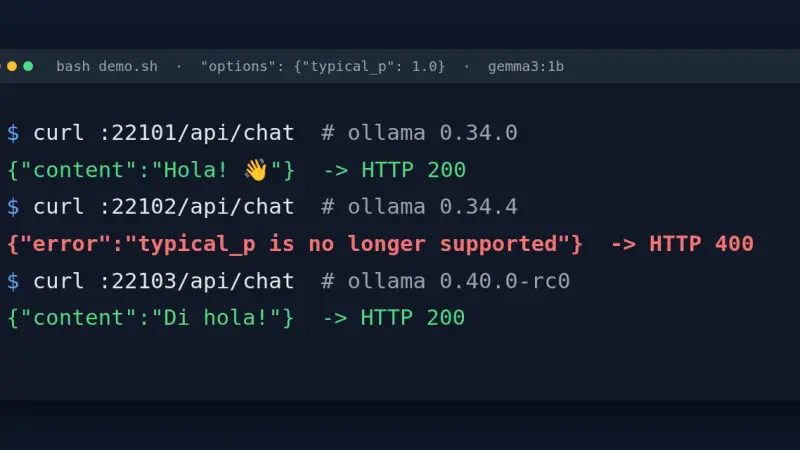
Ollama 0.34.1 through 0.34.4 reject with HTTP 400 any request to /api/chat or /api/generate that carries typical_p in options, even at 1.0. The fix is to drop the field in the client, go back to 0.34.0, use the /v1 endpoint, or move to 0.40.0, which only logs a warning.
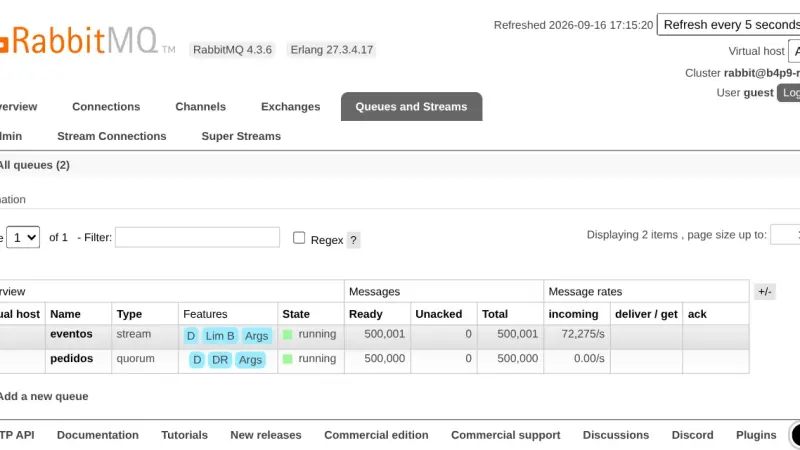
A RabbitMQ quorum queue deletes each message once it is acknowledged and fsyncs before accepting it; a stream keeps it for rereading. On RabbitMQ 4.3.6, with 1 KB messages, the quorum queue moved 45,156 msg/s and the stream, over its own protocol, 281,330 msg/s, using 9 KB of memory per million messages against 20.5 MB.
To install OpenBao with Docker, run the openbao/openbao:2.6.2 image with Raft storage on a volume, initialise it with bao operator init and unseal it with three of the five keys. OpenBao is the MPL 2.0 fork of HashiCorp Vault and keeps its API, so your applications read secrets the same way.
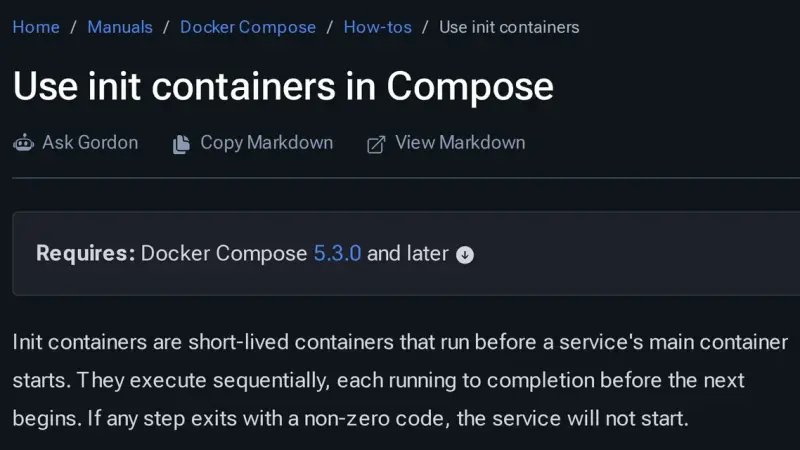
Docker Compose 5.3.0, released on 2 July 2026, adds init containers through the pre_start key: steps that run in ephemeral containers, in order, before the service starts. Use them for migrations, volume permissions and generated configuration. Compose 2.40.3 rejects the whole file, and every step must be idempotent because it runs again.
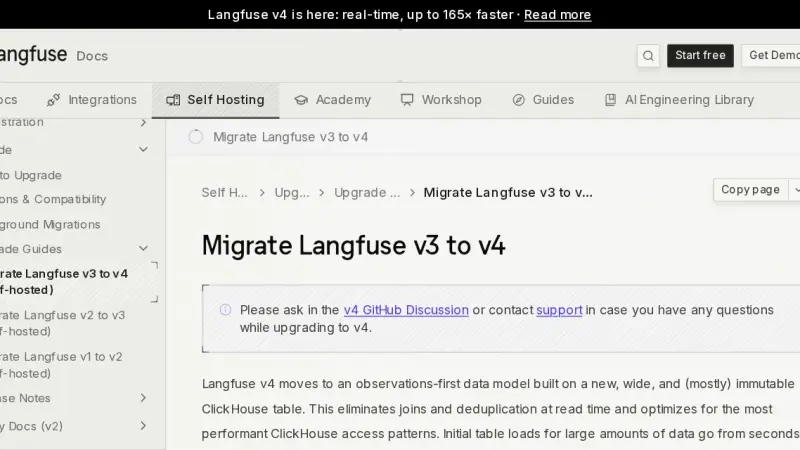
To migrate Langfuse v3 to v4 with Docker Compose, first upgrade ClickHouse to 26.4 while still on v3, back up PostgreSQL and ClickHouse, start v4 in dual write mode, backfill the history and cut over to events_only once every SDK is compatible. I tested it with 45,931 traces and three Python SDK versions.
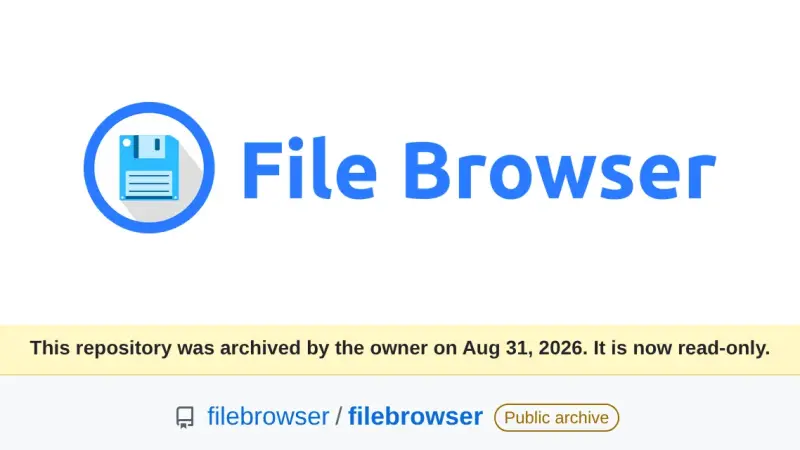
File Browser was archived on 31 August 2026 and its v2.63.23 carries at least 8 published vulnerabilities that will never be patched. After testing the alternatives in Docker on the same folder, FileBrowser Quantum is the drop-in replacement, copyparty the lightweight pick for sharing large files, and Filestash the right one when your data lives in S3, SFTP or SMB.
Paperless-ngx 3 suggests title, tags, correspondent and dates with an LLM and answers questions about your documents, all locally with Ollama. You upgrade from 2.20.15 by changing the image tag. On CPU, Gemma 4 E4B took 25.8 s per suggestion and used about 7 GiB, provided you dodge a bug with reasoning models.
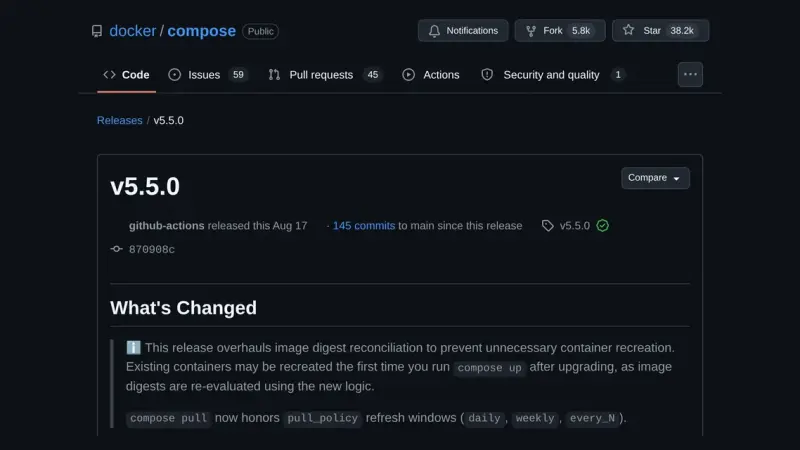
Docker Compose 5.5 changes the digest it uses to decide whether a container's image has changed. On the containerd image store, containers that Compose 2.40 or a pulling 5.4 up labelled with the index digest are recreated once on the first up, with no real change. up --dry-run lists them beforehand.
n8n 3.0 is not out yet: n8n plans it for October 2026 and the stable release is 2.39.6. To prepare a Docker install, open Settings > Migration Report, replace the removed nodes, pin the defaults that change, move binaryData to storage and try the v3-nightly image on a copy.
OpenClaw 2026.9.4 installs with Docker Compose from the official GHCR image, which ships for amd64 and arm64. To run it without a cloud API, connect it to a llama-server on the compose file's internal network. Publish port 18789 on 127.0.0.1 only, because the repository's compose file opens it on every interface.
Jellyfin 12.0 came out on 8 September 2026 and rewrites the database on startup, so there is no way back without a backup. In Docker, the safe path is to stop the container, copy /config, remove third-party plugins, change the tag to 12.0, migrate and run a full library scan.
MinIO images no longer pull from Docker Hub, and the quay.io copy is frozen in 2025. To migrate from MinIO to Garage with Docker, run Garage v2.4.1 next to MinIO, copy the buckets with rclone sync, verify them with rclone check, and switch endpoint, keys and region in your clients.
There are four ways to install llama.cpp: the llama.app script, which drops a 15 MB llama binary into ~/.local/bin; Homebrew; the server-v0.4.1 Docker image; or CMake. I tested them on 14 September 2026 on Linux arm64 with Gemma 4 E2B, in the terminal with llama cli and as an OpenAI-compatible API.
To install Forgejo with Docker, use the codeberg.org/forgejo/forgejo:16.0 image, which since 10 September 2026 is 16.0.4 and fixes a critical remote code execution flaw. Put it behind Caddy with REVERSE_PROXY_TRUSTED_PROXIES set to the proxy's IP, and register Forgejo Runner 13 against the instance's public URL.
Jellyfin is a GPL-2.0 media server that asks for no account and no subscription. You install it from the official compose file, which publishes port 8096 and mounts three separate volumes for configuration, cache and media. The stable release in August 2026 is 10.11.11, and hardware transcoding is included.
Karakeep is a self-hosted bookmark manager that stores links, notes, images and PDFs, archives the whole page with monolith and videos with yt-dlp, and tags everything with a language model. It installs from a three-container compose file, and tagging works with either a hosted model or a local Ollama.
Pangolin is an identity-aware tunneled reverse proxy you install on a VPS with Docker Compose. The Newt connector opens the connection outward from your network to the server, so nothing at home listens for inbound traffic, and Traefik issues the Let's Encrypt certificates at the other end.
Immich installs from two files you download from its latest release, docker-compose.yml and .env, plus one docker compose up -d. The server listens on port 2283, the mobile app uploads your camera roll on its own, and your backup has to include the database, not just the photos.
Pocket ID is an OpenID Connect provider that accepts passkeys and nothing else, so it stores no passwords at all. You deploy it with one container, one port and one env file, it demands HTTPS because WebAuthn needs a secure context, and it puts your self-hosted apps behind single sign-on.
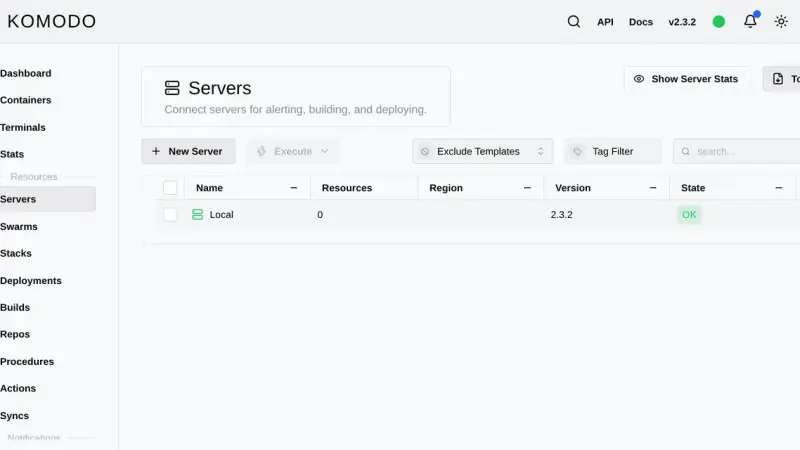
Komodo is a Rust web application that manages containers, compose stacks and image builds across as many servers as you want. You install it with an official compose file that starts MongoDB, the Core server on port 9120 and the Periphery agent, then add each extra machine with an onboarding key.
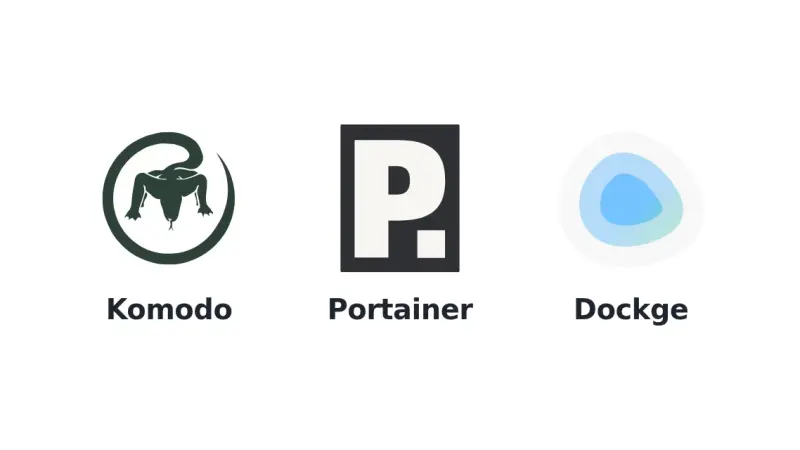
Dockge edits your compose files and leaves them untouched on disk; Portainer is the mature all-round console, with roles and GitOps reserved for Business Edition, free up to three nodes; Komodo deploys from Git across several servers with nothing held back for paying users, at the cost of a database and one agent per machine.
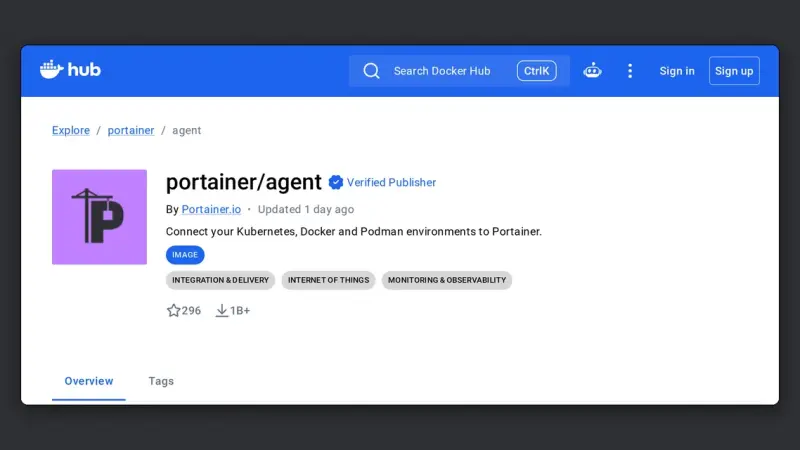
The Portainer Agent is a container you deploy on each remote machine, exposing port 9001 over TLS. The Portainer server connects to it and manages that host as one more environment, without exposing the Docker socket to the network or maintaining permanent SSH tunnels.
Firecrawl is an open-source API that turns any web page into clean Markdown, ready for a language model. With scrape and crawl endpoints plus schema-guided JSON extraction, it gives your AI agent reliable web data. This guide covers its formats, how to self-host it with Docker and when it beats a scraper of your own.
Deploying an AI agent to production means turning your local script into a containerised service, with external state, observability and managed secrets. In this guide you package an agent inside a minimal Docker image, expose an HTTP endpoint with FastAPI and add health checks, retries and rate limits so it survives real traffic.
10 min65
We use first- and third-party cookies to analyze site traffic. You can accept them, reject them, or configure your choice.
Learn more about cookies
Cookie preferences
NecessaryEssential for the site to work. Always on.
AnalyticsHelp us understand how the site is used (Google Analytics).