
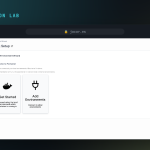
This lab brings up Portainer on Docker from a reproducible compose.yaml: a pinned image, a persistent volume and the Docker socket mounted read-only. You need a Linux host with Docker already installed first; if you don’t have it yet, follow how to install Docker on Debian 12.
What Portainer is and why use Docker Compose
Portainer is a web panel that manages Docker through its API: containers, images, volumes and networks from the browser, with no commands to memorise. Declaring it in a compose.yaml instead of a long docker run keeps the configuration versioned and repeatable, so the same file rebuilds the service on any host. We pin the image version (portainer-ce:2.40.0, never :latest) so an update can’t change behaviour silently, and mount the socket read-only because Portainer works over the API.
Frequently asked questions
Why port 9443 and not 9000?
9443 serves the interface over HTTPS with a self-signed certificate that Portainer generates on start-up. The older 9000 (plain HTTP) still exists, but 9443 is the secure default.
Do I lose data when I update the image?
No. All state lives in the portainer_data volume. You can change the image tag and bring the stack back up: users, settings and environments are still there.
Can I expose Portainer to the internet?
Better behind a reverse proxy with a valid certificate. A good next step is to install Traefik and publish Portainer with TLS and your own domain.
Next steps
If you want the same procedure explained at length, with screenshots and variations, there’s the full guide: install Portainer with Docker Compose v2.