How to Install Wiki.js with Docker
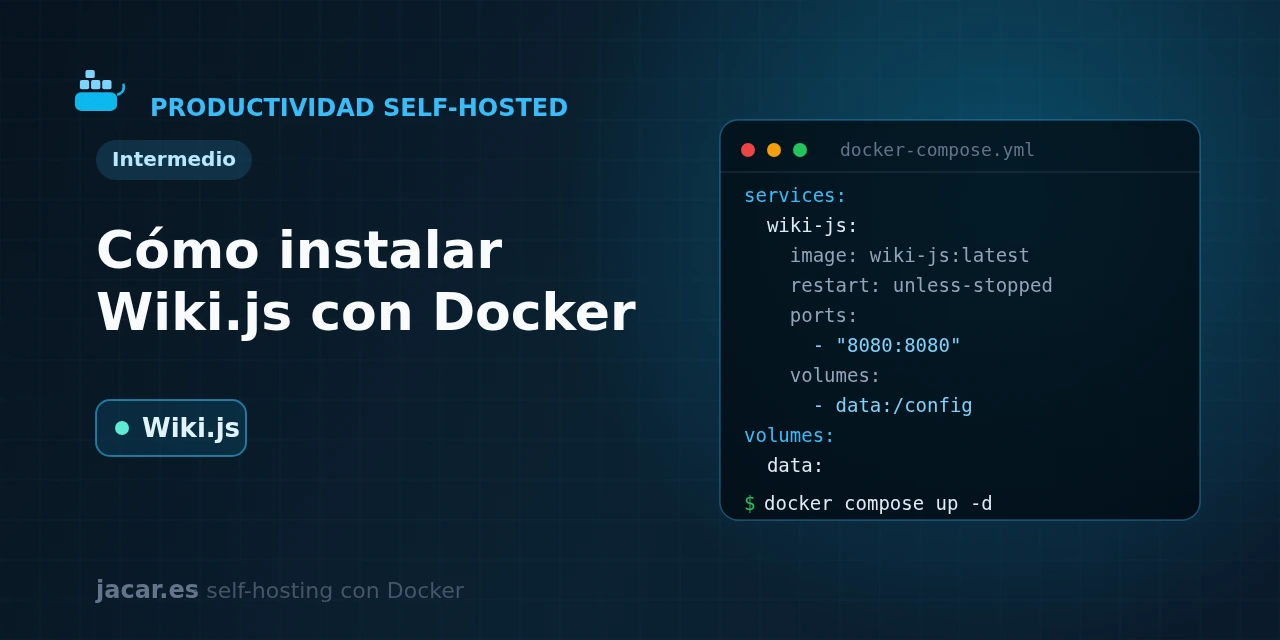
Table of contents
- Key takeaways
- What is Wiki.js?
- What do you need before you start?
- The Wiki.js docker-compose.yml with PostgreSQL
- How do you do the initial setup?
- How do you manage authentication and access control?
- How do you publish Wiki.js with HTTPS?
- Frequently asked questions
- Can I use Wiki.js without PostgreSQL?
- Why should I not use the latest tag?
- How do I back up the wiki?
- Conclusion
- Sources
Wiki.js is one of the most elegant ways to run your own wiki, and with Docker you have it ready in a couple of minutes. In this guide you bring up the application alongside a PostgreSQL database (an open-source relational database management system) with a single docker-compose.yml file. You then complete the initial setup wizard, configure authentication and access control, and publish it over HTTPS behind a reverse proxy. The same explanation is available in Spanish.
Key takeaways
- Wiki.js is an open-source wiki engine written in Node.js, with a Markdown editor, a visual editor and a version history for every page.
- The recommended setup uses two containers: the application (the
ghcr.io/requarks/wikiimage) and a PostgreSQL database, where all pages are stored. - The stable branch is 2.x; pin a specific version such as
ghcr.io/requarks/wiki:2.5instead of:latest, because 3.x is still in alpha, with no beta and no announced release date. - The container listens on port 3000 and does not encrypt traffic itself, so to expose it to the Internet you should put it behind Traefik or another reverse proxy with HTTPS.
- There is no default user: the first time you open the wiki, a wizard asks you to create the administrator account and the site URL.
What is Wiki.js?
Wiki.js is a modern, open-source wiki engine built on Node.js, with a Vue.js frontend. It was created by Nicolas Giard (known as NGPixel) and its first version appeared in 2016. Since then it has gathered more than 28,000 stars on GitHub and become a popular self-hosted alternative to Confluence or Notion for technical documentation and knowledge bases.
Its strength is editing: you can write in Markdown with a two-pane live preview, in a WYSIWYG visual editor or directly in HTML. Every page keeps its change history, is organised in a hierarchy of paths and can be searched full-text. Unlike BookStack, which imposes a fixed structure of shelves and books, Wiki.js lets you define the content tree yourself. It also offers integration with more than 40 authentication methods, from local accounts to LDAP, OAuth2, SAML, Google or GitHub.
What do you need before you start?
You need a Linux machine with Docker and the Compose plugin already installed. If you do not have it yet, follow the guide to install Docker on Ubuntu 24.04 first. Wiki.js is lightweight: 1 GB of RAM and one core are plenty for a personal or small-team wiki, and real idle usage sits at a few hundred megabytes.
The important detail is that Wiki.js does not include a database engine. It needs an external database, and the recommended option is PostgreSQL; it also supports MySQL, MariaDB, MSSQL and SQLite, but PostgreSQL gets the best support. In this tutorial we define the database inside the same docker-compose.yml, so there is no need to install it separately.
The Wiki.js docker-compose.yml with PostgreSQL
Create a folder for the project and save this docker-compose.yml inside it. Change the cambia_esta_clave_db value to your own strong password, the same one in the db service and in the wiki service, before starting:
services:
  db:
    image: postgres:15-alpine
    restart: unless-stopped
    environment:
      POSTGRES_DB: wiki
      POSTGRES_USER: wikijs
      POSTGRES_PASSWORD: cambia_esta_clave_db
    volumes:
      - db_data:/var/lib/postgresql/data
    healthcheck:
      test: ["CMD-SHELL", "pg_isready -U wikijs -d wiki"]
      interval: 30s
      timeout: 5s
      retries: 5

  wiki:
    image: ghcr.io/requarks/wiki:2.5
    restart: unless-stopped
    init: true
    depends_on:
      db:
        condition: service_healthy
    environment:
      DB_TYPE: postgres
      DB_HOST: db
      DB_PORT: 5432
      DB_USER: wikijs
      DB_PASS: cambia_esta_clave_db
      DB_NAME: wiki
    ports:
      - "8080:3000"

volumes:
  db_data:
Notice a few details in the file. The wiki does not start until PostgreSQL passes its healthcheck, thanks to depends_on with the service_healthy condition. The container’s port 3000 is published on the host’s port 8080, so the wiki will be at http://localhost:8080.
The init: true option adds an init process that handles system signals correctly. And all the content (pages, users and configuration) lives in the database, whose db_data volume is the only thing you need to back up.
With the file ready, start the stack in the background and follow the log until the application is available:
docker compose up -d
docker compose ps
docker compose logs -f wiki
The first time, Wiki.js creates the tables in the database and prepares its resources, so the boot takes a little while. When the log shows the server listening on port 3000, the wiki is ready.
How do you do the initial setup?
Open http://localhost:8080 in the browser. Because no user exists yet, Wiki.js greets you with a setup wizard. There you define three things: the email address and password of the administrator account, and the site URL (for example http://localhost:8080 locally or https://wiki.mydomain.com in production). That URL is saved in the configuration, so it is best to enter the definitive one already if you are going to expose the wiki on a domain.
When it finishes, the wizard takes you to the login. Sign in with the account you just created and you will see the empty administration panel.
The usual first step is to create the home page. Wiki.js prompts you to pick the editor (Markdown is the most common choice) and the page path, and from there you can write and save. Every time you edit a page, the system stores a new entry in its history, so you can always compare versions or revert a change.
How do you manage authentication and access control?
By default, Wiki.js creates a local authentication strategy: users register with email and password inside the wiki itself. From Administration → Authentication you can enable external providers, since the application integrates more than 40 strategies, among them LDAP, OAuth2, SAML and specific providers such as Google, GitHub or Microsoft. It is the usual way for a team to sign in with the accounts they already use at the company.
Access control is organised into groups and page rules. Each group defines what it can read, write or manage and which paths it applies to, so you can have a public part and a private part in the same wiki. A frequent pattern is to leave reading open to everyone but restrict editing to the administrators group. If you publish the wiki on the Internet, also check whether you want to allow self-registration or close it to avoid unwanted accounts.
How do you publish Wiki.js with HTTPS?
Wiki.js listens on plain HTTP on port 3000 and does not manage certificates itself, so serving it directly to the Internet without encryption would be a mistake: passwords would travel in the clear. The usual way to give it a valid certificate is to place it behind a reverse proxy that handles TLS. If you are following the series, you will already have Traefik with Docker Compose running; in that case, remove the ports section from the wiki service, connect it to the proxy network and add these labels:
    labels:
      - "traefik.enable=true"
      - "traefik.http.routers.wiki.rule=Host(`wiki.mydomain.com`)"
      - "traefik.http.routers.wiki.entrypoints=websecure"
      - "traefik.http.routers.wiki.tls.certresolver=le"
      - "traefik.http.services.wiki.loadbalancer.server.port=3000"
Traefik will request the certificate from Let’s Encrypt and renew it automatically. Remember to update the site URL in Administration → General so it matches your HTTPS domain; otherwise some internal links and login with external providers can fail.
Frequently asked questions
Can I use Wiki.js without PostgreSQL?
Yes, Wiki.js supports MySQL, MariaDB, MSSQL and SQLite in addition to PostgreSQL, but PostgreSQL is the recommended database and the one that gets the best support from the project. SQLite works for a quick test without a separate database container, though for any real use it is better to stick with PostgreSQL, as the docker-compose.yml in this guide shows. On top of that, the upcoming 3.x branch will drop support for MySQL, MariaDB, MSSQL and SQLite and keep PostgreSQL as the only supported engine. Starting with PostgreSQL now saves you a migration once that version reaches stable.
Why should I not use the latest tag?
Because :latest can drag you into a major version jump without warning during a simple restart. By pinning ghcr.io/requarks/wiki:2.5 you stay on the stable 2.x branch (whose latest version is 2.5.314) and you decide when you update. The 3.x branch is still in alpha: the project has only promised a beta once it reaches feature parity with 2.x, with no date set. For production, 2.x remains the safe choice in 2026.
How do I back up the wiki?
Because Wiki.js stores everything (pages, users and configuration) in the database, it is enough to back up PostgreSQL. Export the database with pg_dump from the db container and keep the resulting file somewhere safe:
docker compose exec db pg_dump -U wikijs wiki > wiki-backup.sqlWith that dump and your docker-compose.yml you can rebuild the whole wiki on another server.
Conclusion
With a single docker-compose.yml you have a complete Node.js wiki: application and PostgreSQL database, with all the content under your control. The logical next step is to take it to the Internet securely behind Traefik, configure your team’s authentication and schedule regular backups of the database. From there, Wiki.js becomes the central knowledge base of your self-hosted infrastructure.
Sources: [1] Official Wiki.js documentation (Docker install)[1], [2] Wiki.js repository on GitHub (requarks/wiki)[2], [3] Official Wiki.js project site[3].
Sources
Source code
Access all the source code for this post on GitHub.
View on GitHub