How to migrate from MinIO to RustFS 1.0 with Docker
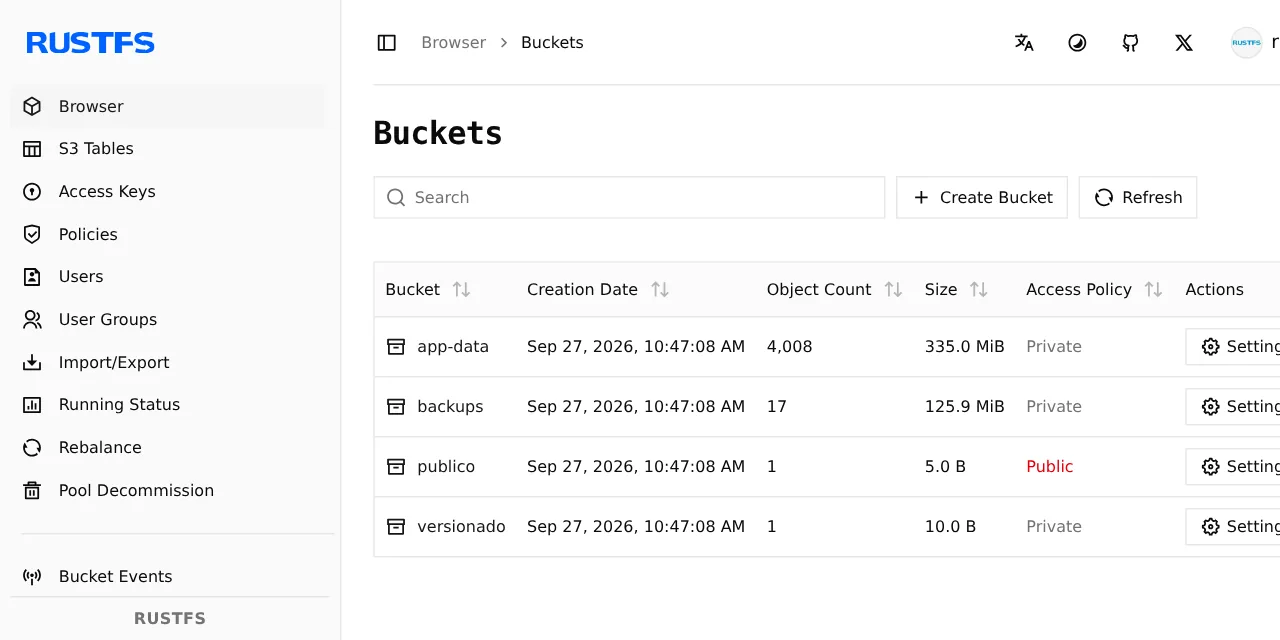
Table of contents
- Key takeaways
- Why won't the MinIO image pull anymore?
- What RustFS 1.0 is and which licence it uses
- RustFS or Garage?
- How I tested the migration
- Step 1: run RustFS next to MinIO
- Step 2: move users and policies with the IAM export
- Step 3: copy the buckets with rclone sync
- Step 4: verify counts and checksums
- Step 5: redo what the copy does not carry
- Step 6: run the final pass and switch the clients
- How much memory does RustFS use compared with MinIO?
- Can RustFS start on MinIO's own data?
- Frequently asked questions
- Can I keep running MinIO with the Chainguard image?
- Does the migration keep presigned URLs and application keys?
- How long does the copy really take?
- Conclusion
- Sources
I migrated a MinIO server holding 4,012 objects to RustFS 1.0.0 with rclone sync, and the SHA-256 comparison of both sides came out identical. RustFS is an S3-compatible object storage server written in Rust and released under Apache 2.0, and it is the closest thing to MinIO you can run today: web console, IAM users, versioning and object lock. This guide covers the S3 copy step by step, what gets lost on the way, and a second route that keeps the versions: starting RustFS on a copy of MinIO’s disk. I tested it on 27 September 2026 with Docker. There is also a Spanish version of this guide.
Key takeaways
- On 27 September 2026 every MinIO pull I tried failed: Docker Hub says the repository does not exist, and Quay returns 401 even for the pinned
RELEASE.2025-09-07T16-13-09Ztag. - RustFS 1.0.0 shipped on 16 September 2026, after 14 months of alpha, beta and release-candidate builds, with images for amd64 and arm64.
rclone sync --metadatacopied 4,012 objects and 335.7 MiB;rclone check --downloadfound no differences. Without--metadata,Cache-Controland custom metadata were lost.- Neither rclone nor
mc mirrorcopies old versions, and rclone also drops tags and the anonymous access policy: you redo those three things on RustFS. - Users and policies move with
mc admin cluster iam exportandimport, and the imported user logged in to RustFS with its original secret. - RustFS 1.0.0 started on a copy of the MinIO volume and served all 4,016 objects with the five versions, the tags and the users. Its README labels that compatibility "Preview", and the docs say it is one-way.
Why won’t the MinIO image pull anymore?
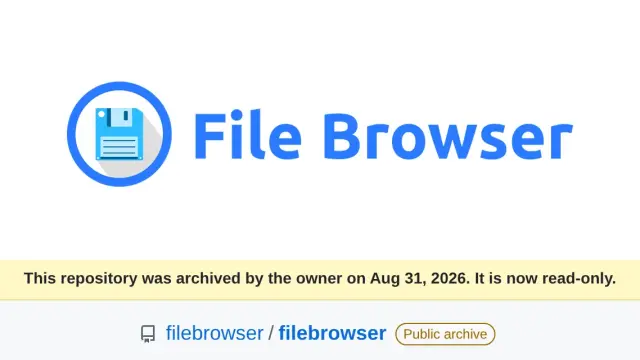
Because MinIO no longer publishes free images on any registry that works without an account. The MinIO repository on GitHub[1] has been archived since 25 April 2026, and its README opens with "THIS REPOSITORY IS NO LONGER MAINTAINED". These are my pulls from 27 September, at 10:43 UTC:
$ docker pull minio/minio:latest
Error response from daemon: pull access denied for minio/minio,
repository does not exist or may require 'docker login'
$ docker pull quay.io/minio/minio:RELEASE.2025-09-07T16-13-09Z
... HEAD request to https://quay.io/v2/minio/minio/manifests/
RELEASE.2025-09-07T16-13-09Z: 401 UNAUTHORIZED
The second failure is the new part. On 16 September that same Quay tag still pulled, as the guide to migrating from MinIO to Garage records, and that guide covers the Docker Hub removal in detail. If your MinIO still runs, it is because the image sits in your machine’s local cache, and a docker system prune or a new server leaves you without it.
The only image I found that pulls without an account is cgr.dev/chainguard/minio:latest. Chainguard builds it from its MinIO fork[2], and the binary reports RELEASE.2026-09-22T19-25-18Z. Only the latest tag exists: asking for the version by name returned not found.
The Chainguard EmeritOSS announcement[3] says the fork ships "in source form only" and that the maintained image is a paid product, so do not count on it for the long term. I used it as the source for this test, pinned by its digest sha256:bd014394.
What RustFS 1.0 is and which licence it uses
RustFS is an S3-compatible object server that mimics how MinIO works. It uses the same ports, 9000 for the API and 9001 for the console, the same user and policy model, and it answers a good part of the mc tool. The licence file is Apache 2.0, and the RustFS README[4] pitches it as the alternative that avoids "the restrictions of AGPL", MinIO’s licence.
RustFS 1.0.0[5] was published on 16 September 2026. Fourteen months of pre-releases came before it, from 1.0.0-alpha.1 on 2 July 2025 to 1.0.0-rc.6 on 11 September. The 1.0.0 notes are a list of heal, scanner and encryption changes, with no text explaining the release.
On the day of the test the project had 33,957 GitHub stars and 12.1 million Docker Hub pulls. It already ships a 1.0.1-preview every one or two days.
The project itself bounds its S3 compatibility. Its S3 compatibility matrix[6] says RustFS "does not claim complete coverage of every standard or vendor-specific S3 behavior". At the 1.0.0 tag, Ceph’s s3-tests suite has 460 passing cases, 21 pending and 274 excluded. The 21 pending include bucket logging and ownership controls.
RustFS or Garage?
RustFS is the choice if you want the MinIO you know under another licence, and Garage if you only need the basics and want to spread the data across different sites. The migration from MinIO to Garage has its own guide; this table sums up where they part ways:
| Criterion | RustFS 1.0.0 | Garage v2.4.1 |
|---|---|---|
| Licence | Apache 2.0 | AGPLv3 |
| Versioning and object lock | Yes (versioning tested) | No |
| Bucket policies and anonymous access | Yes (tested) | No |
| Web console | Yes | No |
| MinIO IAM users | Imported with mc |
Its own key model |
| Reading MinIO’s disk | Yes, in preview | No |
My rule fits in two sentences. If your backups rely on versioning or object lock, or your applications use MinIO policies and users, go to RustFS. If you only store application files and restic backups, Garage covers that and is built for spread-out nodes: its site sells it as a store "so reliable you can run it outside datacenters".
How I tested the migration
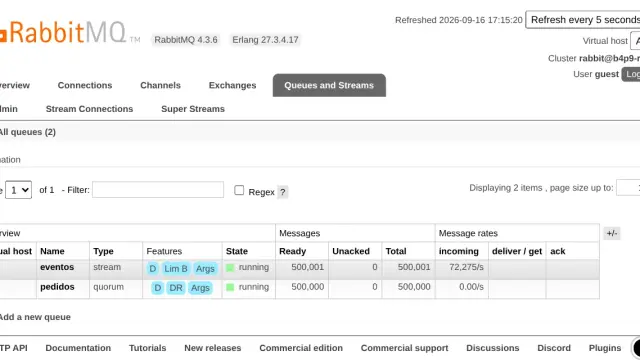
I ran both servers in a throwaway Compose project, inside a linux/arm64 dev container with 18 cores. The timings are the median of five runs on an idle machine, each onto an empty RustFS, with the 1-minute load average between 0.63 and 2.81. In the commands in this guide I replaced the credentials and the network name with placeholders; everything else is what I ran.
I loaded four buckets into MinIO with mc:
app-data: 4,004 objects and 335.1 MiB, with 3,000 JSON files of 1 to 40 KB, 1,000 random files of 4 to 256 KB and 3 files of 50 MiB uploaded in partsversionado: five versions of the sameconfig.txt, with versioning onpublico: anindex.htmlwith anonymous downloadbackups: a restic 0.19.1 repository with one snapshot
One object in app-data also carried Cache-Control, a custom metadata key and two tags, and I created an IAM user app-backup with the readwrite policy. I copied with rclone 1.75.1, the latest stable release; as the mc client I used cgr.dev/chainguard/minio-client, the only mc image that pulled.
Step 1: run RustFS next to MinIO
RustFS goes in as one more service in the same Compose file, with its own volume, so both servers see each other over the internal network. This is the service I used:
  rustfs:
    image: rustfs/rustfs:1.0.0
    environment:
      RUSTFS_ACCESS_KEY: my_rustfs_user
      RUSTFS_SECRET_KEY: my_rustfs_secret
      RUSTFS_CONSOLE_ENABLE: "true"
    volumes:
      - rustfs-data:/data
    ports:
      - "127.0.0.1:22210:9000"
      - "127.0.0.1:22211:9001"
Also declare rustfs-data under the file’s volumes: section and start it with docker compose up -d rustfs. Without credentials, RustFS starts with rustfsadmin/rustfsadmin and warns at startup. If you reuse your MinIO file, RustFS also accepts MINIO_ROOT_USER and MINIO_ROOT_PASSWORD: I tested it, and the default key stopped working.
The image runs as user 10001. A named volume needs nothing, but a host folder you mount must belong to 10001:10001, as the README explains. The console lives at http://127.0.0.1:22211/rustfs/console/; the port’s root returns 403.
Step 2: move users and policies with the IAM export
MinIO’s users, groups and policies move to RustFS as a ZIP. With two mc aliases, viejo for MinIO and nuevo for RustFS, export from one and import into the other:
mc admin cluster iam export viejo
mc admin cluster iam import nuevo viejo-iam-info.zip
The import replied Added users: app-backup and Added policies for users: app-backup. Afterwards the app-backup user listed RustFS’s buckets with the AWS CLI and its usual secret, so applications need no new credentials. The RustFS console has the same feature under Import/Export.
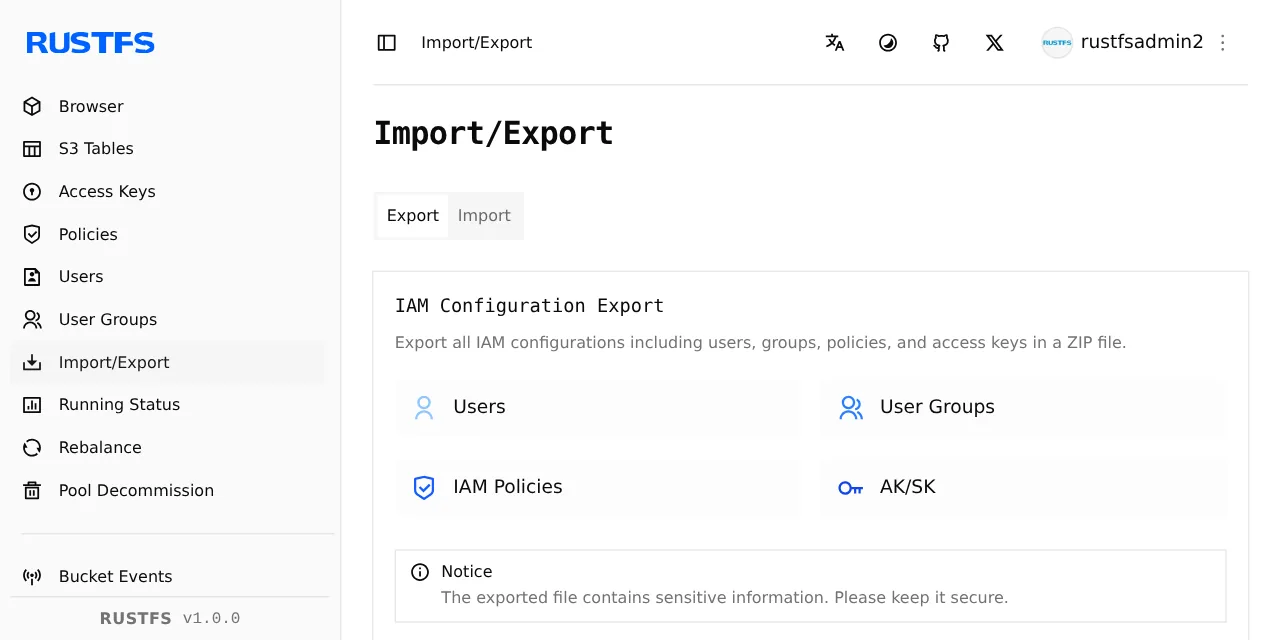
Not all of mc admin works against RustFS. mc admin user add and mc admin policy attach worked, but mc admin info nuevo returned Unable to get service info.
Step 3: copy the buckets with rclone sync
rclone copies from one S3 server to another without touching your disk, and it creates any missing bucket on the target. Define both remotes in an environment file; rclone 1.75.1 has no RustFS provider, so the target goes in as Other:
RCLONE_CONFIG_VIEJO_TYPE=s3
RCLONE_CONFIG_VIEJO_PROVIDER=Minio
RCLONE_CONFIG_VIEJO_ENDPOINT=http://minio:9000
RCLONE_CONFIG_VIEJO_ACCESS_KEY_ID=my_minio_user
RCLONE_CONFIG_VIEJO_SECRET_ACCESS_KEY=my_minio_secret
RCLONE_CONFIG_NUEVO_TYPE=s3
RCLONE_CONFIG_NUEVO_PROVIDER=Other
RCLONE_CONFIG_NUEVO_ENDPOINT=http://rustfs:9000
RCLONE_CONFIG_NUEVO_ACCESS_KEY_ID=my_rustfs_user
RCLONE_CONFIG_NUEVO_SECRET_ACCESS_KEY=my_rustfs_secret
Save it as rclone.env and run rclone on the project network. viejo: and nuevo: without a bucket mean every bucket:
docker run --rm --network my_project_default \
  --env-file rclone.env rclone/rclone:1.75.1 \
  sync viejo: nuevo: --metadata --transfers 8 -v
The --metadata flag is the one that matters. Without it, the test object reached RustFS with Content-Type only: it lost Cache-Control and the custom X-Amz-Meta-Proyecto key. With it all three arrived, and the rclone S3 backend documentation[7] lists which headers it treats as system metadata.
The copy summary was this:
Transferred:   335.729 MiB / 335.729 MiB, 100%, 166.784 MiB/s
Checks:                 0 / 0, -, Listed 4067
Transferred:         4012 / 4012, 100%
Elapsed time:         2.0s
Step 4: verify counts and checksums
A copy is good when counts, sizes and content match on both sides. rclone check compares sizes and MD5 sums, and with --download it downloads both sides and compares them byte by byte:
rclone check viejo: nuevo:
rclone check viejo: nuevo: --download
The first gave 4,012 matches, 0 differences and "3 hashes could not be checked". Those are the three 50 MiB files: MinIO stored them in parts, and a multipart object’s ETag is not its MD5. The --download pass covered them and gave 4,012 matches with no differences.
As a second check, independent of rclone’s comparison, I took the SHA-256 of every object on both servers and compared the lists:
rclone hashsum sha256 --download viejo: | sort -k2 > viejo.txt
rclone hashsum sha256 --download nuevo: | sort -k2 > nuevo.txt
diff viejo.txt nuevo.txt && echo IDENTICOS
Each side produced 4,012 lines, and the diff printed IDENTICOS. rclone size per bucket matched too: 4,004 objects and 351,378,737 bytes in app-data, and the same six objects in the restic repository.
Step 5: redo what the copy does not carry
The S3 copy carries data and metadata, but not bucket configuration or history. This is what I found on RustFS after rclone sync:
| What you had on MinIO | After rclone sync --metadata |
How I got it back |
|---|---|---|
Data, Content-Type, Cache-Control and custom metadata |
Arrive | Nothing to do |
| Object tags | Lost | mc tag set or mc mirror -a |
| Older versions | Only the current one arrives | Starting on the disk (below) |
| Bucket versioning | Off | mc version enable |
| Anonymous download | Private (403) | mc anonymous set download |
| IAM users and policies | Do not travel over S3 | Step 2 |
After mc anonymous set download nuevo/publico, the unsigned download went from 403 to 200, and after mc version enable the versionado bucket stored new versions again. If you use tags, mc mirror -a kept them in my test, unlike rclone and mc mirror without that flag. Watch out: mc mirror into a specific bucket that does not exist fails with "The specified bucket does not exist"; create it first with mc mb.
Step 6: run the final pass and switch the clients
A second rclone sync pass copies only what changed since the first, so the downtime lasts as long as that pass. In the test I modified one object, added nine and deleted five on MinIO. The second pass copied 10 objects, deleted 5 and took 0.5 s in all five runs, over 4,012 checks. rclone check --download again reported 0 differences.
The trap showed up in my first test, where that pass deleted a sixth object. rclone sync makes the target identical to the source, so it removed prueba/p.txt, a file I had uploaded straight to RustFS during testing. Until you cut over, write nothing to RustFS that is not on MinIO.
This is the order I would follow in production:
- Stop the applications that write to MinIO
- Run the last
rclone syncpass andrclone check --download - Point each client’s endpoint at RustFS (the keys stay the same if you imported the IAM)
- Start the applications and leave MinIO stopped, not deleted, for a few days
I tested two clients against RustFS with the imported user. AWS CLI 2.37.4 listed, uploaded, read headers and generated a presigned URL that downloaded the object, while the same URL without a signature returned 403. With restic 0.19.1, restic check --read-data on the migrated repository replied "no errors were found", and a new backup of 1,000 files saved without errors.
How much memory does RustFS use compared with MinIO?
RustFS used 2.4 to 3.5 times more memory than MinIO with the same data. I measured it with docker stats, ten samples per moment one second apart, and the table gives the median in MiB:
| Moment | MinIO | RustFS |
|---|---|---|
| 60 s after restarting both, with the data loaded | 68 | 236 |
| Right after each full copy (5 copies, 50 samples) | 401 | 974 |
| After 3 idle minutes following the last copy | 388 | 1253 |
The samples in each row moved little: RustFS ranged from 857 to 1,110 MiB right after the copies, and MinIO from 387 to 467. RustFS kept growing while idle after the last copy, from a median of 974 to 1,253 MiB, and I did not investigate why. If your MinIO lives on a machine with little memory, measure RustFS with your own data before you cut over.
Can RustFS start on MinIO’s own data?
Yes, in my test it worked, and it keeps what the S3 copy loses. I stopped MinIO, copied its volume into a new one owned by the user RustFS expects, and started the regular rustfs/rustfs:1.0.0 image on that copy:
docker run --rm --entrypoint sh -u 0 \
  -v my_project_minio-data:/from:ro -v rustfs-on-minio:/to \
  rclone/rclone:1.75.1 \
  -c 'cp -a /from/. /to/ && chown -R 10001:10001 /to'
docker run -d --name rustfs-on-minio \
  --network my_project_default \
  -e RUSTFS_ACCESS_KEY=my_minio_user \
  -e RUSTFS_SECRET_KEY=my_minio_secret \
  -v rustfs-on-minio:/data rustfs/rustfs:1.0.0
The first command uses the rclone image only because it ships sh and cp; any image with a shell works. The guide to Docker volumes and bind mounts explains how a named volume differs from a host folder.
RustFS listed the four buckets and served the 4,016 objects MinIO held at that point, with identical SHA-256 sums. It also kept the five versions of config.txt with their IDs, the tags, Cache-Control, the anonymous download on publico and the app-backup user. restic check --read-data passed, and an object written afterwards survived a restart.
There are three reasons to do this only on a copy:
- The MinIO on-disk format compatibility document[8] is explicit: "Migration is one-way (MinIO to RustFS)". RustFS creates its own
.rustfs.sysfolder next to.minio.sys, and MinIO does not read what RustFS writes. - The README labels the feature "Preview" and says it is not in the default build. The same compatibility table, however, lists reading unencrypted objects as supported in that build, which is what I saw. Objects MinIO encrypted (SSE) cannot be read.
- My test used a single drive, with no erasure sets and no encryption. With more than one drive or node the geometry has to match, and I did not test that.
The RustFS log repeated the warning "Ignoring unknown persisted scalar config key" every 5 s, for a MinIO scanner setting it does not recognise. It did not affect the data.
Frequently asked questions
Can I keep running MinIO with the Chainguard image?
Today, yes: cgr.dev/chainguard/minio:latest pulled without an account on 27 September 2026 and started fine. But it only publishes latest, there are no per-version tags, and Chainguard presents the maintained image as a commercial product. Pin it by digest and use it to buy time, not as a plan.
Does the migration keep presigned URLs and application keys?
The keys, yes, if you import the IAM as in step 2: the imported user logged in to RustFS with its MinIO secret. Presigned URLs already issued carry the server name in the signature and expire, so I did not try to reuse them: generate new ones against RustFS.
How long does the copy really take?
In my test, 335.7 MiB in a median 2.0 s between two containers on the same machine, with no network in between. Over the five copies, rclone reported 1.9 to 2.1 s. Between separate machines the network will weigh in, and the number that decides the downtime is the second pass: 0.5 s for ten changes over 4,012 objects.
Conclusion
Migrating from MinIO to RustFS 1.0 with Docker takes four pieces: RustFS alongside, the IAM with mc, the data with rclone sync --metadata and the check with rclone check --download. In my test, everything that travels over S3 arrived intact. Versions, tags and access policies had to be redone, or recovered by starting RustFS on a copy of the disk.
RustFS had been stable for 11 days when I wrote this, so migrate with MinIO stopped but intact and a way back ready. If you do not need versioning or policies, compare first with the Garage guide, and if you come from the MinIO install with Docker, this is the most direct way out.
Sources
Source code
Access all the source code for this post on GitHub.
View on GitHub