How to Install MinIO with Docker
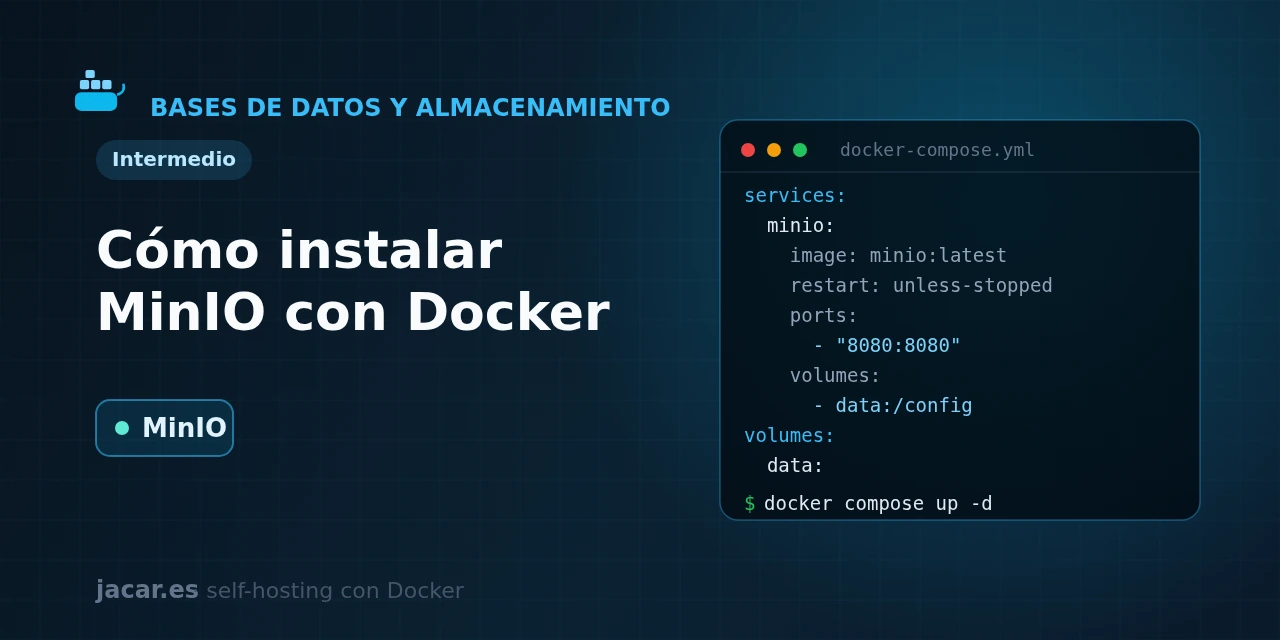
Table of contents
- Key takeaways
- What is MinIO and S3 object storage?
- The MinIO docker-compose.yml (API and console)
- How do you create buckets and access keys?
- How do you use MinIO as an S3 backend (backups, attachments, photos)?
- How do you publish MinIO with Traefik and HTTPS?
- Frequently asked questions
- Is it safe to expose MinIO to the Internet?
- Why does the console no longer have administration options?
- Should I use the image's latest tag?
- Does MinIO still get security patches?
- Conclusion
- Sources
Updated: 2026-10-07
MinIO gives you your own S3-compatible object storage, self-hosted with Docker and under your control. In this guide you bring up MinIO with a single docker-compose.yml and separate the S3 API (port 9000) from the web console (port 9001). You then create buckets and access keys with the mc client, and wire it in as an S3 backend for backups, other applications’ attachments and photos. The same explanation is available in Spanish.
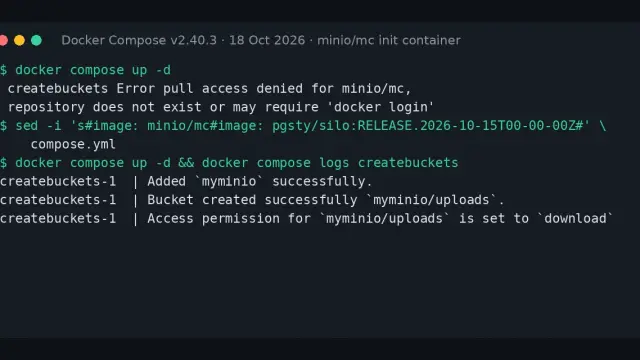
Update, 7 October 2026: since 24 September, quay.io also rejects anonymous pulls of quay.io/minio/minio (it answers 401), so the image in this guide no longer pulls on a fresh machine. The images that do pull today, and how to switch to them without losing data, are in the guide to the pull access denied for minio/minio error.
Key takeaways
- MinIO is a high-performance object storage server that speaks the Amazon S3 API, so any tool that can talk to S3 works against your MinIO with no changes.
- It exposes two ports: 9000 for the S3 API (where applications connect) and 9001 for the web administration console.
- Root credentials are set with
MINIO_ROOT_USERandMINIO_ROOT_PASSWORD; the password must be at least 8 characters (use 20 or more). - Pin a specific tag such as
quay.io/minio/minio:RELEASE.2025-09-07T16-13-09Zinstead of:latest: it is in fact the last image Docker Hub ever published for the project, so there is no newer version to migrate to. - Since
RELEASE.2025-05-24, the community edition console only ships the object browser: user, policy and key management is now done with themcclient. - Both
minio/minioandminio/mc(the client this guide uses) are archived on GitHub and no longer receive patches; the fix for an October 2025 service-account privilege-escalation vulnerability (CVE-2025-62506) never shipped as a Docker image.
What is MinIO and S3 object storage?
Object storage keeps each file as an object inside a logical container called a bucket, with its metadata and a unique identifier, instead of arranging it in folders on a disk. It is the model that Amazon S3 made popular and that thousands of applications rely on today to store backups, images, videos or attachments.
MinIO is an object storage server that implements that same S3 API, but running on your server. Any client, SDK or application built for Amazon S3 can point at your MinIO by changing just the endpoint address. That makes it the go-to storage piece for a homelab. A Duplicati making encrypted backups, an Outline storing its attachments or a photo app can all write to the same MinIO as if it were Amazon S3.
Four recent facts are worth knowing before you start. First, since version RELEASE.2025-05-24 MinIO removed the administration features from the community edition’s web console. The console now only lets you browse objects, and user, policy and access-key management is done with the mc command-line client.
Second, the official minio/minio repository on GitHub was archived on 25 April 2026, and its mc client repository followed on 14 July 2026. Neither will get new features or reviewed patches from here on.
Third, Docker image distribution stopped with the last published image, from September 2025. That was a month before MinIO shipped the fix for a service-account privilege-escalation vulnerability (CVE-2025-62506, October 2025), and that fix only ever reached the source code, never minio/minio on Docker Hub.
Fourth, since mid-September 2026 the minio/minio and minio/mc repositories no longer exist on Docker Hub: docker pull minio/minio answers that the repository does not exist. The same image, with the same digest (it starts with sha256:14cea493), was also published on Quay as quay.io/minio/minio, and this guide used it from 16 September 2026, but since 24 September Quay rejects anonymous pulls. That image will not get patches either, so if you would rather leave MinIO, the guide to migrating from MinIO to Garage with Docker walks through the whole process.
None of this stops you self-hosting it today (the server is still functional and S3-compatible), but there are no new patches coming. It also explains why this guide administers MinIO with mc instead of the browser.
The MinIO docker-compose.yml (API and console)
You need a Linux machine with Docker and the Compose plugin. If you do not have them yet, follow the guide to install Docker on Ubuntu 24.04 first. MinIO is light for development (around 2 GB of RAM is plenty for testing), though for serious production its documentation recommends starting from 32 GB per node.
Create a folder for the project and save this docker-compose.yml inside it. Change the root password to a long, random string:
services:
  minio:
    image: quay.io/minio/minio:RELEASE.2025-09-07T16-13-09Z
    restart: unless-stopped
    command: server /data --console-address ":9001"
    ports:
      - "9000:9000"
      - "9001:9001"
    environment:
      MINIO_ROOT_USER: admin
      MINIO_ROOT_PASSWORD: change_this_very_long_key
    volumes:
      - minio_data:/data
    healthcheck:
      test: ["CMD", "mc", "ready", "local"]
      interval: 30s
      timeout: 10s
      retries: 5

volumes:
  minio_data:
Notice three details. The server /data --console-address ":9001" command tells MinIO to serve data from /data and to place the console on 9001, leaving 9000 free for the API. The named volume minio_data is what makes your objects survive a restart or a container update. And the healthcheck uses MinIO’s own mc client, bundled in the image, to mark the service healthy only when it is ready to accept requests.
Start the stack and follow the logs:
docker compose up -d
docker compose ps
docker compose logs -f minio
When the log shows the API and console listening, open http://localhost:9001 in your browser and sign in with the username and password you set in MINIO_ROOT_USER and MINIO_ROOT_PASSWORD.
How do you create buckets and access keys?
The community console no longer lets you create users or keys, so administration is done with mc, MinIO’s official client. Since the server image bundles it, you can run it inside the container itself with docker compose exec.
First set up an alias pointing at your server and create a bucket:
docker compose exec minio mc alias set local http://localhost:9000 admin change_this_very_long_key
docker compose exec minio mc mb local/backups
docker compose exec minio mc ls local
Never use the root credentials in your applications. Create a dedicated access key (a service account tied to the root user) with permissions you can revoke without touching the main password:
docker compose exec minio mc admin user svcacct add local admin \
  --access-key myappkey \
  --secret-key very_long_secret_key
That access-key / secret-key pair is what you give each client application. If you need full users with their own policies, the command is mc admin user add followed by mc admin policy attach.
How do you use MinIO as an S3 backend (backups, attachments, photos)?
Once the bucket and key exist, any S3 client can write to MinIO. The key difference from Amazon S3 is that you must enable path-style: MinIO expects addresses like http://minio:9000/mybucket instead of AWS’s subdomain format. In most SDKs and applications this is an option called force_path_style or similar.
If the client runs in another container on the same Docker network, the endpoint is the service name, http://minio:9000, not localhost. A typical configuration for a client application includes these values:
      S3_ENDPOINT: http://minio:9000
      S3_REGION: us-east-1
      S3_BUCKET: backups
      S3_ACCESS_KEY: myappkey
      S3_SECRET_KEY: very_long_secret_key
      S3_FORCE_PATH_STYLE: "true"
With this, Duplicati can store encrypted, incremental backups in the backups bucket, and an Outline can store its attachments in MinIO instead of on the container disk. The us-east-1 region is a filler value: MinIO does not really use it, but S3 SDKs tend to require one to exist.
How do you publish MinIO with Traefik and HTTPS?
In production do not expose ports 9000 and 9001 directly: place them behind a reverse proxy like Traefik with valid certificates. You need two domain names, one for the API and one for the console, because MinIO serves them on different ports.
Add the variables MINIO_SERVER_URL (the public API URL) and MINIO_BROWSER_REDIRECT_URL (the console one) to the application, remove the ports section, join the service to Traefik’s network and define two routers with these labels:
    environment:
      MINIO_ROOT_USER: admin
      MINIO_ROOT_PASSWORD: change_this_very_long_key
      MINIO_SERVER_URL: https://s3.mydomain.com
      MINIO_BROWSER_REDIRECT_URL: https://console.mydomain.com
    labels:
      - "traefik.enable=true"
      - "traefik.http.routers.minio-api.rule=Host(`s3.mydomain.com`)"
      - "traefik.http.routers.minio-api.entrypoints=websecure"
      - "traefik.http.routers.minio-api.tls.certresolver=letsencrypt"
      - "traefik.http.routers.minio-api.service=minio-api"
      - "traefik.http.services.minio-api.loadbalancer.server.port=9000"
      - "traefik.http.routers.minio-console.rule=Host(`console.mydomain.com`)"
      - "traefik.http.routers.minio-console.entrypoints=websecure"
      - "traefik.http.routers.minio-console.tls.certresolver=letsencrypt"
      - "traefik.http.routers.minio-console.service=minio-console"
      - "traefik.http.services.minio-console.loadbalancer.server.port=9001"
The two variables MINIO_SERVER_URL and MINIO_BROWSER_REDIRECT_URL are essential behind a proxy: without them, the console tries to redirect to localhost and requests fail. With both domains pointing at your server’s IP and Traefik handling the Let’s Encrypt certificates, you will have the S3 API at https://s3.mydomain.com and the console at https://console.mydomain.com, both encrypted.
Frequently asked questions
Is it safe to expose MinIO to the Internet?
The S3 API (port 9000) can be exposed because it is the entry point applications connect to, always behind HTTPS and with dedicated access keys instead of the root credentials. The console (port 9001), by contrast, is best kept on your internal network or behind a VPN, since it grants administrative access. Never leave the MINIO_ROOT_PASSWORD at a default or with fewer than 8 characters.
Why does the console no longer have administration options?
Because since version RELEASE.2025-05-24 MinIO moved user, policy and access-key management out of the community edition, leaving only the object browser in the web console. It is not a fault in your install: it is a product change. All the administration described in this guide is done with mc, which is bundled in the server image.
Should I use the image’s latest tag?
Not advisable. :latest changes without warning and can introduce behaviour changes on a simple restart. By pinning a dated tag like quay.io/minio/minio:RELEASE.2025-09-07T16-13-09Z you decide when you update, you can read the release notes first and roll back if something does not fit your applications. In this particular case :latest currently points at that same version, since no newer image has been published: pinning the dated tag will only protect you if image publishing is ever resumed.
Does MinIO still get security patches?
Not the Docker image this guide uses, no: the open-source project is in maintenance mode, and the minio/minio and minio/mc repositories are archived on GitHub and read-only. The last known fix is a privilege-escalation bug in service accounts like the one you create here (CVE-2025-62506), shipped in October 2025 as source code only, with no Docker image. If you need ongoing patching guarantees, evaluate AIStor (MinIO’s commercial offering) or active alternatives such as Garage or SeaweedFS. For a homelab, it is still reasonable to keep using it if you restrict network access and never expose the root credentials.
Conclusion
With a single docker-compose.yml you have your own S3-compatible object storage: MinIO serving the API on 9000 and the console on 9001, with the data in a persistent volume. Administration is done with the mc client (creating buckets, access keys and users), and the logical next step is to publish it over HTTPS behind Traefik and point your backups at it with Duplicati. From there, your data lives on your server, speaking the same language as the cloud but without depending on it.
Sources: [1] MinIO repository (minio/minio on GitHub, archived)[1], [2] Official minio/minio image on Quay[2], [3] CVE-2025-62506 in the National Vulnerability Database[3].
Sources
Source code
Access all the source code for this post on GitHub.
View on GitHub