
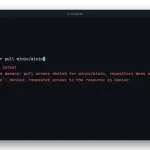
This lab replays in a real terminal the guide to fixing pull access denied for minio/minio in Docker: the error appears because the minio/minio image no longer exists on Docker Hub, and the fix is a different image, not docker login. We recorded it on 21 October 2026 on Debian 13 with Docker inside, on arm64.
What the capture proves
Every claim in the video comes from real output. docker pull minio/minio exits with code 1, the Docker Hub API answers 404 for minio/minio and minio/mc, and quay.io/minio/minio refuses the anonymous pull. Then we bring up cgr.dev/chainguard/minio:latest with Docker Compose, reproduce the permission failure, fix it with chown -R 65532:65532 and check the result with /minio/health/live and the mc client.
The exact error text changes with the Docker version. Our daemon, Debian’s docker.io, appends denied: requested access to the resource is denied, and Quay answers unauthorized instead of the 401 UNAUTHORIZED shown in the guide. The cause is the same: the docker pull reference explains that a private repository and a missing one look identical.
Why the Chainguard image needs a chown
The official MinIO image ran as root and the Chainguard MinIO image runs as user 65532. A bind mount such as ./data keeps the owner from the host, so MinIO stops with file access denied and FATAL Unable to initialize backend. To review how mounts work, the lab on volumes and bind mounts in Docker walks through it step by step.
Pitfalls I ran into
These are the four that came up while recording the lab:
- The data directory: Docker creates
./dataas root when it does not exist, and user 65532 cannot write to it. Achownfrom abusyboxcontainer fixes it withoutsudo - The mc config: the
cgr.dev/chainguard/minio-clientclient also runs as 65532. WithMC_CONFIG_DIRmounted on a root-owned folder,mc alias setfails withpermission denied, and we fix it withchown 65532:65532 /lab/mc - Only the latest tag exists: Chainguard publishes no per-version tags on its free plan. Pin the image by
sha256digest if you need reproducible builds - No curl or wget in the image: a
healthcheckthat calls them fails. The guide to healthchecks in Docker Compose explains how to design one, and here we probe from outside withcurl
Other ways out we did not record
The original guide tests two more replacements: the pgsty/silo fork, with per-version tags and running as root, and your own image built from the archived MinIO repository with a 22-line Dockerfile. We did not build MinIO in the lab because it takes several minutes and adds nothing visible in a terminal; the Dockerfile and its output are in the guide.
Switching images brings MinIO back to life, but the upstream code is archived. If you set it up with the guide to installing MinIO with Docker, consider the migration from MinIO to Garage, the lightweight option, or the migration to RustFS, the closest to MinIO. For an image registry that does not depend on Docker Hub, see the lab on the private, self-hosted Docker registry.
FAQ
Does docker login fix the MinIO pull access denied error?
No. The Docker Hub API answers 404 for minio/minio and minio/mc: the repositories were deleted. Docker suggests docker login because it prints the same message for a private repository and for a missing one. The way out is changing the image: line in your compose file.
Why does MinIO stop with file access denied on the Chainguard image?
Because that image runs as user 65532 and your data directory belongs to root, as the official image left it. Stop the service, run chown -R 65532:65532 on the data from a throwaway container and start it again.
Which image should I use for the mc client now that minio/mc is gone?
cgr.dev/chainguard/minio-client:latest, whose entrypoint is already mc. It runs as 65532, so mount MC_CONFIG_DIR on a folder owned by that user or mc alias set fails with permission denied.
Can I build MinIO from source instead of using Chainguard?
Yes. The original guide includes a 22-line Dockerfile that builds MinIO RELEASE.2025-10-15T17-29-55Z and mc into an Alpine image. We did not record it in this lab because the build takes several minutes; patches become your job.