How to fix pull access denied for minio/minio in Docker
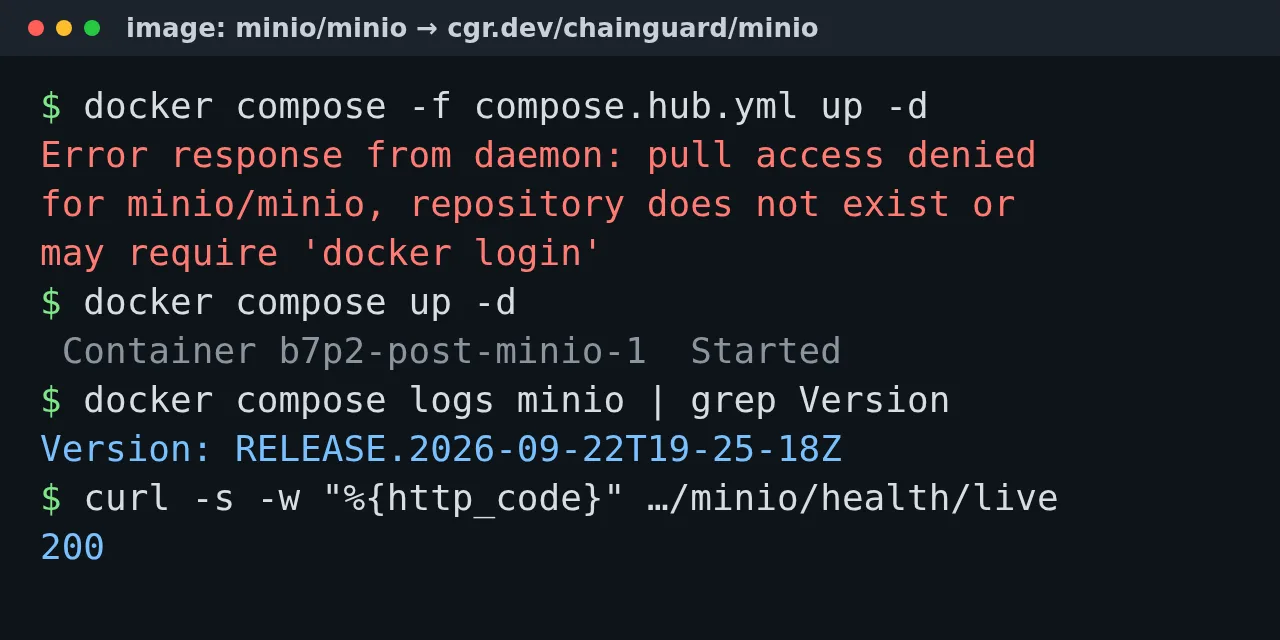
Table of contents
- Key takeaways
- What does the pull access denied for minio/minio error mean?
- Why does quay.io/minio/minio fail as well?
- When and why did MinIO pull its images?
- Immediate fix: which MinIO image pulls today
- With the Chainguard image
- With the pgsty/silo fork
- If your server still has the image cached
- How to build MinIO and mc from source with Docker
- Which image should I use for the mc client?
- When migrating to Garage or RustFS pays off
- Frequently asked questions
- Does docker login fix it?
- Do I lose my data when I switch images?
- Does pinning the old image's sha256 digest help?
- Conclusion
- Sources
Updated: 2026-10-21
The pull access denied for minio/minio error means the image no longer exists where your compose file looks for it, and the fix is a different image, not docker login. MinIO deleted minio/minio and minio/mc from Docker Hub in September 2026, and since the 24th of that month quay.io has refused anonymous pulls too. This guide reproduces the three messages you will see, gives you three images that pull today and checks that they start on your existing data. I tested it on 30 September 2026 on arm64 Linux with Docker 29.5.2 and Compose v2.40.3. There is a Spanish version of this guide.
Key takeaways
minio/minioandminio/mcreturn 404 from the Docker Hub API, even though theminionamespace still publishes 20 other repositories.quay.io/minio/minioanswers 401 for every tag, including theRELEASE.2025-09-07T16-13-09Zthat this blog’s install guide pinned.- Three replacements pull today without an account:
cgr.dev/chainguard/minio,pgsty/silo, and your own image built with a 22-line Dockerfile. - All three started on another MinIO’s data directory and returned the 200 test objects with their SHA-256 sums intact.
- The Chainguard image runs as user 65532: without a
chownfirst, MinIO stops withfile access denied.
The fix the MinIO pull access denied error lab reproduces the error on video. It then fixes it with the Chainguard image, the permissions change and a test bucket.
What does the pull access denied for minio/minio error mean?
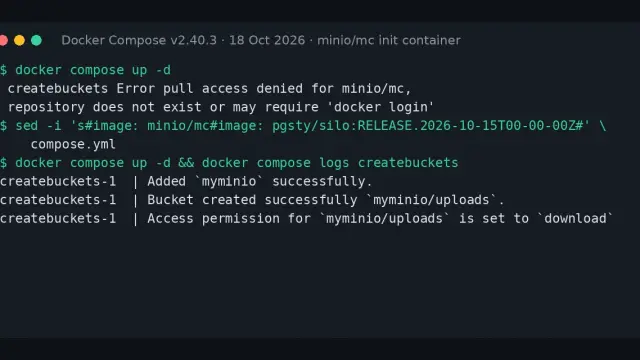
It means the registry cannot find a public repository with that name, and here that is literal: the repository is gone. Docker prints the same text for a private repository and for a missing one, which is why it suggests docker login. These are the exact messages I got on 30 September 2026, first with docker pull and then with docker compose up:
$ docker pull minio/minio
Using default tag: latest
Error response from daemon: pull access denied for minio/minio,
repository does not exist or may require 'docker login'

$ docker compose up -d
 minio Pulling
 minio Error pull access denied for minio/minio, repository does not
 exist or may require 'docker login'
Error response from daemon: pull access denied for minio/minio,
repository does not exist or may require 'docker login'
In your terminal each message is a single line; I wrapped them here to fit. docker pull minio/mc fails with the same text and the other name. The Docker Hub API confirms the diagnosis: hub.docker.com/v2/repositories/minio/minio/ and .../minio/mc/ return 404 with object not found, while the listing of the minio namespace still shows 20 repositories, among them warp, operator and sidekick.
Why does quay.io/minio/minio fail as well?
Because MinIO closed the Quay copy too. If you followed the advice to switch to quay.io/minio/minio, you now get a 401 instead of the Docker Hub message:
$ docker pull quay.io/minio/minio:RELEASE.2025-09-07T16-13-09Z
Error response from daemon: unknown: failed to resolve reference
"quay.io/minio/minio:RELEASE.2025-09-07T16-13-09Z": unexpected status
from HEAD request to https://quay.io/v2/minio/minio/manifests/
RELEASE.2025-09-07T16-13-09Z: 401 UNAUTHORIZED
quay.io/minio/mc answers the same way. The Quay API for that repository asks for authentication, while the API of other public repositories, such as coreos/etcd, answers 200. This is not a rate limit or a registry outage.
When and why did MinIO pull its images?
MinIO stopped distributing binaries and images of the community edition, and the removal came in stages through 2026. MinIO has not published a notice with dates, so the registry dates come from third-party issues that measured the change:
| Date | What changed | Source |
|---|---|---|
| 25 April 2026 | minio/minio on GitHub is archived, source only |
GitHub |
| 14 July 2026 | minio/mc on GitHub is archived |
GitHub |
| 11 September 2026 | Docker Hub deletes minio/minio and minio/mc (between 18:12 and 20:13 UTC) |
dandi-cli |
| 24 September 2026 | quay.io starts answering 401 around 13:00 UTC | registry-stack |
| 30 September 2026 | dl.min.io already returns 410 for the binaries |
my test |
A dandi-cli contributor measured the Docker Hub window[1]. The Quay one is documented in a registry-stack issue[2]: one run pulled the image at 12:50 UTC and the next one failed. The README of the archived MinIO repository[3] points to AIStor Free, a product under its own licence, and says the community edition "is now distributed as source code only".
The download server is the most explicit. A request for any binary, such as the MinIO linux-amd64 build on dl.min.io[4], returns 410 with this text: "The open-source MinIO Server, MinIO Client (mc) and MinIO KES projects are archived and no longer maintained. MinIO does not provide product support, security updates, or security advisories for them".
Immediate fix: which MinIO image pulls today
Change the image: line in your compose file to one of these three. I checked that each one pulls without an account, ships arm64 and amd64 variants and starts on the data of an earlier MinIO:
| Image | Version tested | Tags | Maintained by |
|---|---|---|---|
cgr.dev/chainguard/minio:latest |
RELEASE.2026-09-22T19-25-18Z | latest only |
Chainguard, from its fork |
pgsty/silo:RELEASE.2026-09-16T00-00-00Z |
RELEASE.2026-09-16T00-00-00Z | per version | Pigsty, community fork |
| your own image | RELEASE.2025-10-15T17-29-55Z | whatever you set | you |
I tested the arm64 variant of all three; I only saw amd64 listed in the manifest. A fourth image also pulls, bitnamilegacy/minio:latest, but its binary is a development build from May 2025 and I do not recommend it.
With the Chainguard image
The Chainguard image is the most direct replacement: its entrypoint is already the minio binary, so your usual command: works unchanged. This is the service I left running, with the credentials in a .env file next to it:
services:
  minio:
    image: cgr.dev/chainguard/minio:latest
    command: server /data --console-address ":9001"
    environment:
      MINIO_ROOT_USER: ${MINIO_ROOT_USER}
      MINIO_ROOT_PASSWORD: ${MINIO_ROOT_PASSWORD}
    volumes:
      - ./data:/data
    ports:
      - "127.0.0.1:9000:9000"
      - "127.0.0.1:9001:9001"
    restart: unless-stopped
Before you start it on existing data, change the owner. The official image ran as root and the Chainguard one runs as user 65532, so my first attempt ended like this:
Error: unable to rename (/data/.minio.sys/tmp -> ...) file access
denied, drive may be faulty, please investigate
FATAL Unable to initialize backend: Unable to write to the backend
A chown from a throwaway container solves it, and you do not need sudo on the host:
docker compose down
docker run --rm -v "$PWD/data:/data" mirror.gcr.io/library/busybox:1.37 \
  chown -R 65532:65532 /data
docker compose up -d
After the change MinIO started, /minio/health/live returned 200, and I downloaded the 200 test objects with SHA-256 sums identical to the originals. The versioned bucket kept both of its versions. If you use a named volume instead of ./data, the chown is the same with the mount path changed.
Keep two limits of this image in mind. Chainguard only publishes latest on its free plan: asking for RELEASE.2026-09-22T19-25-18Z as a tag returns MANIFEST_UNKNOWN, and the digest changed from sha256:bd014394 to sha256:4692462f between 27 and 30 September. Pin it by digest if you want reproducible builds. It also ships neither curl nor wget, so a healthcheck that calls them fails; the guide to healthchecks in Docker Compose explains how to design one without them.
With the pgsty/silo fork
Silo is a community fork of MinIO published by Pigsty, with per-version tags and the full web console. The project was called pgsty/minio until 6 August 2026; the binary is now called silo and the client mcli. Changing only the image: line of the compose file above was enough:
image: docker.io/pgsty/silo:RELEASE.2026-09-16T00-00-00Z
Its entry script prepends silo to your command: and accepts the same MINIO_ROOT_USER and MINIO_ROOT_PASSWORD variables. It runs as root, so it needs no chown. It started on the same copy of the data, mcli ls listed the 200 objects and the sums matched. The trade-off is that you depend on a small project with no affiliation to MinIO.
If your server still has the image cached
If your MinIO is still running, the image is in the local cache, and that buys you time. Compose only pulls an image it does not have, so docker compose up -d started fine with quay.io/minio/minio:RELEASE.2025-09-07T16-13-09Z cached. By contrast, docker compose pull and docker compose up -d --pull always failed with the Quay 401. Any tool that updates images on its own will hit the same wall.
While you decide, save a copy of the image and do not run docker system prune -a:
docker image ls --digests | grep -E 'minio/(minio|mc)'
docker save quay.io/minio/minio:RELEASE.2025-09-07T16-13-09Z \
  | gzip > minio-image.tar.gz
docker load -i minio-image.tar.gz
The first command lists the MinIO images you still have and their digests, the second exports the server to a file and the third restores it on another machine. In my cache the Quay image took 227 MB and the compressed file 57 MB. Remember that this 2025 release lacks the fix for CVE-2025-62506[5], a privilege escalation that the advisory rates high, at 8.1 out of 10. It buys time; it is not a destination.
How to build MinIO and mc from source with Docker
Building your own image is the only official path left. The notes for RELEASE.2025-10-15T17-29-55Z[6], the last published release and the one that fixes CVE-2025-62506, put it this way: "For container environments, please clone the source and build the latest container". The shortcut they suggest, make docker, no longer works, because the repository’s Dockerfile starts with FROM minio/minio:latest:
ERROR: failed to build: failed to solve: minio/minio:latest: failed to
resolve source metadata for docker.io/minio/minio:latest: pull access
denied, repository does not exist or may require authorization
This 22-line Dockerfile compiles the server and the client in a Go image and copies them into an Alpine one. The base images come from Google’s mirror so the build does not depend on Docker Hub:
FROM mirror.gcr.io/library/golang:1.24-alpine AS build
ARG MINIO_TAG=RELEASE.2025-10-15T17-29-55Z
ARG MINIO_TIME=2025-10-15T17:29:55Z
ARG MC_TAG=RELEASE.2025-08-13T08-35-41Z
ARG MC_TIME=2025-08-13T08:35:41Z
ENV CGO_ENABLED=0 MINIO_RELEASE=RELEASE MC_RELEASE=RELEASE
RUN apk add --no-cache git
RUN git clone -q --depth 1 -b "$MINIO_TAG" https://github.com/minio/minio /minio
RUN git clone -q --depth 1 -b "$MC_TAG" https://github.com/minio/mc /mc
WORKDIR /minio
RUN go build -trimpath -tags kqueue -o /out/minio \
      -ldflags "$(go run buildscripts/gen-ldflags.go "$MINIO_TIME")"
WORKDIR /mc
RUN go build -trimpath -tags kqueue -o /out/mc \
      -ldflags "$(go run buildscripts/gen-ldflags.go "$MC_TIME")"

FROM mirror.gcr.io/library/alpine:3.22
RUN apk add --no-cache ca-certificates
COPY --from=build /out/minio /out/mc /usr/bin/
EXPOSE 9000 9001
ENTRYPOINT ["minio"]
CMD ["server", "/data", "--console-address", ":9001"]
The MINIO_RELEASE and MC_RELEASE variables plus the timestamp make the binary report itself as RELEASE.…; without them it says DEVELOPMENT.…. Build it with docker build -t minio-local:RELEASE.2025-10-15T17-29-55Z . and put that name in your image:. Mine reported this:
$ docker run --rm minio-local:RELEASE.2025-10-15T17-29-55Z --version
minio version RELEASE.2025-10-15T17-29-55Z (commit-id=9e49d5e7a648...)
Runtime: go1.24.13 linux/arm64
The commit-id matches the tag’s commit on GitHub. The image is 51.6 MB, runs as root and includes wget, so your healthcheck can call /minio/health/live. It started on the same data and returned the 200 objects intact. From here on, patches are your job: nobody will publish new releases in the archived repository.
Which image should I use for the mc client?
minio/mc fails just like the server, and you have three replacements. The most direct is cgr.dev/chainguard/minio-client:latest, whose entrypoint is already mc; I used it to load and check all the data in this test:
docker run --rm --network my_compose_network \
  -v "$PWD/mc:/tmp/mc" -e MC_CONFIG_DIR=/tmp/mc \
  cgr.dev/chainguard/minio-client:latest \
  alias set local http://minio:9000 your_user your_secret_key
The MC_CONFIG_DIR variable stores the alias in a mounted directory, because user 65532 cannot write to /root. That image reports itself as DEVELOPMENT.GOGET and does not say which release it comes from. If you need to know, the image built in the previous section includes mc RELEASE.2025-08-13T08-35-41Z, and pgsty/silo ships its own client, mcli. If your mc only runs mb and cp in a bootstrap script, any S3 client such as rclone or the AWS command-line interface does the job as well.
When migrating to Garage or RustFS pays off
Switching images brings MinIO back to life, but it does not give it a future: the upstream code is archived and patches depend on Chainguard, on Pigsty or on you. If you set up MinIO with the guide to installing MinIO with Docker and use it as S3 storage for backups, attachments or logs, you have two destinations tested on this blog. The migration from MinIO to Garage is the lightweight option, but Garage has no versioning, object locking or bucket policies. The migration from MinIO to RustFS is the closest to MinIO, with a console, IAM users and versioning.
Stay on a fork if your application uses a MinIO feature the destination lacks, and check that against the compatibility table in each guide. In that case, pin the image by version or digest and set a reminder to review its security advisories.
Frequently asked questions
Does docker login fix it?
There is no sign that it helps. Docker Hub no longer lists minio/minio or minio/mc, and MinIO has not announced any account-based access to those images. The message suggests docker login because Docker cannot tell a private repository from a deleted one. I did not test it with a Docker Hub or Quay account.
Do I lose my data when I switch images?
Not in my test. I wrote 200 objects and a versioned bucket with a 2025 MinIO and read them back unchanged with Chainguard, with Silo and with the self-built image. The on-disk format is the same because all three come from the same code. Back up the data directory before the switch anyway.
Does pinning the old image’s sha256 digest help?
No, pinning the digest does not get around the problem. docker pull quay.io/minio/minio@sha256:14cea493… also got a 401, because Docker asks the registry for the manifest just as it does for a tag. It only works if the image is already in the local cache or in a mirror registry of your own.
Conclusion
pull access denied for minio/minio has no fix on your side of the registry: MinIO removed the images from Docker Hub on 11 September 2026 and closed Quay on the 24th. For the smallest change, use cgr.dev/chainguard/minio and chown the data. If you prefer per-version tags, use pgsty/silo, and if you want to control the binary, build it yourself. After that, set aside an afternoon to decide whether you stay on a fork or migrate to Garage or RustFS.
Sources: [1] MinIO, archived repository and README[3], [2] MinIO, RELEASE.2025-10-15T17-29-55Z notes[6], [3] MinIO Client, archived repository[7], [4] dandi-cli, PR 1921 on the Docker Hub removal[1], [5] registry-stack, issue 1402 on the Quay 401[2], [6] Advisory GHSA-jjjj-jwhf-8rgr (CVE-2025-62506)[5], [7] Chainguard, MinIO image[8], [8] Chainguard, MinIO fork[9], [9] Pigsty, Silo fork[10], [10] MinIO, dl.min.io 410 response[4], [11] Quay, minio/minio repository API[11].
Sources
Source code
Access all the source code for this post on GitHub.
View on GitHub