Durable Agent Execution with Temporal
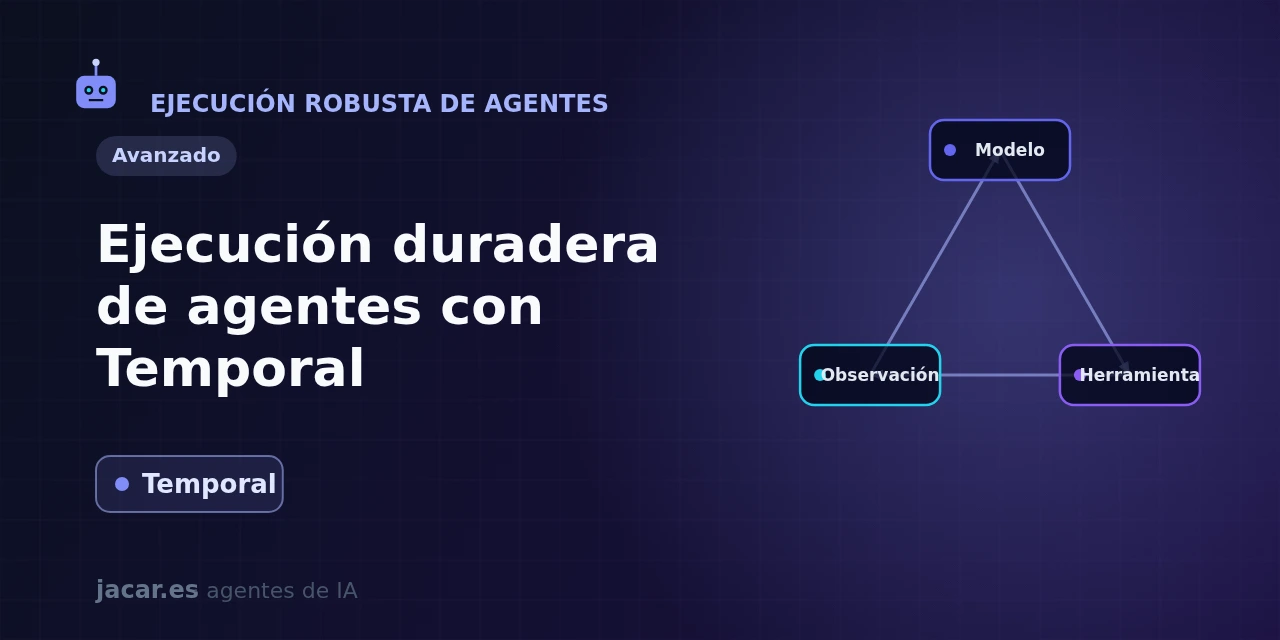
Table of contents
- Key takeaways
- Why do long-running agents fail mid-way?
- What is durable execution?
- Temporal: workflows and activities
- An agent that survives restarts
- Temporal versus simple queues
- Frequently asked questions
- Do I need a Temporal server to use durable execution?
- Does Temporal only work with OpenAI or with any model?
- What is the difference between a workflow and an activity?
- Can I run a Temporal activity without a workflow?
- Conclusion
- Sources
Tested with Temporal Server 1.32.0 · CLI 1.9.1 · Python SDK 1.33.0 · openai-agents 0.19.4 · verified
Updated: 2026-09-16
Durable execution is the technique that lets an AI agent finish its task even if the process crashes, restarts or hits an API rate limit halfway through. Temporal[1] is the open-source platform that has done most to popularise this model, and it ships official integrations with the OpenAI Agents SDK, the Vercel AI SDK and Google ADK.
In this guide you will see why long-running agents fail mid-way and what durable execution is. Then how Temporal splits work into workflows and activities, and how to build an agent that survives restarts. Finally, how it differs from a plain message queue, and when a single standalone activity (Standalone Activity) is enough. The same explanation is available in Spanish.
Key takeaways
- Durable execution guarantees, in the words of Temporal’s documentation, that a workflow "runs to completion, whether that takes seconds or months". If the worker running it crashes, another worker replays its history and resumes at the line where it stopped.
- Temporal is free software under the MIT licence and has over 23,000 stars on GitHub. Its stable server release is v1.32.0, from 11 September 2026, and we tested this guide against it, together with the command-line interface (CLI) v1.9.1 and the Python SDK 1.33.0.
- The model splits work into two pieces: workflows (the orchestration logic, deterministic and replayable) and activities (any external call: to the model, a tool or an API), which Temporal retries on its own when they fail.
- The official OpenAI Agents SDK integration (
temporalio.contrib.openai_agents) reached general availability on 23 March 2026, after a public preview in July 2025. It needs Python 3.10 or higher and, with temporalio 1.33.0, you install it withpip install "temporalio[openai-agents,opentelemetry]": without theopentelemetryextra, the import fails. - Since server v1.32.0, Standalone Activities (activities with no workflow) are in general availability.
- It turns each agent into a crash-proof process without rewriting your code: you wrap the agent logic in a workflow and model calls run as retriable activities.
Why do long-running agents fail mid-way?
An AI agent is not a single model call: it is a loop. The model reasons, decides to invoke a tool, reads the result, reasons again and repeats the cycle until it finishes. Every turn touches the outside world, and that is where the trouble lies: tools call APIs that sometimes fail, and models hit rate limits that force retries. The longer the agent runs, the more expensive it is to start the task from scratch.
Picture an agent that processes a refund: it looks up the order, checks the warranty, issues the refund and notifies the customer. If the process crashes after issuing the refund but before notifying, what happens on restart? Without protection, you either lose the work done or repeat it and refund twice. The guide to Temporal’s OpenAI integration puts it plainly: models "can encounter rate limits, requiring retries", and the longer the agent lasts, the more it hurts to restart it.
The usual answer (save state in a database, stand up queues, hand-write state machines) works, but it fills your code with plumbing that has nothing to do with the agent logic. That is exactly the heavy lifting durable execution takes off your plate. The problem gets worse once the agent is deployed to production, where a container restart cannot turn into a lost task.
What is durable execution?
Durable execution is a programming model in which, once it starts, your application’s main function runs to completion no matter what happens underneath. If the process crashes, the machine reboots or the network drops, the system reconstructs the exact state it was in and carries on from there, without repeating work already done.
The trick is in how that memory is achieved. Temporal records every step your program takes in a durable event history. When something fails and the process comes back up, Temporal replays that history to rebuild the in-memory state and resumes execution right where it left off. That is why deterministic steps (your logic) are kept apart from non-deterministic ones (external calls): the former can be replayed with no side effects, the latter are recorded exactly once.
Temporal’s documentation describes the split like this: "What you write is the business logic: call this service, wait for that approval, then charge the card. What you skip is the layer underneath it." In practice, you stop writing try/except blocks with manual retries, timers and state tables. An activity gets its timeouts, its retries with exponential backoff and its heartbeats from configuration, not from your code.
Temporal: workflows and activities
Everything in Temporal revolves around two abstractions. A workflow is the function that holds your orchestration logic; it must be deterministic, because Temporal replays it to recover state.
An activity is any operation that touches the outside world and is therefore non-deterministic: a language-model call, an API request, a database write. Temporal stores the result of every completed activity, does not repeat it on replay and, if an attempt fails, retries it under the policy you define. Because a retry runs the function again, activity code must be idempotent.
Applied to an agent, the split is natural: the agent logic (the reasoning loop) lives in the workflow, and each model or tool call becomes a retriable activity. In Python, a workflow is marked with the @workflow.defn decorator and an activity with @activity.defn. This minimal example defines a weather tool as a durable activity:
from dataclasses import dataclass
from datetime import timedelta
from temporalio import activity, workflow
from temporalio.contrib import openai_agents
from agents import Agent, Runner

@dataclass
class Weather:
    city: str
    temp_range: str
    conditions: str

@activity.defn
async def get_weather(city: str) -> Weather:
    """Get the weather for a city (here, a fixed value)."""
    return Weather(city=city, temp_range="14-20C", conditions="Sunny")

@workflow.defn
class WeatherAgent:
    @workflow.run
    async def run(self, question: str) -> str:
        agent = Agent(
            name="Weather Assistant",
            instructions="You are a helpful, concise weather agent.",
            tools=[
                openai_agents.workflow.activity_as_tool(
                    get_weather,
                    start_to_close_timeout=timedelta(seconds=10),
                )
            ],
        )
        result = await Runner.run(starting_agent=agent, input=question)
        return result.final_output
The key piece is activity_as_tool: it takes a Temporal activity and presents it to the agent as just another OpenAI Agents SDK tool. The model decides when to invoke it, but underneath it runs with Temporal’s durability and retry guarantees. You do not write the model call yourself: the OpenAIAgentsPlugin automatically registers an activity that wraps every model invocation. On the other hand, activity_as_tool does not register your activity with the worker, so you pass it in activities, as the next block does.
An agent that survives restarts
For that agent to run durably you need a Temporal server and a worker, the process that hosts workflows and activities and connects to that server. Install the SDK with the integration and start a development server with the CLI:
pip install "temporalio[openai-agents,opentelemetry]==1.33.0"
temporal --version
temporal server start-dev
The CLI answers temporal version 1.9.1 (Server 1.32.0, UI 2.54.1): its development server is already v1.32.0, keeps its data in memory and listens on localhost:7233. The opentelemetry extra is not optional: with plain temporalio[openai-agents], versions 1.32.0 and 1.33.0 fail to import the integration with ModuleNotFoundError: No module named 'opentelemetry'.
The worker enables the OpenAI plugin when it connects to the server:
import asyncio
from datetime import timedelta

from temporalio.client import Client
from temporalio.worker import Worker
from temporalio.contrib.openai_agents import (
    OpenAIAgentsPlugin,
    ModelActivityParameters,
)
from weather_agent import WeatherAgent, get_weather

async def main():
    client = await Client.connect(
        "localhost:7233",
        plugins=[
            OpenAIAgentsPlugin(
                model_params=ModelActivityParameters(
                    start_to_close_timeout=timedelta(seconds=30)
                )
            )
        ],
    )
    worker = Worker(
        client,
        task_queue="weather-agent-queue",
        workflows=[WeatherAgent],
        activities=[get_weather],
    )
    await worker.run()

asyncio.run(main())
With the worker running, start the workflow from another terminal and wait for its result:
temporal workflow start --type WeatherAgent \
  --task-queue weather-agent-queue --workflow-id weather-madrid \
  --input '"What is the weather like in Madrid today?"'
temporal workflow result --workflow-id weather-madrid
The second command reports Status COMPLETED and the agent’s answer: "The weather in Madrid today is sunny with temperatures ranging from 14-20°C (57-68°F). It looks like a pleasant day!" The history of that run holds three activities: the model call that picks the tool, get_weather, and the model call that writes the answer.
The model in that test was qwen3.5:4b on Ollama 0.34.1, on an arm64 CPU with no GPU and 6 threads. The code does not change: the worker reads OPENAI_BASE_URL, OPENAI_API_KEY and OPENAI_DEFAULT_MODEL from the environment.
The acid test is to kill the worker mid-task. We did it with kill -9 while the agent was waiting for the second model response, and restarted the worker a second later. The history keeps the first model call and get_weather without repeating them, and only the second model call shows attempt 2. Across three runs, at a load average between 4.6 and 6.0 on 18 cores, the result arrived about 33 s after the kill.
About 31 s of those 33 is waiting: the server does not reschedule the model call until its 30 s start_to_close_timeout expires. The new worker then completed it in under 2 s.
The same timeout fails the other way when the model is slow. On a first run, with the shared CPU saturated (load average between 11 and 37 on 18 cores) and the model on 18 threads, no call finished within 30 s. Temporal cut the activity off seven times in under five minutes. Set that value to your model’s latency, or cap the attempts with retry_policy in ModelActivityParameters, because the default policy has no limit.
The same pattern enables long-running human-in-the-loop agents. A workflow can sit waiting for an approval for days without consuming resources, because its state lives in the history and not in the process memory.
If you want a base with no dependency on OpenAI, the Vercel AI SDK integration follows the same idea in TypeScript, although it is still in public preview. You use temporalProvider.languageModel() instead of openai(), and every generateText() is wrapped in an activity transparently. And if you prefer to build the agent by hand, the approach pairs well with the Anthropic SDK or with graphs such as LangGraph.
Temporal versus simple queues
It is tempting to think a message queue (RabbitMQ, SQS, Redis) solves the same thing, and for a single-step task with no intermediate state to keep, it does. The difference shows up when the agent chains decisions. A queue gives you per-message retries, but it knows nothing about the flow: it does not know you already issued the refund and only the notification is left. You have to rebuild that state by hand, with tables, idempotency flags and state machines that grow out of control.
Temporal flips the framing: the whole flow is the code, and the state is saved for you. You do not manage queues or write state machines; you write a function and the system makes it durable. In exchange, you introduce a Temporal server into your architecture and accept the constraint that workflows must be deterministic.
For a single step, Temporal no longer makes you leave its model. Since server v1.32.0, Standalone Activities[2] are in general availability: the client starts an activity with no workflow, and Temporal queues it, retries it and tracks it by its ID. They need CLI 1.9.1 or later and, in Python, SDK 1.33.0 or later. The agent’s own get_weather works as is:
import asyncio
from datetime import timedelta

from temporalio.client import Client
from weather_agent import get_weather

async def main():
    client = await Client.connect("localhost:7233")
    weather = await client.execute_activity(
        get_weather,
        "Madrid",
        id="weather-madrid-standalone",
        task_queue="weather-agent-queue",
        start_to_close_timeout=timedelta(seconds=10),
    )
    print(weather)

asyncio.run(main())
With the worker above running, the script prints Weather(city='Madrid', temp_range='14-20C', conditions='Sunny') and temporal activity describe --activity-id weather-madrid-standalone shows the status Completed. With a test tool that fails twice in a row, describe showed attempt 3 and the result arrived after 3.02 s. A standalone activity has no history to replay: keep it for isolated calls and go back to a workflow as soon as you chain decisions.
For an agent that reasons, calls tools and may run for hours or days, Temporal removes exactly the complexity a queue leaves on your desk. At Replay 2026[3], its May conference, Temporal announced Serverless Workers, the Google ADK integration and Standalone Activities themselves, then in public preview.
Frequently asked questions
Do I need a Temporal server to use durable execution?
Yes. Temporal is a client-server system: your worker connects to a server that stores the event history and coordinates retries. For development, temporal server start-dev starts an in-memory 1.32.0 server from CLI 1.9.1; for production you can self-host it or use Temporal Cloud, the managed service. Without that server there is no history to replay, so durability does not exist; it is the trade-off for not having to write state persistence yourself.
Does Temporal only work with OpenAI or with any model?
It works with any: the OpenAI Agents SDK integration is the most polished and reached general availability on 23 March 2026. That SDK supports other providers through LiteLLM or an OpenAI-compatible API, such as the Ollama in our test. There are also integrations with the Vercel AI SDK for TypeScript and with Google ADK for Python, and you can always wrap any model call in a Temporal activity by hand.
What is the difference between a workflow and an activity?
A workflow holds the orchestration logic and must be deterministic, because Temporal replays it to recover state after a failure. An activity is any non-deterministic operation or one with side effects, such as calling the model, an API or the database. Temporal records its result once and retries it on failure, so its code must be idempotent. The rule of thumb: if it touches the outside world, it goes in an activity; if it only coordinates, it goes in the workflow.
Can I run a Temporal activity without a workflow?
Yes: since server v1.32.0, Standalone Activities are in general availability. The client calls execute_activity() and Temporal queues the job, retries it and keeps it addressable by its ID, with no workflow history. They require CLI 1.9.1 or later and, in Python, SDK 1.33.0 or later. They cannot be started from a recurring Schedule yet, so periodic work still needs a workflow.
Conclusion
Durable execution with Temporal turns a fragile agent into a crash-proof one without you having to write state persistence, retries or state machines. The idea: your logic lives in a deterministic, replayable workflow, and every model or tool call runs as a retriable activity. With the temporalio.contrib.openai_agents integration in general availability, the server on v1.32.0 and Standalone Activities for single-step jobs, the pattern is production-ready. The next step is to install it with pip install "temporalio[openai-agents,opentelemetry]", spin up a development server and kill your first worker mid-task to watch it recover.
Sources: [1] Official Temporal documentation[4], [2] OpenAI Agents SDK integration on GitHub[5], [3] General availability announcement on the Temporal blog[6], [4] temporalio package metadata on PyPI[7], [5] Temporal server v1.32.0 release notes[8], [6] Temporal CLI v1.9.1 release notes[9], [7] Python SDK 1.33.0 release notes[10], [8] Standalone Activities documentation[2], [9] Replay 2026 announcements on the Temporal blog[3], [10] Temporal integration with the Vercel AI SDK[11].
Sources
- Temporal
- Standalone Activities
- Replay 2026
- Official Temporal documentation
- OpenAI Agents SDK integration on GitHub
- General availability announcement on the Temporal blog
- temporalio package metadata on PyPI
- Temporal server v1.32.0 release notes
- Temporal CLI v1.9.1 release notes
- Python SDK 1.33.0 release notes
- Temporal integration with the Vercel AI SDK
Source code
Access all the source code for this post on GitHub.
View on GitHub