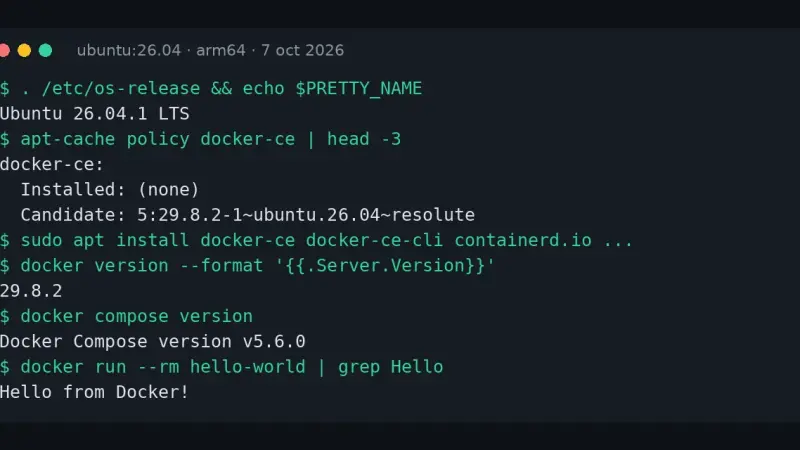
To install Docker on Ubuntu 26.04 LTS, add Docker's official repository with its GPG key and a docker.sources file, then install docker-ce, containerd.io and the Buildx and Compose plugins. On 7 October 2026 that gave Docker 29.8.2 and Compose 5.6.0, against Docker 29.1.3 and Compose 2.40.3 from Ubuntu's docker.io package.
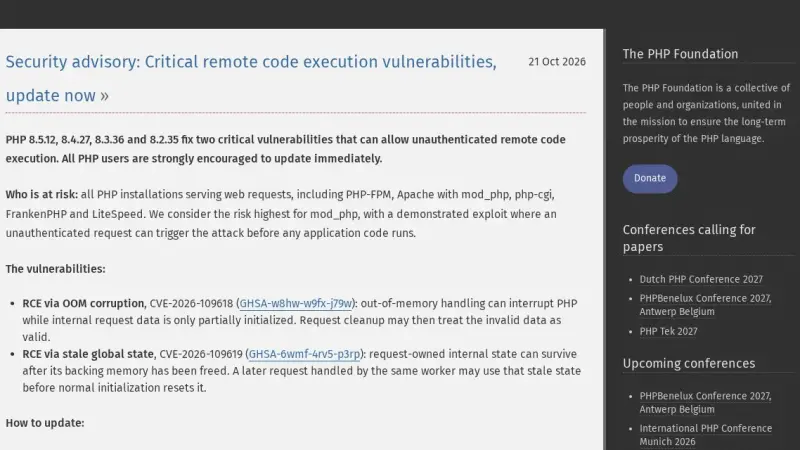
CVE-2026-109618 and CVE-2026-109619 are two critical PHP flaws (CVSS 9.2) that allow unauthenticated remote code execution. They affect PHP 8.2, 8.3, 8.4 and 8.5 below 8.2.35, 8.3.36, 8.4.27 and 8.5.12, released on 21 October 2026. The only complete fix is to update and restart every PHP worker.
Ollama 0.5 or newer runs Llama 3.3 70B and Mistral Large 2 locally on Ubuntu 24.04: Q4_K_M quantization lets a single NVIDIA GPU with 24 GB of VRAM, an RTX 4090 for example, handle the full model. This guide installs the drivers, sets up Open WebUI, and exposes the service behind Traefik with TLS.
This guide installs PostgreSQL 18.6 with pgvector 0.8.7 on Debian or Ubuntu from the PGDG repository, creates a dedicated role and database, tunes memory, builds an HNSW index and checks it with EXPLAIN. Version 0.8.7 fixes CVE-2026-103484, a buffer overflow in IVFFlat index builds.
To install Docker on Ubuntu 24.04 LTS, add Docker's official repository instead of using Ubuntu's packages, then install Docker Engine: the dockerd daemon, the command-line client, and the Compose and Buildx plugins. The repository line needs a GPG key stored under /etc/apt/keyrings, because apt-key add is retired on 24.04, and it carries the noble codename from /etc/os-release.
Docker Compose is Docker's official tool for defining and running multi-container applications with a YAML file: one command spins up every service, network, and volume it describes. On Ubuntu 20.04 it is installed by downloading the standalone binary from GitHub, though Docker recommends moving to the v2 CLI plugin, since v1 is no longer maintained.
5 min2864.2
We use first- and third-party cookies to analyze site traffic. You can accept them, reject them, or configure your choice.
Learn more about cookies
Cookie preferences
NecessaryEssential for the site to work. Always on.
AnalyticsHelp us understand how the site is used (Google Analytics).