How to upgrade Uptime Kuma 1.23 to 2.x with Docker without losing your history
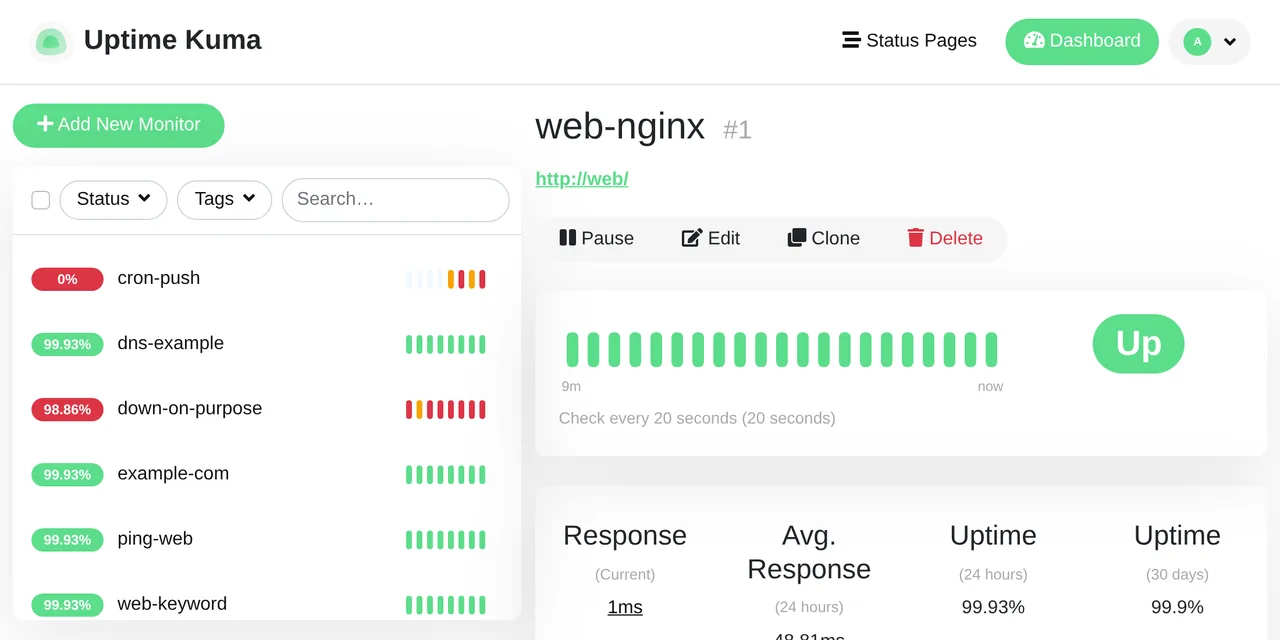
Table of contents
- Key takeaways
- What changes in Uptime Kuma 2, and why latest does not upgrade you
- How I tested the upgrade
- Step 1: back up the data directory with Uptime Kuma stopped
- Step 2: switch the image to 2.5.9 and follow the migration log
- What the migration deletes, and how big the database is afterwards
- Error "Aggregate table migration is already in progress" when starting version 2
- Should you switch to MariaDB when upgrading to Uptime Kuma 2?
- Other changes you will notice after upgrading
- How to roll back to Uptime Kuma 1.23 if something goes wrong
- FAQ
- Can I use the 2 or next tag instead of a pinned release?
- How long does the history migration take?
- Do I lose monitors, notifications or status pages?
- Conclusion
- Sources
To move from Uptime Kuma 1.23 to version 2 on Docker, stop the container, archive the data directory and switch the image to louislam/uptime-kuma:2.5.9; latest will not do it, because it still points to 1.23.17. The first start of version 2 turns the heartbeat history into aggregate tables and then deletes the raw heartbeats, so do not interrupt it and keep the backup: it is the only reliable way back. This guide repeats that upgrade on 18 October 2026 on an install with monitors, notifications and history, and documents what broke. The same guide is available in Spanish.
Key takeaways
louislam/uptime-kuma:latestand:1still serve 1.23.17 (Node.js 18, Debian 10). For version 2 you have to ask for:2or, better, a pinned release such as2.5.9.- The migration aggregates every day of every monitor into
stat_daily,stat_hourlyandstat_minutely. In my test it went from 604,866 heartbeats to 11,014, and the 30-day uptime stayed at 99.90%. - If you stop it halfway, 2.5.6 will not start again:
Failed to prepare your database: Aggregate table migration is already in progress. Restoring the backup or runningnpm run reset-migrate-aggregate-table-statefixes it. - Switching to MariaDB during the upgrade migrates nothing: with
UPTIME_KUMA_DB_TYPE=mariadb, 2.5.6 started empty and asked me to create the admin user. - 1.23.17 starts without complaint on an already migrated database, but its numbers are wrong: it showed 97.07% 30-day uptime instead of 99.90%. Roll back by restoring the archive, not by changing the tag.
What changes in Uptime Kuma 2, and why latest does not upgrade you
Uptime Kuma 2 is the next major release after the 1.23 branch. 2.0.0 came out on 20 October 2025 and, as of 2 November 2026, the latest stable release is 2.5.9, from 31 October. 1.23.17 was published the same day as 2.0.0 and is the last release of branch 1. The underlying change is the database: version 2 stops computing uptime by scanning the heartbeat table and stores it aggregated per minute, hour and day.
2.5.9 fixes a status page RSS cache poisoning[1] that needs no account and affects every release since 2.1.0. It is the release to move to. 2.5.8 had already closed a remote code execution[2] reachable by administrators. I tested the migration from 1.23 on 2.5.6, from 9 October. On 2 November I moved a 2.5.8 install with two monitors, a notification and a status page to 2.5.9, and everything stayed in place.
The latest tag does not move you to version 2. The official wiki page on tags puts it this way: "latest tag is deprecated, which is always pointing to v1." I checked by reading package.json inside each image:
for t in latest 1.23.17 2.5.6; do
  docker run --rm --entrypoint node louislam/uptime-kuma:$t \
    -e "console.log(require('/app/package.json').version)"
done
The output was 1.23.17, 1.23.17 and 2.5.6. If you update your containers with Watchtower and your Compose file says latest, you will never get version 2. If you do not run Uptime Kuma yet, start with the guide to install Uptime Kuma; this one starts from an install like that.
The wiki’s migration guide lists the breaking changes. These are the ones that affect a Docker install:
| Change | What you notice |
|---|---|
Badge :duration limits |
/api/badge/1/uptime/1440 returns 403; the maximum is 720 hours or 365 days |
| JSON backup removed | Copying the data directory is all that is left |
| DNS cache for HTTP monitors removed | The wiki suggests the nscd bundled in the image |
| Default retries from 1 to 0 | New monitors only; existing ones keep their value |
| Email templates use LiquidJS | Variables are case-sensitive |
| Alpine images and Debian Buster hosts | Unsupported; on Buster the wiki advises against upgrading |
How I tested the upgrade
I ran Uptime Kuma 1.23.17 with Docker Compose 2.40.3 and Docker 29.5.2 on an 18-core arm64 Linux machine, with the data in a ./data directory mounted at /app/data. I created 8 monitors: HTTP, keyword, TCP, ping, DNS, an HTTP one that fails on purpose and a push one. I added an SMTP notification to a Mailpit, a status page and a maintenance window.
To have history to migrate, I inserted 60 days of synthetic one-minute heartbeats for 7 monitors into SQLite, with an outage every 997 minutes. Then I let the instance run a few minutes with real heartbeats. The heartbeat table ended up with 604,866 rows and kuma.db took 89.9 MB. That is a volume comparable to the wiki’s example (20 monitors and 90 days), although my heartbeats are artificial and the machine was under heavy load, so I do not publish timings.
Step 1: back up the data directory with Uptime Kuma stopped
The wiki insists on the backup of the data directory three times, and it is the only thing that lets you go back to 1.23. Version 2 no longer has the JSON settings export, so copying the directory is the only supported method. Pin the version in a .env file so the change is a single line:
services:
  uptime-kuma:
    image: louislam/uptime-kuma:${KUMA_TAG}
    restart: unless-stopped
    ports:
      - "3001:3001"
    volumes:
      - ./data:/app/data
The .env holds KUMA_TAG=1.23.17. With that in place, stop the container and archive the directory from a helper container, because the files belong to root:
docker compose stop uptime-kuma
docker run --rm -v "$PWD/data":/data:ro \
  -v "$PWD/backup":/backup alpine:3.22 \
  tar czf /backup/kuma-data-1.23.17.tar.gz -C /data .
Stopping before copying matters: SQLite in WAL mode keeps recent changes in kuma.db-wal, and a hot copy can end up inconsistent. My archive took 17.5 MB. If you use a named volume instead of ./data, replace the path in the first -v with the volume name. If you already take encrypted backups with restic, add this file before you continue.
Step 2: switch the image to 2.5.9 and follow the migration log
With the backup in place, the upgrade is one line in .env and an up -d. Use 2.5.9 instead of 2 if you want to decide when the version changes:
sed -i 's/^KUMA_TAG=.*/KUMA_TAG=2.5.9/' .env
docker compose up -d uptime-kuma
docker compose logs -f uptime-kuma
The log starts by creating data/db-config.json with "type": "sqlite" and then opens a migration server on port 3001. While it runs, the web UI only shows "Migration is in progress, it may take some time" and a link to /migrate-status with the progress. The console prints one line per day of each monitor:
[DB] INFO: Migrating Aggregate Table
[DB] INFO: Getting list of unique monitors
[DB] INFO: [DON'T STOP] Migrating monitor 1s' (1 of 8 total)
  data - 2026-08-19 - total migration progress 0.00%
[DB] INFO: Clearing non-important heartbeats
[DB] INFO: Deleting non-important heartbeats for monitor 1
[DB] INFO: Aggregate Table Migration Completed
My migration wrote 428 [DON'T STOP] lines and left 428 rows in stat_daily, 5,048 in stat_hourly and 9,779 in stat_minutely. When it finished, 2.5.6 brought up the normal UI with the 8 monitors, the notification, the status page and the maintenance window. The web-nginx monitor’s 30-day uptime was 99.90% before and after, and its 24-hour uptime 99.93%.
What the migration deletes, and how big the database is afterwards
The migration deletes the heartbeats it no longer needs: after aggregating, clearHeartbeatData removes each monitor’s non-important heartbeats older than 24 hours and keeps the last 100 rows. In my test the heartbeat table went from 604,866 rows to 11,014. What remains is the status changes (the "important" heartbeats) and the last full day; the minute-by-minute detail before that only lives in the aggregate tables now.
The file does not shrink on its own. After the migration kuma.db took 97 MB and kuma.db-wal another 63.1 MB, because SQLite does not give back the space of deleted rows until a VACUUM. Version 2 runs it from Settings > Monitor History > Shrink Database; I ran it with the container stopped and the file went down to 2.2 MB:
If you want to keep the detail of every heartbeat from the last few months, keep the archive from step 1: it is the only copy that has it.
Error "Aggregate table migration is already in progress" when starting version 2
This error appears when the migration was cut off halfway, and 2.5.6 refuses to start until you fix it. I reproduced it with docker kill at 47.54% progress, which is what happens if you reboot the host or an orchestrator kills the container for taking too long. On the next start, the log said:
[DB] WARN: Aggregate table migration is already in progress,
  or it was interrupted
[DB] ERROR: Database migration failed
[SERVER] ERROR: Failed to prepare your database: Aggregate
  table migration is already in progress
The container exits with code 1, and with restart: unless-stopped it goes into a loop. The cause is the migrateAggregateTableState setting, which holds migrating from the moment aggregation starts until it ends. The wiki gives a single fix: restore the backup and repeat the upgrade. The 2.5.6 code also ships a script that empties the three stat_* tables and blanks the state:
docker compose stop uptime-kuma
docker run --rm -v "$PWD/data":/app/data \
  --entrypoint npm louislam/uptime-kuma:2.5.9 \
  run reset-migrate-aggregate-table-state
docker compose up -d uptime-kuma
It worked because heartbeats are only deleted at the end of the migration, so after a cut the raw data is still there. The second pass finished with the same 428 daily and 5,048 hourly rows as the uninterrupted migration. If the cut came during "Clearing non-important heartbeats", restore the backup.
Should you switch to MariaDB when upgrading to Uptime Kuma 2?
No, if you want to keep your monitors. Version 2 supports MariaDB as its database, but the wiki is blunt about moving from SQLite: "CANNOT be done directly and is not supported by official". I tried the obvious shortcut, starting 2.5.6 on the 1.23 data directory with the MariaDB 11.8 variables:
    environment:
      UPTIME_KUMA_DB_TYPE: "mariadb"
      UPTIME_KUMA_DB_HOSTNAME: "mariadb"
      UPTIME_KUMA_DB_PORT: "3306"
      UPTIME_KUMA_DB_NAME: "kuma"
      UPTIME_KUMA_DB_USERNAME: "kuma"
      UPTIME_KUMA_DB_PASSWORD: "your_mariadb_password"
The log said UPTIME_KUMA_DB_TYPE is provided by env, try to override db-config.json, created the tables in MariaDB, reported No data to migrate and ended at No user, need setup. The kuma database was left with 0 monitors and 0 users, and kuma.db stayed on disk untouched. On top of that, db-config.json stores the MariaDB password in plain text inside data, so treat that directory as a secret.
My recommendation is to upgrade on SQLite and stay there unless you have a concrete reason. If you want MariaDB, set up a fresh version 2 install and recreate the monitors; the guide to MariaDB with Docker covers the server. The full image also ships an embedded MariaDB and Chromium for the browser monitor type; the -slim image has neither. Docker Hub lists 602.8 MB for 2.5.6 on arm64, 180 MB for 2.5.6-slim and 152.9 MB for 1.23.17.
Other changes you will notice after upgrading
Three changes showed up in the lab without any warning in the UI. None of them stops the start, but each breaks something that relied on 1.23:
- Badges over 720 hours:
/api/badge/1/uptime/1440returned 99.90% on 1.23.17, and on 2.5.6 it answers 403 with{"status":"fail","msg":"The maximum number of hours is 720"}. Use60d. The value is right, although the badge label says "Uptime (60h)". - Email templates: 2.5.6 renders the subject with LiquidJS. My 1.23 subject,
[{{NAME}}] {{STATUS}}, kept working because the code keeps the upper-case variables "for v1 compatibility, to be removed in v3". The variable the wiki spellshostnameOrUrlcame out empty: in the code it ishostnameOrURL. - Rootless images: with
2.5.6-rootlesson the 1.23datadirectory, the start failed withSQLITE_READONLY: attempt to write a readonly database, because the files belonged to root and the image runs as thenodeuser (UID 1000). Achown -R 1000:1000ondatafixed it, but the wiki advises against this image for the jump from 1 to 2. - TCP monitors with TLS: 2.5.8 removed the TLS option from the TCP Port monitor, which never worked well, and monitors that used it become plain TCP monitors. If you watched a certificate that way, switch it to an HTTP monitor.
On slow hardware such as a Raspberry Pi there is a new SQLite setting. Version 2.3.0 added UPTIME_KUMA_SQLITE_SINGLE_CONNECTION to avoid database locking, and in 2.5.6 the default is already a single connection: the log confirms it with Using single connection for SQLite. You would only touch it to set it to false and open up to 20 connections.
How to roll back to Uptime Kuma 1.23 if something goes wrong
The reliable rollback is restoring the archive from step 1. Changing only the tag looks like it works and does not. 1.23.17 started on the migrated database without a single error (Database patch not needed), but the 30-day uptime of web-nginx dropped from 99.90% to 97.07%.
1.23 computes it from the heartbeat table, and after the migration only the status changes are left there, where outages weigh too much. The full restore is this:
docker compose stop uptime-kuma
docker run --rm -v "$PWD/data":/data \
  -v "$PWD/backup":/backup:ro alpine:3.22 sh -c \
  'rm -rf /data/* && tar xzf /backup/kuma-data-1.23.17.tar.gz -C /data'
sed -i 's/^KUMA_TAG=.*/KUMA_TAG=1.23.17/' .env
docker compose up -d uptime-kuma
After the restore, 1.23.17 saw the 604,866 heartbeats again (plus the new ones) and the 99.90% 30-day uptime. The rm also removes db-config.json, which belongs to version 2. Anything you changed on version 2 between the backup and the rollback is lost. The Docker volume backup lab shows the same pattern with named volumes.
FAQ
Can I use the 2 or next tag instead of a pinned release?
2 is the tag the wiki recommends and on 2 November 2026 it points to 2.5.9, like next. The difference is that next follows the latest Uptime Kuma release, and 3.0 is already in beta. Issue 7944, closed on 8 October 2026, describes monitors that could not be edited after moving from 2.5.3 to 3.0.0-beta.0. Pin 2.5.9 and move up when you decide to.
How long does the history migration take?
It depends on the number of monitors and days of history, not on the file size. The wiki reports 7 minutes for 20 monitors with 90 days and warns that on slow hardware it can take hours. My machine was shared and loaded, so I do not give a time. Watch /migrate-status and do not interrupt the process.
Do I lose monitors, notifications or status pages?
No, if you stay on SQLite. In my test 2.5.6 kept the 8 monitors, the SMTP notification, the status page and the maintenance window, and the push monitor kept its token. What you lose is the per-heartbeat detail older than 24 hours, which now lives aggregated.
Conclusion
Upgrading Uptime Kuma 1.23 to version 2 on Docker is a tag change, as long as the tag is not latest. What needs preparing is the first start, which rewrites the history and deletes the raw heartbeats. Stop the container, archive data, pin 2.5.9 and let the migration finish untouched.
If it gets cut off, the reset-migrate-aggregate-table-state script or the backup gets you out of the error. Stay on SQLite unless you are starting from scratch, run Shrink Database at the end and check badges and email templates. To go back to 1.23, restore the archive: the tag alone leaves you a 1.23 that starts with wrong numbers. If you are weighing Uptime Kuma against a monitor configured as code, compare it with Gatus on Docker.
Sources: [1] Uptime Kuma wiki, migration from v1 to v2[3], [2] Uptime Kuma wiki, Docker tags[4], [3] Uptime Kuma, release 2.5.6 on GitHub[5], [4] Uptime Kuma, release 2.0.0 on GitHub[6], [5] Uptime Kuma, release 2.3.0 and UPTIME_KUMA_SQLITE_SINGLE_CONNECTION[7], [6] Uptime Kuma, issue 7944 on 3.0.0-beta.0[8], [7] louislam/uptime-kuma tags on Docker Hub[9], [8] SQLite documentation, VACUUM[10], [9] LiquidJS documentation[11].
Sources
- status page RSS cache poisoning
- remote code execution
- Uptime Kuma wiki, migration from v1 to v2
- Uptime Kuma wiki, Docker tags
- Uptime Kuma, release 2.5.6 on GitHub
- Uptime Kuma, release 2.0.0 on GitHub
- Uptime Kuma, release 2.3.0 and UPTIME_KUMA_SQLITE_SINGLE_CONNECTION
- Uptime Kuma, issue 7944 on 3.0.0-beta.0
- louislam/uptime-kuma tags on Docker Hub
- SQLite documentation, VACUUM
- LiquidJS documentation
Source code
Access all the source code for this post on GitHub.
View on GitHub