
How to install k3s in your homelab

Table of contents
- Key takeaways
- What k3s strips out and what it bundles in
- What hardware you actually need
- How to install k3s on a single node
- What the installer does to your system
- How to add a second node
- How to reach the cluster from your laptop
- What ships enabled, and when to turn it off
- A first real workload, with Ingress and a volume
- Storage in a homelab, honestly
- How to uninstall k3s cleanly
- When Docker Compose is still the right answer
- Frequently asked questions
- Can I install k3s on a Raspberry Pi?
- Do I need etcd, or is SQLite enough?
- What does k3s cost in money and in resources?
- Conclusion
- Sources
You have been running Docker Compose for two years, you have three machines powered on at home, and you want to learn Kubernetes without renting a managed cluster. The short route is k3s: one binary, one command, a working cluster. This guide really installs it, joins a second node, deploys a workload with an Ingress and persistent storage, and finishes by explaining when you should stay on Compose.
Key takeaways
- k3s drops the in-tree storage drivers and the in-tree cloud provider from Kubernetes, and in exchange packages containerd, Flannel, CoreDNS, Traefik, ServiceLB and a local volume provisioner.
- The stable release on 30 August 2026 is v1.36.4+k3s1, published three days earlier. The arm64 binary weighs 71,368,866 bytes.
- The official minimum is 2 cores and 2 GB for a server, but the project’s own profiling measures 1,596 MB of RAM under real load: a 2 GB Raspberry Pi is tight as a server and comfortable as an agent.
- State lives in SQLite as long as you have a single server. High availability means three servers with embedded etcd.
- Traefik and ServiceLB ship enabled and take ports 80 and 443 on the host. If you already run a reverse proxy at home, turn them off with
--disable.
What k3s strips out and what it bundles in
k3s is not a fork of Kubernetes, nor a feature-reduced version. Its FAQ puts it plainly: "K3s is a CNCF-certified Kubernetes distribution, and can do everything required of a standard Kubernetes cluster. It is just a more lightweight version". The project joined the CNCF on 19 August 2020 at Sandbox level, ships under Apache-2.0, and its repository has 33,850 stars and 2,714 forks.
What it does remove is two concrete things: Kubernetes’ in-tree storage drivers and its in-tree cloud provider. The repository justifies the choice because both have out-of-tree replacements through CSI and CCM, and because both depend on vendor services that most k3s deployments never see. If your cluster lives in a cupboard, an AWS disk controller does nothing for you.
The interesting part is what it adds, and that is the real reason people pick k3s at home. A fresh kubeadm install leaves you with no container network, no internal DNS, no Ingress, no load balancer and no storage. With k3s all five arrive settled: containerd, Flannel, CoreDNS, Traefik, ServiceLB, and a provisioner for volumes on local disk. That bundle turns an afternoon of work into three minutes.
What hardware you actually need
The documentation asks for 2 cores and 2 GB of RAM for a server, and 1 core and 512 MB for an agent. That figure is the theoretical floor. The resource profiling the project publishes is far more useful, because it measures machines under load:
The practical reading: a 2 GB Pi holds up as an agent with room to spare, and runs out of air as a server the moment you give it four applications. If the control plane is going on a Pi, make it a 4 GB or 8 GB one.
Disk matters more than it looks, because the cluster database writes constantly. The project asks for 10 IOPS and 500 KiB/s with latency under 10 ms for SQLite, rising to 50 IOPS and under 5 ms for embedded etcd. Its recommendation is blunt: "it is recommended that you use an external SSD. etcd is write intensive; SD cards and eMMC cannot handle the IO load". A microSD card works until one day it does not, and it usually picks a Sunday.
On networking, the agent needs to reach port 6443/TCP on the server, and every node talks to every other over 8472/UDP for the Flannel tunnel and 10250/TCP for kubelet metrics. The documentation warns about a risk people forget: "The VXLAN port on nodes should not be exposed to the world as it opens up your cluster network to be accessed by anyone".
How to install k3s on a single node
The whole process, in the order I ran it:
- Download the installer and read it before running it:
curl -sfL https://get.k3s.io -o k3s-install.sh. It is 1,218 lines of shell pulled from a third-party domain, and it is worth a look. - Run the script with
sh k3s-install.sh. With no environment variables it installs the stable channel as a server. - Confirm the unit started with
systemctl status k3s. - Export the config file with
export KUBECONFIG=/etc/rancher/k3s/k3s.yamland ask for the nodes withkubectl get nodes.
That is the whole installation. The real installer output on the test machine, a Debian 13 box on arm64, was this:
[INFO]  Finding release for channel stable
[INFO]  Using v1.36.4+k3s1 as release
[INFO]  Downloading binary https://github.com/k3s-io/k3s/releases/download/v1.36.4%2Bk3s1/k3s-arm64
[INFO]  Verifying binary download
[INFO]  Installing k3s to /usr/local/bin/k3s
[INFO]  Creating /usr/local/bin/kubectl symlink to k3s
[INFO]  Creating killall script /usr/local/bin/k3s-killall.sh
[INFO]  Creating uninstall script /usr/local/bin/k3s-uninstall.sh
[INFO]  systemd: Creating service file /etc/systemd/system/k3s.service
[INFO]  systemd: Starting k3s
One detail that surprises everyone the first time: kubectl, crictl and ctr are not separate programs. They are symlinks to the same k3s binary, which changes behaviour depending on the name you invoke it by.
What the installer does to your system
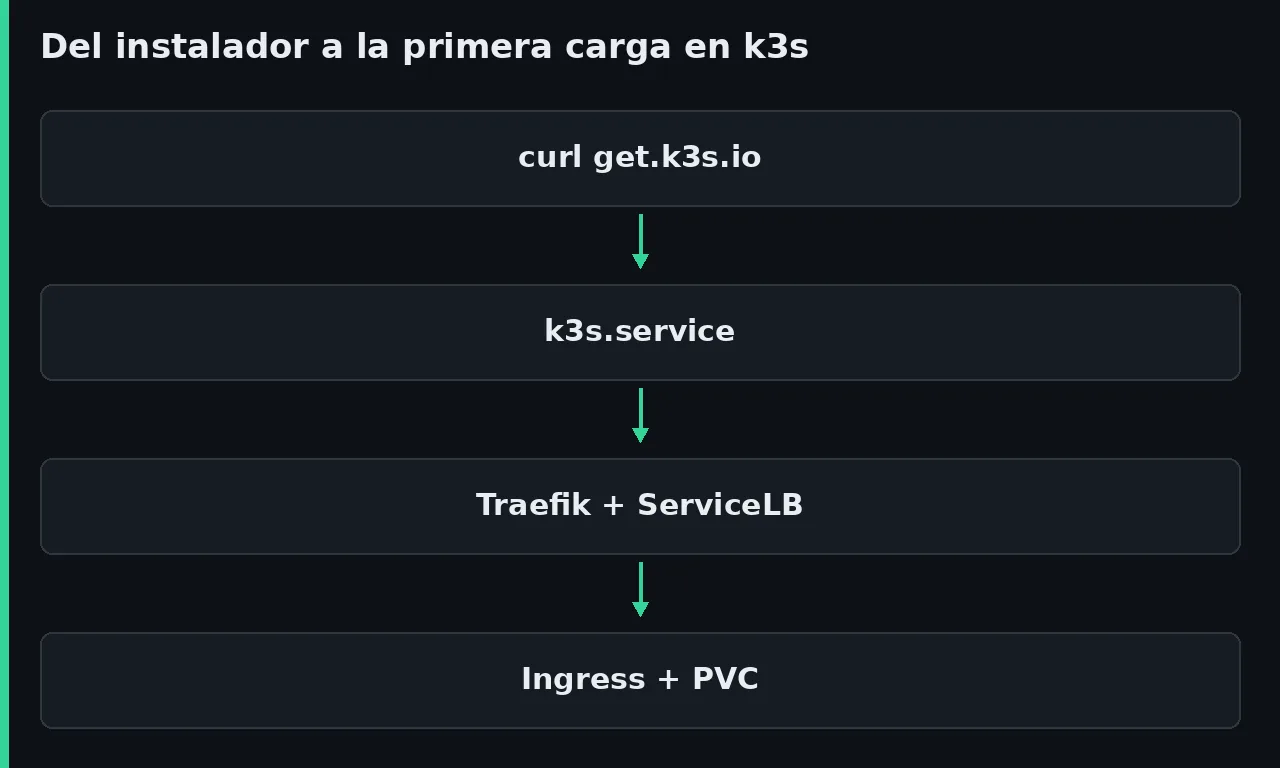
The script writes five things and hides none of them. It leaves the binary at /usr/local/bin/k3s, the three symlinks, and the k3s-killall.sh and k3s-uninstall.sh scripts beside it. It also writes the /etc/systemd/system/k3s.service unit with its environment file, and the enablement so it comes back on boot. All cluster state ends up under /var/lib/rancher/k3s.
Startup is faster than you would expect from Kubernetes. In the systemd journal from my run the unit starts at 11:02:24, and by 11:02:27 the server reports Kube API server is now running. Three seconds to the API. The seven system pods took about forty seconds more, which is what starting the images costs.
It is worth measuring the footprint. /var/lib/rancher/k3s weighed 994 MB after install, of which only 16 MB is the database: the rest is the images of the packaged components. And at idle, with a single node and no workloads of my own, the cgroup for the k3s.service unit reported 528,551,936 bytes, roughly 504 MiB. This is not Docker Compose, and anyone telling you k3s costs nothing has not measured it.
The versions shipped in v1.36.4+k3s1, read from the running pods, are containerd 2.3.4, CoreDNS 1.14.6, Traefik 3.7.8, local-path-provisioner v0.0.37, metrics-server v0.9.0 and klipper-lb v0.4.17. If the layer underneath interests you, we have an article on containerd, the runtime underpinning Kubernetes.
How to add a second node
Here is the one vocabulary distinction you have to get right. A server runs k3s server and includes the control plane and the database. An agent runs k3s agent and contributes only kubelet, container runtime and networking. At home the usual shape is one server and as many agents as you have spare machines.
An agent joins with two variables: the server address and the join token, which the server generates on its own and keeps in /var/lib/rancher/k3s/server/node-token.
sudo cat /var/lib/rancher/k3s/server/node-token
With that value in hand, the new machine joins with a single command:
curl -sfL https://get.k3s.io |
  K3S_URL=https://192.168.1.10:6443
  K3S_TOKEN=K10a1d125286...
  sh -
The installer notices you passed K3S_URL and switches mode: it creates k3s-agent.service instead of k3s.service, and leaves k3s-agent-uninstall.sh instead of the server script. In my test the new node showed up as Ready eight seconds after the service started, and the ServiceLB DaemonSet immediately raised a svclb-traefik pod on it without any input from me.
One warning the documentation repeats, and which costs a debugging session when you ignore it: "Each machine must have a unique hostname". If you flashed the same Pi image three times, you have three machines called raspberrypi and the cluster will get confused. Either change the hostname or pass K3S_NODE_NAME.
How to reach the cluster from your laptop
The config file lives at /etc/rancher/k3s/k3s.yaml with mode 0600 and root as owner, so you cannot read it without sudo. Inside there is one line you must change:
clusters:
- cluster:
    server: https://127.0.0.1:6443
That loopback address works on the server and nowhere else. Copy the file to ~/.kube/config, swap 127.0.0.1 for the server’s real address, and kubectl now points at home.
There is a trap with copies worth knowing before it bites: "K3s will automatically update the certificates within the admin kubeconfig every time it starts. If you make a copy of this file, you will need to manually update those copies to ensure that the inline certificates do not expire". Translated: the file on the server refreshes itself, your copy does not. One day the laptop stops connecting and it is not the network.
If you would rather the file were readable by your own user on the server itself, the server accepts --write-kubeconfig-mode 0644. It is convenient and it is worse: that file grants admin access to the entire cluster.
What ships enabled, and when to turn it off
On startup, a k3s server deploys four components with their own manifests, coredns, traefik, local-storage and metrics-server, plus the embedded servicelb controller. The manifests land in /var/lib/rancher/k3s/server/manifests and the server rewrites them on every start, so editing them by hand achieves nothing: Traefik customisation goes into a separate HelmChartConfig resource.
To remove any of them you use --disable, whose valid values are exactly coredns, servicelb, traefik, local-storage, metrics-server and runtimes.
| Component | What it does | When to turn it off |
|---|---|---|
| Traefik | Ingress controller with a LoadBalancer Service on 80 and 443 | You already run Nginx Proxy Manager or Traefik on Docker on those ports |
| ServiceLB | A DaemonSet publishing the Service port on every node | You run MetalLB, or you do not want every node listening on 80 |
| local-storage | Provisions volumes on the node’s own disk | You are going straight to Longhorn or NFS |
| metrics-server | Feeds kubectl top and autoscaling |
Almost never; it is cheap and you need it |
| CoreDNS | Cluster-internal DNS | Almost never; without it services do not resolve by name |
The decision you should not skip is the first one. If something on your network already listens on 80 and 443, installing k3s with Traefik enabled leaves two things fighting over the same port and a cluster that looks broken without being broken.
A correction on the documentation: the docs.k3s.io front page lists Spegel, the distributed registry mirror, among the bundled dependencies. It is in the binary, yes, but it is switched off. The k3s server help is explicit: --embedded-registry ... (default: false).
A first real workload, with Ingress and a volume
An empty cluster proves nothing. This is the minimum that exercises the three pieces k3s hands you: the storage class, the Service and the Ingress.
apiVersion: v1
kind: PersistentVolumeClaim
metadata:
  name: web-datos
spec:
  accessModes: ["ReadWriteOnce"]
  storageClassName: local-path
  resources:
    requests:
      storage: 1Gi
---
apiVersion: networking.k8s.io/v1
kind: Ingress
metadata:
  name: web
spec:
  rules:
    - host: web.casa.local
      http:
        paths:
          - path: /
            pathType: Prefix
            backend:
              service:
                name: web
                port: {number: 80}
With the nginx Deployment and its Service applied, the check is a request against the node address carrying the right header:
$ curl -H "Host: web.casa.local" http://192.168.1.10/
Hola desde k3s

$ curl -o /dev/null -w "%{http_code}n" http://192.168.1.10/
404
That 404 on the second call is Traefik doing its job: with no rule matching the Host header there is nothing to serve. It is not an installation fault, however alarming it looks the first time.
What happened underneath deserves a look. The volume was created at /var/lib/rancher/k3s/storage/pvc-8b99304a-..._default_web-datos, an ordinary directory on the node’s disk with index.html inside it, and the PersistentVolume came out with node affinity pinned to the machine where the pod was scheduled.
Storage in a homelab, honestly
That node affinity is the important sentence in the whole article. The documentation writes it like this: the local provisioner "does result in permanently binding the pod to the node hosting the volume". The pod can no longer go anywhere else, because its data is on that machine’s disk.
You have to be honest about what that means. If the node holding the volume goes down, the pod is not rescheduled somewhere else: it sits in Pending waiting for it to come back. You built a three-machine cluster and your application still depends on one of them. The default storage class is local-path, with Delete policy and WaitForFirstConsumer mode, which is exactly what delays creating the volume until it knows which node the pod will live on.
For most homelabs this is fine and needs no fixing: a photo server or a metrics dashboard tolerate being pinned to one machine perfectly well, and your backup already picks up that directory. It stops being fine the day you want something to survive a node failure. The answer then is Longhorn, which replicates volumes at the cost of more memory, more disk and more pieces to understand. The one documented restriction is that "Longhorn does not support ARM32", so a 64-bit Pi is no problem.
How to uninstall k3s cleanly
This is one of the things k3s does better than almost any alternative: uninstalling is a script already sitting on your disk.
sudo /usr/local/bin/k3s-uninstall.sh          ## on a server
sudo /usr/local/bin/k3s-agent-uninstall.sh   ## on an agent
Reading the script shows what it takes with it. It calls k3s-killall.sh to stop the containers, disables the systemd unit, deletes the service file and its environment, and removes the symlinks. It then unmounts and deletes /var/lib/rancher/k3s, /etc/rancher/k3s, /run/k3s, /run/flannel and /var/lib/kubelet, and finally deletes itself. On SELinux systems it also removes the k3s-selinux package.
The documentation’s warning is one line and it means it: "Uninstalling K3s may cause data loss!". Your local-path volumes are in there. Copy them out first.
When Docker Compose is still the right answer
After all of the above, the uncomfortable part. For a homelab on a single machine, and probably for yours, Docker Compose is the better tool, and saying so costs nothing.
If you have one machine with fifteen containers, k3s adds 504 MiB resident at idle. It also adds a control plane to maintain, certificates that expire, a database to back up, and a layer of concepts between you and docker logs. In exchange it gives you nothing you did not have: with one machine, automatic pod rescheduling does not exist. And if what you wanted was to see all your containers from one console, Portainer with Docker Compose solves that in five minutes without changing your mental model.
k3s starts paying off when one of these holds: you have more than one machine and want workloads to move between them on their own; you want to declare the desired state in versioned YAML and have something reconcile it; you need real Kubernetes practice because you will touch it at work; or you want the pieces that only exist in this ecosystem, such as operators. If your reason is the third one, k3s is the best afternoon you can invest, and what you learn transfers straight to a real cluster. We cover each release’s changes in articles like the Kubernetes 1.35 GA balance sheet and the 1.34 summary.
What you should not do is install k3s because Compose feels unserious. Compose is serious. It just solves a different problem.
Frequently asked questions
Can I install k3s on a Raspberry Pi?
Yes, and it is one of the cases the project explicitly targets: there are binaries and multi-arch images for arm64 and ARMv7. As an agent, a 2 GB Pi has room to spare, at 268 MB measured. As a server, aim for 4 GB and boot from an SSD over USB: the documentation warns that microSD cards and eMMC cannot take the datastore’s write load.
Do I need etcd, or is SQLite enough?
With a single server, SQLite is the default and works perfectly. The documentation is categorical about the limit: "SQLite cannot be used on clusters with multiple servers". For high availability you need three servers with embedded etcd, or two servers against an external database such as PostgreSQL or MySQL.
What does k3s cost in money and in resources?
Nothing in money: it is Apache-2.0 and there is no paid edition. In resources, budget half a gigabyte of resident memory for the control plane at idle and close to a gigabyte of disk for the freshly installed data directory, plus whatever your images take. If you are measuring the cost of a more ambitious cluster, Kubecost and OpenCost do that job.
Conclusion
Installing k3s is one command and three seconds; understanding what it just installed takes rather longer. What you buy is a conformant Kubernetes with networking, DNS, Ingress, load balancing and storage already settled, in a 68 MiB binary, with an uninstall that genuinely cleans up. What you pay is half a gigabyte of idle memory, a volume that ties each pod to its node, and a new mental model.
If you have one machine, stay on Compose. If you have three and the appetite to learn, you have a cluster by tonight. The Spanish version of this guide is at Cómo instalar k3s en tu homelab.
Sources: [1] k3s, quick start[1], [2] k3s, hardware and network requirements[2], [3] k3s, resource profiling[3], [4] k3s, networking services and Traefik[4], [5] k3s, storage and local-path[5], [6] k3s, packaged components[6], [7] k3s, uninstall[7], [8] k3s, cluster access[8], [9] k3s, frequently asked questions[9], [10] k3s-io/k3s, project repository[10], [11] CNCF, k3s project page[11], [12] k3s, release channels[12].
Sources
- k3s, quick start
- k3s, hardware and network requirements
- k3s, resource profiling
- k3s, networking services and Traefik
- k3s, storage and local-path
- k3s, packaged components
- k3s, uninstall
- k3s, cluster access
- k3s, frequently asked questions
- k3s-io/k3s, project repository
- CNCF, k3s project page
- k3s, release channels
Source code
Access all the source code for this post on GitHub.
View on GitHub