RustDesk Remote Desktop Tool: Professional Solution

Table of contents
- Key takeaways
- Introduction to RustDesk
- Features and advantages
- How to use RustDesk for remote desktop
- Professional use cases
- Security and privacy considerations
- Conclusion
- Frequently asked questions
- Which ports do I need to open to self-host a RustDesk server?
- Can RustDesk's public server see the content of my sessions?
- Is a RustDesk connection direct between machines or routed through a server?
- Sources
RustDesk[1] is an open-source remote desktop tool that competes directly with TeamViewer and AnyDesk. You get the same core functionality, end-to-end encryption, and (if you need it) your own self-hosted server under your full control.
Key takeaways
-
RustDesk is free, open source, and available on Windows, macOS, and Linux.
-
All sessions are protected by end-to-end encryption.
-
You can use RustDesk’s public server or self-host your own relay and signalling servers.
-
The interface is intuitive, no learning curve for non-technical users.
-
Supports file transfer, screen sharing, and full remote control.
Introduction to RustDesk
RustDesk[1] is a remote desktop client written in Rust, published under the AGPL-3.0 licence. Its value proposition over proprietary solutions is threefold: the code is auditable, the relay server can be self-hosted, and there is no licence cost. The project has racked up more than 113,000 stars on its GitHub repository[2], a figure that, per RustDesk’s own numbers, puts it among the hundred most-followed open-source projects.
Available on:
-
Windows (installer and portable)
-
macOS
-
Linux (AppImage, .deb, .rpm)
-
iOS and Android (view and control clients)
The architecture uses a signalling server to establish the session. Once established, traffic travels encrypted directly between the two devices (peer-to-peer) where the network allows, and falls back to relay only when firewalls or NAT prevent a direct path.
Features and advantages
Key capabilities:
-
End-to-end encryption: based on NaCl / libsodium; the signalling server cannot inspect session content.
-
Optional self-hosting:
hbbs(signalling, TCP ports 21115/21116/21118 and UDP 21116) andhbbr(relay, TCP ports 21117/21119) can be deployed with Docker on any VPS in minutes, following the official Docker guide[3]. -
Screen sharing and full control: the remote operator sees and controls the desktop with low latency.
-
File transfer: drag-and-drop or integrated file panel.
-
Shared clipboard: text and images sync between local and remote machines.
-
Password or permanent-ID authentication: a static password can be set for recurring technical support.
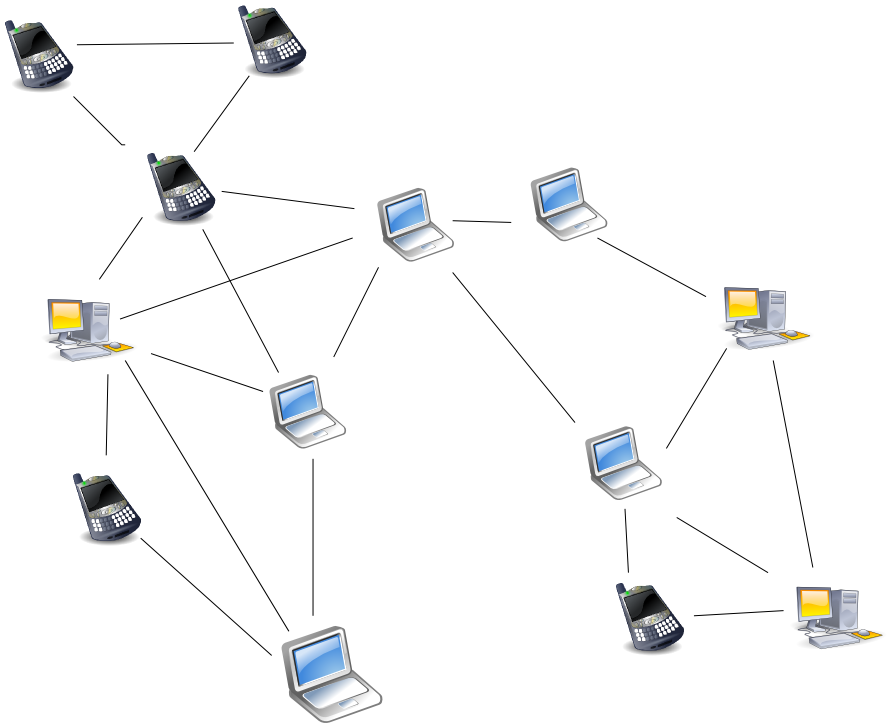 Peer-to-peer connection diagram illustrating RustDesk’s signalling and relay architecture
How to use RustDesk for remote desktop
Basic flow for a support session:
-
Both the technician and the end user install RustDesk.
-
The user shares their numeric ID and the randomly generated session password.
-
The technician enters both in the connection field and clicks "Connect".
-
The session stays active until either party closes it.
For teams managing multiple machines, RustDesk supports an address book with saved connections, and the self-hosted server adds centralised authentication and session logs.
Professional use cases
RustDesk covers common professional scenarios:
-
Internal IT support: the IT team accesses employee machines without installing additional agents.
-
Remote work in distributed teams: access to a development machine or internal network resources from home.
-
Training and tutoring: the instructor takes control of the learner’s desktop to demonstrate concrete steps.
-
Access to Windows servers: an alternative to RDP when the network environment complicates opening ports.
If your team already uses collaborative design tools like Figma, RustDesk complements that workflow by enabling real-time reviews on desktop applications without a web mode. In environments with WCAG accessibility requirements, remote access facilitates product reviews across people with different abilities or system configurations.
Security and privacy considerations
Four aspects to evaluate before deploying RustDesk in an enterprise environment:
-
Public server vs. self-hosted: RustDesk’s public server cannot read session content (end-to-end encrypted), but connection metadata passes through their infrastructure. For regulated environments (health, finance), a self-hosted server eliminates this dependency.
-
Access control: set strong static passwords or integrate the self-hosted server with corporate authentication.
-
Audit logs: self-hosted server can enable session logging for compliance purposes.
-
Updates: being open source, vulnerabilities are disclosed and patched, but clients must be kept up to date.
Conclusion
RustDesk proves that remote access does not require expensive proprietary solutions: robust encryption, audited code, and full infrastructure control are available without a licence fee. For small teams or companies that prioritise data privacy, the combination of a cross-platform client and a self-hosted server makes RustDesk the most sensible option in the market.
Frequently asked questions
Which ports do I need to open to self-host a RustDesk server?
The hbbs signalling server uses TCP ports 21115, 21116 and 21118 plus UDP 21116, and the hbbr relay server uses TCP 21117 and 21119. Both can be deployed with Docker on any VPS in minutes following the official guide. The self-hosted server also adds centralised authentication and session logs, useful for teams managing multiple machines.
Can RustDesk's public server see the content of my sessions?
No. All sessions are protected by end-to-end encryption based on NaCl / libsodium, and the signalling server cannot inspect session content. What does pass through RustDesk's infrastructure is connection metadata; for regulated environments such as health or finance, a self-hosted server eliminates that dependency.
Is a RustDesk connection direct between machines or routed through a server?
The signalling server only takes part in establishing the session. After that, traffic travels encrypted directly between the two devices (peer-to-peer) where the network allows, and falls back to relay only when firewalls or NAT prevent a direct path. That is also why it works as an alternative to RDP when the network environment complicates opening ports.