WSL containers is now stable: what changes versus Docker Desktop on Windows
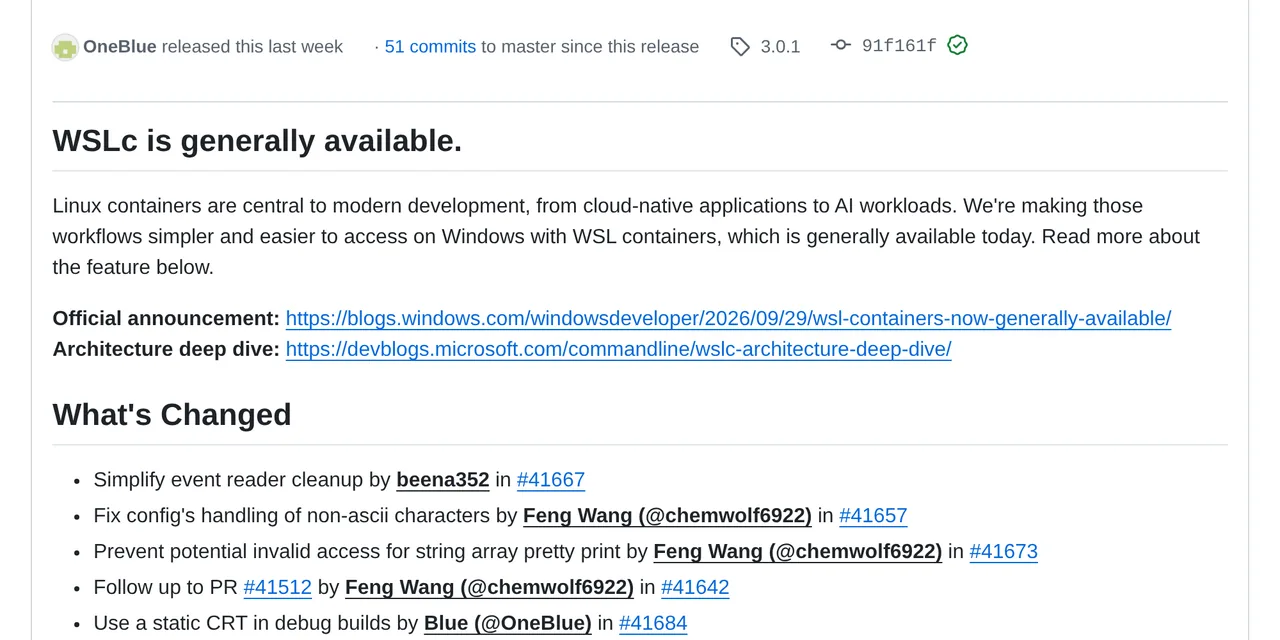
Table of contents
- Key takeaways
- What WSL containers is and what wslc brings
- How it differs from Docker Desktop under the hood
- What WSL containers lacks compared with Docker Desktop
- When it is worth dropping Docker Desktop
- How a company controls it
- Frequently asked questions
- Do I need Windows 11 to use WSL containers?
- Does wslc use the same images as Docker?
- Can I use docker compose with WSL containers?
- Conclusion
- Sources
WSL containers is the feature that turns the Windows Subsystem for Linux (WSL) into a container engine: since WSL 3.0.1, released on 29 September 2026, Windows ships wslc.exe, a CLI with Docker syntax to build and run Linux containers without installing Docker Desktop. Below I explain what it includes, how it differs from Docker Desktop under the hood and what it still lacks, above all Compose. I could not run it on a Windows machine; everything here comes from Microsoft’s documentation, release notes and architecture article. There is also a Spanish version.
Key takeaways
- WSL containers needs WSL 2.9.3 or later and installs with
wsl --update. The stable release is 3.0.1, from 29 September 2026. wslc.exe(aliased ascontainer.exe) uses Docker syntax:wslc run,wslc build,wslc container list,wslc exec.- Each application creates its own session with its own virtual disk, in a process that runs as your user rather than as a privileged service.
- Windows folders are mounted with virtiofs, which Microsoft says is twice as fast as plan9, and the new network (consommé) leaves as just another Windows process, so it works with VPNs and firewalls.
- Compose is missing: Microsoft calls it "the top feature request" and its first priority, so a project with
compose.yamlstill needs Docker Desktop or Podman.
What WSL containers is and what wslc brings
WSL containers has two pieces: the wslc.exe CLI for manual use and an API so Windows applications can launch Linux containers on their own. Both ship inside WSL, with no separate engine.
The CLI copies Docker’s verbs. Microsoft’s getting started guide[1] uses these commands to check the install and start a web server:
wsl --update
wsl --version
wslc version
wslc run --rm hello-world
wslc run -d --rm -p 8080:80 --name web nginx
curl localhost:8080
wslc exec web cat /etc/os-release
wslc container stop web
The first block updates WSL and confirms the version; the second starts nginx in the background, publishes port 8080 and runs a command inside the container. Coming from Docker, the difference is the grouped subcommands: wslc container list instead of docker ps, wslc image list instead of docker images.
| Task | Docker | wslc |
|---|---|---|
| List containers | docker ps |
wslc container list |
| List images | docker images |
wslc image list |
| Build | docker build -t app . |
wslc build -t app . |
| Logs | docker logs web |
wslc container logs web |
| Clean up | docker container prune |
wslc container prune |
| Compose | docker compose up |
Not available |
The API ships in the Microsoft.WSL.Containers NuGet package for C# and C++. Its model has four objects: WslcService, Session, Container and Process. Microsoft pitches it as the way for a desktop app to run, say, an AI model in a Linux container without asking the user to install anything else.
How it differs from Docker Desktop under the hood
The core difference is isolation. Docker Desktop boots its own virtual machine with the Docker daemon and shares it with everything that uses the socket. WSL containers creates sessions.
According to Pierre Boulay’s architecture article[2], the client talks to wslservice.exe, WSL’s privileged service, which launches a wslcsession.exe process running as the user who made the request. Each session keeps its state on its own virtual disk under %AppData%\Local\wslc\sessions. Two applications that use containers do not see each other’s images or containers.
Storage and networking change too:
- Windows volumes: mounted with virtiofs instead of plan9, which Microsoft puts at twice the speed when reading Windows files from Linux
- Virtual-disk volumes: native Linux file systems or size-capped volumes backed by a VHD
- Consommé network: the VM’s frames are processed by a Windows user process that resolves DNS and routes TCP and UDP, so traffic leaves like any other Windows program and passes corporate VPNs and firewalls
Microsoft sums it up in the announcement by Logan Iyer, Windows corporate vice president: "WSL is central to our commitment to making Windows the best place to build, run and manage Linux workloads."
What WSL containers lacks compared with Docker Desktop
Compose is the big gap. The announcement lists it as the team’s first priority, with the goal of wslc compose reading existing compose.yaml files unchanged, but it does not exist today. If your project depends on a Compose file, like most self-hosting guides on this blog, wslc does not replace it yet. To see what Compose does for you, read how healthchecks and restart policies work in Docker Compose.
The documentation also mentions no socket compatible with the Docker API. Tools that talk to /var/run/docker.sock, such as Portainer, Testcontainers or the Docker plugins for IDEs, have no reason to work with wslc. The documented exceptions are VS Code Dev Containers, which already accept wslc as the default driver, and Aspire.
When it is worth dropping Docker Desktop
Licensing is the clearest argument. Docker Desktop is free for personal use, education, non-commercial open source and businesses with fewer than 250 employees and less than 10 million dollars in annual revenue. Beyond those limits it needs a paid subscription. WSL is open source and comes with Windows.
Based on what has been published so far, this is my recommendation:
- Use wslc if you work with standalone containers,
docker buildanddocker run, or with VS Code Dev Containers, and your company pays for Docker Desktop only for that. - Stay on Docker Desktop if you depend on Compose, on tools that use the Docker socket or on local Kubernetes.
- Try Podman if you want a daemonless engine that works with Compose; I cover it in Podman: containers without a daemon or root.
You can have both installed: wslc neither replaces nor disables Docker Desktop.
How a company controls it
Organisations can govern the feature from Intune. There are two policies: turn WSL containers on or off, and restrict image pulls to a list of approved registries. On top of that, the Microsoft Defender for Endpoint plugin shows process, file and network activity from the containers, linked to the Windows machine they run on.
Frequently asked questions
Do I need Windows 11 to use WSL containers?
The documentation only requires WSL 2.9.3 or later, which installs with wsl --update. The guide sets no minimum Windows version; check wsl --version after updating.
Does wslc use the same images as Docker?
Yes. wslc pulls OCI images from the same registries, such as docker.io/library/alpine:latest in the API example, and builds from a Containerfile with Dockerfile syntax.
Can I use docker compose with WSL containers?
Not yet. Microsoft is working on wslc compose as its first priority, but it does not exist in release 3.0.1.
Conclusion
WSL containers makes Windows a place to build and run Linux containers without installing another product, with per-session isolation, virtiofs mounts and a network that respects the company VPN. For a developer who only builds and runs images, it is already an alternative to Docker Desktop. For anyone who lives in Compose, it is not yet.
If you have a Windows machine, the next step is to run wsl --update, try wslc run --rm hello-world and check whether your Dev Containers start with wslc as the driver.
Sources: [1] WSL containers GA announcement, Windows Developer Blog[3], [2] WSLC architecture deep dive[2], [3] Get started with containers on WSL[1], [4] WSL container documentation[4], [5] WSL 3.0.1 on GitHub[5], [6] Docker Desktop licence[6].
Sources
Source code
Access all the source code for this post on GitHub.
View on GitHub