Why Docker Compose 5.5 recreates your containers
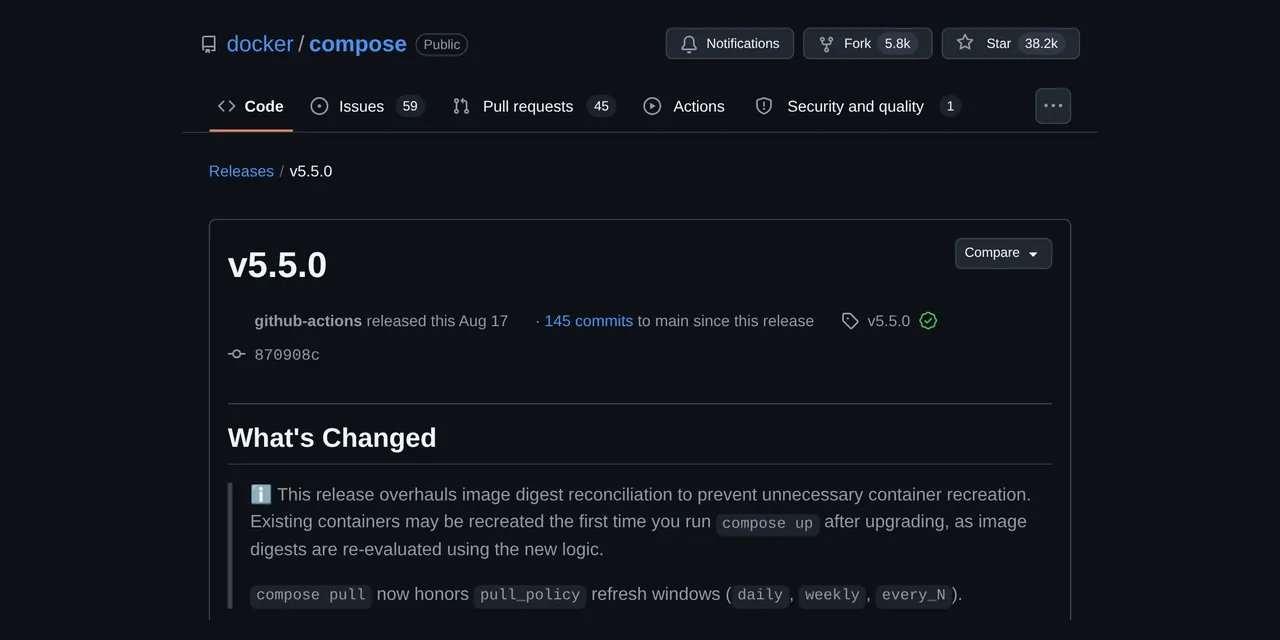
Table of contents
- Key takeaways
- What changed in Docker Compose 5.5
- Who the recreation affects
- How I reproduced the recreation
- How to tell which containers will be recreated
- How long the recreation takes and how to pick the moment
- What pull_policy does with daily, weekly and every_N
- Frequently asked questions
- Can I avoid the recreation without staying on Compose 5.4?
- Do I lose data when Compose recreates a container?
- Why are my containers not recreated after upgrading?
- Conclusion
- Sources
If you upgraded Docker Compose to 5.5 and the first docker compose up -d stopped and recreated containers you had not touched, your Compose file is not the cause. Compose 5.5.0 changed the digest it stores on each container to tell whether its image has changed, and on the containerd image store the old value no longer matches. I reproduced it with Compose 5.4.0, 5.5.0 and 5.5.1 on Docker Engine 29 on arm64. This page covers who is affected, how to find out which containers will be recreated before you run anything, and what pull_policy: daily actually does. The guide is also available in Spanish.
Key takeaways
- Compose 5.5.0, released on 17 August 2026, warns in its notes that existing containers may be recreated on the first
compose upafter upgrading. The latest release at the time of writing (16 September 2026) is 5.5.1, from 3 September. - It only happens on the containerd image store, which Docker Engine 29 uses by default on fresh installs. On overlay2 nothing was recreated in my tests.
- The containers that get recreated are those whose
com.docker.compose.imagelabel holds the multi-platform index digest: everything Compose v2.40.3 created, and whatever 5.4.0 created in anupthat pulled the image. docker compose up -d --dry-runwith the new version lists the affected containers without touching them.config --hashdoes not help, because that hash does not change.- With three small services, the recreation took a median of 2.34 s and nginx stopped answering for 1.32 s.
- With
pull_policy: dailyorevery_N,uphonours the window and 5.5 no longer recreates on every cycle. An explicitdocker compose pullalways downloads, whatever the release note says.
What changed in Docker Compose 5.5
Compose 5.5.0 reworked how it decides whether a container’s image has changed. Every container Compose creates has the com.docker.compose.image label with a digest of its image. On each up, Compose compares that value with the local image and, if they differ, recreates the container. The Docker Compose 5.5.0 release notes[1] give this warning:
"Existing containers may be recreated the first time you run compose up after upgrading, as image digests are re-evaluated using the new logic."
The reason is in Docker Compose pull request #14011[2], by Guillaume Lours. A multi-platform image has three possible identifiers: the index digest (the list of platforms), the digest of your platform’s manifest and the digest of its configuration.
Up to 5.4, each code path (pull, build, image already present) wrote its own, and on containerd they did not match. Since 5.5 they all write your platform’s manifest digest. The pull request itself calls it a "One-time recreate on first up after upgrading" and adds: "Subsequent runs are stable."

The official images I used in the test show it. The redis:7.2-alpine index lists 16 manifests, 8 for platforms and 8 attestations. Its digest is sha256:ccd6aa8d…, while the linux/arm64 manifest is sha256:efd8e95c…. That is the pair I saw change in the container label.
Who the recreation affects
It affects you if your Docker uses the containerd image store and your containers hold the index digest. The Docker documentation on the containerd image store[3] explains that it is the default store from Docker Engine 29.0 on fresh installs. A daemon upgraded from an earlier version keeps overlay2 until you switch. To find out which one you use, check the storage driver:
docker info -f '{{.Driver}} {{json .DriverStatus}}'
On my machine it returns overlayfs [["driver-type","io.containerd.snapshotter.v1"]], which is containerd. If you see overlay2, you are on the classic store. There the label holds the image ID, which does not change kind, and none of my tests recreated anything. These are the five cases I tested:
| How the container was created | Store | First up on 5.5 |
|---|---|---|
Compose 5.4.0, in an up that pulled the image |
containerd | Recreated |
Compose 5.4.0, with a later up |
containerd | Kept |
| Compose v2.40.3, with or without a pull | containerd | Recreated |
Compose 5.4.0, in an up that pulled the image |
overlay2 | Kept |
Service with build: created by 5.4.0 |
containerd | Kept |
The second row has an explanation. Compose 5.4.0 already had the bug that 5.5 fixes: after an up that pulled images, the next up recreated every container for no reason and left the manifest digest behind. If that already happened to you on 5.4, the upgrade recreates nothing else. Compose v2.40.3, on the other hand, always writes the index digest, so everything it created is recreated once.
How I reproduced the recreation
I ran the test on 16 September 2026 in a linux/arm64 development container with 18 cores and Docker Engine 29.5.2 on containerd. To compare stores I added two Docker-in-Docker 29.6.1 engines, one on containerd and one on overlay2. The system shipped Compose v2.40.3, so I downloaded the official binaries and ran them from their folder, without touching the installed plugin. Each release publishes its SHA-256 sum next to the binary:
v=5.5.1
base=https://github.com/docker/compose/releases/download/v$v
curl -sSLo docker-compose-$v $base/docker-compose-linux-aarch64
curl -sSL $base/docker-compose-linux-aarch64.sha256
sha256sum docker-compose-$v
chmod +x docker-compose-$v
./docker-compose-$v version
Both sums matched for all three releases (732e3a84… for 5.5.1). A curious detail: the Docker Compose 5.5.1[4] binary weighs 30.2 MB, against 46.4 MB for 5.4.0. The difference comes from 5.5.1 dropping buildx as a Go dependency.
To get real pulls without touching other projects’ images on the machine, I copied the original Docker Hub indexes into a local private Docker image registry running registry:3. Copying with docker buildx imagetools create keeps the index digest byte for byte. The project, named b4p4-s1, has three services: nginx 1.29, Redis 7.2 and PostgreSQL 17, all on Alpine. I created it with 5.4.0 first and then moved to 5.5.1:
../docker-compose-5.4.0 -p b4p4-s1 up -d --quiet-pull
docker ps -a -f label=com.docker.compose.project=b4p4-s1 \
  --format '{{.Names}} {{.Label "com.docker.compose.image"}}' \
  | sort | cut -c1-40
../docker-compose-5.5.1 -p b4p4-s1 up -d
The label query shows the digest change. With 5.4.0 and freshly pulled images, each container stores the index digest:
b4p4-s1-cache-1 sha256:ccd6aa8d45ff3f033
b4p4-s1-db-1 sha256:18cfe3ef5e6815560c98
b4p4-s1-web-1 sha256:42a516af16b852e33b7
After the first up with 5.5.1, the same query returns the arm64 manifest digest of each image:
b4p4-s1-cache-1 sha256:efd8e95c7f61fcb75
b4p4-s1-db-1 sha256:dfc2780980fe6ca2d158
b4p4-s1-web-1 sha256:77d740efa8f9c4753f2
The 5.5.1 up printed Recreate and Recreated for all three containers, and the next up only Running. I repeated the sequence with 5.5.0 on the containerd Docker-in-Docker engine and got the same result. I did not test Docker Desktop, type: image volumes or services with a pinned platform:, which the pull request also touches.
How to tell which containers will be recreated
The direct way is to ask the new version before the first real up. The global --dry-run option does exactly that: the docker compose command reference[5] presents it as the way to test a command "without changing your application stack state". Run it in each project folder:
docker compose up -d --dry-run
Each affected container shows up with Recreate, and the ones that stay show up with Running. It was right in all five scenarios in the table. If you install Compose from Docker’s APT repository[6], apt upgrade already brings docker-compose-plugin 5.5.1, so the moment to look is right after upgrading the package. If you would rather pick that moment yourself, hold the package with sudo apt-mark hold docker-compose-plugin.
If you have more than one project or have not upgraded yet, you can work it out with the Docker client. This script compares each container’s label with your platform’s manifest digest, which is what 5.5 will write:
proj=my_project
plat=$(docker version -f '{{.Server.Os}}/{{.Server.Arch}}')
f='{{index .Config.Labels "com.docker.compose.image"}}'
for c in $(docker ps -q -f "label=com.docker.compose.project=$proj"); do
  img=$(docker inspect -f '{{.Config.Image}}' "$c")
  lab=$(docker inspect -f "$f" "$c")
  new=$(docker image inspect --platform "$plat" -f '{{.Id}}' "$img")
  [ "$lab" = "$new" ] && echo "keep     $img" || echo "recreate $img"
done
I ran it against all three engines and it gave the same verdict as --dry-run: recreate for what v2.40.3 created on containerd and keep on overlay2. It needs a Docker client with image inspect --platform; mine was 29.5.2. By contrast, docker compose config --hash does not help here. That command returns the hash of the service configuration, and the com.docker.compose.config-hash label on my containers was identical before and after the recreation.
How long the recreation takes and how to pick the moment
The recreation stops, removes and creates each service again, so the outage depends on how long your application takes to stop and start. I repeated the move from 5.4.0 to 5.5.1 three times, with PostgreSQL already ready and an HTTP probe hitting nginx every 50 ms:
| Measure | Run 1 | Run 2 | Run 3 | Median |
|---|---|---|---|---|
Full up -d |
2.50 s | 2.34 s | 2.01 s | 2.34 s |
| nginx not answering | 1.32 s | 1.27 s | 1.35 s | 1.32 s |
| Redis, from stop to start | 1.48 s | 1.46 s | 1.06 s | 1.46 s |
| PostgreSQL, from stop to start | 0.91 s | 0.99 s | 1.34 s | 0.99 s |
The machine was shared with other workloads: the one-minute load average ranged from 24.9 to 26.4 on 18 cores, so read them as a guide rather than a benchmark. In a first attempt, PostgreSQL was still initialising its database, ignored the stop signal and Docker killed it after the default 10 s stop_grace_period. That up took 17.47 s.
According to the docker compose up reference[7], recreation preserves mounted volumes. What you lose is anything written only to the container layer, as the guide to Docker volumes and bind mounts explains.
To make the outage happen when you choose, follow this order:
- Run
docker compose up -d --dry-runwith the new version in each project. - If now is a bad time, use
docker compose up -d --no-recreate. It starts whatever is missing without recreating anything, but the recreation stays pending: I checked that the nextupwithout the flag performs it. - For services that are slow to stop or to become ready, review
stop_grace_periodand your Docker Compose healthchecks and restart policies before the finalup.
What pull_policy does with daily, weekly and every_N
With pull_policy: daily, weekly or every_<duration>, docker compose up only checks the registry when the image’s last pull is older than the window. That is how the Compose file services reference[8] documents it. Compose reads that date from the image’s LastTagTime field, and on Docker 29.5.2 a pull that finds nothing new also updates it, so the window restarts on every check. I tested it with a two-minute window:
services:
  web:
    image: localhost:21401/b4p4/web:stable
    pull_policy: every_2m
    ports:
      - "127.0.0.1:21411:80"
With 5.5.1, I started on nginx 1.29.0, moved the registry tag to 1.29.1 and ran up again. Inside the window it pulled nothing and nginx kept answering Server: nginx/1.29.0. Once the two minutes had passed, the same up pulled the image and recreated the container in 9.43 s overall, and the response changed to Server: nginx/1.29.1.
The 5.5.0 release note adds that "compose pull now honors pull_policy refresh windows (daily, weekly, every_N)". My tests did not show that.
An explicit docker compose pull downloaded the image inside the window on 5.4.0, 5.5.0 and 5.5.1 alike. Docker Compose pull request #14041[9], which shipped in 5.5.0, gives the reason. An explicit pull treats the window as due, because it is the only way to force a download ahead of time. If you want the window to decide, use up.
The change you will notice is in the pull cycles. On containerd, 5.4.0 recreated the container even though the image had not changed; 5.5.1 did not. This is what happened with pull_policy: every_1m and the same image throughout:
| Step | Compose 5.4.0 | Compose 5.5.1 |
|---|---|---|
up 1, with pull |
Creates | Creates |
up 2, inside the window |
Recreates | Unchanged |
up 3, window expired and pull |
Recreates | Unchanged |
up 4, inside the window |
Recreates | Unchanged |
That makes a windowed up a reasonable substitute for Watchtower automatic Docker updates, whose original repository was archived on 17 December 2025. Schedule docker compose up -d every hour with cron or a systemd timer, and each image is checked at most once a day. I have not tested it as a scheduled job on this machine, only the behaviour of up. You also get no notifications, no cleanup of old images and no label-based exclusion, which the maintained Watchtower fork does offer.
Frequently asked questions
Can I avoid the recreation without staying on Compose 5.4?
No, only postpone it. docker compose up -d --no-recreate leaves the containers as they are, but the label keeps the old digest and the next normal up recreates them. Do it once, in a maintenance window, and later up runs recreate nothing.
Do I lose data when Compose recreates a container?
You do not lose what lives in volumes or mounts, because Compose keeps them when it recreates. You lose anything written to the container layer outside them, as with any other recreation.
Why are my containers not recreated after upgrading?
Because you use overlay2, because your services build their image with build:, or because 5.4 already recreated them on a second up. In all three cases the label already matches what 5.5 computes.
Conclusion
The Compose 5.5 recreation is a one-time cost. It fixes a digest comparison that reported false changes on containerd and, in exchange, recreates once whatever was created with the old logic. Before the first up, run docker compose up -d --dry-run with the new version in each project and decide when to stop the affected services. If you use pull_policy with windows, 5.5 stops recreating on every cycle, and that is the improvement you will notice most on a home server.
Sources
- Docker Compose 5.5.0 release notes
- Docker Compose pull request #14011
- Docker documentation on the containerd image store
- Docker Compose 5.5.1
- docker compose command reference
- Docker’s APT repository
- docker compose up reference
- Compose file services reference
- Docker Compose pull request #14041
- containrrr/watchtower, archived repository
Source code
Access all the source code for this post on GitHub.
View on GitHub