How to fix pull access denied for minio/mc in a createbuckets init container
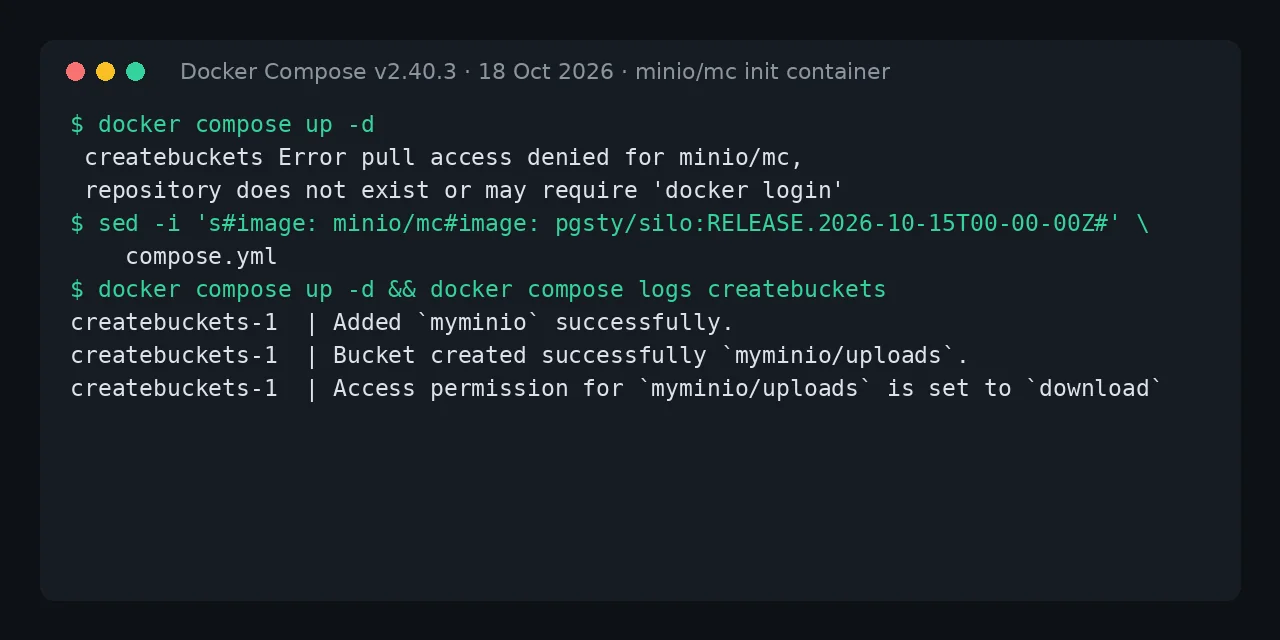
Table of contents
- Key takeaways
- What does pull access denied for minio/mc mean?
- Which stacks use it and why did they break now?
- One-line fix: replace minio/mc with pgsty/silo
- A sturdier version of the createbuckets service
- Alternative with the Chainguard image
- Alternative without MinIO: aws-cli or rclone
- How big each replacement is
- If your buckets already exist, drop the service
- Frequently asked questions
- Does docker login or switching to quay.io/minio/mc help?
- Do I have to change the MinIO server too?
- Do these replacements work with another S3 server?
- Conclusion
- Sources
The pull access denied for minio/mc error means the MinIO client image no longer exists on Docker Hub, and the fix is to change the image of the container that creates your buckets, or to drop it if it has already done its job. MinIO deleted minio/mc in September 2026, and the failed pull stops the whole stack from starting, server included. This guide reproduces the error in a typical compose file with a createbuckets service and tests three replacements that create the bucket and its access policy. I tested it on 18 October 2026 on arm64 Linux with Docker 29.5.2 and Compose v2.40.3. There is a Spanish version of this guide.
Key takeaways
- The Docker Hub API returns 404 for
minio/mc, anddocker compose upexits with code 1 without creating a single container of the project. - The one-line fix is
pgsty/silo:RELEASE.2026-10-15T00-00-00Z: it ships/usr/bin/mcas a link to its client, so the original script works untouched. cgr.dev/chainguard/minio-client:latest-devworks too, but the plainlatesttag has no shell and cannot run a script.aws-clicreates the bucket and its policy withs3api;rclonecreates the bucket but sets no policies.- If your buckets already exist, remove the service and every
depends_onthat points at it, or Compose rejects the project.
What does pull access denied for minio/mc mean?
It means Docker cannot find a public repository called minio/mc, and here that is literal: MinIO deleted it from Docker Hub along with minio/minio. The message suggests docker login because Docker prints the same text for a private repository and for a missing one. To reproduce it I set up the pattern that tutorials and templates copy: a MinIO server, a createbuckets service with minio/mc and an app that waits for it to finish. This is the failing service:
  createbuckets:
    image: minio/mc
    depends_on:
      minio:
        condition: service_healthy
    entrypoint: >
      /bin/sh -c "
      /usr/bin/mc alias set myminio http://minio:9000
      $${MINIO_ROOT_USER} $${MINIO_ROOT_PASSWORD};
      /usr/bin/mc mb --ignore-existing myminio/uploads;
      /usr/bin/mc anonymous set download myminio/uploads;
      exit 0;
      "
    environment:
      MINIO_ROOT_USER: ${MINIO_ROOT_USER}
      MINIO_ROOT_PASSWORD: ${MINIO_ROOT_PASSWORD}
The server in the same compose file uses cgr.dev/chainguard/minio:latest, which does pull, and the app declares depends_on: createbuckets with condition: service_completed_successfully. This is what docker compose up -d returned:
$ docker compose up -d
 createbuckets Pulling
 createbuckets Error pull access denied for minio/mc, repository does
 not exist or may require 'docker login'
Error response from daemon: pull access denied for minio/mc,
repository does not exist or may require 'docker login'
In your terminal each message is a single line. The command exited with code 1 and docker compose ps -a listed nothing: Compose pulls every image before it creates any container, so a container that only creates one bucket also keeps the server down. If you are hitting the same error with minio/minio, the guide to pull access denied for minio/minio covers the server image.
Which stacks use it and why did they break now?
A throwaway mc container that creates buckets and exits is a common pattern in self-hosting templates, and it broke when Docker Hub stopped serving minio/mc on 11 September 2026. The most visible case is Coolify’s Supabase template: Coolify issue 11855[1], opened on 16 September, reports that both new deployments and restarts failed in the minio-createbucket service. Coolify marked three more issues as duplicates (#12000, #12035 and #12052).
The fix landed on 15 October in commit d60d3a5 and switched the MinIO images in every template to pgsty/silo. The maintainer describes it as "the maintained MinIO fork with the same data format and API" and warns that existing services keep their old compose file: you have to edit it yourself. The same batch closed the Plane issue[2], although there it is minio/minio that fails, not the client.
Supabase’s compose file without Coolify no longer has the problem. Its docker-compose.s3.yml file[3] has used cgr.dev/chainguard/minio-client:latest-dev since a commit on 18 February 2026, seven months before the deletion.
One-line fix: replace minio/mc with pgsty/silo
Silo is the community fork of MinIO published by Pigsty, and its image ships the client at the same path as the official one. In the RELEASE.2026-10-15T00-00-00Z tag, /usr/bin/mc is a symbolic link to /usr/bin/mcli, which reports itself as mc version RELEASE.2026-09-16T00-00-00Z. That is why changing the image: line is enough and the script can stay as it was:
sed -i 's#image: minio/mc#image: pgsty/silo:RELEASE.2026-10-15T00-00-00Z#' \
    compose.yml
docker compose up -d && docker compose logs createbuckets
The sed swaps the image and the second command starts the stack and prints the init container’s output. With the compose file above I got this:
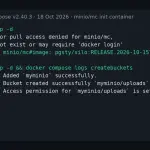
createbuckets-1  | Added `myminio` successfully.
createbuckets-1  | Bucket created successfully `myminio/uploads`.
createbuckets-1  | Access permission for `myminio/uploads` is set to `download`
Your entrypoint: replaces the image’s entry script, which in Silo prepends silo to the arguments, so it does not get in the way. The image runs as root, has arm64 and amd64 variants, and the pgsty/silo:RELEASE.2026-09-16T00-00-00Z tag also ships the mc link. Pin the tag by version rather than latest: that is what Coolify does.
A sturdier version of the createbuckets service
The original script ends with exit 0 and has no -e, so the container finishes "fine" even when it created nothing, and your app starts against a bucket that does not exist. This variant defines the alias with the MC_HOST_s3 variable, stops with an error at the first failure and needs no alias set:
  createbuckets:
    image: pgsty/silo:RELEASE.2026-10-15T00-00-00Z
    depends_on:
      minio:
        condition: service_healthy
    entrypoint: ["/bin/sh", "-ec"]
    command:
      - |
        mc mb --ignore-existing s3/uploads
        mc anonymous set download s3/uploads
    environment:
      MC_HOST_s3: http://${MINIO_ROOT_USER}:${MINIO_ROOT_PASSWORD}@minio:9000
Compose substitutes the variables from your .env when it reads the file. If the password contains @, : or /, URL-encode it or go back to alias set. To check the failure path I set a wrong password: mc mb failed with The request signature we calculated does not match, the container exited with 1 and so did docker compose up, with the app left in the Created state. That block is what you want from an init container, as the guide to init containers in Docker Compose explains.
Alternative with the Chainguard image
cgr.dev/chainguard/minio-client:latest-dev is the replacement Supabase chose, and it works with the same block by changing only image:. The -dev suffix is essential: the latest tag ships no shell, and when asked for sh Docker answers exec: "sh": executable file not found in $PATH. The -dev variant does include one.
The image runs as user 65532 and its mc reports itself as DEVELOPMENT.GOGET, with no version number. In my test it created the uploads bucket, set the download permission, and an anonymous request for the test object returned 200. Chainguard publishes no per-version tags in its free catalogue, so pin it by digest if you want reproducible builds.
Alternative without MinIO: aws-cli or rclone
If you would rather not depend on any MinIO-derived client, the AWS command-line interface (AWS CLI) talks to any S3 server. It reads the target from the AWS_ENDPOINT_URL variable, and s3api creates the bucket and writes its policy as JSON:
  createbuckets:
    image: public.ecr.aws/aws-cli/aws-cli:2.38.1
    depends_on:
      minio:
        condition: service_healthy
    entrypoint: ["/bin/sh", "-ec"]
    command:
      - |
        export AWS_ENDPOINT_URL=http://minio:9000
        aws s3api head-bucket --bucket uploads 2>/dev/null \
          || aws s3api create-bucket --bucket uploads
        aws s3api put-bucket-policy --bucket uploads --policy '{
          "Version": "2012-10-17",
          "Statement": [{"Effect": "Allow", "Principal": {"AWS": ["*"]},
            "Action": ["s3:GetObject"],
            "Resource": ["arn:aws:s3:::uploads/*"]}]}'
    environment:
      AWS_ACCESS_KEY_ID: ${MINIO_ROOT_USER}
      AWS_SECRET_ACCESS_KEY: ${MINIO_ROOT_PASSWORD}
      AWS_DEFAULT_REGION: us-east-1
head-bucket makes the script idempotent: the second run on the same volume exited with 0 without trying to create anything. The policy is equivalent to mc anonymous set download, although mc anonymous get shows it as custom; the anonymous request for the object returned 200. The image comes from the Amazon ECR public gallery, so it does not depend on Docker Hub either.
rclone is a fourth option, only if you need no policy. With rclone/rclone:1.75.2, five RCLONE_CONFIG_S3_* variables and the command mkdir s3:uploads, the bucket was created as private and the anonymous request returned 403, because rclone does not write bucket policies.
How big each replacement is
All four images do the job, but aws-cli weighs almost five times as much as the Chainguard image. For a container that runs a few seconds at each start, size only matters on the first pull:
Silo is larger than the Chainguard client because it also includes the 90 MB server binary. If you already run pgsty/silo as the server, the init container reuses the same image and pulls nothing more.
If your buckets already exist, drop the service
If your instance has ever started with minio/mc, the buckets and their policies live in the server’s data volume, and the init container has nothing left to do. You can delete the createbuckets block from the compose file, but first look for what depends on it. In my test, removing only the service gave this error:
service "app" depends on undefined service "createbuckets": invalid
compose project
The fix is to point that dependency at the server instead, or to delete it:
  app:
    depends_on:
      minio:
        condition: service_healthy
Then run docker compose up -d --remove-orphans to remove the old createbuckets container. The uploads bucket kept its download permission after the change. In Coolify’s Supabase template no service depends on minio-createbucket, so deleting the block is enough there; in Supabase’s compose file without Coolify, storage does depend on it. If you ever recreate the volume from scratch, you will need one of the replacements again.
Frequently asked questions
Does docker login or switching to quay.io/minio/mc help?
No. docker login does not bring back a deleted repository, and the Quay copy has answered 401 since 24 September 2026, as the minio/minio guide documents. The Docker Hub API returns 404 for minio/mc.
Do I have to change the MinIO server too?
If your server uses minio/minio, yes, because it fails the same way. Since you are changing it anyway, consider leaving MinIO. The migration from MinIO to RustFS keeps versioning and policies, and the one from MinIO to Garage is lighter but has no bucket policies.
Do these replacements work with another S3 server?
aws-cli and rclone do, because they only speak S3. mc anonymous set needs a server that accepts MinIO-style bucket policies; against Garage, which has none, keep only the bucket creation.
Conclusion
pull access denied for minio/mc is fixed on the image: line of the init container, not at the registry. For the smallest change, set pgsty/silo:RELEASE.2026-10-15T00-00-00Z and your script keeps working. To stop depending on MinIO, use aws-cli. If your buckets already exist, delete the service and its depends_on entries, and add -e to the script of whichever replacement you keep so that a failure stops the stack instead of hiding.
Sources: [1] Coolify, issue 11855 on minio/mc in Supabase[1], [2] Coolify, issue 11975 on Plane[2], [3] Coolify, Supabase template[4], [4] Supabase, docker-compose.s3.yml[3], [5] Pigsty, Silo fork[5], [6] Chainguard, minio-client image[6], [7] AWS, CLI endpoint configuration[7], [8] rclone, configuration through environment variables[8], [9] Docker, depends_on in the Compose specification[9].
Sources
Source code
Access all the source code for this post on GitHub.
View on GitHub