How to fix bitnami/kafka not found: migrate to apache/kafka 4.4 with KRaft
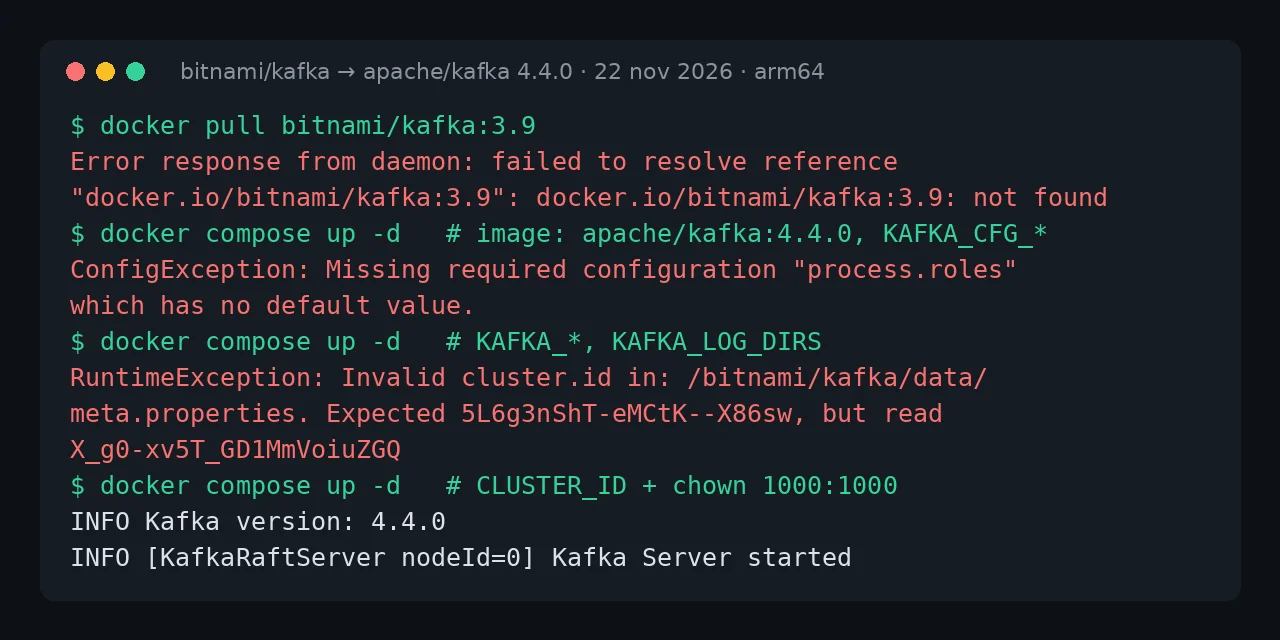
Table of contents
- Key takeaways
- What does docker.io/bitnami/kafka: not found mean?
- Does bitnamilegacy/kafka work as a stop-gap?
- The five errors when you swap bitnami/kafka for apache/kafka
- Missing required configuration "process.roles" which has no default value
- Topic 'pedidos' does not exist: Kafka starts empty
- Invalid cluster.id in: /bitnami/kafka/data/meta.properties
- AccessDeniedException on __cluster_metadata-0
- Stored node id 0 doesn't match previous node id 1
- Single-node compose with apache/kafka 4.4.0 on Bitnami data
- How to check your data is still there
- Raise the metadata version once you are sure
- What does a three-node cluster look like with apache/kafka?
- What if my Bitnami Kafka still uses ZooKeeper?
- Difficulties I ran into
- What if I take the chance to leave Kafka?
- Frequently asked questions
- Can I reuse the Bitnami volume or do I have to copy the topics?
- Does docker login fix it?
- Which apache/kafka version should I choose?
- Conclusion
- Sources
The docker.io/bitnami/kafka:3.9: not found error means Bitnami left its bitnami/kafka repository on Docker Hub without a single tag, and the fix is moving to the official apache/kafka image, not waiting for it to come back. Changing only the image: line is not enough: the official image uses different variables, a different data path and a different user, and since Kafka 4.0 it only runs in Kafka Raft (KRaft) mode, without ZooKeeper. This guide reproduces the five errors of the switch and leaves Kafka 4.4.0 running on your Bitnami data. I tested it on 22 November 2026 on arm64 Linux with Docker 29.5.2 and Compose v2.40.3. There is a Spanish version of this guide.
Key takeaways
bitnami/kafkahas 0 tags on Docker Hub andbitnamilegacy/kafkakeeps 1,894, the newest with Kafka 4.0.0 from August 2025 and no patches since.apache/kafka:4.4.0ignoresKAFKA_CFG_*: it stops withMissing required configuration "process.roles"until you rename each variable toKAFKA_*.- A Bitnami data directory in KRaft mode works as is with three changes:
CLUSTER_IDset to the ID inmeta.properties,KAFKA_LOG_DIRS, and achownto user 1000. - After the switch I read the 1,000 test messages with the same SHA-256 sum, and the consumer group kept its offset at 400.
- A Kafka 3.9 with ZooKeeper cannot jump to 4.4: it has to migrate to KRaft on 3.9 first. Pointing 4.4 at that data renamed all 53 partition directories to
-stray.
What does docker.io/bitnami/kafka: not found mean?
It means the repository still exists but no longer holds any image. These are the messages I got on 22 November 2026 with docker pull and with docker compose up:
$ docker pull bitnami/kafka:3.9
Error response from daemon: failed to resolve reference
"docker.io/bitnami/kafka:3.9": docker.io/bitnami/kafka:3.9: not found

$ docker pull bitnami/kafka
Using default tag: latest
Error response from daemon: failed to resolve reference
"docker.io/bitnami/kafka:latest": docker.io/bitnami/kafka:latest:
not found

$ docker compose up -d
 zookeeper Error failed to resolve reference
 "docker.io/bitnami/zookeeper:3.9": docker.io/bitnami/zookeeper:3.9:
 not found
In your terminal each message is a single line; I wrapped them here to fit. bitnami/kafka:4.0.0 fails the same way, and on Kubernetes the same problem shows up as ImagePullBackOff. The Docker Hub API explains it: bitnami/kafka returns 200, but its tag list has 0 entries and its last update is dated 29 August 2025.
Bitnami announced the removal in bitnami/containers issue 83267[1] and moved the old images to bitnamilegacy. The announcement describes that catalogue like this: "This legacy catalog will receive no further updates or support and should only be used for temporary migration purposes". The docker.io/bitnami/postgresql not found fix covers the full timeline and the PostgreSQL and Redis case.
Does bitnamilegacy/kafka work as a stop-gap?
Yes, but only to buy time. bitnamilegacy/kafka:3.9.0 pulled without an account and started with the usual KAFKA_CFG_* variables, so replacing bitnami/ with bitnamilegacy/ brings your compose file back to life. The repository has 1,894 tags, and the newest is 4.0.0-debian-12-r10, dated 22 August 2025. Its latest tag also holds Kafka 4.0.0.
The problem is what will never arrive: Apache Kafka released 4.4.0 on 22 October 2026. Its downloads page[2] lists only three supported releases: 4.4.0, 4.3.2 and 4.2.2. Versions 4.0 and 3.9 sit in the archived releases section, with no further fixes. Use bitnamilegacy this week and plan the move to apache/kafka.
The five errors when you swap bitnami/kafka for apache/kafka
Each error in this section shows up once you fix the previous one, in this order. I started from a Bitnami Kafka 3.9.0 in KRaft mode, with a volume at /bitnami/kafka, a pedidos topic holding 1,000 messages and a consumer group with its offset at 400.
Missing required configuration "process.roles" which has no default value
It appears when you change the image and keep the KAFKA_CFG_* variables. The official image turns any variable that starts with KAFKA_ into a property, so KAFKA_CFG_PROCESS_ROLES ends up as cfg.process.roles, which Kafka does not know:
Exception in thread "main"
org.apache.kafka.common.config.ConfigException: Missing required
configuration "process.roles" which has no default value.
I checked it in the server.properties generated inside the container: it held cfg.node.id=0, cfg.process.roles=controller,broker and five more lines with that prefix. The image page on Docker Hub[3] also warns about another rule: "if you are overriding any configuration, then none of the default configurations will be used". The fix is removing CFG_ from every name.
A compose file that still uses ZooKeeper gets the same message. KAFKA_ZOOKEEPER_CONNECT and KAFKA_BROKER_ID become valid properties, but Kafka 4 demands process.roles and no longer has a ZooKeeper mode.
Topic 'pedidos' does not exist: Kafka starts empty
With the variables renamed Kafka starts, but as a new cluster without your topics. The image knows nothing about /bitnami/kafka, and with no log.dirs defined it writes to /tmp/kafka-logs, inside the container itself:
$ kafka-topics.sh --bootstrap-server kafka:9092 --describe \
    --topic pedidos
Error while executing topic command : Topic 'pedidos' does not
exist as expected

$ kafka-cluster.sh cluster-id --bootstrap-server kafka:9092
Cluster ID: 5L6g3nShT-eMCtK--X86sw
That ID, 5L6g3nShT-eMCtK--X86sw, is the one the image sets by default when you do not define CLUSTER_ID. If you see it, you are on a freshly created cluster and not on yours. Your data is still intact in the volume, but whatever you write now is lost when the container is recreated. The fix is KAFKA_LOG_DIRS pointing at Bitnami's data directory.
Invalid cluster.id in: /bitnami/kafka/data/meta.properties
Once KAFKA_LOG_DIRS points at the Bitnami data, the image tries to format the directory with its default ID and finds a different one:
Exception in thread "main" java.lang.RuntimeException: Invalid
cluster.id in: /bitnami/kafka/data/meta.properties. Expected
5L6g3nShT-eMCtK--X86sw, but read X_g0-xv5T_GD1MmVoiuZGQ
Bitnami generates a random ID on first start if you do not define KAFKA_KRAFT_CLUSTER_ID, and stores it in meta.properties. Read it from your volume and pass it in the CLUSTER_ID variable, which takes no KAFKA_ prefix:
docker run --rm -v my_project_kafka_data:/bitnami/kafka:ro \
  mirror.gcr.io/library/busybox:1.37 \
  cat /bitnami/kafka/data/meta.properties
The command mounts the volume read-only and prints the file. Mine showed node.id=0 and cluster.id=X_g0-xv5T_GD1MmVoiuZGQ; note both values.
AccessDeniedException on __cluster_metadata-0
With the right ID, Kafka reads the directory but cannot write to it. Bitnami runs as user ID (UID) 1001 and the official image as 1000, named appuser:
ERROR [SharedServer id=0] Got exception while starting SharedServer
java.nio.file.AccessDeniedException:
/bitnami/kafka/data/__cluster_metadata-0/00000000000000000000.log
ERROR Encountered fatal fault: caught exception
Back up the volume and change the owner from a throwaway container, with Kafka stopped:
docker compose down
docker run --rm -v my_project_kafka_data:/src:ro -v "$PWD:/backup" \
  mirror.gcr.io/library/busybox:1.37 \
  tar czf /backup/kafka-bitnami.tar.gz -C /src .
docker run --rm -v my_project_kafka_data:/bitnami/kafka \
  mirror.gcr.io/library/busybox:1.37 chown -R 1000:1000 /bitnami/kafka
The first docker run saves the volume to kafka-bitnami.tar.gz and the second applies the chown. After that change Bitnami can no longer write to the volume, so the backup is your way back. The guide to Docker volumes and bind mounts explains how to restore it.
Stored node id 0 doesn't match previous node id 1
This one appears if you copy the official example, which uses KAFKA_NODE_ID: 1, on top of Bitnami data created with node 0:
Exception in thread "main" java.lang.RuntimeException: Stored node
id 0 doesn't match previous node id 1 in
/var/lib/kafka/data/meta.properties. If you moved your data, make
sure your configured node id matches. If you intend to create a new
node, you should remove all data in your data directories.
Set KAFKA_NODE_ID and KAFKA_CONTROLLER_QUORUM_VOTERS to the node.id you read in meta.properties. Do not delete the data as the message suggests: that creates an empty node.
Single-node compose with apache/kafka 4.4.0 on Bitnami data
This is the compose file with which Kafka 4.4.0 started on the Bitnami volume and returned the data intact. The first part is the variables, with the ID and the node read from meta.properties:
services:
  kafka:
    image: apache/kafka:4.4.0
    environment:
      CLUSTER_ID: X_g0-xv5T_GD1MmVoiuZGQ
      KAFKA_NODE_ID: "0"
      KAFKA_PROCESS_ROLES: controller,broker
      KAFKA_CONTROLLER_QUORUM_VOTERS: 0@kafka:9093
      KAFKA_LISTENERS: PLAINTEXT://:9092,CONTROLLER://:9093
      KAFKA_ADVERTISED_LISTENERS: PLAINTEXT://kafka:9092
      KAFKA_LISTENER_SECURITY_PROTOCOL_MAP: >-
        CONTROLLER:PLAINTEXT,PLAINTEXT:PLAINTEXT
      KAFKA_CONTROLLER_LISTENER_NAMES: CONTROLLER
      KAFKA_LOG_DIRS: /var/lib/kafka/data
      KAFKA_OFFSETS_TOPIC_REPLICATION_FACTOR: "1"
      KAFKA_TRANSACTION_STATE_LOG_REPLICATION_FACTOR: "1"
      KAFKA_TRANSACTION_STATE_LOG_MIN_ISR: "1"
      KAFKA_HEAP_OPTS: -Xmx512m -Xms512m
The three variables set to "1" are mandatory on a single node: defining any variable drops the image defaults, and Kafka's own defaults ask for three replicas. KAFKA_HEAP_OPTS caps the Java virtual machine (JVM) memory at 512 MB; without it the start script reserves 1 GB. The second part of the service mounts the volume and checks health:
    volumes:
      - type: volume
        source: kafka_data
        target: /var/lib/kafka/data
        volume:
          subpath: data
    healthcheck:
      test: ["CMD-SHELL", "/opt/kafka/bin/kafka-broker-api-versions.sh
        --bootstrap-server localhost:9092 > /dev/null 2>&1"]
      interval: 15s
      start_period: 30s
volumes:
  kafka_data:
subpath: data mounts the data folder of the Bitnami volume exactly at the path the official image declares as a volume. If you prefer to leave the mount alone, keep kafka_data:/bitnami/kafka and set KAFKA_LOG_DIRS: /bitnami/kafka/data: I tested that too and it starts the same way. The healthcheck uses the full path because the scripts are no longer on the PATH; the guide to healthchecks in Docker Compose explains the remaining options.
These are the equivalences I applied to the Bitnami compose file:
| In Bitnami | In apache/kafka | What to do |
|---|---|---|
KAFKA_CFG_NODE_ID, KAFKA_CFG_LISTENERS… |
KAFKA_NODE_ID, KAFKA_LISTENERS… |
Remove CFG_ |
KAFKA_KRAFT_CLUSTER_ID or random |
CLUSTER_ID |
Copy the one in meta.properties |
Data in /bitnami/kafka/data |
KAFKA_LOG_DIRS |
Always define it |
| UID 1001 | UID 1000 (appuser) |
chown -R 1000:1000 |
kafka-topics.sh on the PATH |
/opt/kafka/bin/kafka-topics.sh |
Fix scripts and healthcheck |
ALLOW_PLAINTEXT_LISTENER, KAFKA_ENABLE_KRAFT |
Do not exist | Delete them |
How to check your data is still there
Compare the offsets, the consumer group and the cluster ID with the ones from before the switch. These three commands returned the same as with Bitnami:
$ docker compose exec kafka /opt/kafka/bin/kafka-get-offsets.sh \
    --bootstrap-server kafka:9092 --topic pedidos
pedidos:0:0
pedidos:1:1000
pedidos:2:0

$ docker compose exec kafka /opt/kafka/bin/kafka-consumer-groups.sh \
    --bootstrap-server kafka:9092 --describe --group facturacion
GROUP        TOPIC    PARTITION  CURRENT-OFFSET  LOG-END-OFFSET  LAG
facturacion  pedidos  1          400             1000            600

$ docker compose exec kafka /opt/kafka/bin/kafka-cluster.sh \
    cluster-id --bootstrap-server kafka:9092
Cluster ID: X_g0-xv5T_GD1MmVoiuZGQ
I trimmed the empty columns from the group output. I also read the whole topic from the beginning, and the SHA-256 sum of the 1,000 sorted messages matched the one computed on Bitnami. A consumer in the facturacion group carried on at message 401.
Raise the metadata version once you are sure
The jump from 3.9.0 to 4.4.0 worked in one step, with no versions in between, but the cluster keeps the old metadata format until you raise it by hand. kafka-features.sh describe showed metadata.version at 3.9-IV0, and this command took it to 4.4-IV2:
docker compose exec kafka /opt/kafka/bin/kafka-features.sh \
  --bootstrap-server kafka:9092 upgrade --release-version 4.4
The output lists seven upgraded features, among them metadata.version was upgraded to 33. Do it after a few days without incidents, because afterwards you cannot go back to an earlier Kafka version with that data. The Kafka upgrade notes[4] ask for at least a 3.3 in KRaft mode to upgrade straight to 4.4.
What does a three-node cluster look like with apache/kafka?
It is the same service repeated three times, changing the node number and the advertised name. I brought up a new three-node cluster with controller and broker roles, and these are the lines that change from the single-node compose file:
  kafka2:
    image: apache/kafka:4.4.0
    environment:
      CLUSTER_ID: jKvmu5v2TEurZaFXh6CNlw
      KAFKA_NODE_ID: "2"
      KAFKA_CONTROLLER_QUORUM_VOTERS: 1@kafka1:9093,2@kafka2:9093,3@kafka3:9093
      KAFKA_ADVERTISED_LISTENERS: PLAINTEXT://kafka2:9092
    volumes:
      - kafka2_data:/var/lib/kafka/data
The CLUSTER_ID is the same in all three services, and I generated it with kafka-storage.sh random-uuid. With three nodes you can drop the three replica variables set to "1". A topic created with replication factor 3 showed all three replicas in sync, and kafka-metadata-quorum.sh describe --status listed three voters.
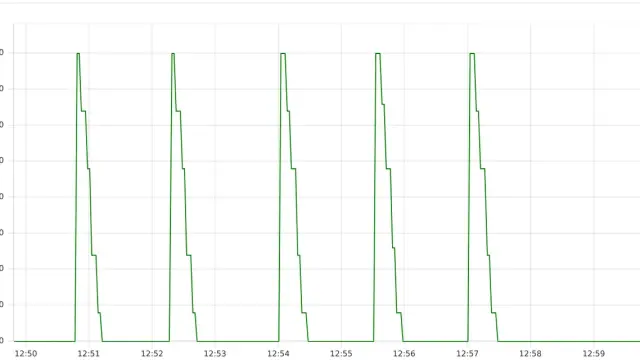
With the 512 MB JVM cap, each container used between 145 and 410 MiB a minute after starting:
What if my Bitnami Kafka still uses ZooKeeper?
Migrate to KRaft on version 3.9 before you touch 4. The upgrade notes leave no room for doubt: "Clusters in ZooKeeper mode have to be migrated to KRaft mode before they can be upgraded to 4.4.x". If you skip it and point apache/kafka:4.4.0 at the data of a ZooKeeper broker, there is no error: Kafka starts without topics and sets your partitions aside.
INFO Found stray log dir Log(dir=/bitnami/kafka/data/pedidos-1,
topic=pedidos, partition=1, logEndOffset=1000): the topicId
kTVJ9WgtSumpNu048opYjQ does not exist in the metadata image.
WARN Log in /bitnami/kafka/data/pedidos-1 marked stray and renamed
to /bitnami/kafka/data/pedidos-1.f6dbededa5e0416abc6be612e22091cb-stray
In my test, run on a copy, all 53 partition directories ended up with the -stray suffix and kafka-topics.sh --list returned nothing. The metadata for those topics lived in ZooKeeper, and the new KRaft node does not know them.
The migration that did work follows the Kafka 3.9 ZooKeeper to KRaft migration guide[5], and I ran it with apache/kafka:3.9.2 on a copy of the volume:
- Start the broker with
apache/kafka:3.9.2, still on ZooKeeper, withinter.broker.protocol.version=3.9. - Add a
controllerservice withKAFKA_PROCESS_ROLES: controller, the broker'sCLUSTER_ID,KAFKA_ZOOKEEPER_METADATA_MIGRATION_ENABLE: "true"andKAFKA_ZOOKEEPER_CONNECT. - Restart the broker with the four migration properties in the next block and wait for the
Completed migration of metadata from ZooKeeper to KRaftmessage. - Restart the broker in KRaft mode:
process.roles=brokerandnode.id=1in place ofbroker.idand the ZooKeeper properties. - Remove the two ZooKeeper variables from the controller, restart it and stop ZooKeeper.
- Change both images to
apache/kafka:4.4.0.
In steps 1 to 4 the broker cannot use the image's normal start-up, which rejects a ZooKeeper configuration. Mount your own server.properties and call the Kafka script from command:. These are the step 3 properties and the compose line:
broker.id=1
zookeeper.connect=zookeeper:2181
listeners=PLAINTEXT://:9092
advertised.listeners=PLAINTEXT://kafka:9092
inter.broker.protocol.version=3.9
log.dirs=/var/lib/kafka/data
offsets.topic.replication.factor=1
zookeeper.metadata.migration.enable=true
controller.quorum.voters=3000@controller:9093
controller.listener.names=CONTROLLER
listener.security.protocol.map=CONTROLLER:PLAINTEXT,PLAINTEXT:PLAINTEXT

# compose: command: /opt/kafka/bin/kafka-server-start.sh
#   /mnt/shared/config/server.properties
The controller logged the migration of 59 metadata records, among them 2 topics and 53 partitions. When step 6 finished, the broker and the controller were running 4.4.0 with ZooKeeper stopped. The 1,000 messages gave the same SHA-256 sum and the group still had its offset at 400. Once step 5 finalises the migration there is no way back to ZooKeeper, so work on a copy.
Difficulties I ran into
These are the traps that the official examples do not show and that cost me an extra round:
- The anonymous volume that hides your data. I mounted the Bitnami volume at
/var/lib/kafkaso that itsdatafolder would land on/var/lib/kafka/data. The image declares that path as a volume, Docker mounted an empty anonymous one on top, and Kafka started as a new cluster. UsesubpathorKAFKA_LOG_DIRS. - The error arrives on a single line. The start script prints the format failure with
echo, so the exception and its stack trace come out joined together, after three[error][cds]notices. Those Class Data Sharing notices also appear on successful starts; look forExceptionat the end of the line. apache/kafka:3.9.2does not start with ZooKeeper the normal way. With environment variables it ends withThe kafka configuration file appears to be for a legacy cluster. Formatting is only supported for clusters in KRaft mode. That is why the migration usescommand:.advertised.listenerswith0.0.0.0. Kafka stops withadvertised.listeners cannot use the nonroutable meta-address 0.0.0.0. Use a routable IP address. Advertise the service name, orlocalhostwith the published port.exec: "kafka-topics.sh": executable file not found in $PATH. The scripts live in/opt/kafka/bin/and that folder is not on thePATH.- Pin the version. According to the Docker Hub API, the
latesttag ofapache/kafkahas not been updated since 24 June 2026, while4.4.0dates from 22 October.
If you call kafka-server-start.sh directly on an unformatted directory, you will see a sixth message, No readable meta.properties files found. The image's normal start-up formats the directory for you and never shows it.
What if I take the chance to leave Kafka?
It only pays off if ZooKeeper was your biggest maintenance burden and you do not depend on Kafka-specific features. The option I have analysed is Redpanda as an alternative to Kafka, which speaks the same protocol with a single binary. It is a different engine, so you copy the topics over; you cannot reuse the directory. If you stay on Kafka, the article on Kafka without ZooKeeper and KRaft in production explains what changes in day-to-day operation.
Frequently asked questions
Can I reuse the Bitnami volume or do I have to copy the topics?
You can reuse it if Bitnami was already running in KRaft mode. In my test, Kafka 4.4.0 started on the Bitnami 3.9.0 directory with the same CLUSTER_ID, the same node.id and the chown to user 1000. With ZooKeeper you cannot: migrate to KRaft on 3.9 first.
Does docker login fix it?
There is nothing to pull with or without an account: the bitnami/kafka repository has 0 tags. I did not test it with a paid Bitnami Secure Images subscription.
Which apache/kafka version should I choose?
4.4.0 was the newest on 22 November 2026 and it is the one I tested. If you come from ZooKeeper you also need 3.9.2 as a bridge, only during the migration.
Conclusion
docker.io/bitnami/kafka: not found has no fix on your side of the registry: the repository is empty and bitnamilegacy only buys a few days. The move to apache/kafka:4.4.0 is five adjustments: variables without CFG_, CLUSTER_ID and KAFKA_NODE_ID read from meta.properties, KAFKA_LOG_DIRS, and a chown to 1000. Back up the volume first and check offsets and groups afterwards. If you still use ZooKeeper, set aside an afternoon for the migration on 3.9 and rehearse it on a copy.
Sources: [1] Bitnami, issue 83267 on the catalogue removal[1], [2] Docker Hub, official apache/kafka image[3], [3] Apache Kafka, upgrade notes[4], [4] Apache Kafka 3.9, ZooKeeper to KRaft migration[5], [5] Apache Kafka, downloads and supported releases[2], [6] Apache Kafka, Docker Compose examples[6], [7] Bitnami, issue 88895 with the bitnami/kafka:4.0.0 error[7], [8] Apache Fineract, PR 5131 moving from bitnamilegacy/kafka to apache/kafka[8].
Sources
Source code
Access all the source code for this post on GitHub.
View on GitHub