How to fix No vector extension found when upgrading Immich to v3
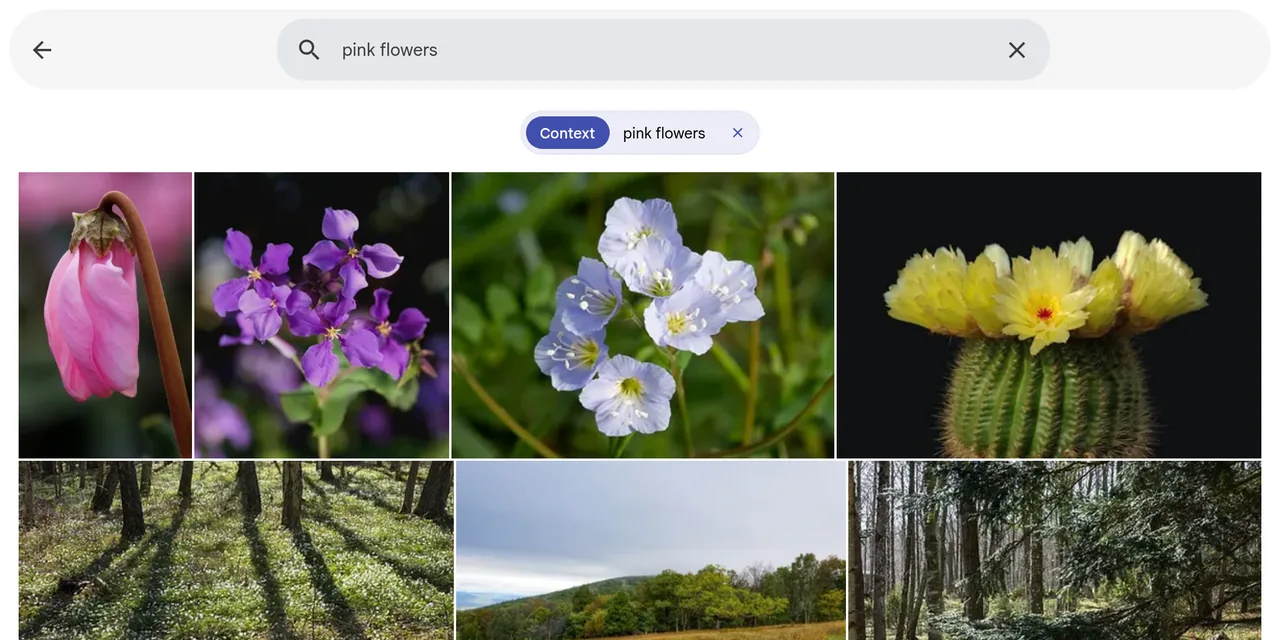
Table of contents
- Key takeaways
- What does Error: No vector extension found mean in Immich v3?
- Why the list in the message is misleading
- Which Immich versions trigger the error
- The two other errors you hit when trying to fix it
- How to fix the error: the Postgres image with VectorChord and pgvecto.rs
- Step 1: back up the database
- Step 2: change the compose database service
- Step 3: start the 2.x line first, then 3.x
- Shortcut: straight to v3 with the dual image
- How to check that search and faces are still there
- If you run PostgreSQL 15 or 16 or an external database
- Frequently asked questions
- Do I lose faces and smart search when migrating to VectorChord?
- Can I go back to v1.132 if something goes wrong?
- Why did this happen when I changed nothing?
- Conclusion
- Sources
The No vector extension found. Available extensions: vchord, vector error means Immich v3 is starting on a database that only has pgvecto.rs, and the fix is to change the Postgres image, not the Immich server. Version 3.0.0, released on 2 July 2026, removed pgvecto.rs; if your docker-compose.yml still uses tensorchord/pgvecto-rs, the server goes into a restart loop. This guide reproduces the error, the two other failures you hit when you try to fix it blind, and the VectorChord migration that keeps smart search and faces. I tested it on 18 October 2026 on arm64 Linux with Docker 29.5.2, Compose v2.40.3 and Immich v1.132.3, v2.7.5 and v3.3.3. There is a Spanish version of this guide.
Key takeaways
- The error appears when the Postgres container offers neither
vchordnorvector; the list in the message is what Immich supports, not what you have installed. - The
releasetag from the old example.envnow points to v3.3.5 (v3.3.3 when I tested), so adocker compose pullmoves you to version 3 without warning. - The fix is the
ghcr.io/immich-app/postgres:14-vectorchord0.4.3-pgvectors0.2.0image, which ships both extensions and allows the conversion. - In my test, the 15 photos, the 15 search vectors, the 2 faces and the named person survived both working paths.
- If you jump straight to v3, the old
vectorsextension stays installed: drop it withDROP EXTENSION vectors;before you remove the dual image.
What does Error: No vector extension found mean in Immich v3?
It means Immich v3 looked in Postgres for a vector extension it can use and found none. To reproduce it I ran Immich v1.132.3 with its official compose file from that release, the tensorchord/pgvecto-rs:pg14-v0.2.0 image, and changed only IMMICH_VERSION to v3.3.3. The server restarts every few seconds with this log:
Initializing Immich v3.3.3
Detected CPU Cores: 18
Starting api worker
Starting microservices worker
Error: No vector extension found. Available extensions: vchord, vector
    at getVectorExtension (file:///usr/src/app/server/dist/
    repositories/database.repository.js:46:15)
microservices worker error: Error: No vector extension found.
Available extensions: vchord, vector
microservices worker exited with code 1
Killing api process
I split two lines so they fit; in your terminal each one is a single line. The web UI does not respond during the loop, and the mobile app says it cannot connect to the server, which is what Immich issue 29453[1], opened on that same 2 July, describes.
Why the list in the message is misleading
The Available extensions: vchord, vector part does not describe your database. In the v3.3.3 source code[2], Immich queries pg_available_extensions for vchord (VectorChord) and vector (pgvector), and when it finds neither it prints the constant holding the two it supports. On my old database that query returned only vectors 0.2.0, which is pgvecto.rs’s internal name:
SELECT name, default_version, installed_version
FROM pg_available_extensions
WHERE name IN ('vectors', 'vchord', 'vector');
-- vectors | 0.2.0 | 0.2.0
Which Immich versions trigger the error
The error appears when you move to any v3 from an install that never migrated to VectorChord. That covers Immich older than v1.133.0 and any later version that kept the old image. These are the dates that matter:
| Version or tag | What changed | Date |
|---|---|---|
| v1.133.0 | Immich moves from pgvecto.rs to VectorChord with a dual image | 21 May 2025 |
| v3.0.0 | pgvecto.rs support is removed | 2 July 2026 |
release |
Pointed to v3.3.3 (sha256:bae7664f… digest) when I tested; since 21 October, to v3.3.5 (sha256:485d546a…), with no database changes |
checked 30 October 2026 |
v2 |
Points to v2.7.5, the last of the 2.x line | checked 30 October 2026 |
The Immich v3.0.0 release notes[3] put it in a warning box. It says: "v3.0.0 drops support for pgvecto.rs. If you run Immich before v1.133.0 and haven’t done the migration step yet, see the migration guide here." The trouble is that the v1.132.3 example.env shipped IMMICH_VERSION=release. Any automatic update, such as the one Watchtower runs on your containers, left you on v3 without ever showing you those notes.
The two other errors you hit when trying to fix it
Two shortcuts look reasonable and fail with different messages. I reproduced both on a copy of the same database so you can recognise each one.
The first is forcing the old extension with DB_VECTOR_EXTENSION=pgvecto.rs, which worked on the 1.x line. Immich v3 validates its variables at startup and stops dead:
Error: Invalid environment variables:
  - [DB_VECTOR_EXTENSION] Invalid option: expected one of
    "pgvector"|"vectorchord"
The v3 migration announcement[4] confirms it: "Using DB_VECTOR_EXTENSION=pgvecto.rs now throws an error." Remove the variable; with the right image Immich detects the extension on its own.
The second is jumping to the ghcr.io/immich-app/postgres:14-vectorchord0.4.3 image, the one without pgvecto.rs. Immich creates VectorChord, but the vector columns still use pgvecto.rs’s type and Postgres cannot find its library:
LOG [Microservices:DatabaseRepository] Creating VectorChord extension
PostgresError: could not access file "$libdir/vectors":
No such file or directory
WARN [Microservices:DatabaseService] Could not run vector reindexing
checks.
This failure breaks nothing: after switching to the dual image, Immich v3.3.3 finished the migration and kept all the data.
How to fix the error: the Postgres image with VectorChord and pgvecto.rs
The fix is to switch the database service to the image that ships both VectorChord and pgvecto.rs, so Immich can read the old vectors and rewrite them in the new format. It is the same image the official v3.3.3 compose file uses today.
Step 1: back up the database
Take the backup while the old image is still running, because it is the only one that can read the pgvecto.rs columns. This is the command from the Immich backup guide[5]; in my lab the container had a different prefix:
docker compose stop immich-server
docker exec -t immich_postgres pg_dump --clean --if-exists \
  --dbname=immich --username=postgres | gzip > immich-before-v3.sql.gz
My backup was 15 MB compressed with only 15 photos, because the database includes the places table used for reverse geocoding. If your library is large, also stop the containers and copy the whole DB_DATA_LOCATION directory.
Step 2: change the compose database service
Replace the image and delete the old command: and healthcheck: lines, because the new image ships its own Postgres configuration. This is the block I ended up with, identical to the official v3.3.3 compose file except for the image’s sha256 digest:
  database:
    container_name: immich_postgres
    image: ghcr.io/immich-app/postgres:14-vectorchord0.4.3-pgvectors0.2.0
    environment:
      POSTGRES_PASSWORD: ${DB_PASSWORD}
      POSTGRES_USER: ${DB_USERNAME}
      POSTGRES_DB: ${DB_DATABASE_NAME}
      POSTGRES_INITDB_ARGS: '--data-checksums'
      # DB_STORAGE_TYPE: 'HDD'
    volumes:
      - ${DB_DATA_LOCATION}:/var/lib/postgresql/data
    shm_size: 128mb
    restart: always
If your .env contains DB_VECTOR_EXTENSION, delete it. Uncomment DB_STORAGE_TYPE only if the database lives on a spinning hard disk.
Step 3: start the 2.x line first, then 3.x
The cleanest path goes through v2.7.5 with the dual image, because the 2.x line still knows how to drop pgvecto.rs when it is done. Set IMMICH_VERSION=v2 in .env and start:
docker compose pull
docker compose up -d
docker compose logs -f immich-server
The log should show this sequence, followed in my case by 67 migrations:
LOG [Microservices:DatabaseRepository] Creating VectorChord extension
LOG [Microservices:DatabaseRepository] Reindexing clip_index
(This may take a while, do not restart)
LOG [Microservices:DatabaseRepository] Reindexing face_index
(This may take a while, do not restart)
LOG [Microservices:DatabaseRepository] Reindexed clip_index
LOG [Microservices:DatabaseRepository] Reindexed face_index
LOG [Microservices:DatabaseRepository] Dropping pgvecto.rs extension
With 15 photos the reindex was immediate; the Immich docs warn that with more than 100,000 assets or a modest server it can take minutes, and that you must not restart meanwhile. Once Immich v2.7.5 responds, switch to IMMICH_VERSION=v3 and the image to ghcr.io/immich-app/postgres:14-vectorchord0.4.3, then repeat pull and up -d. In my test v3.3.3 applied 32 more migrations and started without warnings.
Shortcut: straight to v3 with the dual image
You can also jump from v1.132.3 to v3.3.3 without going through 2.x, as long as you use the dual image from step 2. I tested it: it applied 99 migrations in one go and search and faces worked. The difference is that v3 no longer knows about pgvecto.rs and does not uninstall it, so the vectors 0.2.0 extension stays registered and your pg_dump backups include CREATE EXTENSION IF NOT EXISTS vectors. Drop it once Immich is up:
docker exec immich_postgres psql -U postgres -d immich \
  -c "DROP EXTENSION vectors;"
After that you can move to the 14-vectorchord0.4.3 image without pgvecto.rs. The first v3 start also gave me a schema drift warning about a geodata_places index, which went away after restarting the server: it was the places import, still running.
How to check that search and faces are still there
The check has two parts: that Postgres uses VectorChord, and that the machine learning (ML) data is still in its tables. I ran these queries after the recommended path:
docker exec immich_postgres psql -U postgres -d immich -c \
  "SELECT extname, extversion FROM pg_extension
   WHERE extname IN ('vectors', 'vchord', 'vector');"
docker exec immich_postgres psql -U postgres -d immich -c \
  "SELECT indexname FROM pg_indexes WHERE indexdef LIKE '%vchordrq%';"
docker exec immich_postgres psql -U postgres -d immich -c \
  "SELECT (SELECT count(*) FROM smart_search) AS clip,
          (SELECT count(*) FROM face_search) AS faces,
          (SELECT count(*) FROM person) AS people;"
The first returned vector 0.8.1 and vchord 0.4.3, with no trace of vectors. The second listed clip_index and face_index, both using VectorChord’s vchordrq method. The third gave 15, 2 and 1: the same 15 search vectors, 2 faces and 1 person I had on v1.132.3.
The vectors are not only present, they still answer the same way. Before and after the migration, a smart search for "pink flowers" returned the cyclamen, the Orychophragmus and the Polemonium in the same order, and the person kept the name "Retrato de prueba". The test photos were 9 nature shots and 2 portraits from the public-domain immich-app/test-assets[6] repository, plus 4 generated geometric shapes. The ML container had a 6 GB memory limit.
If you run PostgreSQL 15 or 16 or an external database
The image must keep your data directory’s Postgres major version, because moving from 14 to 16 is not fixed with a tag. The VectorChord migration guide[7] explains the naming: pg16-v0.3.0 becomes 16-vectorchord0.3.0-pgvectors0.3.0. I checked that these tags exist on the GitHub registry on 18 October 2026:
| Old image | Dual image to migrate | Final image without pgvecto.rs |
|---|---|---|
pgvecto-rs:pg14-v0.2.0 |
14-vectorchord0.4.3-pgvectors0.2.0 |
14-vectorchord0.4.3 |
pgvecto-rs:pg15-v0.2.0 |
15-vectorchord0.4.3-pgvectors0.2.0 |
15-vectorchord0.4.3 |
pgvecto-rs:pg16-v0.3.0 |
16-vectorchord0.4.3-pgvectors0.3.0 |
16-vectorchord0.4.3 |
I only tested the Postgres 14 row, which is the one in the official compose file. If your Postgres is a shared server or a distribution package, install VectorChord from its official repository[8] before upgrading. The pgvecto.rs repository[9] itself recommends moving to VectorChord. If you want to know what those columns hold, the article on semantic search with pgvector explains the vectors and indexes Immich uses underneath.
Frequently asked questions
Do I lose faces and smart search when migrating to VectorChord?
No, if you use the dual image. Immich converts the existing columns and rebuilds the indexes without running the photos through ML again: my 15 vectors, 2 faces and the named person were unchanged on v3.3.3.
Can I go back to v1.132 if something goes wrong?
Not on the same database. The Immich docs say you should not downgrade below v1.133.0 after switching to VectorChord, so going back means restoring the step 1 backup with the old image.
Why did this happen when I changed nothing?
Because your .env had IMMICH_VERSION=release, which has pointed to the 3.x line since 2 July 2026. Pin a major version (v2 or v3) so an automatic update never crosses lines; the guide to installing Immich with Docker explains that variable.
Conclusion
No vector extension found is not an Immich v3 bug but the sign that your Postgres is still on pgvecto.rs. Back up with the old image, switch to 14-vectorchord0.4.3-pgvectors0.2.0, go through v2.7.5 if you want the old extension dropped for you, and finish on v3 with the image without pgvecto.rs. Then confirm with the three queries that vchord is installed and that the vector and face counts match the ones you had before.
Sources: [1] Immich, v3.0.0 release notes[3], [2] Immich, v1.133.0 release notes[10], [3] Immich, migrating to VectorChord[7], [4] Immich, v3 migration announcement[4], [5] Immich, issue 29453[1], [6] Immich, database.repository.ts at v3.3.3[2], [7] Immich, backup and restore[5], [8] TensorChord, VectorChord[8], [9] TensorChord, pgvecto.rs[9], [10] Immich, public-domain test photos[6].
Sources
Source code
Access all the source code for this post on GitHub.
View on GitHub