API Anything: turning a website into an API for your agent, tested
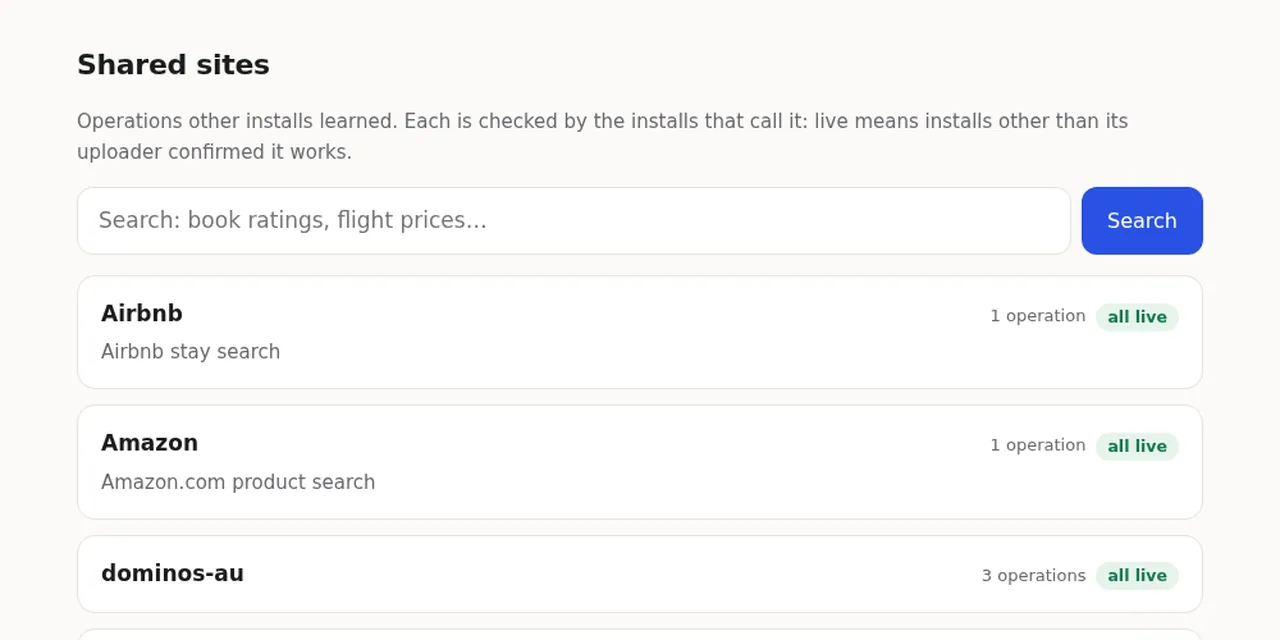
Table of contents
- Key takeaways
- What is API Anything?
- How does it learn a website's API?
- What is the shared catalog, and what leaves your machine?
- How much does it save over a browser agent, according to its author?
- How does it work in a real test?
- Why did Google Flights fail from Europe?
- What happened when I taught it new sites?
- What are the risks of using it?
- When is it worth it over a browser or your own MCP server?
- Frequently asked questions
- Does API Anything need an API key or a language model?
- Does it work without a browser?
- How do I avoid sharing what I learn?
- Conclusion
- Sources
API Anything is an open source tool that learns a website’s internal requests and turns them into operations your AI agent calls over HTTP, without opening a browser. What it learns goes into a shared catalog, and every call another user makes counts as a vote on whether the operation still works. I tested version 0.2.0 on arm64 Linux on 28 October 2026: I called its bundled operations and taught it two new sites. This is how it works, what figures its author publishes, what I measured and where it fails. There is a Spanish version of this article.
Key takeaways
- API Anything installs with npm, needs Node 22.13 or later, and connects a Model Context Protocol (MCP) server to Claude Code, Codex, Cursor and Claude Desktop.
- The package ships 30 read operations across 14 sites, including Goodreads, Google Flights, Hacker News, LinkedIn, X and Instagram.
- In the author’s Google Flights test, the agent answered in 8.4 s against 12.9 s with a browser, and used 21,300 tokens against 46,700.
- In my test, 6 of 7 operations answered at the first tier, with medians from 105 to 862 ms. The Google Flights one failed 5 times out of 5 from a European IP.
- When I taught it the Spanish Royal Academy dictionary, the Cloudflare challenge blocked every call, although a
curlwith a browser user agent got the page.
What is API Anything?
API Anything is a project by Charles Zheng, founder of Forth according to the GitHub profile, released under the MIT license in its GitHub repository[1] on 27 September 2026. A month later it had 1,780 stars and 207 forks. Its npm package reached version 0.2.0 on 28 October 2026, the same day I tested it.
If you use agents that browse the web, you already know the problem it targets. When a site has no API, the agent opens a browser, clicks, waits and reads the screen, and every step costs time and tokens. API Anything watches which requests the site itself makes underneath and stores a template of that request. Next time, the agent sends it directly and gets JSON back.
Its author introduced it on Hacker News on 9 October: "I’ve used it to help me automate some of my linkedin outreach. it saves time and token by about 50% across the board."
How does it learn a website’s API?
API Anything learns by comparing two visits to the same page with two different values. A headless browser loads the page once per example, and the part of the request that changes with the value becomes a parameter. Cookies and tokens are stored as references, such as cookie:ct0, never with their value. This is the README example, which learns Hacker News links by domain:
api-anything add hn-demo links \
  --trigger 'https://news.ycombinator.com/from?site={domain}' \
  --example domain=github.com --example2 domain=github.io \
  --match path=/from \
  --html '{"items":"tr.athing","fields":{"title":".titleline > a"}}'
The command opens the page with github.com and with github.io, picks the request that carries that value and applies the --html recipe to pull out the titles. It uses no language model to learn: you or your agent choose the request and the fields.
When you call the operation, the tool tries three tiers in order:
- Tier 1: a direct HTTP request with Node’s
fetch, no browser - Tier 2: the same request sent from inside a page open in the browser
- Tier 3: for reads only, it loads the whole page and reads the page’s own response
When the response stops fitting, for example because an id changed, the operation tries to repair itself. It first looks for a version already repaired in the catalog and, if there is none, learns the request again and saves it only if the replay works.
What is the shared catalog, and what leaves your machine?
The catalog is a Cloudflare Worker that stores operation specs and counts usage reports, but it never proxies a request: each call goes out from your machine and your connection. A new operation goes live once installs on 2 other networks call it successfully, and it is replaced when 3 or more networks see it fail. An operation learned while signed in is shared only with your permission, or once 3 installs on 3 networks learned exactly the same thing.
With sharing on, your machine sends the following:
- Operations from public pages: reads learned signed out whose replay without cookies answered
- Reports: which version ran, the outcome, the tier and the time, signed with an anonymous key for your install
- Background checks: an idle MCP server calls at most 20 new operations a day with their published examples
- Repairs: the fixed version of a public operation that had drifted
Searches go to the catalog even with sharing off. The public catalog[2] also lists the sites agents asked for that nobody has shared: on 28 October booking.com, vk.ru and yandex.ru led the list, with 3 networks each.
How much does it save over a browser agent, according to its author?
The author’s benchmark measures savings in time and tokens, but not always in money. The author ran the same agent, Claude Opus 5.5 under claude -p, with two different tools: Playwright MCP on headless Chrome, or the API Anything MCP server. The task was to find the cheapest nonstop flight on Google Flights, for one date or for five. The chart shows the median of 5 runs:
With one date, the cost fell from $0.166 to $0.074. With five dates the cost stayed level, $0.154 against $0.152. The browser agent wrote a single Playwright script for all five, and the API Anything agent made ten small calls. If you track what your agents spend, as in this token FinOps analysis, look at the tokens: 21,300 against 46,700 for one date.
These are figures from one site, one model and a few dozen runs, as the document itself admits. Without an agent, the author measured 1.42 s to load the page with Chrome and 1.17 s with api-anything call: on Google Flights the gain is getting structured JSON, not transport speed.
How does it work in a real test?
In my test, the bundled operations answered fast, except the one the README features. I installed version 0.2.0 in an isolated directory, with Node 24.16.0 on arm64 Linux: npm install took 3.3 s and left 105 packages and 48 MB. I turned sharing off with setup --no-share and called each operation 5 times. This is the sample call:
api-anything call hacker-news search query=sqlite
The response carries ok, class, tier and ms, plus the data. Every call that worked did so at tier 1, with a single HTTP request. The chart shows the median ms field:
The Hacker News search is the fastest because the operation calls the Algolia index behind hn.algolia.com, which is already a JSON API. The others download HTML or JSON embedded in the page and trim it.
Why did Google Flights fail from Europe?
The Google Flights operation failed on all 5 calls with class: drift and the message "embedded data not found", and the automatic repair did not recover it either. My connection exited through a UK IP, and from there Google redirects that URL to consent.google.com, the cookie consent page. The spec expects the SOCS cookie, which stores that consent, and a fresh install does not have it.
The maintainer notes say the operation was verified "logged out, US IP". If you are in the EU or the UK, expect Google operations to need api-anything login or a repair before they work. The tool does fail honestly: it returns the reason, the next step (heal) and retry: after_fix instead of empty data.
What happened when I taught it new sites?
Learning an operation worked, but calling it afterwards depended on the site’s defences. The README’s Hacker News example was learned in 7.2 s.
When I called it, Hacker News answered tier 1 with an HTTP 419 and the text "Sorry". The tool moved up to tier 2 on its own and returned the 30 links in 1.3 to 3.1 s. One of the next three calls failed with "Failed to fetch".
Then I taught it the Diccionario de la lengua española[3], the Spanish Royal Academy dictionary, which has no public API, with learn and three words: sobremesa, madrugada and chapuza. The automatic pick failed in 25.3 s. I repeated the learning from the saved captures with an explicit HTML recipe:
api-anything learn 'https://dle.rae.es/{palabra}' \
  --args palabra=sobremesa --args2 palabra=madrugada \
  --args3 palabra=chapuza --site rae-dle --op definicion \
  --from capture_1 --from2 capture_2 --pick-request 1 \
  --html '{"items":"ol.c-definitions > li",
    "fields":{"categoria":"abbr@title",
    "texto":".c-definitions__item > div"}}'
That returned the 6 senses of "sobremesa". The check with "chapuza" and the three later calls were blocked by the Cloudflare challenge at all three tiers, at about 19.7 s each. A curl with Chrome’s user agent did get the page with a 200. I did not find out what tells one request from the other.
What are the risks of using it?
The main risk is not technical: what this tool does can breach the site’s terms of use. LinkedIn, which ships with 5 operations and is the use case its author cites, says so on its prohibited software page[4]: it does not permit "crawlers", bots or extensions "that scrape, modify the appearance of, or automate activity on LinkedIn’s website". An automated account can end up restricted. Before you point your agent at a site, read its terms.
There are three other points to watch:
- Fragility: the operation depends on the site’s internal API, which changes without notice. Automatic repair helps, but in my test it did not save Google Flights
- Trust in the catalog: a downloaded operation is someone else’s. The project limits the risk, because an unconfirmed operation runs without your cookies and writes require
--allow-writes, but you are still running third-party templates - Maturity: version 0.2.0 came out the day of my test, and the docs are ahead of the package. The README describes a
--share-onlyoption that 0.2.0 rejects with "Unknown option"
Writes are well guarded. Nothing is sent without explicit permission, a write goes out once, the same write within 10 minutes is refused as duplicate, and the tool never learns card fields.
When is it worth it over a browser or your own MCP server?
API Anything is worth it when your agent reads the same public site with no API every day and the site has no aggressive bot protection. For a site that already offers an API or an MCP server, use that: the tool itself lists those interfaces first in its searches. For a system of your own, building your own MCP server gives you a stable contract.
| Situation | Best option |
|---|---|
| The site has an official API or MCP server | That API, with its contract and limits |
| Repeated reads from a public site with no API | API Anything, after checking its terms of use |
| One-off task or a flow with forms | A browser agent |
| Site behind Cloudflare or a cookie wall | A browser agent, or an operation repaired by hand |
| Extracting content from hundreds of pages | A crawler such as Firecrawl |
If this is the first time you connect tools to an agent, the MCP guide explains how servers fit into Claude Code and the other clients.
Frequently asked questions
Does API Anything need an API key or a language model?
No. Learning and calling operations uses no model, and there is no account: setup creates an anonymous key in ~/.api-anything/key.json. A model only comes in if an agent decides what to learn through the skill or the MCP server.
Does it work without a browser?
Calling shared operations works without a browser at tier 1. To learn new sites and for tiers 2 and 3 you need a Chromium-based browser, such as Chrome, Brave, Edge or Chromium.
How do I avoid sharing what I learn?
Run api-anything setup --no-share. With sharing off no operations or reports are sent, but searches still go to the catalog.
Conclusion
API Anything frames a real problem well. By the author’s Google Flights figure, a browser agent spends more than twice the tokens to read the same fact. In my test, 6 of its 7 read operations answered in under 0.9 s with a single HTTP request.
The failures showed up exactly on the sites that defend themselves: Google with its cookie wall from Europe, Hacker News with a 419 and the Royal Academy dictionary with Cloudflare. Try it with sharing off, on public sites whose terms allow it, and do not trust it with your LinkedIn account.
Sources: [1] API Anything on GitHub[1], [2] API Anything benchmark[5], [3] How the API Anything catalog works[6], [4] API Anything shared catalog[2], [5] API Anything on Hacker News[7], [6] LinkedIn, prohibited software and extensions[4], [7] API Anything installation instructions[8].
Sources
Source code
Access all the source code for this post on GitHub.
View on GitHub