Herdr: a terminal multiplexer for coding agents
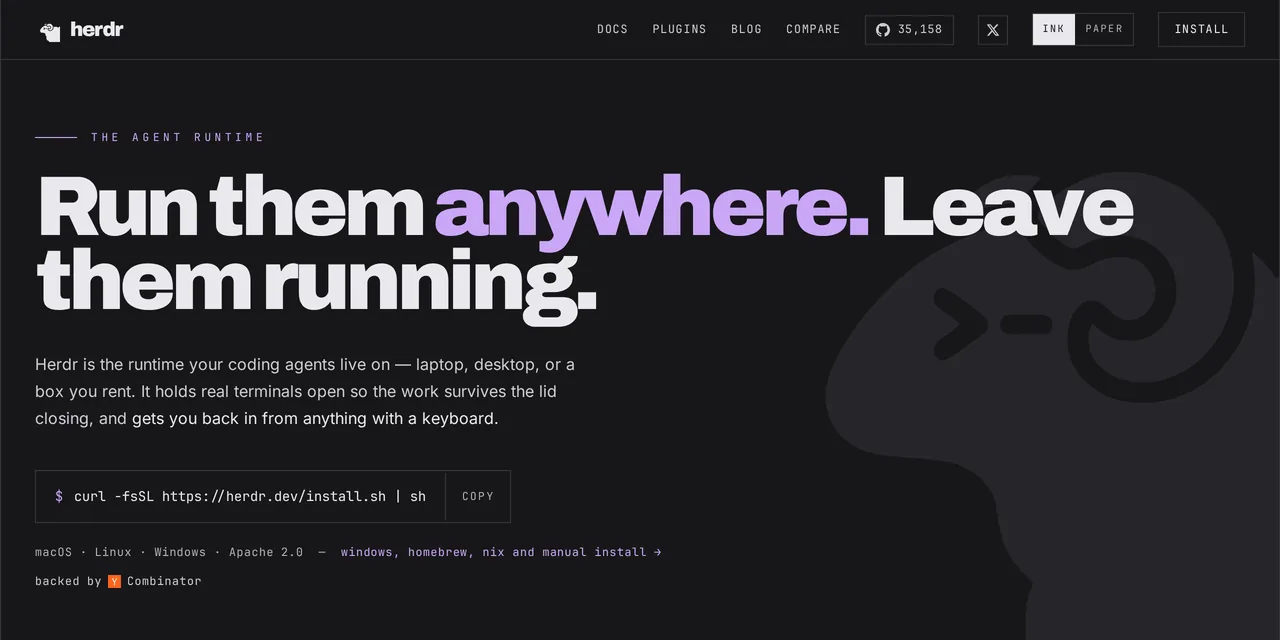
Table of contents
- Key takeaways
- The problem it actually solves
- How it works inside
- The attention queue, the one thing tmux does not do
- Installing it and the first run
- Letting the agents drive it
- Persistence, measured
- Herdr against tmux and Zellij
- What it does not do
- Frequently asked questions
- Does Herdr replace tmux?
- Is it useful if I run only one agent?
- Is it safe to install marketplace plugins?
- Conclusion
- Sources
Four agents running and no way to tell which one is waiting on you. That is the moment you start looking at tools like this one. Herdr[1] is a terminal multiplexer for coding agents: from the outside it looks a lot like tmux, on the inside it knows what every process it holds is doing. I installed it, broke it and measured it, so here is what it does, what it doesn’t, and when you can skip it.
Key takeaways
- Herdr is a Rust binary under the Apache-2.0 licence. The stable version at the time of writing is v0.8.2, released on 19 August 2026.
- Its actual difference from tmux is that it labels every pane as working, blocked, done or idle, and that status rolls up the hierarchy to the workspace.
- Agents can drive it themselves through a command line and a local socket that answers in JSON.
- The repository has 35,155 stars and was created on 27 March 2026. This is a six-month-old project on version 0.8.x.
- With a single agent running it adds little. It starts paying off from three or four concurrent ones.
The problem it actually solves
The problem is not opening terminals. tmux has done that since 2007 and does it well.
The problem is that a pane with an agent inside has two indistinguishable looks. One is thinking; the other has been sitting there for eleven minutes waiting for you to confirm a deletion. From outside, both are still text.
With two agents you solve it by looking. With six, you don’t. You end up cycling through panes every few minutes like someone watching an oven, and that manual polling is exactly the work the tool should be taking off your hands.
Herdr attacks that and little else. Its README says so plainly:
always running — herdr is a background server; the terminals live inside it. close the lid, drop the network, or restart the machine; agents keep working and sessions come back.
In other words, the terminal stops being the place where the work lives and becomes a window you open and close over work that lives somewhere else.
How it works inside
It is a classic client-server model. The server owns the pseudo-terminals and the child processes; the client only draws the state and sends keystrokes. That is why killing the client kills nothing important.
On top of that there are five pieces, and the names are worth learning because the command line uses them verbatim:
- Workspace: a project, in practice the repository you are working in.
- Tab: a layout inside the workspace.
- Pane: a real terminal, with its own pseudo-terminal.
- Agent: a recognised process inside a pane.
- Session: the server’s persistent namespace.
The first time I started it I hit a trap worth saving you. If you use named sessions, herdr status answers status: not running even when the server is perfectly alive, because it queries the default socket at ~/.config/herdr/herdr.sock. Each named session has its own:
herdr status
herdr --session lab status server
herdr session list
The first command lies; the next two tell the truth. It is not a bug, the client asks where you told it to ask. But it cost me ten minutes.
The attention queue, the one thing tmux does not do
Herdr recognises five agent states: working, blocked, done, idle and unknown. The interesting part is that the state does not stay in the pane, it climbs.
I checked it by starting Claude Code inside a pane and reading the state through the programming interface:
herdr --session lab agent start reviewer --kind claude --pane w1:p2
herdr --session lab api snapshot
The agent showed up detected as claude, marked blocked because it was waiting on its startup screen, and that blocked was mirrored on the tab and on the workspace inside the same JSON dump. That is the whole product idea in one line of output: you don’t have to go and look, the container above already tells you.

The list of agents it recognises is long. In v0.8.2, herdr agent start --kind accepts 22 values: claude, codex, gemini, cursor, opencode, copilot, grok, qwen, cline, droid, amp, kimi, kiro, kilo, devin, hermes, mastracode, omp, agy, pi, qodercli and maki. If your agent is not on that list it will still run inside the pane, but it will stay unknown and you lose exactly what you came for.
Installing it and the first run
The official route is the usual one, with everything that implies. The other two lines are the package-manager alternatives:
curl -fsSL https://herdr.dev/install.sh | sh
brew install herdr
mise use -g herdr
There are stable binaries for Linux, macOS and Windows on x86_64, and for Linux and macOS on aarch64. I downloaded the Linux aarch64 build of v0.8.2 by hand: 20,744,664 bytes, about 20.7 MB. One file, no Node, no Electron, no runtime to install.
Idle, with two panes open, the server used 16.8 MB of RSS and the client 9.9 MB. For what it is going to hold, that is noise.
After installing, ~/.config/herdr/ held only a sessions/ directory and an empty .plugins.lock. It writes no configuration file until you create one, which is a relief. The default key prefix is ctrl+b, the same as tmux, and ctrl+b q detaches the client.
One warning I have not seen in any review. If you start it in a pseudo-terminal with no size (inside a script, for instance), the server comes up but splitting panes fails with a terse ghostty error -2. Setting the terminal size to 200×50 before starting made it work first time.
Letting the agents drive it
This is the part I find most interesting and the one nobody talks about. Herdr exposes a local socket and a command line that returns JSON, so an agent can open panes, launch another agent and wait until it is genuinely blocked before carrying on.
herdr --session lab pane split --direction right
herdr --session lab pane run w1:p2 'echo hello; uname -sm'
herdr --session lab pane read w1:p2
herdr --session lab agent wait reviewer --state blocked
Everything coming out of the socket is wrapped in {"id": ..., "result": ...} or {"id": ..., "error": {"code": ..., "message": ...}}, so you query it with jq instead of eyeballing text. The exception is herdr pane read, which returns the terminal contents as plain text and does not accept --json.
And there is a detail that says a lot about who this is built for. The binary ships its own agent skill inside:
herdr --skill
It prints a skill file ready for Claude Code, with a defensive instruction included. The agent must check that the HERDR_ENV variable equals 1 before touching anything, and if not, say it is not running inside Herdr and stop. The help screens themselves carry a block aimed at models that opens with "Are you an AI?". It is the first terminal tool I have seen writing documentation for both of its audiences at once.
Persistence, measured
The promise that work survives a disconnection takes one line to write and a minute to check. I launched a ten-iteration loop with a three-second pause inside a pane, killed the client with kill -9 and waited.
The server was still up and the counter had moved on by itself while nobody was watching. The process never noticed its terminal had been orphaned, which is exactly what you want from an agent halfway through a twenty-minute migration.
For remote machines, herdr --remote server connects over SSH and streams the interface to your local terminal. The remote host can be Linux or macOS; Windows cannot act as the host.
Herdr against tmux and Zellij
| tmux | Zellij | Herdr | |
|---|---|---|---|
| Real terminals and persistence | Yes | Yes | Yes |
| Agent state (working, blocked) | No | No | Yes |
| Programming interface built for agents | No | No | Yes |
| Comfortable mouse from minute one | Limited | Yes | Yes |
| Present on every server | Yes | No | No |
| Years in service | Since 2007 | Since 2021 | Six months |
Put like that, the conclusion is fairly sober: Herdr adds one layer on top of what tmux already did. If that layer helps you, the switch is comfortable because it shares the ctrl+b prefix and forces you to relearn nothing. If it doesn’t, tmux with four lines of configuration does the rest just as well and is already installed everywhere.
There is a third option worth mentioning: install nothing and work with editor panes. That is the most comfortable route until you close the window, and it is precisely what stops working when the laptop sleeps with two agents inside.
What it does not do
This deserves saying plainly, because the excitement around these tools tends to swallow the limits.
Herdr isolates nothing. Agents share the same working tree unless you set up separate branches with herdr worktree, so two agents editing the same file still collide exactly as they would without Herdr. If real isolation is what you are after, that is a different problem with different tools.
There is no shared memory between agents either, and nothing resembling a task graph: there is no "when this one finishes, start that one". Herdr tells you who is blocked, the decision stays yours. For the other half of the problem, getting the agent to remember what was decided last week, you need a separate memory layer.
The plugin marketplace lists 939 plugins across 922 repositories, and it grows because anyone publishes one by adding the herdr-plugin topic on GitHub. The page admits it: nobody reviews them. A plugin is a local executable, with everything that means.
Then there is the age of the project. Six months, version 0.8.x, a socket protocol already on revision 20 and a client that checks compatibility with the server at startup. That last part is not decoration.
Frequently asked questions
Does Herdr replace tmux?
It can, but it doesn’t have to. It shares the ctrl+b prefix and covers the tmux basics, so it works as a drop-in replacement on your development machine. On servers where you only open a session to read logs, tmux remains the sensible choice: it is installed, it is tiny and it needs to know nothing about agents.
Is it useful if I run only one agent?
Barely. With one agent you see its state by looking at the window, which is free. Herdr’s value grows with the number of concurrent agents and becomes real from three or four, when manual polling starts costing more than the tool.
Is it safe to install marketplace plugins?
With the same caution as any third-party executable. Plugins are discovered automatically through a GitHub topic, with no prior review, and they run on your machine with your permissions. Read the code before installing, the same way you would with an editor extension.
Conclusion
Herdr solves one small, concrete problem: knowing which agent is waiting on you without having to go and look. It solves it well, in a 20 MB binary, with no dependencies and with a programming interface the agents themselves can use. Everything else tmux already did.
If you work with one agent at a time, don’t install it. If you have four terminals open and have lost track of which one is stuck, it is worth the half hour of trying it. What I liked most is not the interface, it is that the tool assumes some of its users are not human and writes them their own documentation.
If you want to keep reading, the Spanish version of this article is at /herdr-multiplexor-agentes-terminal/. For the wider argument about how much tooling an agent really needs, there is this look at terminal agents.
Sources: [1] herdrdev/herdr, official repository and README[1], [2] Herdr, installation documentation[2], [3] Flavio Copes, A deep dive into Herdr[3], [4] Y Combinator, herdr company profile[4], [5] Hacker News, Herdr: Agent multiplexer that lives in your terminal[5].
Sources
Source code
Access all the source code for this post on GitHub.
View on GitHub