REA: a reverse engineering MCP for coding agents, tested with Ghidra and Electron
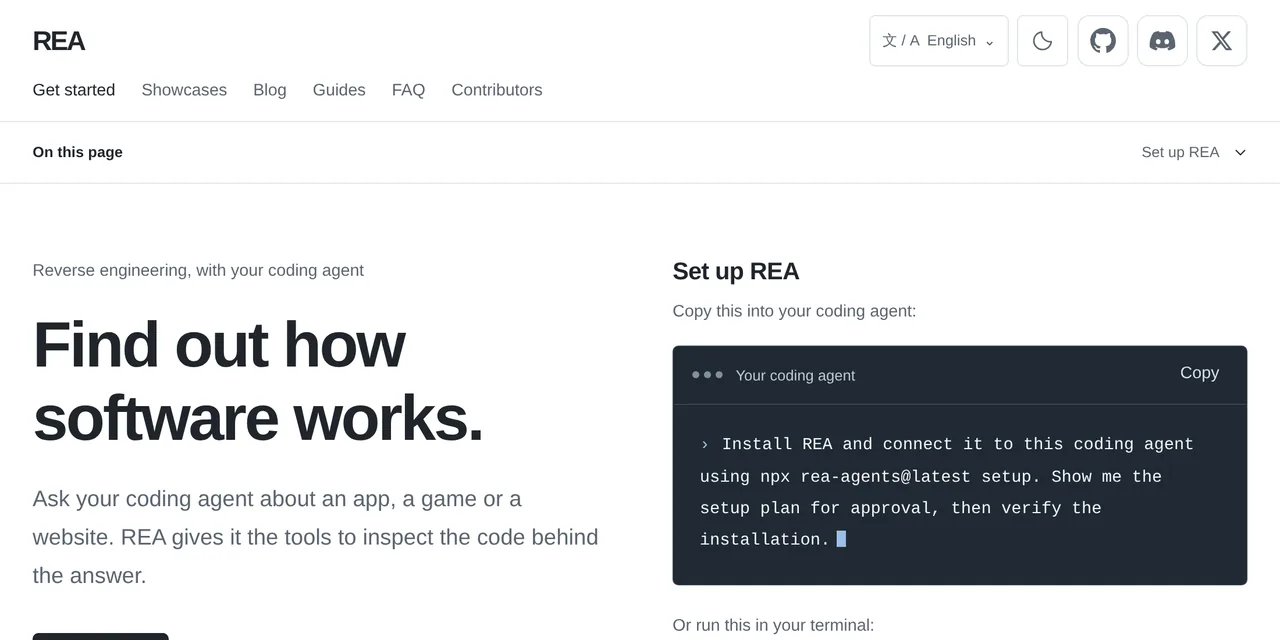
Table of contents
- Key takeaways
- What REA is and what it analyzes
- Who maintains it and how much traction it has
- How to install it without touching your real configuration
- How to analyze an Electron app without running it
- How to summarize a 253 MB evidence file
- Which Electron fuses are enabled
- How to decompile a native binary with Ghidra on Linux arm64
- Which tools the MCP server exposes
- What rea setup changes in your agents' configuration
- How to verify the package is the official one
- What EU law allows for reverse engineering
- How it compares with GhidraMCP, IDA Pro MCP and radare2-mcp
- Frequently asked questions
- Does REA upload my binaries to a server?
- Do I need Hopper, Ghidra or IDA?
- Is it legal to use REA on a commercial app?
- Conclusion
- Sources
REA (Reverse Engineer Anything) is a Model Context Protocol (MCP) server and command-line interface (CLI) that gives your coding agent reverse engineering tools: decompile binaries with Ghidra, Hopper or IDA, rebuild Electron apps, read .NET assemblies and observe websites. It installs from the rea-agents npm package, is MIT-licensed and is maintained by the morluto GitHub account. I tested it on 18 October 2026 in an arm64 Docker container with rea-agents 6.7.0, Node.js 24.21.0 and Ghidra 12.1.4. Here is what worked, what it weighs and what to check before you let it touch your agents’ configuration. The Spanish version is also available.
Key takeaways
rea-agents6.7.0 exposes 207 MCP tools and 6 prompts, and its CLI has 153 commands. The tool list is 3,158,352 bytes of JSON; the compact profile cuts it to 219,211.- Static analysis of the Hyper 3.4.1 Electron app (a 14 MB
app.asar) walked 2236 files, found 18 inter-process communication (IPC) channels and 6 native add-ons, and produced a 253 MB JSON evidence file. - With Ghidra 12.1.4 it decompiled a stripped C binary and recovered the validation logic with its constants: 31, 9973 and 4242.
- On Linux arm64, the official Ghidra ZIP ships no native decompiler: you build it with
gradlew buildNatives. rea setuprewrites your agents’ configuration with backups, andrea uninstallreverts it. Try it against a fakeHOMEfirst.- The npm package is published from GitHub Actions with SLSA provenance, and
npm audit signaturesverifies it.
What REA is and what it analyzes
REA is a tool layer, not a model. Its setup can configure 24 clients, among them Claude Code, Codex, Cursor and Gemini CLI. Your agent calls REA over MCP, and REA runs the analysis on your machine and returns results with their evidence and limits. If the protocol is new to you, start with the MCP guide for 2026.
According to the project README[1], it covers these target types:
- Native binaries: pseudocode, assembly, strings, symbols and references, with Hopper, Ghidra or IDA as the engine
- JavaScript and Electron: modules, imports, source maps, IPC channels and native add-ons, with no external engine
- .NET assemblies: metadata and Common Intermediate Language (CIL) instructions, without loading the assembly
- Websites: structure, scripts and observed traffic, with a Chrome-family browser
- Android APKs: classes and methods decompiled with JADX, plus 15 other families (Go, Rust, WASM, SQLite, firmware, network captures)
Static JavaScript and .NET analysis reads the files without running them. Runtime capture does run the target with your permissions, and the documentation flags it in each guide.
Who maintains it and how much traction it has
The morluto/rea repository was created on 14 April 2026 and belongs to a personal GitHub account. The rea-agents package appeared on npm on 12 July 2026 and has 33 versions; 6.7.0 shipped on 18 October at 08:12 UTC. It was earlier published as @morluto/rea, whose version 0.2.1 described itself as automation "for Hopper Disassembler".
The popularity figures are unusual. The GitHub API returned 314,700 stars, 79,773 forks and 1213 open issues on 18 October 2026 at 11:28 UTC. The npm downloads API reported 307,234 downloads of rea-agents for the week of 10 to 16 October and 346,782 for the previous 30 days. I am not interpreting them: they are what the two APIs returned that day.
How to install it without touching your real configuration
Install it inside a container with its own HOME, because setup and update rewrite agent configuration files. You need Node.js 22.19 or later, 24.11 or later, or 26. On Linux, REA also requires the procps ps to check who owns each process it launches, and the node:24-slim image lacks it:
docker run -d --name rea-lab -e HOME=/home/lab -w /home/lab \
  node:24-slim sleep infinity
docker exec rea-lab bash -c 'apt-get update -qq && \
  apt-get install -y -qq procps curl jq'
docker exec rea-lab npm install --global rea-agents@6.7.0
docker exec rea-lab rea --version
The command prints 6.7.0. The installed package takes 222 MB with its 158 dependencies, because it bundles Playwright, a terminal emulator and the MCP SDKs. rea doctor lists what is missing: in a clean container every native engine (Hopper, Ghidra, IDA, JADX, Kuna) shows up as missing_analysis_engine, and JavaScript analysis works regardless.
How to analyze an Electron app without running it
analyze-javascript-application reads an app.asar (the archive Electron packs the app’s code into) or an extracted folder and rebuilds its module graph. I tested it with Hyper[2] 3.4.1, Vercel’s MIT-licensed terminal, downloading its arm64 .deb inside the container:
cd /home/lab && mkdir targets && cd targets
curl -sSLO https://github.com/vercel/hyper/releases/download/\
v3.4.1/hyper_3.4.1_arm64.deb
dpkg-deb -x hyper_3.4.1_arm64.deb hyper
rea analyze-javascript-application \
  /home/lab/targets/hyper/opt/Hyper/resources/app.asar \
  --format json > /home/lab/hyper.json
The command exited with code 0 after 4 minutes, with a system load average below 3 during the measurement. The result is a 253 MB JSON file: a graph with 10,552 nodes and 14,909 relationships, of which 4853 are imports and 15 are IPC sends. Among the findings:
- 18 IPC channel nodes and 5 handlers, such as
electron-store-get-datain the main process - 14 IPC operations with a dynamic channel name that REA leaves unresolved instead of guessing
- 6 native add-ons, including
node-pty/bin/linux-x64-107/node-pty.nodeand threewin32binaries ofnative-reginside a Linux arm64 package
The result is also honest about its gaps. 1994 files, nearly all in node_modules, carry a resource_constraint mark because their expanded relationships did not fit the memory limit. The evidence states it instead of dropping them.
How to summarize a 253 MB evidence file
An agent cannot read 253 MB of context, so REA projects views over the saved evidence. The CLI guide[3] suggests wrapping it with jq and asking for the summary view:
jq -c '{source: {kind: "inline", evidence: .},
        view: {kind: "summary"}}' hyper.json > hyper-view.json
rea inspect-analysis-view hyper-view.json --format json \
  > hyper-summary.json
The summary is 22,843 bytes: one window, 22 IPC operations, 7 literal channels and no preload script. That is the piece you would hand to the agent.
Which Electron fuses are enabled
inspect-electron-fuses reads the "fuses" Electron writes into the executable, without launching it. In the 147 MB hyper binary, RunAsNode, EnableNodeOptionsEnvironmentVariable and EnableNodeCliInspectArguments were enabled, and EnableEmbeddedAsarIntegrityValidation and OnlyLoadAppFromAsar were disabled. That is useful when auditing an app: with RunAsNode on, the executable agrees to run as a plain Node.js.
How to decompile a native binary with Ghidra on Linux arm64
REA accepts Ghidra 12.1.x with a Java Development Kit (JDK) 21 or later. On arm64 there is a prior step the documentation warns about: the official Ghidra 12.1.4 ZIP (570 MB) ships the native decompiler for linux_x86_64 and win_x86_64, but not for linux_arm_64. I built it with the Gradle wrapper the distribution includes, after installing gcc, g++, make, bison and flex and a Temurin JDK 21:
export JAVA_HOME=/opt/jdk21 PATH=/opt/jdk21/bin:$PATH
cd /opt/ghidra_12.1.4_PUBLIC/support/gradle
./gradlew buildNatives
export GHIDRA_INSTALL_DIR=/opt/ghidra_12.1.4_PUBLIC
rea doctor | grep -A3 ghidra-native_decompiler
The build ended with BUILD SUCCESSFUL and rea doctor turned green: "decompile reports elf arm64, which matches linux/arm64". As a target I compiled a 17-line C program that validates a key with a checksum, and stripped its symbols with strip. The resulting binary is 67,616 bytes. Then I asked REA to find a string and follow its references:
rea trace licencia.stripped "clave valida" --provider ghidra \
  --format json | jq -c '.normalized_result.references[0]'
rea decompile licencia.stripped 0x1007d4 --provider ghidra \
  --format json
trace found the string at 0x1008c8, referenced from 0x100880 inside the 192-byte function FUN_001007d4. decompile returned this pseudocode:
    iVar4 = 7;
    for (; __s != pbVar1; __s = __s + 1) {
      iVar4 = (int)(iVar4 * 0x1f + (uint)*__s) % 0x26f5;
    }
    if (iVar4 == 0x1092) {
      puts("clave valida");
      uVar3 = 0;
    }
The constants match my source code: 0x1f is 31, 0x26f5 is 9973 and 0x1092 is 4242, with the helper function already inlined into main by the compiler. Each CLI command is a new process that imports the binary into a temporary Ghidra project and deletes it on close. To chain queries, use --snapshot or the MCP server, which keeps the session open.
Which tools the MCP server exposes
You start the server with rea mcp and it speaks MCP over standard input and output. I queried it with a 25-line Node.js client that sends initialize and pages through tools/list. It answered as rea 6.7.0, protocol 2025-06-18, with 207 tools and 6 prompts: investigate_feature, compare_application_versions, verify_reconstruction, trace_crash, audit_residual_unknowns and prepare_bounded_process_capture.
The tools fall into families:
- Native session:
open_binary,close_binary,procedure_pseudo_code,procedure_callers,xrefs,search_strings,batch_decompile,get_call_graph - High-level workflows:
binary_overview,analyze_function,trace_feature,trace_call_path - JavaScript and Electron:
analyze_javascript_application,trace_application_feature,inspect_electron_fuses,capture_electron_scenario - Web:
inspect_web_page,analyze_web_bundle,capture_browser_scenario - Android and debugging: 26
adbtools, plus Frida, GDB and Rizin sessions
The catalog is heavy, and that costs context in every agent session. The MCP contracts documentation records that kimi-cli rejected requests with the full catalog and offers two variables: REA_MCP_INPUT_SCHEMA_PROFILE=compact and REA_MCP_OUTPUT_SCHEMA_PROFILE=off. With both, the same tools/list went from 3.16 MB to 0.22 MB:
What rea setup changes in your agents’ configuration
rea setup registers the MCP server in the agents you pick and installs an investigation skill. I ran it in the container against a fake HOME with a minimal ~/.claude.json and ~/.codex/config.toml. First with --dry-run, which only returns the plan:
export HOME=/home/fake
rea setup --client claude_code --client codex --dry-run --format json
rea setup --client claude_code --client codex --yes --format json
The plan announced four actions, and the run did exactly that:
~/.claude.json: adds"rea": {"command": "/usr/local/bin/rea", "args": ["mcp"]}undermcpServers, keeps the existing entry and reformats the file with indentation~/.codex/config.toml: adds a[mcp_servers.rea]table withstartup_timeout_sec = 30andtool_timeout_sec = 450- Backups: leaves
.claude.json.rea.backupandconfig.toml.rea.backupnext to each file - Skill: copies
reverse-engineer-anything(88 KB, 7 files) into~/.agents/skills/and~/.claude/skills/
rea uninstall with no options removed both registrations and the skill, and also left a .recovery copy of the previous state. If you use Claude Code every day, first check which MCP servers your editor already registers, because setup adds one with 207 tools.
How to verify the package is the official one
The README warns about copies: "A similar repository name or copied README does not establish that a download is official". There are three official sources: the morluto/rea repository, the rea.tools site and the rea-agents npm package. The package is published from GitHub Actions with an OIDC trusted publisher and an SLSA (Supply-chain Levels for Software Artifacts) provenance attestation, and npm checks both:
mkdir verify && cd verify && npm init -y
npm install --ignore-scripts rea-agents@6.7.0
npm audit signatures
The output was "174 packages have verified registry signatures" and "36 packages have verified attestations". The rea-agents@6.7.0 attestation points at the .github/workflows/release.yml workflow of the https://github.com/morluto/rea repository, branch release/6.7.0. Also pin the exact version in your agent’s MCP registration instead of @latest: it is the defence against supply chain attacks that arrive with an update. The package declares no postinstall scripts.
The project itself states the limit of its isolation. Its security policy[4] reads: "This is not a sandbox and does not protect against malicious processes already running as the same operating-system user." Opening an untrusted binary hands its analysis to Ghidra or Hopper with your permissions, so do it in a container or a virtual machine, as with any agent that has tool access.
What EU law allows for reverse engineering
Decompiling a program is not illegal in itself in the European Union, but it comes with conditions. Directive 2009/24/EC[5] sets two exceptions that need no permission from the rightholder:
- Article 5(3): whoever has the right to use a copy may "observe, study or test the functioning of the program in order to determine the ideas and principles" while loading, running or storing it
- Article 6: they may reproduce and translate the code when it is "indispensable to obtain the information necessary to achieve the interoperability of an independently created" program, limited to the parts needed
Article 6(2) forbids using what you obtain for another purpose or to build a program that copies the original’s expression. Article 8 makes licence clauses contrary to those exceptions void. In Spain, the Intellectual Property Act[6] carries them in Article 100, sections 3, 5 and 6. With an end-user licence agreement (EULA) that forbids decompiling, interoperability is still covered in the EU; every other use depends on what the licence says.
REA takes that line in its DISCLAIMER.md: the project will not help bypass copy protection (DRM), licence checks or anti-cheat systems, and it requires legitimate licences for IDA Pro, Hopper or JEB.
How it compares with GhidraMCP, IDA Pro MCP and radare2-mcp
REA is not the first bridge between a disassembler and an agent; what changes is the scope. The other three projects connect a single engine, while REA orchestrates six engines under a common evidence contract:
| Project | Engine | What it covers | Licence |
|---|---|---|---|
| REA | Ghidra, Hopper, IDA, Kuna, JADX, Rizin | Native, Electron, .NET, Android, web, network captures | MIT |
| GhidraMCP[7] | Ghidra with a plugin | Native binaries inside Ghidra | Apache 2.0 |
| IDA Pro MCP[8] | IDA Pro 8.3 or later | Native binaries; its author now recommends the official Hex-Rays server | MIT |
| radare2-mcp[9] | radare2, written in C | Native binaries, with a read-only mode | MIT |
If you only decompile binaries and already live in IDA or Ghidra, a single-engine bridge adds less surface. REA pays off when the question crosses layers, such as following a feature of an Electron app from the renderer down to a native add-on.
Frequently asked questions
Does REA upload my binaries to a server?
No. The analysis runs on your machine, according to the README. What does leave it is whatever REA returns to your agent, which sends it to its model provider under that provider’s own data policy.
Do I need Hopper, Ghidra or IDA?
Only for native binaries. JavaScript, Electron and .NET analysis worked in my test with no engine at all. For Ghidra on Linux arm64, plan on building the native decompiler.
Is it legal to use REA on a commercial app?
It depends on the use and your jurisdiction. In the EU you may study how it works and decompile what interoperability needs even if the licence says otherwise; copying its code or bypassing a protection is not covered.
Conclusion
REA delivers on the two parts I tested. It rebuilt the structure of a real Electron app without running it and, with Ghidra, returned the exact constants of a stripped binary. In exchange it weighs 222 MB, adds 207 tools to your agent’s context and ships a new version almost every day. If you want to try it, do it as here: in a container, with the version pinned, npm audit signatures before installing and a --dry-run before letting setup touch your configuration.
Sources: [1] morluto/rea repository on GitHub[1], [2] REA installation and setup[10], [3] REA MCP contracts[11], [4] REA security policy[4], [5] rea-agents on npm[12], [6] Case studies on rea.tools[13], [7] Directive 2009/24/EC on EUR-Lex[5], [8] Spanish Intellectual Property Act on BOE[6], [9] Ghidra 12.1.4 on GitHub[14].
Sources
Source code
Access all the source code for this post on GitHub.
View on GitHub