Installing, updating and uninstalling oMLX with Homebrew
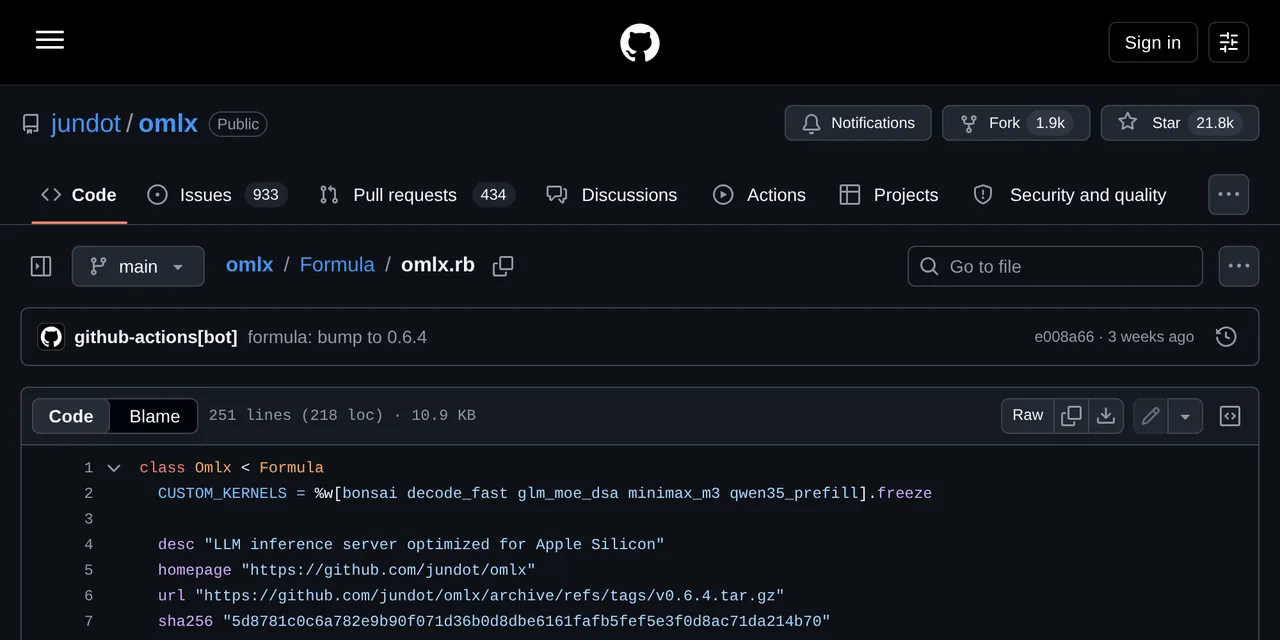
Table of contents
- Key takeaways
- The three installation routes and which one suits you
- Installing oMLX with Homebrew step by step
- The launchd service and why to use omlx start
- Where the logs are
- Upgrading and checking which version you have
- When brew install fails
- Uninstalling cleanly
- Frequently asked questions
- Can I install oMLX with Homebrew on Linux or on an Intel Mac?
- What is the difference between omlx start and omlx serve?
- How do I check which version is installed?
- Conclusion
- Sources
There are three ways to install oMLX on a Mac, and only one leaves the server starting by itself after a reboot. This guide covers the Homebrew route end to end: the tap, the formula, the launchd service behind it, where the logs end up, how to upgrade and how to uninstall without leaving anything behind.
Key takeaways
- It is two commands:
brew tap jundot/omlx https://github.com/jundot/omlxand thenbrew install jundot/omlx/omlx. - The formula only accepts Apple Silicon on macOS 15 or later. An Intel Mac is rejected during installation.
- The service is driven by
omlx start,omlx stopandomlx restart, which callbrew servicesunderneath. The launchd label ishomebrew.mxcl.omlx. - Upgrading is
brew update && brew upgrade omlx. The current version is 0.6.4, released on 29 August 2026. - The DMG download ships in-app auto-update; the Homebrew route does not, and that is the practical difference between them.
The three installation routes and which one suits you
oMLX ships three ways and they are not interchangeable. The DMG is signed and notarised, you drag it to Applications, it brings the menu bar app and it updates itself from inside. It also drops a command line shim at ~/.omlx/bin/omlx, so you get the terminal commands as well.
Homebrew installs the server and its service wrapper, with no graphical app. It is the natural route if you administer the Mac over SSH, or if you want the server to survive reboots without anyone logging into the desktop. It also fits if you would rather have upgrades go through the same manager as the rest of your tools.
Installing from source (git clone and pip install -e .) makes sense when you want to compile the native kernels or follow the main branch. Do not pick it for a server you want to forget about.
| Route | Menu bar app | Service at boot | Upgrade |
|---|---|---|---|
| DMG | Yes | Only with the app open | Automatic, in-app |
| Homebrew | No | Yes, via launchd | brew upgrade omlx |
| Source | No | Manual | git pull and reinstall |
If you want both, the combination that works is installing the DMG for the panel and the menu bar, and leaving the Homebrew service switched off. Two instances fighting over port 8000 does not end well.
Installing oMLX with Homebrew step by step
The tap points straight at the repository, not at a separate formula repository:
brew tap jundot/omlx https://github.com/jundot/omlx
brew install jundot/omlx/omlx
The formula lives at Formula/omlx.rb inside the repository itself and carries two checks worth knowing about before you type the command: it requires Apple Silicon and it requires macOS Sequoia or later. An Intel Mac or a macOS 14 machine is rejected right there, with a message from the formula rather than a build failure halfway through.
If you plan to use the Model Context Protocol bridge, the matching Python package installs into the formula’s isolated environment:
/opt/homebrew/opt/omlx/libexec/bin/pip install mcp
And if you want the compiled kernels that speed up models such as GLM-5.2 or MiniMax M3, there is a variant that builds from the main branch:
brew install jundot/omlx/omlx --HEAD --with-custom-kernel
That last one has to compile, so the install runs for as long as the build takes. Do not reach for it if you only want to try the server out.
The launchd service and why to use omlx start
Once the formula is installed you have a launchd-managed service under Homebrew’s standard label, homebrew.mxcl.omlx. Three commands drive it:
omlx start          # start the background service
omlx stop           # stop it
omlx restart        # restart it
brew services info omlx   # status, PID and plist path
omlx start and brew services start omlx do the same thing, and you can mix them freely. The first is shorter and it is the one the project documentation uses.
What the service buys you over running omlx serve by hand is supervision: launchd has keep-alive enabled. If the process dies on a model that does not fit in memory, it comes back up on its own. That matters because a local inference server does fall over, and when it does the cause is almost always memory.
The service runs omlx serve with no arguments. That means any setting you want to make permanent (a different port, a model directory, a memory ceiling) belongs in ~/.omlx/settings.json or in the admin panel rather than in the command. I cover that in the guide to the oMLX API and configuration.
Where the logs are
There are two separate files, and mixing them up wastes time:
# service log (launchd starts, crashes, restarts)
tail -f $(brew --prefix)/var/log/omlx.log

 # server log (requests, model loading, memory errors)
tail -f ~/.omlx/logs/server.log
If the service will not start, read the first. If it starts but a model fails, read the second.
Upgrading and checking which version you have
Upgrading goes through the normal Homebrew flow:
brew update
brew upgrade omlx
omlx restart
That final restart is not optional: brew upgrade replaces the binaries but the running process stays on the old ones until you restart it.
Version synchronisation between the Python package and the Homebrew formula is automated with GitHub Actions, which updates the top-level source URL and its checksum on each release. In practice that means the formula rarely lags the published version, although your local Homebrew index certainly can if you have gone weeks without running brew update.
The project’s release cadence is high. Between 18 and 29 August 2026 six versions shipped: 0.6.2, three release candidates for 0.6.3, then 0.6.3 and 0.6.4. It is worth reading the notes before upgrading a server you use daily: there are inference engine changes spread across those releases. Version 0.6.4, for instance, improved Qwen3.8-Flash-Next prompt processing by 33.5% and cut total request time by 24.2% at 32K context, measured on an Apple M3 Ultra.
When brew install fails
The most reported failure is not oMLX’s but one of its Python dependencies’. While installing the cryptography package into the isolated environment, Homebrew rewrites the dynamic library identifiers and sometimes the header has no room:
Error: Failed changing dylib ID of
/opt/homebrew/Cellar/omlx/0.2.2/libexec/lib/python3.11/site-packages/
cryptography/hazmat/bindings/_rust.abi3.so

Updated load commands do not fit in the header of . needs to be relinked,
possibly with -headerpad or -headerpad_max_install_names
The telltale symptom is that the install leaves the server half done and no app. It was reported as issue 78 in the repository, against oMLX 0.2.2 on macOS Tahoe 26.3. If you hit it, the quickest way out is the DMG from GitHub Releases, which ships its dependencies already linked and does not depend on Homebrew’s relinking.
Before writing the install off, check the obvious too: that you are on Apple Silicon, that macOS is 15 or later, and that Python sits between 3.11 and 3.13. Those three requirements are in the project documentation and they cause a good share of the failures people blame on Homebrew.
Uninstalling cleanly
Homebrew takes the package away, but not what oMLX has been writing into your home directory:
brew services stop omlx
brew uninstall omlx
brew untap jundot/omlx
That leaves three things to decide about. ~/.omlx/settings.json holds your configuration, ~/.omlx/logs/ the logs and ~/.omlx/cache/ the on-disk KV cache, which can get large because by default it is allowed up to 10% of the disk capacity. Downloaded models live in whichever directory you set, normally ~/.omlx/models, and tend to run to tens of gigabytes.
If you are going to reinstall, keep the configuration and the models and delete only the cache. If you are leaving for good, rm -rf ~/.omlx takes everything including the models, so move them first if you plan to use them with another tool.
Frequently asked questions
Can I install oMLX with Homebrew on Linux or on an Intel Mac?
No. The formula explicitly checks for Apple Silicon and for macOS Sequoia or later, and aborts otherwise. oMLX builds on Apple’s MLX framework, which depends on unified memory and the Metal engine in the M-series chips, so there is no Linux, Windows or Docker build.
What is the difference between omlx start and omlx serve?
omlx serve runs the server in the foreground, in your terminal, and dies when you close the session. omlx start registers the service with launchd, which keeps it alive across reboots and relaunches it if it crashes. Use omlx start for daily work; use omlx serve when you want to try configuration flags without touching the service.
How do I check which version is installed?
brew info omlx shows the installed formula version and whether a newer one is available. The admin dashboard displays it too, and the notes for each release are on the repository’s Releases page.
Conclusion
The Homebrew route is the right one if you want oMLX as a piece of infrastructure. It gives you a supervised service that starts on its own, with logs in predictable places and an upgrade that goes through the same manager as the rest of the Mac. The DMG route is better if what you want is the menu bar app and automatic updates. Picking both and leaving them both running is the one combination that causes trouble.
With the server installed, the next step is configuring it. The API key, the port and the endpoints are in the oMLX API guide. How memory is shared between models is in model management and memory. The Spanish version of this article is at Instalar, actualizar y desinstalar oMLX con Homebrew.
Sources: [1] jundot/omlx, official repository and documentation[1], [2] oMLX 0.6.4 release notes[2], [3] Issue 78: brew install failure relinking cryptography[3], [4] DeepWiki: the oMLX Homebrew service[4], [5] Homebrew Formula Cookbook[5], [6] MLX, the Apple framework oMLX runs on[6].
Sources
Source code
Access all the source code for this post on GitHub.
View on GitHub