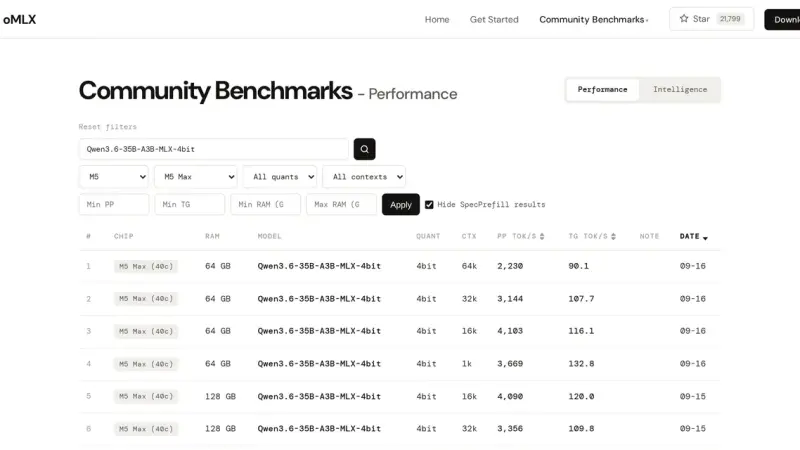
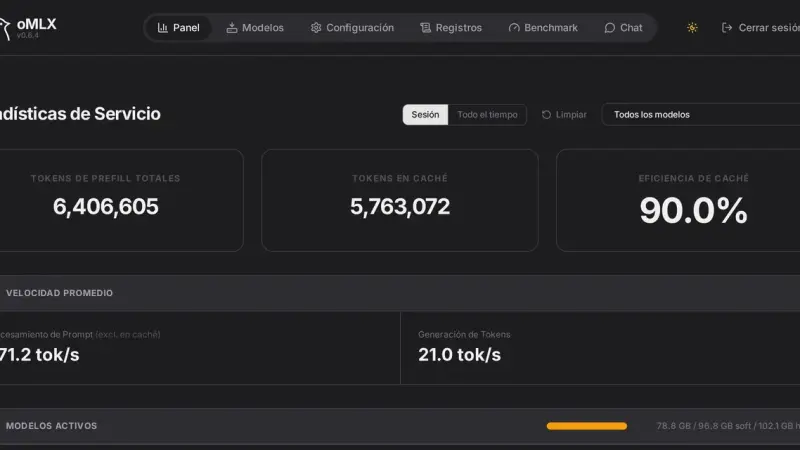
oMLX ships a benchmark tool in the panel that measures time to first token, time per output token, tokens per second and peak memory, with prompts from 1,024 to 200,000 tokens. The default memory ceiling is system RAM minus 8 GB, and that is what decides which context fits.
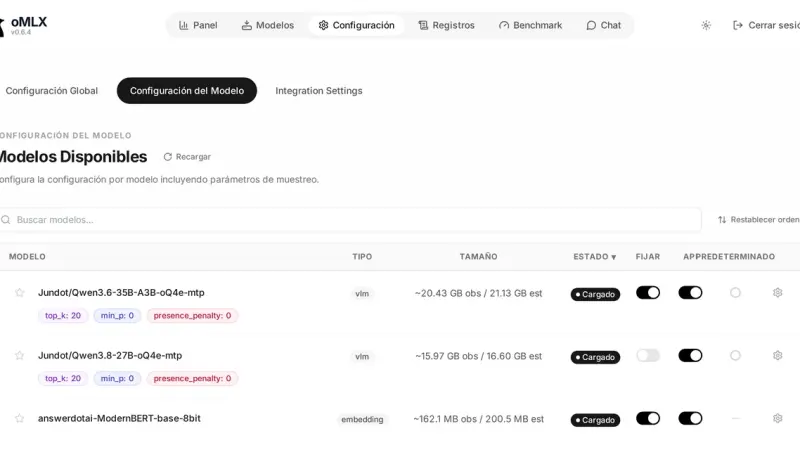
The oMLX panel lives at localhost:8000/admin and gathers monitoring, model loading and unloading, chat with history, a Hugging Face downloader, benchmarks and per-model settings. The command line covers the rest with four commands: serve, start, stop and launch, the last one for wiring up external clients.
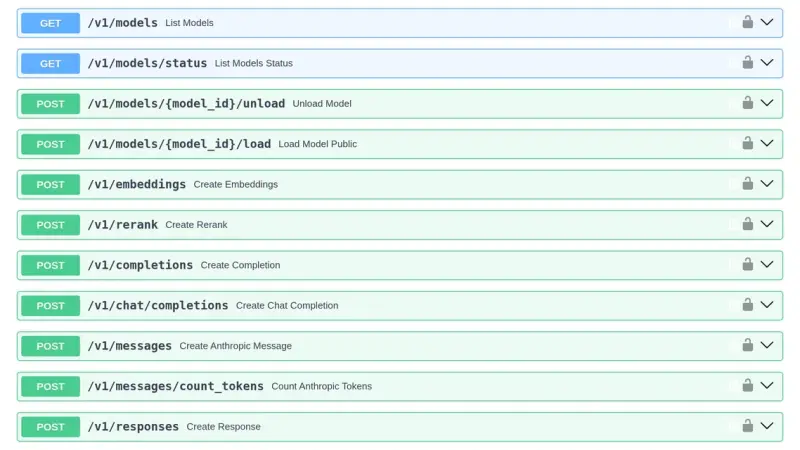
oMLX listens on 127.0.0.1:8000 by default and exposes eight endpoints compatible with OpenAI and Anthropic. The API key travels in the Authorization header or in x-api-key, supports sub-keys that only call the API, and can be skipped for local connections. Everything is configurable through settings.json, environment variables or flags.
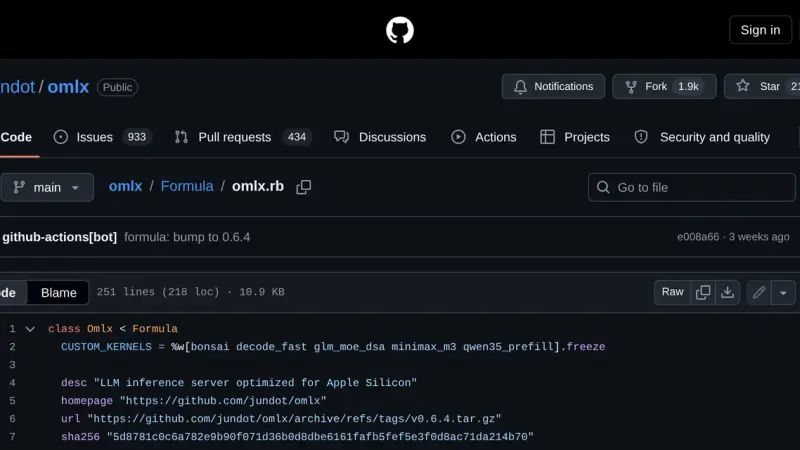
oMLX installs through Homebrew in two commands: first the tap for jundot's repository, then the formula. You end up with a launchd service that starts via omlx start, a log inside Homebrew's var directory and an upgrade path through brew upgrade. The current version is 0.6.4, released on 29 August 2026.
oMLX manages each model's lifecycle with four pieces: a downloader that pulls weights from Hugging Face, aliases that rename the model in the API, a TTL that unloads it after idle time, and a tiered KV cache that spills blocks to SSD when RAM fills up.
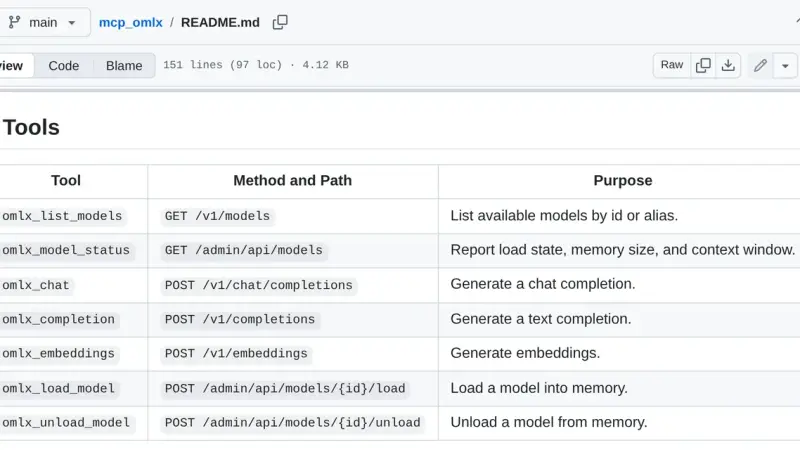
oMLX MCP is a bridge that exposes your local oMLX server as Model Context Protocol tools. The mcp_omlx package connects Claude Desktop to the models running on your Mac and gives you seven tools to list models, load and unload them from memory, and run inference without leaving the client.
Recipe for oMLX 0.6.4 on a Mac M5 Max with 128 GB: install, Claude Code and advanced settings with screenshots (Lightning MTP, VLM MTP and DFlash). Includes our own September 2026 benchmarks, with up to 1.88x more tokens per second.
100 must-have apps for your M5 Mac organised into 20 categories: browser, notes, terminal, IDE, containers, AI and more. Each pick with purpose, key features, plugins, pricing in EUR and the official link.
Ollama 0.5 or newer runs Llama 3.3 70B and Mistral Large 2 locally on Ubuntu 24.04: Q4_K_M quantization lets a single NVIDIA GPU with 24 GB of VRAM, an RTX 4090 for example, handle the full model. This guide installs the drivers, sets up Open WebUI, and exposes the service behind Traefik with TLS.
I have spent six months using a MacBook Pro with M4 Pro as my main development machine. I lay out what has genuinely changed versus the previous M2 Pro, where the jump is noticeable, and where the investment is not justified if you already own a recent machine.
M3 and M4 solidified the Apple Silicon advantage: unified memory up to 128 GB shared across CPU, GPU, and Neural Engine; 12 to 16 hours of real battery life; and a 38-TOPS Neural Engine that runs large language models directly on the laptop. The practical difference for developers is measurable.
Installing Ollama on an Apple Silicon Mac is as simple as running one Homebrew command. Then pick a model based on available RAM (Phi-3 for 8 GB, Llama 3.1 8B for 16 GB) and expose the local, OpenAI-compatible HTTP API on port 11434 to plug it into your own applications.
7 min1.3K4.1
We use first- and third-party cookies to analyze site traffic. You can accept them, reject them, or configure your choice.
Learn more about cookies
Cookie preferences
NecessaryEssential for the site to work. Always on.
AnalyticsHelp us understand how the site is used (Google Analytics).