How to use init containers in Docker Compose with pre_start
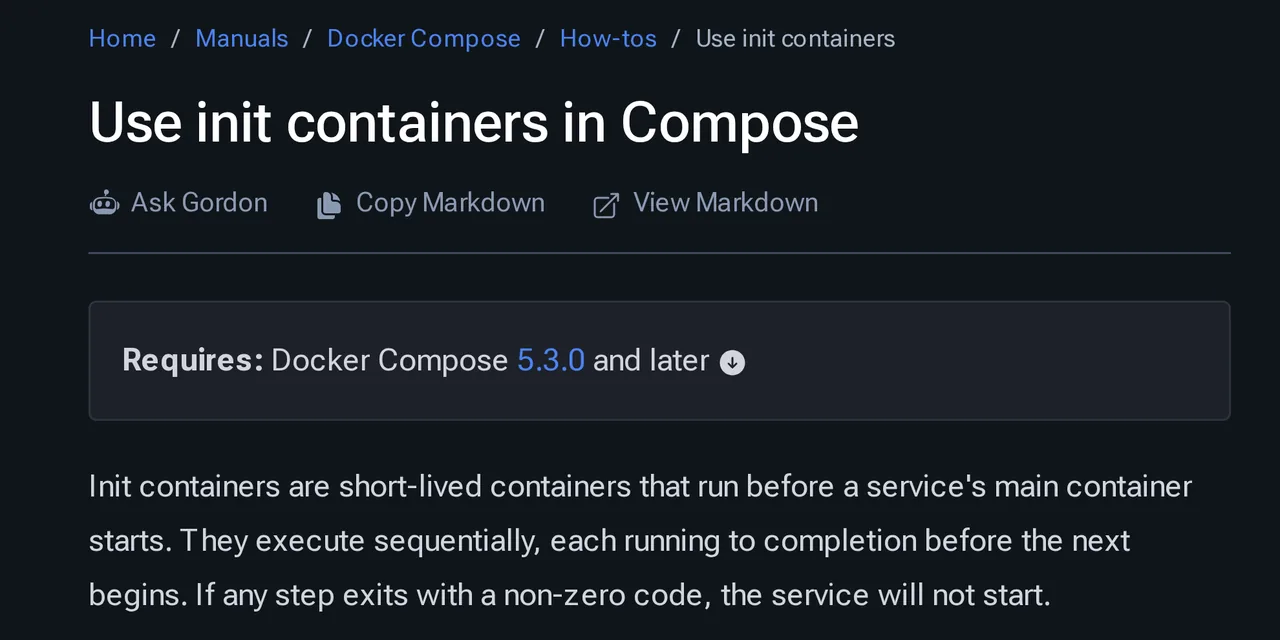
Table of contents
- Key takeaways
- What an init container is in Docker Compose
- Which Compose version you need and why it jumped from v2 to v5
- How to run a database migration before the application starts
- How to fix volume permissions for a non-root service
- How to generate and validate an nginx configuration in two steps
- What happens when a pre_start step fails
- When a pre_start step runs again
- When to use pre_start and when to use a one-shot service
- Limits of pre_start in Docker Compose 5.5.1
- Frequently asked questions
- Does pre_start work with Docker Compose v2?
- Does pre_start run with docker compose run?
- Where do I see the output of a step that failed?
- Conclusion
- Sources
Until July 2026, the Docker Compose recipe for running a migration before an application started was a one-shot service plus a depends_on with the service_completed_successfully condition. Compose 5.3.0 adds init containers declared inside the service itself, under the pre_start key. In this guide I build three real cases with Compose 5.5.1: a Miniflux migration on PostgreSQL, a volume that needs chown, and an nginx configuration generated and validated before startup. You will also see what an older Compose does with the file, when a step runs again (it does not fully match the documentation) and which limits it has today. This guide is also available in Spanish.
Key takeaways
pre_startexists since Docker Compose 5.3.0, released on 2 July 2026. The latest release at the time of writing (14 September 2026) is 5.5.1, from 3 September.- Each step runs in an ephemeral container with the service image (or one you choose), on the same networks and with the same volumes, and it must exit 0 before the next one starts.
- Compose 2.40.3, the one Ubuntu 24.04 ships, and Compose 5.2.0 reject the file with
additional properties 'pre_start' not allowed. They do not ignore it silently. - In my tests the step is skipped while the service keeps running, but it runs again after
stopandup, after the main process crashes, and every time you change one of the step’s attributes. Write idempotent steps. - Changing a step recreates the service container. If the new step fails, the service that was working stays down.
- A step has no
volumesof its own,per_replica: trueis not accepted yet, and the service’s:romounts are read-only for the step too.
What an init container is in Docker Compose
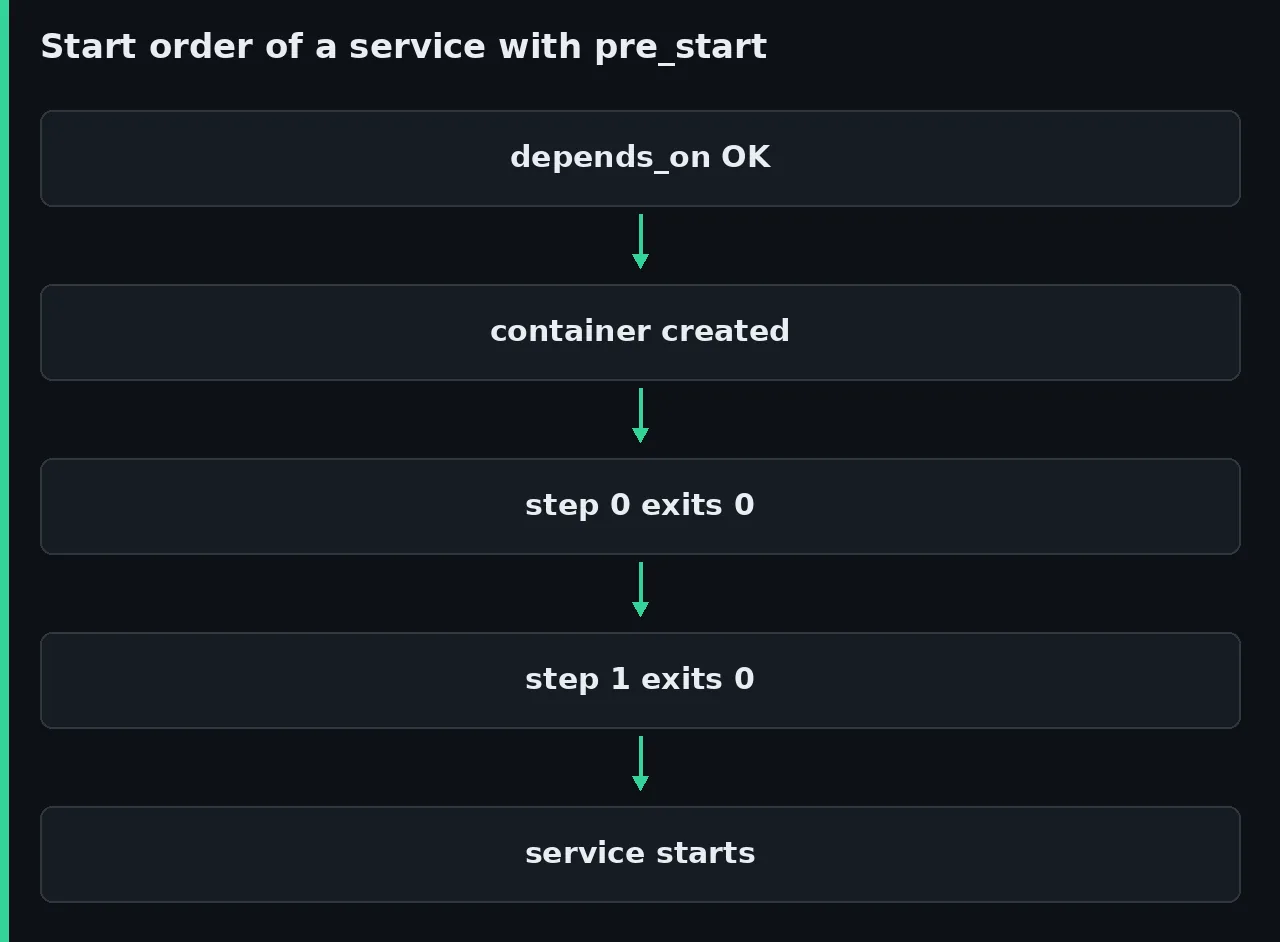
An init container is a short-lived container that runs to completion before a service’s main container starts. Compose models them as pre_start lifecycle hooks. Unlike post_start and pre_stop, which run a command inside the already running container, each pre_start step gets its own container, created after the service container and before it starts.
The Docker documentation on init containers[1] defines them in one sentence: "Init containers are short-lived containers that run before a service’s main container starts". Steps run in the order you declare them. They also wait until the depends_on conditions are met, such as the service_healthy condition covered in the guide to healthchecks and restart policies in Docker Compose.
The Compose Specification[2] defines seven attributes per step. The JSON schema accepts no others (except x- extensions), so there are no per-step volumes, networks or entrypoint:
command: the command to run; optional if the imageCMDalready does what you needimage: the image of the ephemeral container; if you omit it, the service image is useduser: the user the command runs asworking_dir: the working directoryenvironment: variables added to or overriding the service environmentprivileged: runs the step in privileged modeper_replica:falseby default; withtruethe step would run once per replica, but Compose 5.5.1 rejects it
Which Compose version you need and why it jumped from v2 to v5
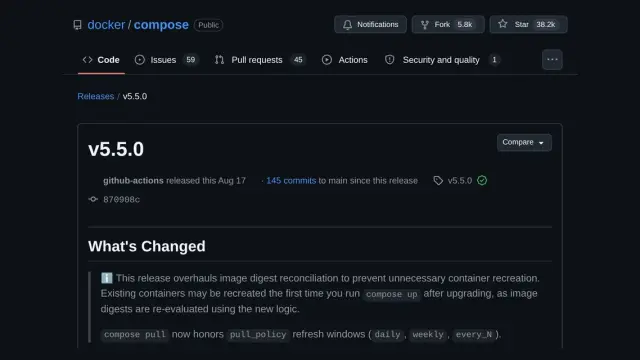
You need Docker Compose 5.3.0 or later on every machine that runs the file. Numbering jumps from 2.40.3 (30 October 2025) to 5.0.0, released on 2 December 2025[3]. Its release notes explain the jump like this:
We decided to skip 3.0.0 for next major release after docker Compose v2 to prevent (more) confusion with the obsolete docker-compose file versions 2.x and 3.x inherited from Docker Compose v1.
In other words, v3 and v4 were left unused so nobody would confuse the tool with the 2.x and 3.x file format versions, the ones from the version: field you no longer need to write.
The version you have depends on where you installed Docker. This is what each source offered on 14 September 2026:
| Source | Package | Compose version | Supports pre_start? |
|---|---|---|---|
| Debian 13 (trixie), Debian archive | docker-compose |
2.26.1 | No |
Ubuntu 24.04, noble-updates |
docker-compose-v2 |
2.40.3 | No |
| Docker’s repository (Debian 12 and 13, Ubuntu 24.04) | docker-compose-plugin |
5.5.1 | Yes |
| Docker Desktop 4.82.0 (13 July 2026) | bundled | 5.3.0 | Yes |
| Docker Desktop 4.91.0 (14 September 2026) | bundled | 5.5.1 | Yes |
Check yours with docker compose version. The development container where I write this prints Docker Compose version v2.40.3, and with that version the same example file fails validation: services.web additional properties 'pre_start' not allowed, exit code 1 and no container created. Version 5.2.0 gives the same validation error. If you are installing Docker from scratch, use Docker’s repository as in the guide to install Docker on Debian: it is the source of the current docker-compose-plugin package.
To try pre_start without touching the system plugin, download the standalone binary and run it by its path. That is what I did, because other projects on the same machine depend on the installed Compose 2.40.3. Replace aarch64 with x86_64 on a PC:
VERSION=v5.5.1
ARCH=aarch64
BASE="https://github.com/docker/compose/releases/download/${VERSION}"
curl -fsSLO "${BASE}/docker-compose-linux-${ARCH}"
curl -fsSLO "${BASE}/docker-compose-linux-${ARCH}.sha256"
sha256sum -c "docker-compose-linux-${ARCH}.sha256"
chmod +x "docker-compose-linux-${ARCH}"
./docker-compose-linux-${ARCH} version
The check prints docker-compose-linux-aarch64: OK and the last command prints Docker Compose version v5.5.1. Unless I name another version, the following examples ran this way, on Docker Engine 29.5.2 on linux/arm64 (18 cores). The b3p9 prefix you will see in the output is the project name I used.
How to run a database migration before the application starts
Miniflux 2.3.3 makes a good test case because it refuses to start when the database schema is out of date, unless you set RUN_MIGRATIONS=1. Its command line documentation[4] includes miniflux -migrate, which applies the migrations and exits. With pre_start that command moves out of the main process and runs once before it starts. The compose.yaml begins with PostgreSQL and its healthcheck (if you are starting from zero, the guide to install PostgreSQL with Docker explains each variable):
services:
  db:
    image: postgres:18.6
    environment:
      POSTGRES_USER: miniflux
      POSTGRES_PASSWORD: db_password
    volumes:
      - pgdata:/var/lib/postgresql
    healthcheck:
      test: ["CMD", "pg_isready", "-U", "miniflux"]
      interval: 2s
      retries: 15
Next, in the same file, come Miniflux with the migration step and the volume declaration:
  miniflux:
    image: miniflux/miniflux:2.3.3
    ports:
      - "127.0.0.1:19981:8080"
    environment:
      DATABASE_URL: postgres://miniflux:db_password@db/miniflux?sslmode=disable
      CREATE_ADMIN: "1"
      ADMIN_USERNAME: admin
      ADMIN_PASSWORD: your_admin_password
    depends_on:
      db:
        condition: service_healthy
    pre_start:
      - command: ["/usr/bin/miniflux", "-migrate"]

volumes:
  pgdata:
The step declares no image, so it uses miniflux/miniflux:2.3.3, and it inherits DATABASE_URL from the service. It does not need to wait for PostgreSQL on its own either: the service_healthy condition is met before Compose creates the step container. These are the last lines of up -d, which exited with code 0:
 Container b3p9-rss-db-1 Starting
 Container b3p9-rss-db-1 Started
 Container b3p9-rss-db-1 Waiting
 Container b3p9-rss-db-1 Healthy
 Container b3p9-rss-miniflux-1 Starting
 Container b3p9-rss-miniflux-1 Started
The progress output does not mention the step. It does show up in docker events: a container with a random name (trusting_yalow) and the com.docker.compose.hook=pre_start label is created, starts, exits with exitCode=0 and is destroyed, and right after that b3p9-rss-miniflux-1 starts. The schema_version table ended at version 132, /healthcheck returned 200 and docker compose ps -a listed two containers, with no Exited (0) in between.
My first attempt chained a second step with miniflux -create-admin, and it failed with This is not an interactive terminal, exiting. A step container has no terminal, so an interactive command does not work there. Miniflux creates the admin user from the CREATE_ADMIN, ADMIN_USERNAME and ADMIN_PASSWORD variables at startup, and that is how the example ended up.
How to fix volume permissions for a non-root service
A new named volume, mounted on a path that does not exist in the image, belongs to root, and a service running as another user cannot write to it. I checked it with Alpine 3.24.1 and user: "1000:1000": the container exited with code 1 and the log said sh: can't create /data/prueba.txt: Permission denied. The step that fixes it declares its own image and runs as root, even though the service does not:
services:
  app:
    image: alpine:3.24.1
    user: "1000:1000"
    command:
      - sh
      - -c
      - >-
        echo hola > /data/prueba.txt &&
        ls -ln /data && sleep 3600
    volumes:
      - datos:/data
    pre_start:
      - image: alpine:3.24.1
        user: root
        command: ["chown", "-R", "1000:1000", "/data"]

volumes:
  datos:
The step sees the volume because Compose creates its container with VolumesFrom pointing at the service container, according to the pre_start.go source in 5.5.1[5]. With the step in place, the service wrote the file. docker compose logs --no-log-prefix app showed the right owner:
total 4
-rw-r--r--    1 1000     1000             5 Sep 14 21:32 prueba.txt
Declare user in every step even if it looks redundant. The specification says a step without image inherits the service user and a step without working_dir inherits its working directory, but Compose 5.5.1 does neither. On a service with user: "1000:1000" and working_dir: /srv, a step without image or user printed id=0 and pwd=/, the image defaults.
The service environment variables did reach the step. If you want to review how named volumes behave compared with folder mounts, we cover it in Docker volumes and bind mounts.
How to generate and validate an nginx configuration in two steps
Two chained steps let you generate a file and check it before the service reads it. The first writes default.conf into a volume using values from the service environment; the second inherits the nginx image and runs nginx -t:
services:
  web:
    image: nginx:1.30-alpine
    ports:
      - "127.0.0.1:19982:80"
    environment:
      SITIO: jacar-demo
      CACHE_MAX_AGE: "3600"
    volumes:
      - conf:/etc/nginx/conf.d
    pre_start:
      - image: alpine:3.24.1
        command:
          - sh
          - -c
          - |
            cat > /etc/nginx/conf.d/default.conf <<CONF
            server {
              listen 80;
              add_header Cache-Control "max-age=$${CACHE_MAX_AGE}";
              location / { return 200 "sitio=$${SITIO}\n"; }
            }
            CONF
      - command: ["nginx", "-t"]

volumes:
  conf:
The $$ stops Compose from interpolating the variable when it reads the file, so the step’s sh expands it with the inherited environment. curl against port 19982 returned HTTP/1.1 200 OK, the Cache-Control: max-age=3600 header and the body sitio=jacar-demo. The second step replaces the image CMD but not its ENTRYPOINT, so nginx’s docker-entrypoint.sh also runs before nginx -t.
A fair warning: the official nginx image already renders configuration from /etc/nginx/templates with envsubst at startup. For static files or credentials, Compose has configs and secrets, which we cover in environment variables and secrets in Docker Compose. What pre_start adds here is the validation: if nginx -t fails, the service container never even starts.
What happens when a pre_start step fails
A step that exits with a non-zero code stops the startup of that service and of the services that depend on it. To see it, I broke the configuration with an override file that set CACHE_MAX_AGE: '3600"', with one quote too many. Compose recreated the container because the environment had changed, ran the steps and answered service "web" pre_start[1] exited with code 1 (hook container 0b71eb9063ca retained for inspection), with exit code 1.
The result has three consequences worth knowing:
- The
b3p9-web-web-1container stayed in theCreatedstate, and the nginx that had been answering 200 stopped answering (curlreturned000). Any change that recreates the service runs the steps again, so a broken step takes down a service that was working - Compose keeps the failed step container so you can inspect it. It does not appear in
docker compose ps -aor indocker compose logs, it has a random name (naughty_buck) anddocker compose downremoves it. Compose 5.3.0 did not keep it yet - The first step is not rolled back: the broken
default.confstayed in the volume
To read the error, find the container by its labels:
docker ps -a \
  --filter label=com.docker.compose.project=b3p9-web \
  --filter label=com.docker.compose.hook=pre_start
docker logs 0b71eb9063ca
The last line of docker logs was nginx: configuration file /etc/nginx/nginx.conf test failed, preceded by nginx: [emerg] unexpected """ in /etc/nginx/conf.d/default.conf:3.
The 5.5.1 release notes announce that Compose shows hook output and includes it in the error. In my tests it did not appear in up -d, in up without -d, or with --progress plain. I repeated the test with Docker Engine 29.8.0 inside a docker:29.8.0-dind container and got the same result.
The probable cause is in the engine itself: docker logs -f on a container that has not started yet ends at once with no output on both versions, and Compose opens that stream before starting the step. Until that changes, docker logs on the retained container is the reliable way to see what happened.
When a pre_start step runs again
The documentation says a step that already succeeded is skipped on later up runs if its definition does not change. What I measured with Compose 5.5.1 follows another rule, the one in the source: with up, steps run when no container of the service is running. I checked it with docker events filtered by the step label and with a counter file in a volume:
| Action | Does the step run? |
|---|---|
Second up -d with the service running |
No |
docker compose restart |
No |
docker compose stop then start |
No |
docker compose stop then up -d |
Yes |
The main process dies (restart: "no"), then up -d |
Yes |
restart: on-failure:3 restarts the service 3 times |
No (4 starts, 1 run) |
| You change only one attribute of the step | Yes, and it recreates the service |
up -d --force-recreate |
Yes |
docker compose run --rm --no-deps |
No |
| Scaling from 2 to 3 replicas | No |
| Switching between Compose 5.3.0 and 5.5.1 on the same project | Yes, because it recreates the containers |
The stop followed by up -d row is the surprising one: the step had succeeded and nothing had changed, yet it ran again. The last row matches the 5.5.0 release notes[6], which warn that the first up after upgrading may recreate containers because image digests are evaluated differently. Upgrading Compose can therefore repeat your migrations. Write every step so it can run again without harm. miniflux -migrate does nothing when the schema is already current, and chown -R is harmless even though it takes time on a large volume.
When to use pre_start and when to use a one-shot service
The classic pattern declares the task as a separate service with restart: "no" and makes the application depend on it with condition: service_completed_successfully. It still works on Compose 2.40.3 and on 5.5.1, and I tested it with the same Miniflux migration. This excerpt leaves out db and the variables, which are the ones from the previous example:
services:
  migrate:
    image: miniflux/miniflux:2.3.3
    command: ["/usr/bin/miniflux", "-migrate"]
    restart: "no"
    depends_on:
      db:
        condition: service_healthy

  miniflux:
    image: miniflux/miniflux:2.3.3
    depends_on:
      migrate:
        condition: service_completed_successfully
The differences I observed between the two approaches:
| Criterion | One-shot service | pre_start |
|---|---|---|
| Minimum Compose version | works on 2.40.3 | 5.3.0 |
docker compose ps -a |
shows migrate-1 Exited (0) |
does not show the step |
Second up -d with everything running |
starts migrate again (on 2.40.3) |
skips the step |
| Sharing the task between services | yes, two services can depend on it | no, the step belongs to one service |
| Task-specific volumes | yes | no |
| Seeing the output | docker compose logs migrate |
docker logs on the step, and only if it fails |
| Service with replicas | the task is independent | one run for all of them |
My recommendation is to use pre_start when every machine that runs the file has Compose 5.3.0 or later and the task belongs to a single service. Stay with the one-shot service if the file must work with the Compose that Debian or Ubuntu ship, if two services share the task, or if the task needs mounts of its own. For tasks you launch by hand now and then, such as a restore, a service behind profiles in Docker Compose fits better.
Limits of pre_start in Docker Compose 5.5.1
On top of the ones already covered, these are the limits I found or checked in the source and the documentation:
per_replica: true:docker compose config -qaccepts it, butupcreates the containers and then fails withper_replica is not yet supported; remove per_replica or set it to false- Replicas and volumes: with
replicas: 2the step ran only once and used the volumes of replica 1. A file it wrote to an anonymous volume only appeared inworker-1, and a servicetmpfswas never visible from the step - Volumes of its own: a step cannot declare mounts or change the service’s ones. A
:roservice mount gaveRead-only file systeminside the step. The request to change that is issue #13934[7], open since 10 July 2026 - Override files: a
pre_startin a second-ffile is appended to the list from the first file instead of replacing it.docker compose configshowed the migration twice; the!overridetag replaces it - Images:
docker compose config --imageslists the step images anddocker compose pullpulls them along with the service images - Cost: each step is a container that is created, started and removed. On the shared machine (load average 38 to 50 on 18 cores),
up -dof one Alpine service took a median of 489 ms without a step and 970 ms with atruestep, over 7 runs of each case
I have not tested Docker Desktop, Windows, macOS or x86_64, nor inheritance of an image built with build:, which pull request #13862[8] describes and covers with tests.
Frequently asked questions
Does pre_start work with Docker Compose v2?
No. Compose 2.40.3 and 5.2.0 reject the whole file with services.web additional properties 'pre_start' not allowed (or your service name) and create nothing. You need Compose 5.3.0 or later, available from Docker’s repository and in Docker Desktop 4.82.0 or newer.
Does pre_start run with docker compose run?
No. With docker compose run --rm --no-deps miniflux /usr/bin/miniflux -version the container printed 2.3.3 and no step container was created. Steps only fire when Compose starts the service containers with up.
Where do I see the output of a step that failed?
In docker logs on the container Compose keeps, which you find with docker ps -a --filter label=com.docker.compose.hook=pre_start. In my tests with Compose 5.5.1 and Docker Engine 29.5.2 and 29.8.0, neither docker compose logs nor the error message included that output.
Conclusion
pre_start turns the migration, the chown or the configuration rendering into part of the service that needs them, with no Exited containers in ps and no chains of depends_on. In exchange it requires Compose 5.3.0 everywhere, repeats steps in more situations than the documentation suggests, and when it fails after a change it leaves a working service stopped. Start with an idempotent step on a non-critical service, trigger a failure on purpose and find the retained container before you trust it with a production migration.
Sources
- Docker documentation on init containers
- Compose Specification
- 5.0.0, released on 2 December 2025
- command line documentation
- pre_start.go source in 5.5.1
- 5.5.0 release notes
- issue #13934
- pull request #13862
- docker/compose: release v5.3.0
- Docker Desktop: release notes
- Debian: docker-compose package in trixie
- Ubuntu: docker-compose-v2 package in noble-updates
- Docker Docs: Merge Compose files and the !override tag
Source code
Access all the source code for this post on GitHub.
View on GitHub