Clef on Ollama: classify tickets with probabilities instead of text
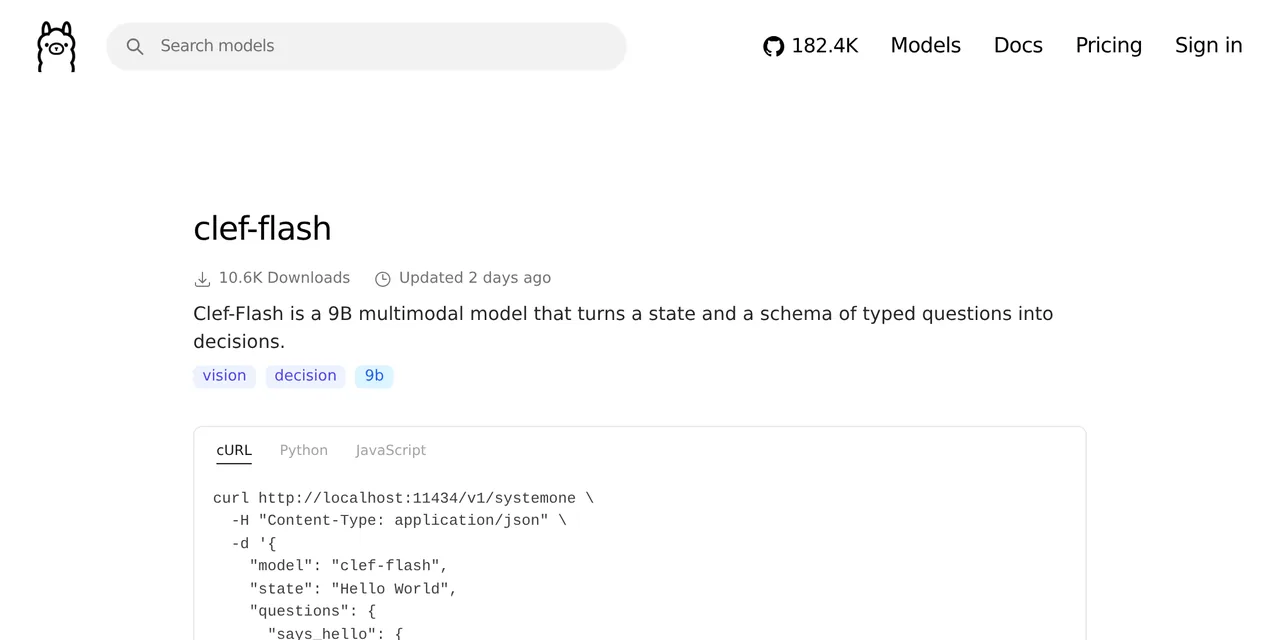
Table of contents
- Key takeaways
- What a decision model is and how it differs from an LLM
- How to run Clef-flash on Ollama with Docker
- How to label a ticket with a choice question
- How accurate Clef-flash is on 24 real tickets
- How to score with score and ask about images
- When to use a decision model instead of an LLM
- Frequently asked questions
- Can I use Clef with Ollama's chat API?
- Clef or Clef-flash?
- Does it run on a Mac with Apple Silicon?
- Conclusion
- Sources
Clef and Clef-flash are decision models: they take a text and a set of questions with closed answers, and return the chosen answer with the probability of each option, without generating text. Cloudflare released them on 1 October 2026 under Apache 2.0, and Ollama 0.35.1 serves them locally through /v1/systemone. I tested them in Docker on an arm64 machine with no GPU, labelling 24 support tickets, scoring a customer’s anger and asking about two images. Here is what came out. There is also a Spanish version.
Key takeaways
- A decision model, in Cloudflare’s words, "makes classifications to help agents decide how to act, based on certain probabilities". It does not write an answer: it scores the options you give it.
- Clef has 27 billion parameters and Clef-flash 9.1 billion; both start from Qwen and accept images. On Ollama,
clef-flashweighs 10 GB in Q8_0 and used 14 GB once loaded with a 16k context. - The API supports three question types:
choice(pick an option),noul(probability that something is true) andscore(a rating on an ordered scale). - Clef-flash got 23 of 24 tickets right in Spanish and English, with identical answers across two runs. The miss had a confidence of 0.37; every other ticket was above 0.57.
- With images, it answered 0.93 to "does it show an MCP server’s settings?" for a screenshot that did and 0.02 for a bar chart.
What a decision model is and how it differs from an LLM
A decision model solves the same problem you hand an LLM when you say "answer with one of these labels only", but without generating text. It reads the state and the questions in one pass and assigns a probability to each allowed answer.
The practical difference is what you get back. With an LLM you get a label as text that you have to validate, and sometimes something else. With Clef you get JSON with the label, the probability of every alternative and a confidence, so you can set a threshold and send doubtful cases to a person. In my test, the response’s output_tokens field was 0 or 1 on every call.
According to Cloudflare’s announcement[1], by Michelle Chen, Clef uses a 27B Qwen backbone and Clef-flash a 9B one, with a 64k context. Cloudflare reports a median of 38.8 ms per decision for Clef-flash on its own infrastructure; on a CPU, as you will see, the numbers are different.
How to run Clef-flash on Ollama with Docker
You need Ollama 0.35.1 or later: 0.35.0 added /v1/systemone and 0.35.1 added the Clef models. If this is your first time with Ollama, start by installing Ollama. With Docker, start the container and pull the model:
docker run -d --name ollama -p 11434:11434 \
  -v ollama:/root/.ollama ollama/ollama:0.35.1
docker exec ollama ollama pull clef-flash
docker exec ollama ollama show clef-flash
The download took 1 minute 53 seconds for 10 GB. ollama show confirms a 9.1B qwen35 model in Q8_0 with a vision projector, and that its only capability is decision, so Ollama does not offer it for chat.
How to label a ticket with a choice question
A request has a state (the text being evaluated) and a map of questions. This one labels a ticket with one of four labels and, in the same call, asks whether the customer is blocked:
curl -s http://localhost:11434/v1/systemone -d '{
  "model": "clef-flash",
  "state": "Clicking Export to PDF closes the app",
  "questions": {
    "label": {
      "type": "choice",
      "instructions": "Which label fits the ticket?",
      "criteria": {
        "billing": "Charges, invoices and refunds",
        "account": "Access, passwords and users",
        "bug": "Software errors",
        "request": "Ideas and new features"
      }
    },
    "urgent": {
      "type": "noul",
      "instructions": "Is the customer unable to work?"
    }
  }
}'
For label, the response returns the chosen option, the probability of each label and a confidence; for the Spanish version of this ticket it picked error with 0.981 and a confidence of 0.918. For urgent it returns a single number, the probability that the condition holds: 0.401 in that case. The description of each label in criteria matters, because the model scores the text against it.
How accurate Clef-flash is on 24 real tickets
I wrote 24 short tickets, 18 in Spanish and 6 in English, six per label, with the right answer annotated by hand. I ran them twice through Clef-flash with the request above:
| Result | Value |
|---|---|
| Correct | 23 of 24 (95.8 %) |
| Identical answers across the two runs | 24 of 24 |
| Confidence of the only miss | 0.37 |
| Lowest confidence among the hits | 0.579 |
| Input tokens per ticket | 308 to 322 |
The miss was "My card was declined but the money left my bank", which I expected under facturacion (billing) and the model put under error with a probability of 0.611; my test schema used the Spanish labels. It is the ambiguous case in the set: it is about a charge, but it describes a failure. With a confidence threshold of 0.5, that ticket would have gone to human review and the other 23 would have been labelled automatically, all correctly.
The urgency noul question gave sensible values without any tuning: 0.793 for "I can’t log in" and for "the app crashes on startup on iOS", and 0.004 for the dark-mode request.
I give no per-request timings. The machine, an 18-core arm64 box with no GPU, was running other jobs at the same time, and any latency would be contaminated. As a rough expectation, on a CPU it is measured in seconds per ticket, not in the 38.8 ms Cloudflare reports for its infrastructure.
How to score with score and ask about images
score questions take the criteria as an ordered list, not as a map. If you pass an object, Ollama answers score criteria must be an array. To rate a customer’s anger I used five levels:
"tone": {
  "type": "score",
  "instructions": "How angry is the customer?",
  "criteria": ["Calm", "Slightly annoyed", "Annoyed",
               "Very annoyed", "Furious"]
}
For the Spanish "I have not been able to invoice for three days and nobody answers. This is unacceptable.", the response was a score of 3.45 on a 0 to 4 scale, with 60.4 % probability for the top level and 30.1 % for the one below.
Images go base64-encoded in the images field, next to the state. I tried two: a screenshot of Home Assistant’s MCP card and a bar chart. To "does the image show the settings of a Model Context Protocol server?" it answered 0.928 and 0.017; to "is the image a bar chart?", 0.005 and 0.936. Each image raised the input from about 310 to 956 tokens.
When to use a decision model instead of an LLM
A decision model fits when the output is one of N known options and you care how much the model trusts its answer:
- Triage: tickets, emails, alerts or incidents routed to a specific queue
- Agent routing: deciding which tool or which model handles a request
- Moderation and filters: yes or no probabilities with a threshold you control
If you need the model to write, extract free-form fields or chain tool calls, you still need an LLM with function calling on Ollama. The two combine well: the decision model labels and only the cases that need it go on to the LLM.
Frequently asked questions
Can I use Clef with Ollama’s chat API?
No. ollama show lists decision as its only capability, and Ollama does not offer it for chat, tools or thinking. It is only used through /v1/systemone.
Clef or Clef-flash?
Clef-flash (9B) fits in 14 GB of memory with a 16k context and is the one I tested. Clef (27B) promises more accuracy in Cloudflare’s benchmarks, but needs about three times as much memory.
Does it run on a Mac with Apple Silicon?
Ollama 0.40, released on 25 September 2026, lists clef and clef-flash among the models it runs with MLX on Apple Silicon. For this test I used Linux and a CPU.
Conclusion
Clef-flash does one thing and does it with numbers: it picks among the options you give it and tells you how much it trusts the pick. On my set it got 23 of 24 tickets right and repeated the same answers in two runs. It also flagged its only error with the lowest confidence, which is exactly what you need to automate behind a threshold.
Next, take 50 real tickets from your queue, label them by hand and tune the confidence threshold before you let it label on its own.
Sources: [1] Introducing Clef, Cloudflare blog[1], [2] Ollama v0.35.0, decision models[2], [3] Ollama v0.35.1, Clef models[3], [4] cloudflare/clef-flash on Hugging Face[4], [5] clef-flash in the Ollama library[5], [6] Ollama v0.40.0[6].