Komodo vs Portainer vs Dockge: which Docker manager to choose in 2026
Table of contents
- Key takeaways
- What each one solves
- How each one connects to your servers
- What each one costs and what the free tier holds back
- How much each one consumes while idle
- Komodo, Portainer and Dockge side by side
- Can you leave afterwards
- Which one is most alive
- Which one to choose in each scenario
- Frequently asked questions
- Can I run Dockge and Portainer at the same time?
- Does Portainer Business's free three-node licence expire?
- Is Komodo worth it if I only have one server?
- Conclusion
- Sources
You have containers spread across one or more machines and you want to stop administering them over SSH. The three answers that keep coming up are Dockge, Portainer and Komodo, and they are not three versions of the same product. Each starts from a different idea about who is in charge: your YAML or the manager’s database.
This article compares architecture, licence, real pricing and measured resource use, then closes with a recommendation per scenario. Installation is deliberately left out: the linked guides cover that.
Key takeaways
- Dockge is a web editor for compose files that leaves them where they were, so you can keep using the command line on those same files.
- Portainer Community Edition no longer ships role-based access control: that matrix lives in Business Edition, which is free up to three nodes.
- Komodo separates a Core server from one Periphery agent per machine, declares resources in TOML files inside a Git repository, and holds no feature back for a paid edition.
- Measured on the same box while idle: Portainer sits around 24 MiB of memory, Dockge around 155 MiB, and Komodo around 208 MiB spread over three containers.
- Dockge has not published a tagged release since March 2025, and that is the main reason to think twice.
What each one solves
Dockge is a Docker Compose stack manager with a web interface. You edit the compose.yaml in the browser, bring it up, take it down, and watch the output in real time. That is all it does. Its author is Louis Lam, the same person behind Uptime Kuma, and it shows in the interface.
Portainer is the all-round console: standalone Docker, Docker Swarm and Kubernetes under one interface, with application templates, volume and network management, users and teams. It has been around since May 2016 and has 38,377 GitHub stars, more than the other two combined. The portainer/portainer-ce image has passed 1,531 million pulls on Docker Hub.
Komodo is declarative deployment across more than one server. Its documentation defines it as "a web application for managing servers, builds, deployments, and automated procedures": on top of deploying stacks, it builds images from repositories and chains steps into scheduled procedures. It is the youngest of the three, with 12,120 stars and version v2.3.2 published on 11 August 2026.
How each one connects to your servers
This is where the three genuinely diverge, and where it is decided whether they suit one machine or ten.
Portainer runs a central server publishing ports 9443 (interface) and 8000 (tunnel for Edge devices). For each remote host you deploy an agent container listening on 9001 that talks to the local socket. It is a proven model and predictable, though the agent has to be installed and let through the firewall.
Komodo splits in two. Core hosts the API and the interface, publishes port 9120, and stores everything in MongoDB or in FerretDB, which the documentation describes as "a MongoDB-compatible database backed by Postgres + DocumentDB extension". Periphery is the agent installed on each server, as a container, a systemd service or a plain binary.
There is an important change here that almost no comparison mentions: version 2.0.0, from March 2026, flipped the direction of the connection. The changelog puts it plainly: "Outbound periphery: Periphery can now initiate the connection to Komodo Core". That removes the need to open inbound port 8120 on every machine, which is exactly what Portainer still requires for its agent. The classic direction is still available for anyone who prefers it.
Pairing does not rely on hand-copied keys either: "Core and Periphery authenticate using automatically generated public/private key pairs. No manual key management is required", with automatic rotation and a private key that never leaves the server.
Dockge started out strictly single-host and, since version 1.4.0, supports agents, so you can see the stacks of every connected machine in a single interface. It listens on 5001 and keeps its state in SQLite. If you only have one machine, it is the shortest deployment of the three: one container and a stacks directory.
What each one costs and what the free tier holds back
Komodo and Dockge are entirely free software: GPL-3.0 for the first, MIT for the second, with no paid edition and no reserved features. Komodo’s permissions, with their four levels (None, Read, Execute, Write), the user groups and OIDC login are all in the version you download.
Portainer is the one people get wrong. There are two products: Community Edition, under the zlib licence, and Business Edition, commercial. The commercial edition’s free tier covers up to three nodes: "Portainer Business Edition is free forever for up to 3 nodes".
From the fourth node on, the Starter plan begins at $105 a month or $1,045 a year for bands of 5 to 15 nodes. Scale begins at $209 a month or $2,095 a year up to 35 nodes. There is a home and student licence at $155 a year for 15 nodes, non-commercial use only.
What Community Edition leaves out, according to Portainer’s own feature table, is not trivial. Gone are role-based access control, LDAP and OAuth, pre-configured SSO provider templates, authentication and activity logs, and syslog export. Also gone are container registry management, automatic GitOps updates with webhooks, change windows, and scheduled backups to S3-compatible storage.
In Community you get two roles, admin and user, and little else to hand out. Portainer’s own site recommends staying on Community only if you specifically need a fully open-source build.
How much each one consumes while idle
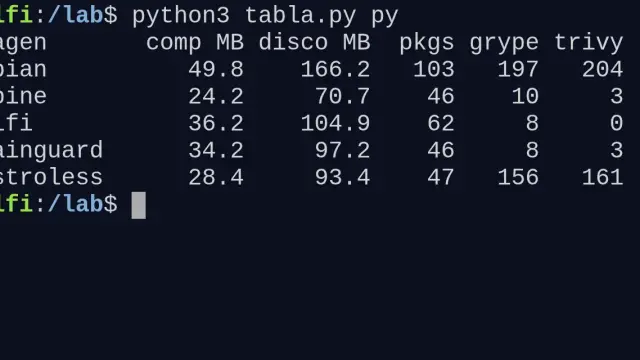
I brought the three tools up at the same time on the same machine: Debian 13 on aarch64, Docker 29.5.2. I took eight docker stats readings spread over six minutes, with no managed stacks yet. The chart reports the median of those eight readings, because single measurements wander a lot: Portainer ranged between 19 and 76 MiB depending on whether it had just served an interface request. Image sizes come from docker images, already decompressed.
Two readings of those figures. First: Portainer is surprisingly cheap to keep running, a Go binary with an embedded BoltDB database inside its own volume. Second: the bulk of Komodo’s footprint is not Komodo, it is MongoDB. Core settles around 63 MiB and the Periphery agent around 12 MiB, which is excellent for something living permanently on every server.
These figures come from a freshly started install under no load. With dozens of managed stacks and interface queries they climb, the database most of all.
Komodo, Portainer and Dockge side by side
| Dockge | Portainer | Komodo | |
|---|---|---|---|
| Licence | MIT | zlib (Community) and commercial (Business) | GPL-3.0 |
| Latest release | 1.5.0, March 2025 | 2.45.0 LTS, August 2026 | v2.3.2, August 2026 |
| GitHub stars | 24,207 | 38,377 | 12,120 |
| Model | one container, SQLite | server and agents, embedded BoltDB | Core, Periphery agents and MongoDB or FerretDB |
| Multiple hosts | yes, since 1.4.0 | yes, with an inbound agent on each host | yes, with an agent that can dial out to Core |
| Kubernetes | no | yes | no, but it manages Docker Swarm |
| Roles and permissions | basic users | two roles in Community, full matrix in Business | four levels and groups, in the free version |
| Git-driven deployment | no | manual in Community, automatic in Business | TOML files synced from the repository |
| Image building | no | no | yes, built in |
| Where your configuration lives | in your compose files | in the server’s database | in Git, with Komodo applying the diffs |
| Cost | free | free up to 3 nodes on Business, from $105 a month after that | free, no paid edition |
Can you leave afterwards
Dockge’s selling point is written in its own README, and it is worth quoting verbatim: "File based structure – Dockge won’t kidnap your compose files, they are stored on your drive as usual. You can interact with them using normal docker compose commands". If you uninstall Dockge tomorrow, your stacks are still there in /opt/stacks and still work with the usual commands. The exit cost is zero.
Portainer is the opposite end. The stacks you create from its interface live in its internal database, and although you can export the YAML by hand, the environment, user and template configuration stays inside. It is not a trap, but it is a real dependency worth weighing if the CE-versus-Business split ever stops suiting you.
Komodo sits at an interesting midpoint. With ResourceSync you declare servers, stacks and builds in TOML files inside a Git repository, and Core polls those files: "Komodo is able to create, update, delete, and deploy resources declared in TOML files by diffing them against the existing resources, and apply updates based on the diffs". The interface shows the computed diffs and waits for confirmation, or applies them on its own through a repository webhook. Your definition lives in Git, which is yours, even if the TOML format belongs to Komodo.
Which one is most alive
Portainer released 2.45.0 on 27 August 2026 and the repository received changes on the 28th. Komodo keeps a fast pace for a young project: v2.0.0 in March 2026, v2.2.0 in May, and three releases between July and August.
Dockge is the odd one out. Its last tagged release is 1.5.0 from 30 March 2025, and the Docker Hub image has not been rebuilt since that date. There was a burst of commits in April 2026, fixing an XSS warning and adding features such as resource statistics on the stacks page. After that there is nothing, and no published release containing them.
The project is not formally abandoned, though anyone picking it today should assume it is paused. For what it does, which is little and well, that matters less than it would in a tool with a large attack surface, but it matters.
Which one to choose in each scenario
A single machine at home, you as the only user. Dockge, if editing compose and reading logs is enough. Portainer Community, if you also want volume, network and template browsing. Neither will cost you money or grief here.
If you go for Portainer, the installation guide with Docker Compose covers the full start-up.
Two or three separate machines. Portainer Business on its free three-node licence gives the best ratio of effort to features: you get roles, SSO and GitOps without paying. Watch out for that fourth node, which turns the conversation into $105 a month.
Four machines or more, everything declared in Git. Komodo, without hesitation. That is where its Core plus Periphery model and ResourceSync repay the cost of standing up the database. The guide to installing Komodo with Docker walks through deploying both pieces.
A small team with more than one person touching the same things. Permissions decide it here. Portainer Business if you fit in three nodes, Komodo if you do not and would rather not pay. Portainer Community does not serve this case: two roles hand out nothing.
Real production, with Kubernetes involved. Portainer Business, because it is the only one of the three that manages Kubernetes. If your production is Swarm rather than Kubernetes, it pays to reread whether Docker Swarm still makes sense first, because the answer shapes the choice more than the manager does.
One cross-cutting note on updates. Komodo ships a global procedure scheduled daily, at 03:00 by default, that checks registry digests and redeploys services running an older image. Portainer keeps even the new-image indicator inside Business Edition, and Dockge stops at a button to update by hand. If you settle on Dockge or Portainer Community, Watchtower is still the missing piece.
Frequently asked questions
Can I run Dockge and Portainer at the same time?
Yes, and it is a fairly common combination. Dockge edits the compose files while Portainer gives the overall view of containers, volumes and networks. Since Dockge does not touch Portainer’s database or the other way round, they do not clash. The one caution is not to start and stop the same stack from both interfaces at once.
Does Portainer Business’s free three-node licence expire?
The pricing page says it is free forever for up to three nodes, with no card required. In practice the licence renews yearly at no cost. What is firm is the limit: at the fourth node you either pay or fall back to Community Edition, losing roles, SSO and GitOps in the process.
Is Komodo worth it if I only have one server?
It works, but it is more infrastructure than the job needs. You are maintaining a database and an agent to manage a machine that Dockge covers with one container. Komodo starts paying off when the second or third server appears, or when you want your deployment definitions to live in Git.
Conclusion
If I had to sum it up in one sentence per tool: Dockge gives you your files back. Portainer gives you the most complete console, in exchange for accepting its split across editions. And Komodo gives you declarative multi-server deployment with nothing held back, in exchange for a database.
The common mistake is choosing by GitHub star count, when the useful question is how many machines you have and where you want the configuration to live. The Spanish version of this article is at Komodo vs Portainer vs Dockge.
Sources: [1] Komodo, introduction documentation[1], [2] Komodo, syncing resources from Git[2], [3] Komodo, connecting servers with Periphery[3], [4] moghtech/komodo, project repository[4], [5] louislam/dockge, project repository[5], [6] Portainer, pricing and the free three-node tier[6], [7] Portainer, feature table by edition[7], [8] Portainer, installing Community Edition with Docker on Linux[8], [9] louislam/dockge on Docker Hub[9], [10] Komodo, automatic service updates[10], [11] Komodo, v2.0.0 release notes[11].
Sources
- Komodo, introduction documentation
- Komodo, syncing resources from Git
- Komodo, connecting servers with Periphery
- moghtech/komodo, project repository
- louislam/dockge, project repository
- Portainer, pricing and the free three-node tier
- Portainer, feature table by edition
- Portainer, installing Community Edition with Docker on Linux
- louislam/dockge on Docker Hub
- Komodo, automatic service updates
- Komodo, v2.0.0 release notes
Source code
Access all the source code for this post on GitHub.
View on GitHub