
Learning path Intermediate
Agent Ecosystem: MCP, Gateways and Platforms
The pieces that connect agents to the world: building your own MCP server, the self-hosted visual platforms Langflow, Flowise and Dify, integrations with Composio, web data with Firecrawl, browsing with browser-use and the OpenRouter gateway.
- 10 resources
- 16 views
- ~118 min
This path teaches you to build the technical ecosystem that connects an AI agent to tools, data and other models: the MCP protocol, self-hosted orchestration platforms and the services that give an agent eyes, hands and working memory. It is for developers who already understand what an agent is and want to move from theory to the real infrastructure behind one.
What you’ll be able to do
By the end you’ll be able to stand up your own MCP server to expose tools to any compatible client, deploy a visual orchestration platform on your own infrastructure, and connect an agent to web data, autonomous browsing and dozens of AI models through a single gateway. This is an intermediate-level path: come in comfortable with Docker and with a clear idea of what an agent and tool calling are.
How the sequence builds
It starts at the protocol layer, building your own MCP server, before moving to the self-hosted visual platforms Langflow and Flowise, where agent workflows get orchestrated without writing every line of code by hand. Dify adds a full LLMOps layer on top for running those agents in production. From there the path opens up to the pieces that give an agent real autonomy: Composio for connecting external tools, Firecrawl for pulling clean web data, and browser-use so an agent can browse the way a person would. It closes with OpenRouter, the gateway that routes each task to the most suitable AI model without locking you into a single provider.
Together these ten pieces cover the stack most production agents actually run on today: protocol, orchestration, tools, data and models.
Building Your Own MCP Server
Your own MCP server exposes your data and functions to any AI assistant through the Model Context Protocol. With the official Python SDK and its FastMCP class you write a server in about twenty lines: you define tools, resources and prompts as type-annotated functions, and you connect it to Claude, Cline or Goose over stdio or HTTP.

What the new MCP specification breaks in your server
The 2026-07-28 revision turns MCP into a stateless protocol. The initialize exchange and the Mcp-Session-Id header are gone, and the protocol version plus client capabilities now travel inside the _meta field of every request. In exchange, Roots, Sampling and Logging are deprecated with a twelve-month window.
Langflow: a visual agent builder
Langflow is an open-source tool for building AI agents and workflows by dragging blocks onto a visual canvas, with barely any code. You can self-host it with Docker, wire up models, tools and vector databases, and publish every flow as an API or as an MCP server. This guide explains how to deploy it and build your first agent.
Flowise: self-hosted low-code agents
Flowise is an open-source tool that lets you build AI agents by dragging nodes onto a visual canvas, with barely any code. It is built on LangChain.js and you can self-host the whole thing with a single Docker container. This guide covers how to deploy it, the difference between chatflows and AgentFlow v2, and how it compares to Langflow and Dify.
Dify: a self-hosted LLMOps platform
Dify is an open-source platform for building AI applications and agents, with a visual workflow canvas, prompt management, a RAG knowledge base and LLMOps layers. You can self-host the whole thing with Docker Compose on top of Postgres, Redis and a vector database. This guide explains how to deploy it and when it beats Flowise and Langflow.
Composio: Tools and Integrations for Agents
Composio connects your AI agent to more than a thousand applications (GitHub, Slack, Gmail, Notion) through pre-authenticated tools and managed OAuth authentication. Instead of writing each integration by hand, you request the tools by name and the agent acts on behalf of each user. This guide explains what it is, how it handles authentication and how to plug it into your agent framework.
Firecrawl: Web Data for Agents
Firecrawl is an open-source API that turns any web page into clean Markdown, ready for a language model. With scrape and crawl endpoints plus schema-guided JSON extraction, it gives your AI agent reliable web data. This guide covers its formats, how to self-host it with Docker and when it beats a scraper of your own.
browser-use: agents that browse the web
browser-use is an open-source Python library that lets an AI agent drive a web browser the way you do: it opens pages, reads the DOM, clicks and fills in forms. It was born on Playwright and in 2025 switched to speaking Chrome's CDP protocol directly for speed. This guide explains how it works and when to use it.
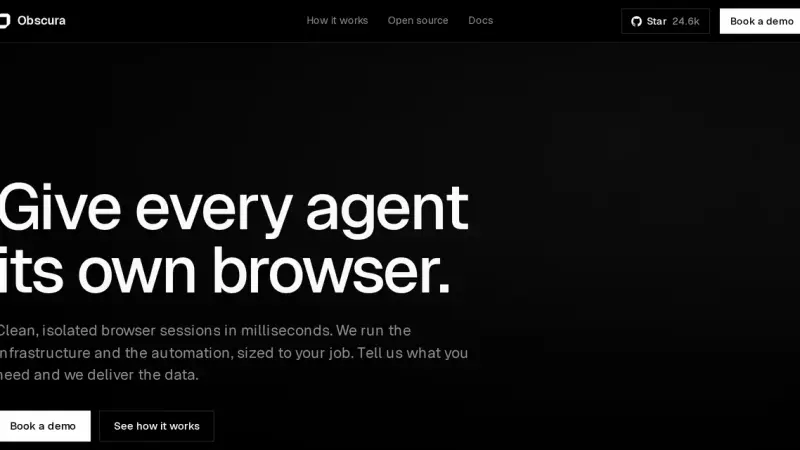
What Obscura is, the Rust headless browser for AI agents
Obscura is a headless browser engine written in Rust and released under Apache-2.0. It runs JavaScript on V8, speaks the Chrome DevTools Protocol and replaces headless Chrome inside Playwright or Puppeteer without touching your code. Its measured advantage is memory: around 38 MB per session against 532 MB for Chromium.
OpenRouter: A Gateway for AI Models
OpenRouter is a hosted gateway that gathers more than 500 AI models from over 80 providers behind a single OpenAI-compatible API. You change the base URL and use one key and one balance. You pay each model's rate with no markup, plus 5.5% when you buy credits, and gain automatic routing and failover.