Ollama 0.40 runs MLX by default on Apple Silicon: what changes and how to check it
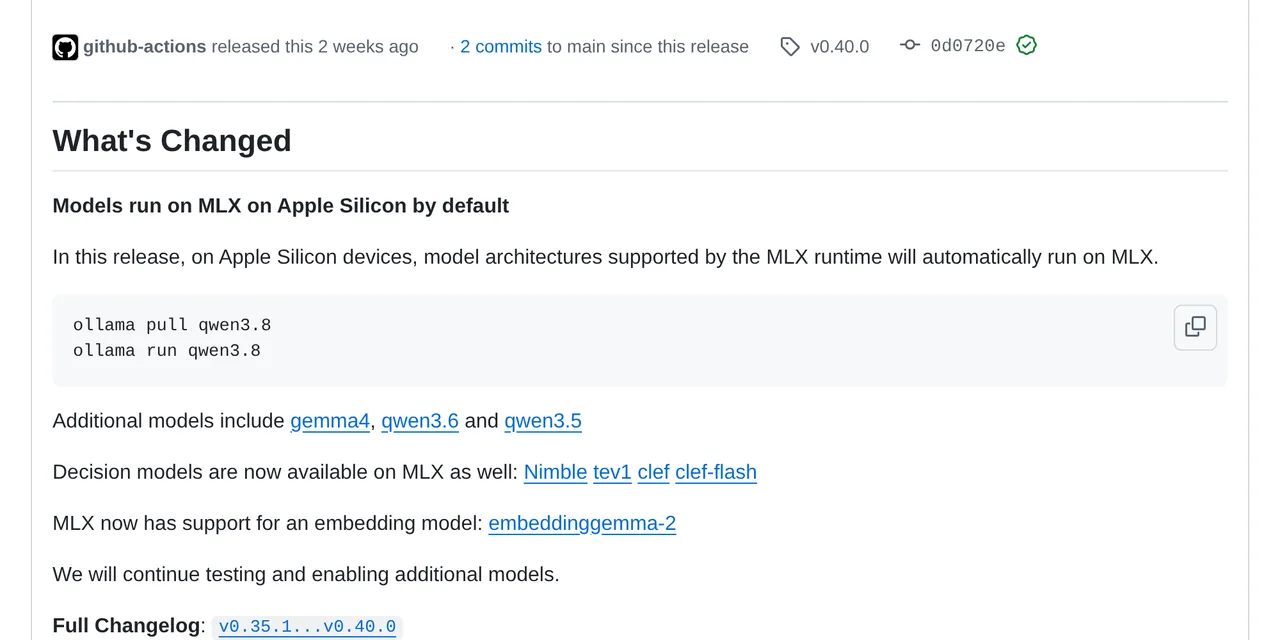
Table of contents
- Key takeaways
- What changes in Ollama 0.40 on a Mac
- How Ollama chooses between MLX and llama.cpp
- How to check which engine each model uses
- What changes if you already used oMLX or LM Studio
- What I did not test
- Frequently asked questions
- Do I have to download my models again to use MLX?
- Can I keep using llama.cpp on a Mac?
- Does Ollama 0.40 use MLX on Linux with an NVIDIA GPU?
- Conclusion
- Sources
Ollama 0.40, released on 25 September 2026, runs models with a supported architecture on MLX by default on Apple Silicon Macs, instead of on llama.cpp. MLX is Apple’s machine learning framework for its chips, the same one oMLX and LM Studio use to get the most out of unified memory. I read the 0.40.0 code to see how Ollama decides which engine to use, and tested it on Linux with Docker to see what happens off a Mac. I could not measure speeds on a Mac for this article. There is also a Spanish version.
Key takeaways
- The 0.40.0 release notes put it like this: "on Apple Silicon devices, model architectures supported by the MLX runtime will automatically run on MLX."
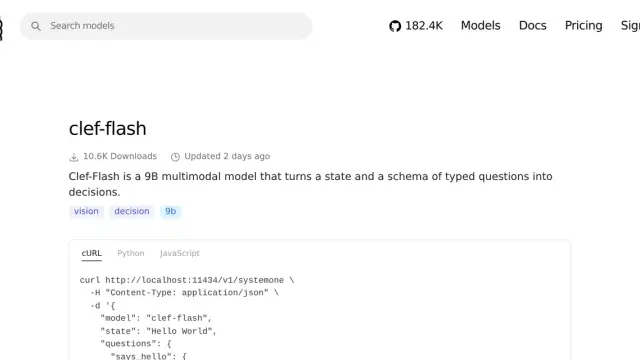
- The models with an MLX variant in that release are qwen3.8, gemma4, qwen3.6, qwen3.5, the decision models Nimble, tev1, Clef and Clef-flash, and the embedding model embeddinggemma-2.
- The engine is chosen at download time: each model publishes a list of variants, and on macOS arm64 Ollama prefers
mlx, thenllamacpp, thenggml. On every other system the order is reversed. ollama pshas a new RUNNER column showing which engine serves each loaded model. On Linux it showedllamacpp.- Forcing MLX on Linux with the hidden
--runner mlxoption failed with "this model requires MLX support, but the MLX runtime is not available".
What changes in Ollama 0.40 on a Mac
Until 0.40, Ollama ran every model on llama.cpp, which uses Metal on a Mac but works with GGUF files. With MLX, supported models run in safetensors format on Apple’s engine, the way oMLX or mlx-lm do.
In the 0.40.0 code, a model is MLX when its format is safetensors: the IsMLX() function in server/images.go checks only that. GGUF files still go through llama.cpp, on a Mac too. That is why the change does not apply to every model, only to those Ollama publishes with an MLX variant in its library.
For existing Ollama users the change is transparent at the command line: ollama pull qwen3.8 and ollama run qwen3.8 are the same as before. What changes is the file that gets downloaded and the engine that serves it.
How Ollama chooses between MLX and llama.cpp
Each MLX-capable model is published as a manifest list, one variant per engine. When pulling, Ollama walks a preference list and keeps the first available variant. The runnerPreferences() function in manifest/manifest.go settles it:
func runnerPreferences() []string {
    if runtime.GOOS == "darwin" && runtime.GOARCH == "arm64" {
        return []string{RunnerMLX, RunnerLlamaCPP, RunnerGGML}
    }
    return []string{RunnerLlamaCPP, RunnerGGML, RunnerMLX}
}
On an Apple Silicon Mac, MLX wins if the variant exists; otherwise llama.cpp. On Linux and Windows llama.cpp wins, and MLX is the last resort for models that only exist in safetensors. The 0.40 development guide explains that MLX can be built outside macOS with CUDA 13 through OLLAMA_MLX_BACKENDS, but the published Linux binaries do not include it.
The ollama pull and ollama run commands accept a --runner option (values mlx, ggml and llamacpp) to force a variant. It is marked hidden in the code, so it does not show in --help and may change without notice.
How to check which engine each model uses
ollama ps lists the models loaded in memory, and in 0.40 it adds the RUNNER column. I checked it on Linux, inside the ollama/ollama:0.40.0 image, with the 0.8B qwen3.5 model:
$ ollama ps
NAME          ID            SIZE    PROCESSOR  CONTEXT  RUNNER    UNTIL
qwen3.5:0.8b  de63045f2975  829 MB  100% CPU   4096     llamacpp  4 minutes
                                                                  from now
On a Mac with a supported model, that column should show mlx. Then I tried to force the MLX variant on Linux:
ollama pull --runner mlx qwen3.5:0.8b
# Error: this model requires MLX support,
# but the MLX runtime is not available
The error confirms that the variant exists in the registry and that the Linux binary does not ship the MLX engine. The API exposes the engine too: pull, show, generate, chat and embed requests accept a runner field to choose a variant.
What changes if you already used oMLX or LM Studio
If you were already serving MLX models on your Mac with oMLX or LM Studio, Ollama 0.40 does not force you to change anything, but it changes the split:
| Ollama 0.40 | oMLX | |
|---|---|---|
| Engine on Apple Silicon | MLX for models with an MLX variant; llama.cpp for the rest | MLX for everything |
| Catalogue | Ollama library, with variant lists | Any MLX repository on Hugging Face |
| Decision models | Yes, through /v1/systemone |
No |
| MLX tuning | Decided by Ollama | Its own panel with cache, TTL and speculative decoding |
| Same workflow on Linux and Mac | Yes, with llama.cpp off the Mac | macOS only |
Ollama’s advantage is that the same command works on your Mac and on a Linux server, and picks the best engine in each place. oMLX’s is control: you can tune memory, disk cache and draft models, as I explain in the guide to install oMLX on an M5 Max.
What I did not test
This article is based on the release notes, the code at the v0.40.0 tag and a test on Linux. I did not measure on a Mac how much faster a model generates on MLX than on llama.cpp, nor the memory use of each variant. Before changing your workflow, compare a model with --runner mlx and --runner llamacpp on your own machine and look at the RUNNER column in ollama ps.
Frequently asked questions
Do I have to download my models again to use MLX?
Yes, if you want the MLX variant. Models downloaded before 0.40 are GGUF and will keep working on llama.cpp. When you ollama pull again on an Apple Silicon Mac, Ollama picks the MLX variant if the model has one.
Can I keep using llama.cpp on a Mac?
Yes. The hidden --runner llamacpp option of ollama pull and ollama run forces the llama.cpp variant, and models without an MLX variant keep using llama.cpp anyway.
Does Ollama 0.40 use MLX on Linux with an NVIDIA GPU?
Not with the published binaries. The development guide explains how to build MLX with CUDA 13, but on Linux the default preference is still llama.cpp.
Conclusion
Ollama 0.40 does not change how you use Ollama, it changes what runs underneath on a Mac: models with an MLX variant are downloaded as safetensors and run on Apple’s engine. The RUNNER column in ollama ps is the most direct way to know which engine you are looking at.
If you have an Apple Silicon Mac, the next step is to update to 0.40, pull a supported model such as qwen3.8 again and compare its speed with the llama.cpp variant on your own machine.
Sources: [1] Ollama v0.40.0 release notes[1], [2] Variant selection in manifest.go[2], [3] Ollama development guide, MLX engine[3], [4] Apple MLX[4], [5] ollama/ollama image on Docker Hub[5].
Sources
Source code
Access all the source code for this post on GitHub.
View on GitHub