
How to update Open WebUI 0.13.4 in Docker without losing chats or settings
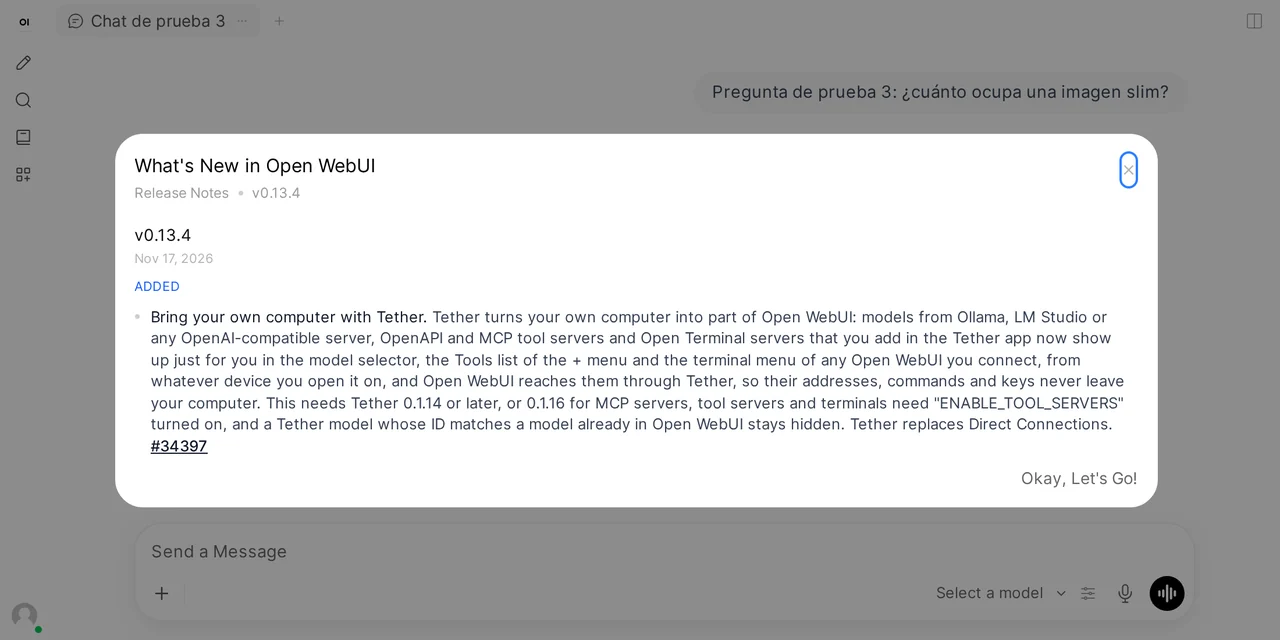
Table of contents
- Key takeaways
- Which Open WebUI version to run, and why latest is a bad idea
- How I tested the update
- Step 1: pin the version and the key in the .env file
- Step 2: stop Open WebUI and back up the data volume
- Step 3: change the tag and recreate the container
- How to check the update kept your chats and settings
- Error "Can't locate revision identified by" when going back to an older version
- How to roll back by restoring the backup
- Error "not found" with the backplane/open-webui image
- Frequently asked questions
- Do I lose my chats if I delete the Open WebUI container?
- Can I skip several versions at once, from 0.11 to 0.13.4?
- Will my tool and Ollama model settings keep working?
- Conclusion
- Sources
To update Open WebUI in Docker without losing anything, stop the container, archive the volume mounted at /app/backend/data, switch the tag to a pinned version such as 0.13.4-slim and recreate the service with docker compose up -d. Chats, users and settings live in the SQLite database in that volume, so swapping the image does not touch them. What has no way back is the migration of that database: if the new version applies one, the old version no longer starts and the backup is your only rollback. I ran the process on 24 November 2026 from 0.13.2 to 0.13.4 and from 0.12.5 to 0.13.4, with both rollbacks. This guide is also available in Spanish.
Key takeaways
- From 0.13.2 to 0.13.4 there is no migration: the database stayed at revision
9f6c2a8d1b43, and going back to 0.13.2 by changing the tag worked without restoring anything. - From 0.12.5 to 0.13.4 Open WebUI applies 6 migrations at startup. Afterwards the 0.12.5 image falls into a restart loop with
Can't locate revision identified by '9f6c2a8d1b43'. - Both jumps kept the 5 chats, the folder, the user settings and the admin configuration, and the earlier session token kept working.
- Without a fixed
WEBUI_SECRET_KEY, every update recreates the container with a new key and signs everyone out: the same token went from 200 to 401. latestandmainare the same image, built from themainbranch. To decide when you update, pin0.13.4or0.13.4-slim.
Which Open WebUI version to run, and why latest is a bad idea
On 24 November 2026 the latest version is 0.13.4[1], from 17 November. The 0.13 series shipped five versions in 15 days, from 0.13.0 (2 November) to 0.13.4. The 0.13.0 and 0.13.1 release notes say they include security fixes that are not listed in the changelog. If you are still on the 0.12 series, 0.13.4 is the version to move to.
The latest tag is not a version. I requested each tag's manifest from ghcr.io, and latest and main returned the same digest (sha256:d6c08567…), with the OCI label org.opencontainers.image.version set to main. That day they shared a commit with 0.13.4, but the digest differed from that of 0.13.4, because they are built separately. If you use Watchtower for automatic Docker updates with latest, you will get every new version without going through a backup.
The 0.13.4 and v0.13.4 tags point to the same digest, as do 0.13.4-slim and v0.13.4-slim. The arm64 slim image downloads 199 MB compressed and the full one 1.48 GB. If you followed the guide to install Open WebUI with Docker and Ollama, you were on 0.11.4-slim, and this article moves you to the 0.13 series.
How I tested the update
I ran Open WebUI with Docker 29.5.2 and Docker Compose 2.40.3 on an arm64 Linux machine, using the install guide's docker-compose.yml without the Ollama service. For each jump I created through the API an admin account, 5 chats with one message and its reply, and a folder. I added a user setting (the system prompt and the dark theme) and a change in the admin configuration (WEBUI_URL).
After each update I checked three things: the version /api/version returns, the chats /api/v1/chats/ lists with the earlier token, and the revision stored in the alembic_version table of webui.db. I did two runs. The first, from 0.13.2 to 0.13.4, is what you face if you update every release. The second, from 0.12.5 to 0.13.4, crosses the 0.13.0 and 0.13.1 migrations.
Step 1: pin the version and the key in the .env file
Move the image tag into a .env file, so updating and rolling back is a one-line change. The key that signs sessions goes in the same file:
services:
  open-webui:
    image: ghcr.io/open-webui/open-webui:${OWUI_TAG}
    ports:
      - "127.0.0.1:3000:8080"
    volumes:
      - open-webui:/app/backend/data
    environment:
      - WEBUI_SECRET_KEY=${WEBUI_SECRET_KEY}
      - OLLAMA_BASE_URL=http://ollama:11434
    restart: unless-stopped

volumes:
  open-webui:
The .env holds OWUI_TAG=0.12.5-slim and WEBUI_SECRET_KEY= set to the output of openssl rand -hex 32. Without it, the startup script generates one in /app/backend/.webui_secret_key, which is outside the volume. I checked: with the key empty, a valid token returned 200 before docker compose up -d --force-recreate and 401 after it. You lose no data, but every update signs everyone out.
For more on the .env file, see environment variables and secrets in Docker Compose.
Step 2: stop Open WebUI and back up the data volume
The volume holds webui.db, the uploads folder and the cache. Stop the container before copying it: SQLite runs in write-ahead log (WAL) mode and, with Open WebUI running, I found 746 KB of changes in webui.db-wal that were not yet in webui.db. A hot copy can end up half-written. Archive the volume from a helper container:
docker compose stop open-webui
docker run --rm -v open-webui_open-webui:/data:ro \
  -v "$PWD/backup":/backup alpine:3.22 \
  tar czf /backup/open-webui-0.12.5.tgz -C /data .
The volume name is prefixed with the Compose project name, which defaults to the folder name; in my test it was b11x07b_open-webui. Look it up with docker volume ls before copying.
With 5 chats the archive took 45 KB; with uploaded documents or knowledge bases it grows with the uploads folder. If Docker volumes and bind mounts are unclear, that article explains where Docker keeps each one. For encrypted, scheduled copies, add the archive to your restic backups.
Step 3: change the tag and recreate the container
With the backup done, the update is one line in .env and an up -d. Compose pulls the new image, recreates the container and mounts the same volume:
sed -i 's/^OWUI_TAG=.*/OWUI_TAG=0.13.4-slim/' .env
docker compose pull open-webui
docker compose up -d open-webui
docker compose logs open-webui | grep 'Running upgrade'
The last line shows the migrations the startup applied. From 0.13.2 to 0.13.4 there were none, because both images ship the same 72 migration files. The log only recorded "Seeded 5 new config defaults", five new settings with their default values. From 0.12.5 to 0.13.4 there were 6 lines, one per migration:
Running upgrade 0bd252b206fb -> c41f8d9e2a10, Add resource
  comments and reactions.
Running upgrade c41f8d9e2a10 -> 6f8c2a91d4e7, Add a persistent
  enabled state to tools.
Running upgrade 6f8c2a91d4e7 -> e42c8f710a36, Add persistent
  general inbox notifications.
Running upgrade e42c8f710a36 -> 8bc7e5a902d1, Add renewable
  authentication sessions.
Running upgrade 8bc7e5a902d1 -> 6a23bd107e54, Add private
  per-user chat working views.
Running upgrade 6a23bd107e54 -> 9f6c2a8d1b43, Add indexes for
  channel message and reaction lookups.
I wrapped each line in two to fit. The changelog flags 0.13.0 and 0.13.1 with "Database Migrations", and none of the three after them. If your install runs more than one worker or replica, update all of them at once: the notes warn that "rolling updates are not supported" when the schema changes.
How to check the update kept your chats and settings
The quick check is the version the API reports and the chats you see when you sign in. These two calls confirm it without opening a browser:
curl -s http://127.0.0.1:3000/api/version
docker compose exec open-webui python3 -c "import sqlite3;
c = sqlite3.connect('/app/backend/data/webui.db')
print(c.execute('select version_num from alembic_version').fetchall())
print(c.execute('select count(*) from chat').fetchone())"
The first returned {"version":"0.13.4","deployment_id":""} and the second [('9f6c2a8d1b43',)] and (5,). In both runs the earlier admin token listed the 5 chats, the user setting still had its system prompt and WEBUI_URL kept the value I gave it. If the interface looks broken, force-reload the browser: the official docs recommend it after every update to rule out cached files from the old version.
Error "Can't locate revision identified by" when going back to an older version
This error appears when you start an older image on a database that a newer version has already migrated. The old version does not know the revision stored in alembic_version and cannot continue. I went back to 0.12.5-slim on the volume 0.13.4 had migrated, and the container never served the web interface:
ERROR [open_webui.env] Error running migrations: Can't locate
  revision identified by '9f6c2a8d1b43'
alembic.script.revision.ResolutionError: No such revision or
  branch '9f6c2a8d1b43'
alembic.util.exc.CommandError: Can't locate revision identified
  by '9f6c2a8d1b43'
With restart: unless-stopped, Docker restarted it 9 times in about 45 seconds and docker ps showed it as Restarting (1). The Open WebUI docs warn about it this way: "If the version you updated to ran a database migration, rolling back the container does not undo the migration." Open WebUI's migrations use Alembic, and changing the tag runs no downgrade step.
Within a series, rolling back works if no migration happened in between. I went from 0.13.4 to 0.13.2 on the same volume, without restoring anything, and it started with the 5 chats. That does not hold for the whole series: 0.13.1 adds three migrations to 0.13.0, and going back from 0.13.1 to 0.13.0 put the container in the same loop, with the same revision 9f6c2a8d1b43. Before rolling back by changing the tag, check the changelog for any version in between that says "Database Migrations".
How to roll back by restoring the backup
If the new version migrated the database, the rollback is to restore the step 2 backup and start the old tag. Empty the volume before extracting the archive, so files from both versions do not mix:
docker compose stop open-webui
docker run --rm -v open-webui_open-webui:/data \
  -v "$PWD/backup":/backup:ro alpine:3.22 sh -c \
  'rm -rf /data/* /data/.[!.]*; tar xzf /backup/open-webui-0.12.5.tgz -C /data'
sed -i 's/^OWUI_TAG=.*/OWUI_TAG=0.12.5-slim/' .env
docker compose up -d open-webui
With the 0.12.5 backup restored, the 0.12.5-slim image started at revision 0bd252b206fb and returned the 5 chats. Keep in mind you lose whatever was written after the backup: chats someone started on 0.13.4 are not in the archive. That is why you should check the new version right after updating, before your users start writing again.
Error "not found" with the backplane/open-webui image
If your compose file uses backplane/open-webui, the image no longer exists and docker pull fails with not found. It was an unofficial mirror of the ghcr.io images on Docker Hub. Its page says it has been obsolete since 23 February 2026, that the images were removed on 31 August and that the repository will be deleted on 1 January 2027. On 24 November 2026 the Docker Hub API reported 105,095 pulls and 0 tags for it, and this is what docker pull returned:
Error response from daemon: failed to resolve reference
  "docker.io/backplane/open-webui:latest":
  docker.io/backplane/open-webui:latest: not found
Switch the image to ghcr.io/open-webui/open-webui or to openwebui/open-webui, the project's official Docker Hub account. Both serve the same content: the 0.13.4 tag had the same digest sha256:d5168bfb… on ghcr.io and on Docker Hub. Your data is still in the volume, so apply steps 2 and 3 with the new image and a pinned version. Ollama failures are not fixed from Open WebUI: if the model does not load, check the Ollama "this model requires MLX support" error.
Frequently asked questions
Do I lose my chats if I delete the Open WebUI container?
No, as long as you do not delete the volume. Chats, users, settings and uploaded files live in the volume mounted at /app/backend/data. docker compose down and docker rm keep them; docker compose down -v and docker volume rm delete them. If you started Open WebUI without a volume, the data is inside the container: copy it out with docker cp before recreating it.
Can I skip several versions at once, from 0.11 to 0.13.4?
Yes. At startup Open WebUI applies every missing migration in order, and in my test the jump from 0.11.4 to 0.13.4 ran all 14 back to back without errors. What changes is the rollback: after a jump that crosses migrations, the backup is the only way back.
Will my tool and Ollama model settings keep working?
In my test the admin configuration and the user settings survived intact. New features can ask for settings you did not have, and 0.13.4 added 27 default values at startup on the 0.12.5 data. If you use tools, go over function calling with Ollama after updating and test a conversation with each model.
Conclusion
Updating Open WebUI in Docker is changing a tag, because the data lives in the volume and not in the image. The risk is in the rollback: after a version that migrates the database, the previous image loops on Can't locate revision. Pin the version and WEBUI_SECRET_KEY in .env, stop the container, archive the volume and check the version and the chats right after updating.
Keep each backup until you are sure the new version works, and read the changelog to see whether the version says "Database Migrations". If you still use latest or the backplane mirror, switch now to ghcr.io/open-webui/open-webui:0.13.4-slim.
Sources: [1] Open WebUI docs: Updating Open WebUI[2], [2] Open WebUI changelog[3], [3] Open WebUI 0.13.4 release notes[1], [4] Obsolete backplane/open-webui mirror on Docker Hub[4], [5] Official openwebui/open-webui image on Docker Hub[5], [6] SQLite docs: WAL mode[6], [7] Alembic docs: migrations tutorial[7].
Sources
Source code
Access all the source code for this post on GitHub.
View on GitHub