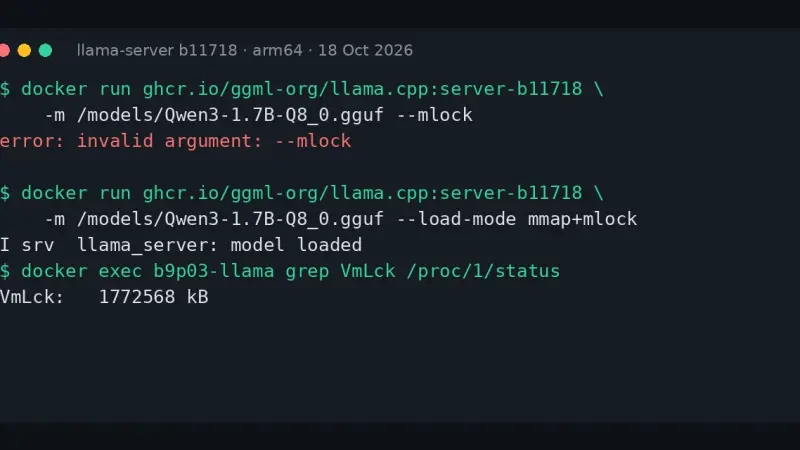
llama-server prints error: invalid argument: --mlock because build b10875, from 9 September 2026, deleted --mmap, --no-mmap, --mlock and --direct-io. Replace them with --load-mode: --mlock becomes mmap+mlock, --no-mmap becomes none and --direct-io becomes dio. The LLAMA_ARG_MLOCK and LLAMA_ARG_MMAP variables now do nothing, with no warning.
Without a GPU, on an 18-core arm64 CPU with llama.cpp v0.4.1, Maple-Preview generated 172.84 tokens/s on 6 threads: twice MiniCPM5-2B and 3.6 times Spark-X2.5-4B. The trade-off is 5.79 GiB of RAM and reasoning it cannot switch off. MiniCPM5 fits in 3.27 GiB and Spark writes the best Spanish. All three made facts up.
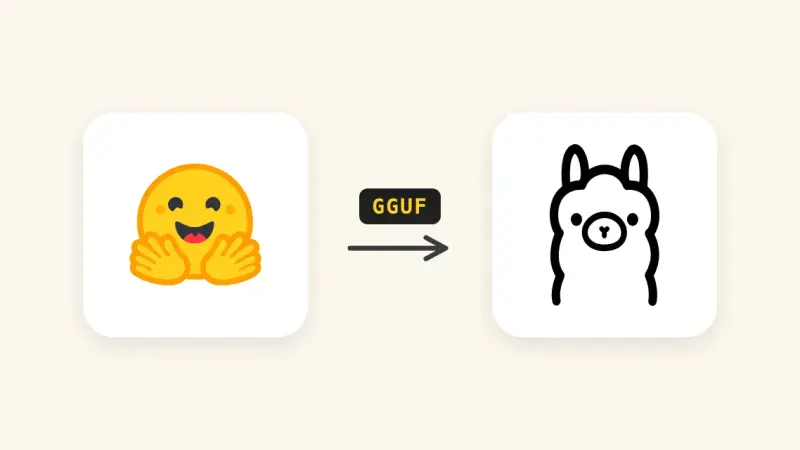
Since Ollama 0.34.1, ollama create no longer converts or quantizes safetensors weights. To import a Hugging Face model, download it with hf download, convert it to GGUF with llama.cpp's convert_hf_to_gguf.py, quantize it with llama-quantize and build it from a Modelfile. With MiniCPM5-2B on a CPU, the three stages took 35 s, 21 s and 2 s.
There are four ways to install llama.cpp: the llama.app script, which drops a 15 MB llama binary into ~/.local/bin; Homebrew; the server-v0.4.1 Docker image; or CMake. I tested them on 14 September 2026 on Linux arm64 with Gemma 4 E2B, in the terminal with llama cli and as an OpenAI-compatible API.
llama.cpp is the C++ library that powers Ollama and much of the local-LLM ecosystem. 2024 added speculative decoding with two- to three-fold speedups, an RPC server for sharding layers across machines, and a stable GGUF format. Ollama covers 90% of cases; going direct pays off with uncommon hardware or specific flags.
Ollama became the standard for running large language models locally in 2024. It wraps llama.cpp in a single binary with Docker-style CLI and an OpenAI-compatible API. Phi-3 Mini runs in 4 GB; Llama 3.1 8B Q4 needs 6 GB. For production traffic at scale, vLLM remains the correct choice.
LM Studio is a desktop app for Mac, Windows, and Linux that downloads and runs large language models on your own machine, with a polished chat interface and no terminal required. It includes an OpenAI-compatible API and RAG with your documents. For individual use it beats Ollama on user experience; for teams or production, OpenWebUI, vLLM, or TGI are the better fit.
With quantization, model weights are stored with fewer bits (4, 5, or 8 instead of 16), so Llama 2 13B shrinks from 26 GB to about 7.5 GB. With llama.cpp it runs on an ordinary 16GB-RAM laptop with no dedicated GPU, and the quality loss is smaller than intuition suggests.
7 min3384.5
We use first- and third-party cookies to analyze site traffic. You can accept them, reject them, or configure your choice.
Learn more about cookies
Cookie preferences
NecessaryEssential for the site to work. Always on.
AnalyticsHelp us understand how the site is used (Google Analytics).