oMLX as an MCP server: control your local models from Claude
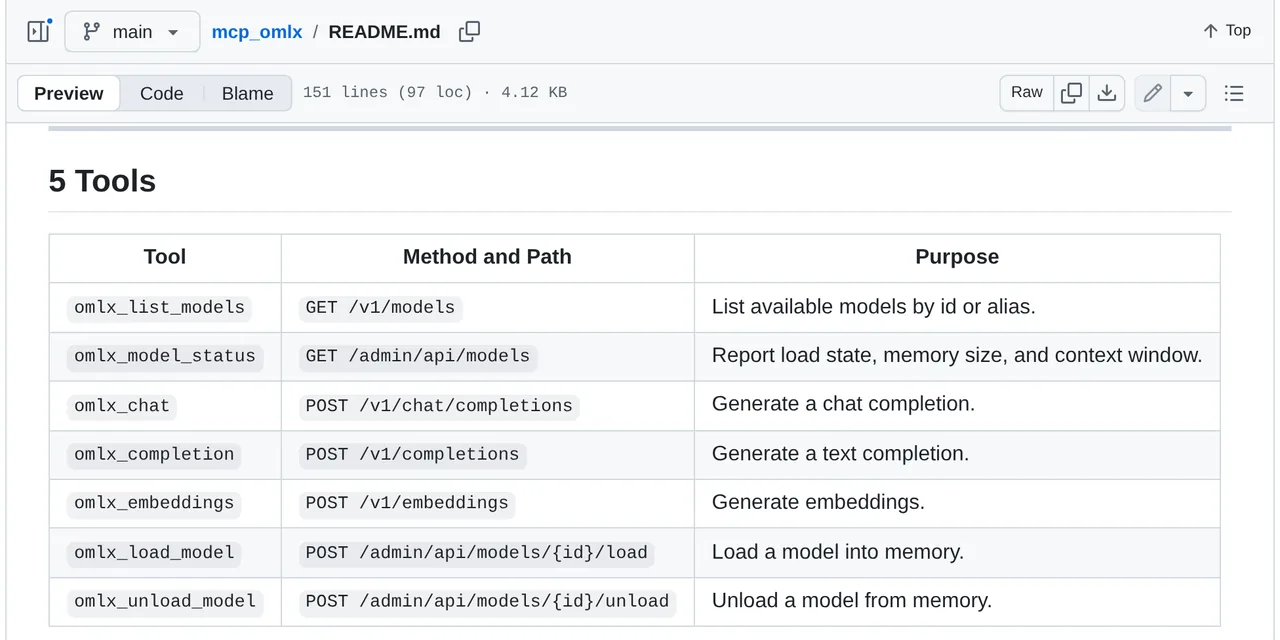
Table of contents
- Key takeaways
- What the bridge solves that ANTHROPIC_BASE_URL does not
- The seven tools mcp_omlx exposes
- Prerequisites
- Installing the bridge
- Configuring the desktop client
- Checking the bridge responds
- What to check when the server does not appear
- Limits worth knowing
- Frequently asked questions
- Can I use the bridge and ANTHROPIC_BASE_URL at the same time?
- Does it work with MCP clients other than Claude Desktop?
- Do I need to restart oMLX after installing the bridge?
- Conclusion
- Sources
Pointing Claude Code at oMLX and connecting oMLX over MCP are not the same operation. The first swaps the model behind the client; the second turns your local server into a set of tools the client can call. This article covers the second one: what the mcp_omlx bridge exposes, how to install it, how to configure it in Claude Desktop, and where its limits are today.
Key takeaways
- The
mcp_omlxbridge exposes seven MCP tools over the oMLX APIs: two for the catalogue, three for inference and two for memory management. - It is a Python package independent of oMLX itself, MIT-licensed, at version 0.1.1 released on 3 June 2026.
- Configuration lives in
claude_desktop_config.jsonand needs only a path to the executable and theOMLX_BASE_URLvariable. - It manages the model lifecycle; it does not replace the client endpoint. For that, see the oMLX install and tuning guide.
- This is young, single-maintainer software: treat it as a lab tool rather than a production dependency.
What the bridge solves that ANTHROPIC_BASE_URL does not
When you export ANTHROPIC_BASE_URL and point Claude Code at http://127.0.0.1:8000, you are performing a substitution: the client stops talking to the Anthropic API and talks to your Mac instead. The local model becomes the model. That is the route the install guide covers, and it has not changed.
The MCP bridge does something different. Claude stays Claude, and your local server shows up as a set of tools the assistant can call when it makes sense.
That enables a pattern substitution cannot. You can ask the assistant which models you have loaded, or tell it to free one that is eating memory and load another. You can also have it run inference against a small model for a specific task, all inside the same conversation.
Put another way, substitution changes who answers; the bridge adds what the answerer can do. They are complementary, not alternatives.
The seven tools mcp_omlx exposes
The package wraps endpoints from three oMLX APIs (the OpenAI-compatible one, the admin one and embeddings) into seven MCP tools:
| Tool | oMLX endpoint | What it does |
|---|---|---|
omlx_list_models |
GET /v1/models |
Lists available models by id or alias |
omlx_model_status |
GET /admin/api/models |
Reports load state, memory size and context window |
omlx_chat |
POST /v1/chat/completions |
Generates a chat completion |
omlx_completion |
POST /v1/completions |
Generates a text completion |
omlx_embeddings |
POST /v1/embeddings |
Generates embeddings |
omlx_load_model |
POST /admin/api/models/{id}/load |
Loads a model into memory |
omlx_unload_model |
POST /admin/api/models/{id}/unload |
Unloads a model from memory |
The last two are what justify the setup. On a Mac with unified memory, deciding which model occupies RAM at any moment is the real constraint, and doing it from the conversation saves a trip to the admin dashboard.
Prerequisites
The bridge requires Python 3.10 or later and an oMLX server reachable over HTTP. Its dependencies (mcp, httpx and pydantic) install automatically.
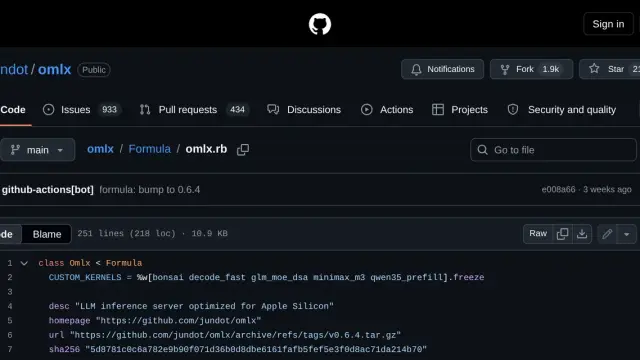
oMLX itself requires macOS 15.0 or later and Python 3.11 to 3.13, and listens on port 8000 by default. The project describes itself as "Continuous batching and tiered KV caching, managed directly from your menu bar" (oMLX README). With 18,800 stars and 2,306 commits on the main branch it is an active project, which is not yet true of the bridge.
Underneath all of it sits MLX, Apple’s machine-learning framework for Apple silicon. Its defining trait, and the reason memory management matters so much here, is the unified memory model: per Apple’s documentation, "Arrays in MLX live in shared memory", shared between CPU and GPU. There is no copy between devices, but there is also no separate VRAM to park a model in: whatever oMLX loads comes out of the same RAM budget as the rest of your Mac.
Installing the bridge
Two commands, in a dedicated virtual environment so you do not pollute the system Python:
python3 -m venv ~/mcp-omlx
~/mcp-omlx/bin/pip install git+https://github.com/William12556/mcp_omlx.git
There is no PyPI package: installation goes against the repository. That means you are pinning whatever state the branch is in at install time, with no reproducible version. If reproducibility matters, clone the repository, pin the commit and use pip install -e . from the clone.
Configuring the desktop client
On macOS, MCP client configuration lives in ~/Library/Application Support/Claude/claude_desktop_config.json. You reach it from the Claude menu in the system menu bar, under Settings, Developer tab, Edit Config button.
The block to add is short:
{
  "mcpServers": {
    "omlx": {
      "command": "~/mcp-omlx/bin/omlx-mcp",
      "env": {
        "OMLX_BASE_URL": "http://127.0.0.1:8000"
      }
    }
  }
}
Three environment variables govern the behaviour:
| Variable | Default | What it controls |
|---|---|---|
OMLX_BASE_URL |
http://127.0.0.1:8000 |
Server root; a trailing /v1 is accepted |
OMLX_API_KEY |
unset | Optional Bearer token |
OMLX_TIMEOUT |
300 |
Per-request timeout, in seconds |
The 300-second default timeout is deliberately generous. A first load of a large model from disk can take a while, and a short timeout would abort the call exactly when the model was about to become available.
A warning about the path: the project documentation uses ~ in command, but MCP clients do not always expand the tilde. If the server does not start, replace it with the absolute path (/Users/yourname/mcp-omlx/bin/omlx-mcp). The official MCP guide makes the same point: paths in the configuration file must be absolute, not relative.
After saving you must quit Claude Desktop completely and reopen it. Closing the window is not enough.
Checking the bridge responds
Before blaming the bridge, confirm oMLX is serving:
curl -s http://127.0.0.1:8000/v1/models | head -c 400
If that returns JSON with the model list, the server is fine and any problem is on the client side. Inside Claude Desktop, the connectors indicator in the input box should show omlx with its seven tools when you open connector management.
What to check when the server does not appear
The official MCP documentation describes the debugging procedure, and it applies here unchanged. Client logs live in ~/Library/Logs/Claude: mcp.log records connections and their failures, and each server gets its own mcp-server-omlx.log with the process stderr output.
tail -n 20 -f ~/Library/Logs/Claude/mcp*.log
If the log clarifies nothing, run the executable by hand from the terminal. A Python import failure or a mistyped path shows up there immediately and does not always reach the client log.
Limits worth knowing
Integration guides stop at the happy path, so let us be explicit.
mcp_omlx is a project created on 3 June 2026, whose latest published release is 0.1.1 from that same date, MIT-licensed, with a single maintainer. A 0.1.1 version number and a repository born the same day as its latest release describe early-stage software, not a stable dependency.
Beyond that, the omlx_load_model and omlx_unload_model tools operate against the admin API. Anything able to talk to that API can evict models from memory. While OMLX_BASE_URL points at 127.0.0.1 the risk stays local, but if you expose oMLX to the network (for instance with the SSH port forwarding the install guide describes), set OMLX_API_KEY and start oMLX with --api-key.
Finally, the bridge does not replace the native integration. If you want Claude Code to reason with a local model, ANTHROPIC_BASE_URL is still the route. And if you want to write your own tools, building your own MCP server is sturdier than depending on a third-party wrapper.
Frequently asked questions
Can I use the bridge and ANTHROPIC_BASE_URL at the same time?
Yes, because they act at different layers. You can have Claude Code pointing at oMLX as its model and, in parallel, Claude Desktop with the MCP bridge to manage which models are loaded.
Does it work with MCP clients other than Claude Desktop?
The mcpServers block is the common configuration format for local servers, so any client that supports it should be able to start it. The bridge documentation only attests to Claude Desktop.
Do I need to restart oMLX after installing the bridge?
No. The bridge is a separate process that talks to oMLX over HTTP; oMLX never knows it exists.
Conclusion
The oMLX MCP bridge solves one concrete, bounded problem: managing the lifecycle of your local models from the same conversation you are working in, instead of switching to the admin dashboard. Seven tools, two install commands and one JSON block. In exchange you accept a 0.1.1 dependency maintained by one person, which puts it firmly in lab-tool territory.
If your goal is throughput rather than management, start with the oMLX install and tuning guide and leave the bridge for later. The Spanish version of this article is at oMLX como servidor MCP.
Sources: [1] mcp_omlx, the MCP bridge repository[1], [2] oMLX, inference server for Apple Silicon[2], [3] Model Context Protocol: connect to local MCP servers[3], [4] MLX, Apple’s official documentation[4].