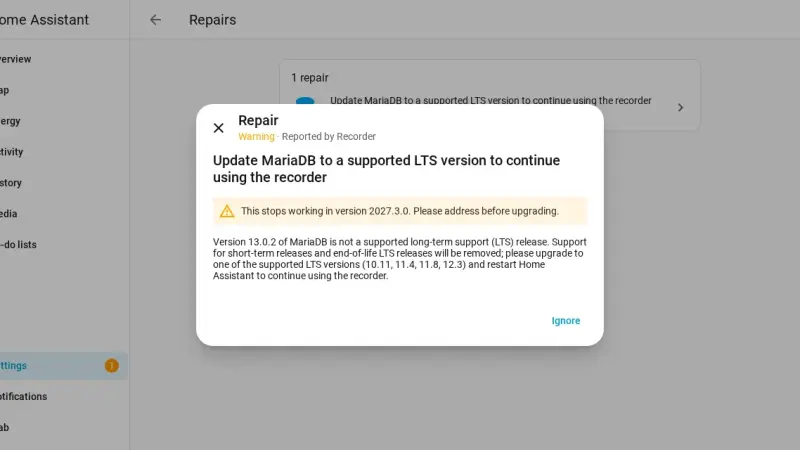
Home Assistant 2026.10 warns that MariaDB 13.0 is not an LTS release and that the recorder stops working with it in 2027.3.0. It hits anyone running mariadb:latest in Docker. The fix is to dump the database with mariadb-dump, start mariadb:12.3 on an empty data directory and restore the dump; with a million states it took 11 seconds.
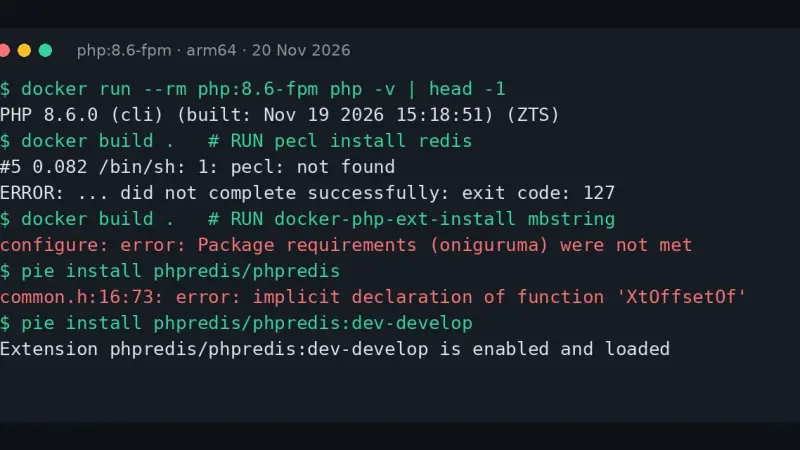
If your Dockerfile fails with pecl: not found after moving to php:8.6, the mistake is not yours: the official PHP 8.6 images no longer ship pecl or mbstring. Install extensions with PIE, build mbstring without mbregex and, because stable redis, apcu and imagick do not compile yet, keep production on php:8.5.
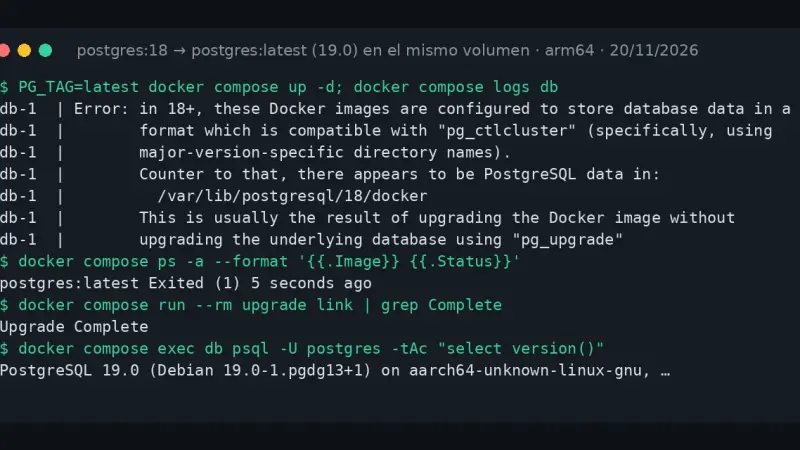
Since 20 November 2026, postgres:latest is PostgreSQL 19.0, and a volume created with 18 will not start: the container exits with code 1 without touching your data. Pin postgres:18 to get running again, then move to 19 with pg_dumpall and a restore, or with pg_upgrade --link on the same volume.
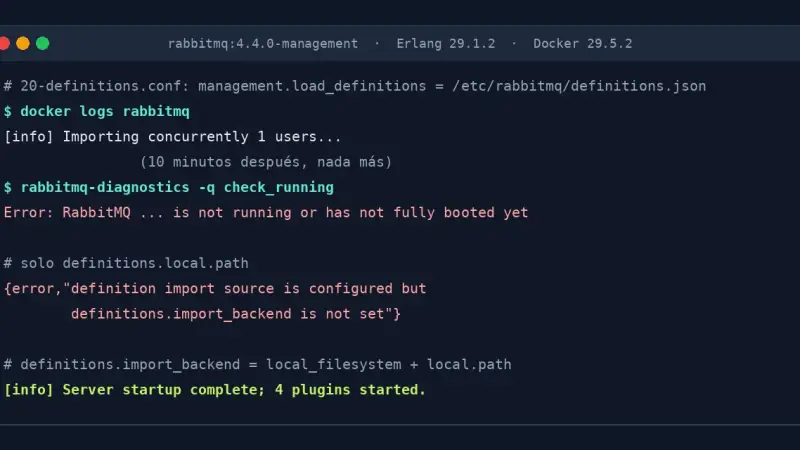
RabbitMQ 4.4.0 on Erlang 29 stalls on boot if you import definitions with management.load_definitions: the last message is Importing concurrently 1 users and the broker never finishes. Version 4.4.1 fixes it. If you stay on 4.4.0, replace that key with definitions.import_backend = local_filesystem and definitions.local.path, both together.
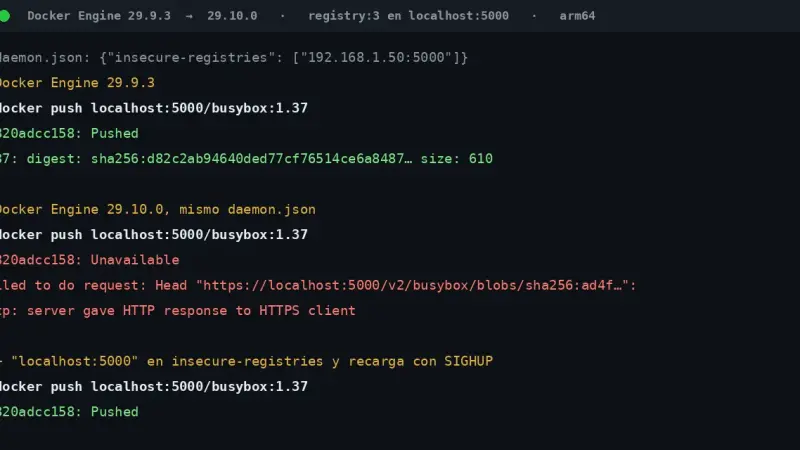
Since Docker Engine 29.10.0, when daemon.json declares insecure-registries, the daemon no longer adds 127.0.0.0/8 or ::1/128 to the list. A push to an HTTP registry on localhost:5000 then fails with server gave HTTP response to HTTPS client. Add localhost:5000 to your list and reload the daemon, or set up TLS with a trusted certificate.
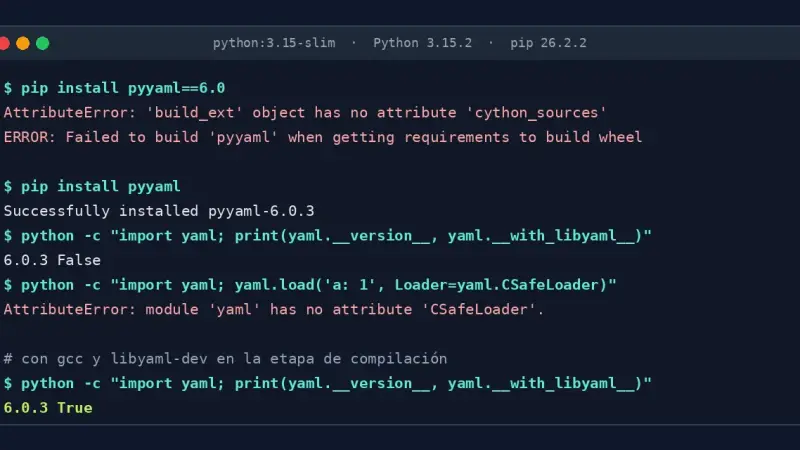
PyYAML 6.0.3 ships no wheels for Python 3.15, so pip builds it from source. The pinned versions 6.0 and 5.4.1 fail with AttributeError: cython_sources, and 6.0.3 installs on python:3.15-slim without libyaml, so CSafeLoader does not exist. Raise the pin to 6.0.3 and install gcc and libyaml-dev while building the image.
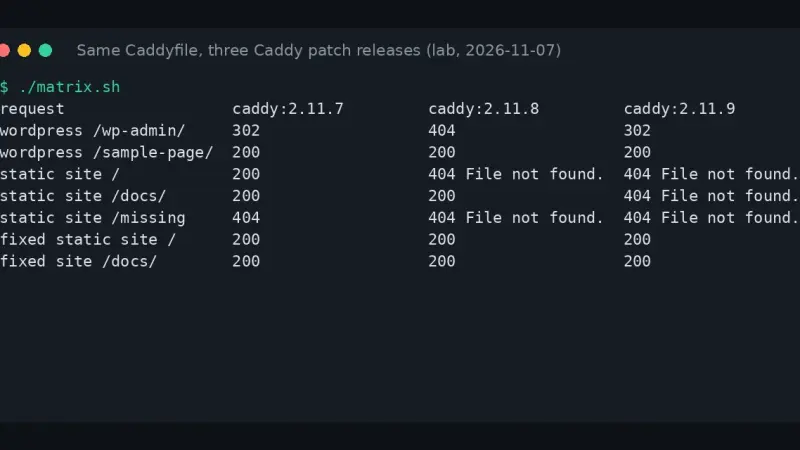
If Caddy 2.11 answers File not found on your home page, your site uses php_fastcgi without an index.php: since 2.11.8 those requests go to PHP-FPM. Add a try_files with no final fallback. If /wp-admin/ fails with an empty 404 instead, you are on 2.11.8: move to 2.11.9.
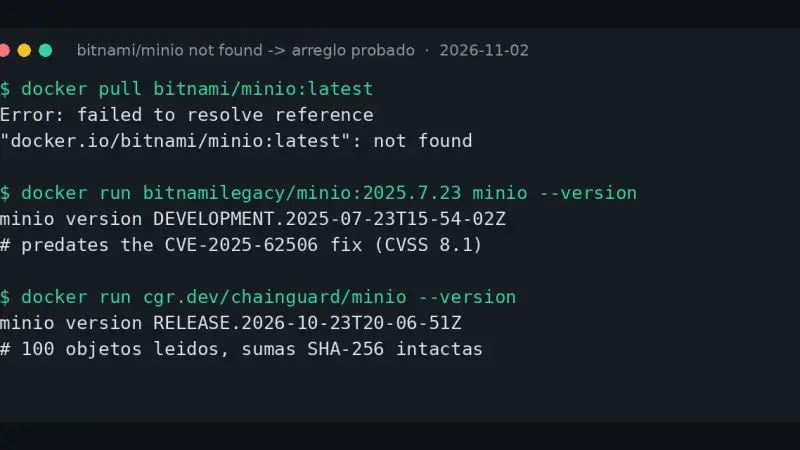
The bitnami/minio not found error appears because Bitnami deleted that repository from Docker Hub and left it with zero tags. Switching to bitnamilegacy/minio is not the fix: its binary is a July 2025 build that predates the CVE-2025-62506 patch. Move to cgr.dev/chainguard/minio or pgsty/silo, maintained images that start on your existing data.
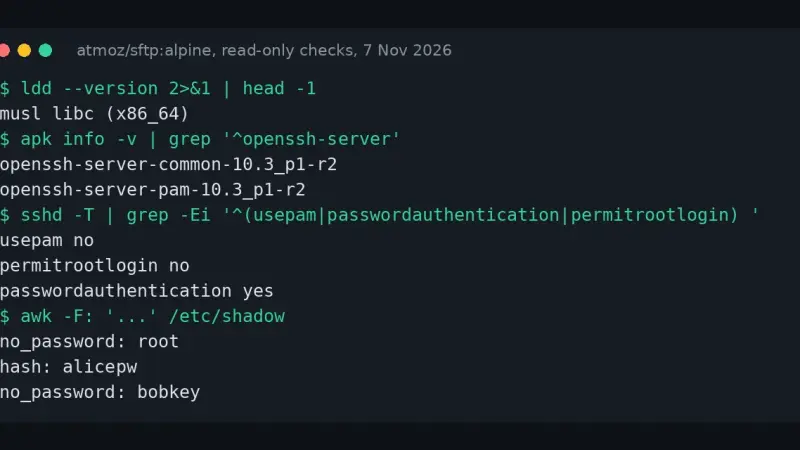
CVE-2026-123158 (sshole) lets an attacker log in without the password on OpenSSH sshd built with musl and without PAM, as on Alpine, when configuration and accounts meet certain conditions. The 23 non-SSH Alpine images I checked ship no sshd. If you run it, install your branch's fixed package and restart.
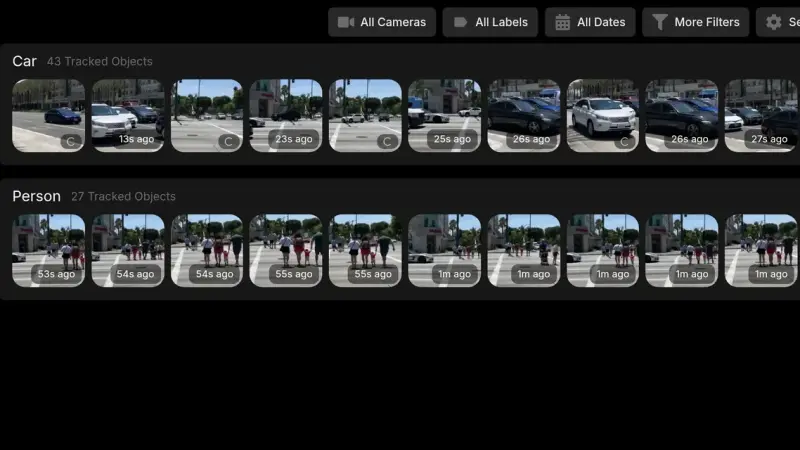
Frigate 0.18, released on 12 September 2026, lets you configure everything from the interface and switch profiles without a restart. With Docker Compose you upgrade from 0.17 by changing the image tag: the migration removed three obsolete options from my config on its own. I tested it with a simulated RTSP camera and CPU detection.
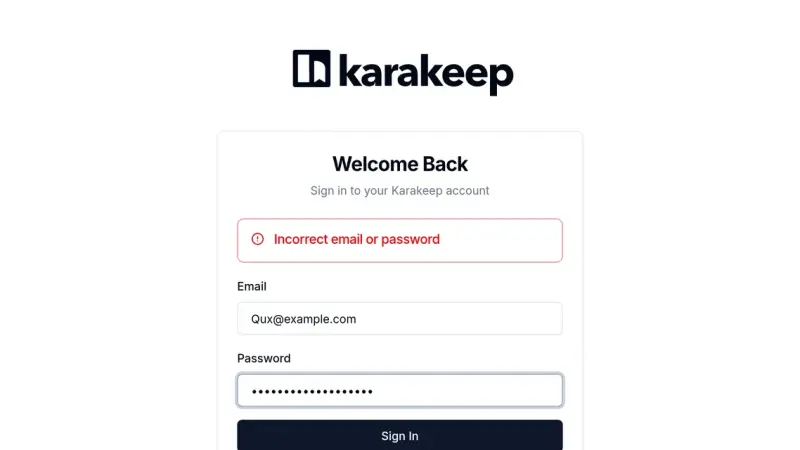
Before upgrading Karakeep to 0.34, look for accounts whose email differs only in case: the migration lowercases every email except those, and they become unreachable with Incorrect email or password. One UPDATE in SQLite fixes it. On top of that, everyone signs in again and the Chrome container moves to a new image.
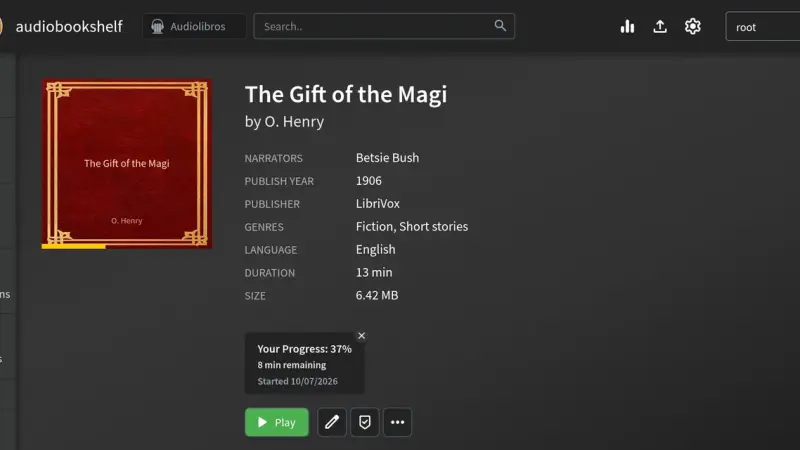
Audiobookshelf 2.37.1 installs with a one-service docker-compose.yml and four folders: audiobooks, podcasts, config and metadata. This guide starts it with Docker, adds a LibriVox audiobook and an RSS podcast, fixes the metadata, creates a limited user and checks through the API that listening progress is stored per user.
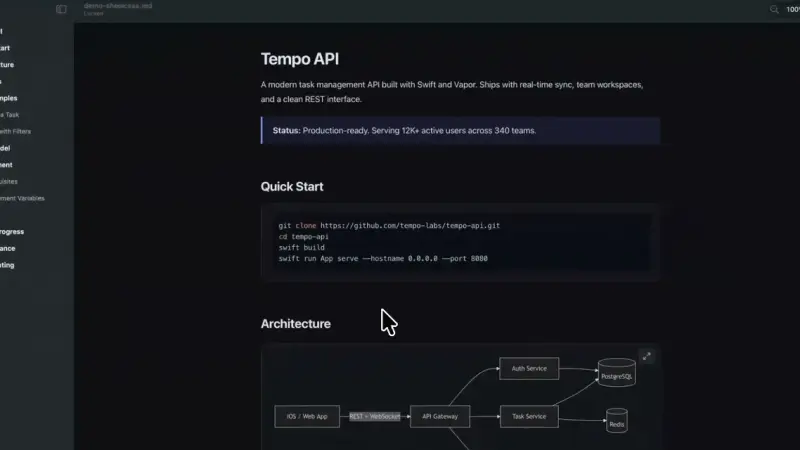
MacMD Viewer is a read-only Markdown viewer for Mac: it renders .md files with Mermaid diagrams, highlighted code and a Finder preview on the space bar, and exports them to PDF. It costs $19.99 as a one-time purchase. I tested every feature on my Mac: it is comfortable to use and covers a wide range of uses.
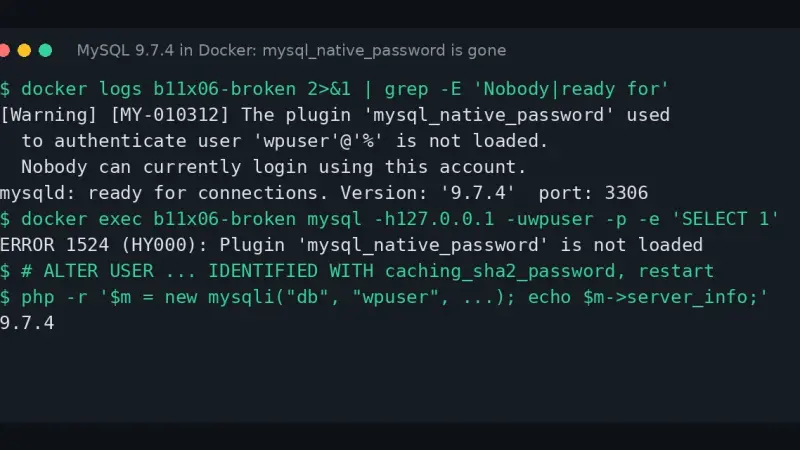
The Plugin 'mysql_native_password' is not loaded error appears because MySQL 8.4 disables that authentication method and 9.x removes it, and mysql:lts is now 9.7.4. Start 8.4 with --mysql-native-password=ON, convert every account to caching_sha2_password with ALTER USER, then move to 9.7.
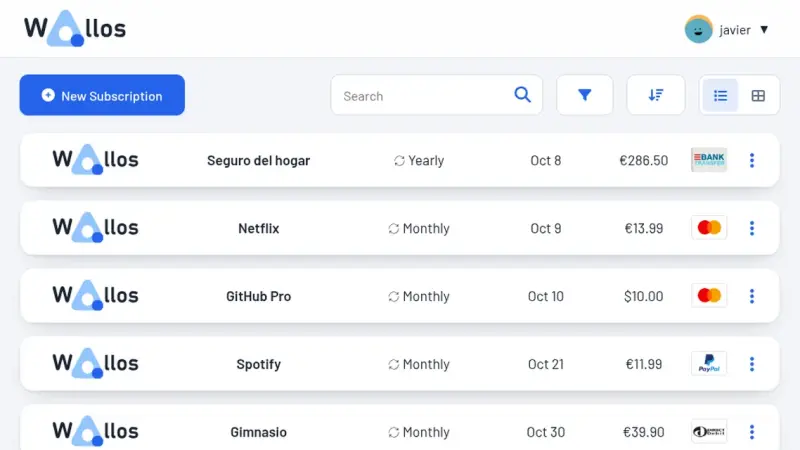
Wallos 5.8.3 is a subscription and expense tracker you host yourself. I installed it with Docker, loaded 7 subscriptions in euros (EUR 104.14 a month), connected a local ntfy for alerts and restored a backup. Here is the setup, plus the block I hit when alerting an internal server.
The unknown storage type file error appears because OpenBao 2.7 removed the file backend, and the server stops as soon as it reads that configuration. Stop the container, back up the volume, migrate the data to PebbleDB with the 2.7.2 bao operator migrate and change the storage block: your unseal keys and token stay the same.
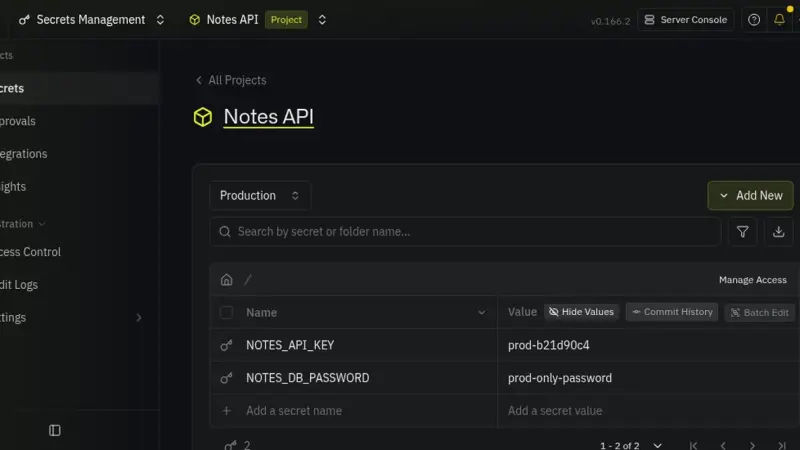
Infisical is an open-source secrets management platform you install with Docker Compose (Postgres, Redis and a backend) and whose CLI hands each secret to your containers. I installed v0.166.2, created a project with three environments, and an app read its key through infisical run. On an unlicensed instance, only 4 of the 57 plan flags are on.
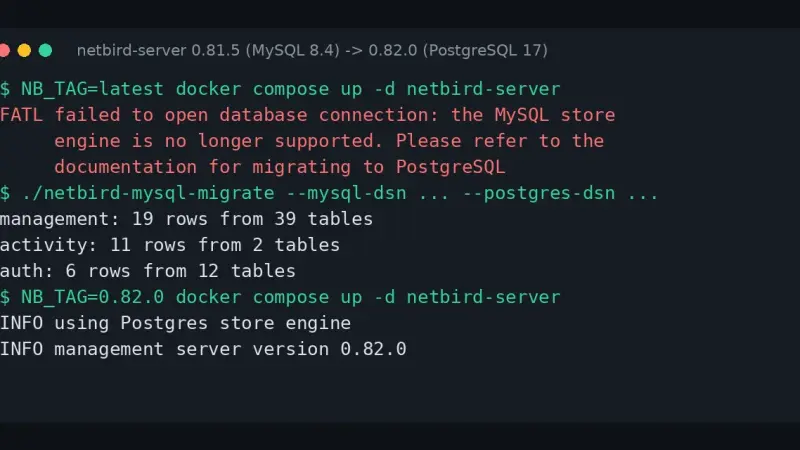
NetBird 0.82 removed the MySQL engine, and the server stops with the error the MySQL store engine is no longer supported. Roll back to the 0.81.5 image, move the data to PostgreSQL with the netbird-mysql-migrate tool from that same version, because 0.82 no longer ships it, and only then upgrade by pinning the 0.82.0 tag.
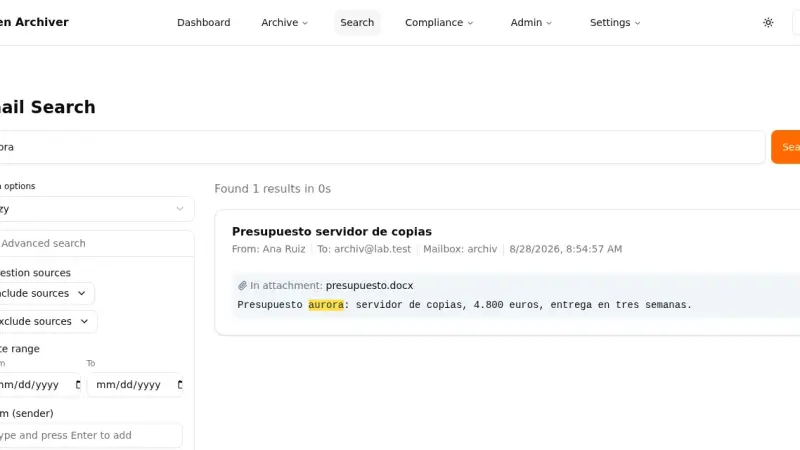
Open Archiver v0.6.0 is an AGPL-3.0 platform that archives mail from IMAP, Google Workspace, Microsoft 365, PST, EML and mbox, and indexes it with Meilisearch. I installed it with Docker Compose on 7 October 2026, archived 8 messages from a throwaway IMAP server, imported an mbox and a zip of EML files, and search found text inside a .docx attachment.
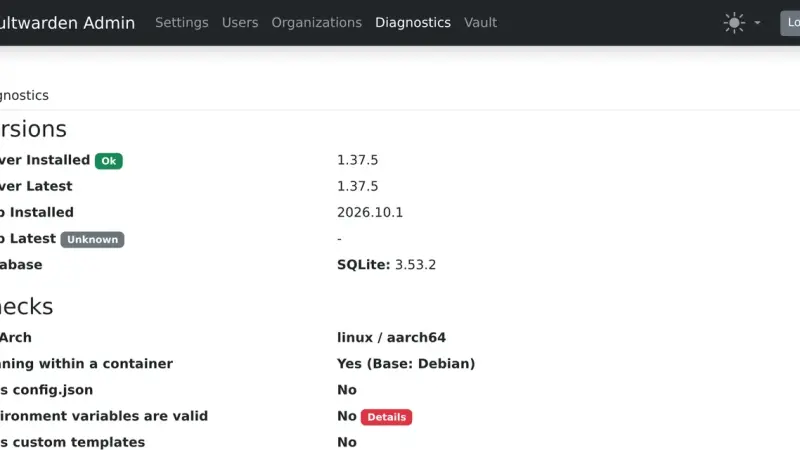
Vaultwarden 1.37.5 stops with Error loading config if your .env sets a rate limit or a database timeout to 0, or if a purge schedule is not a valid cron. Fix each variable the log names; out-of-range numbers do not stop it, but they are silently replaced by defaults.
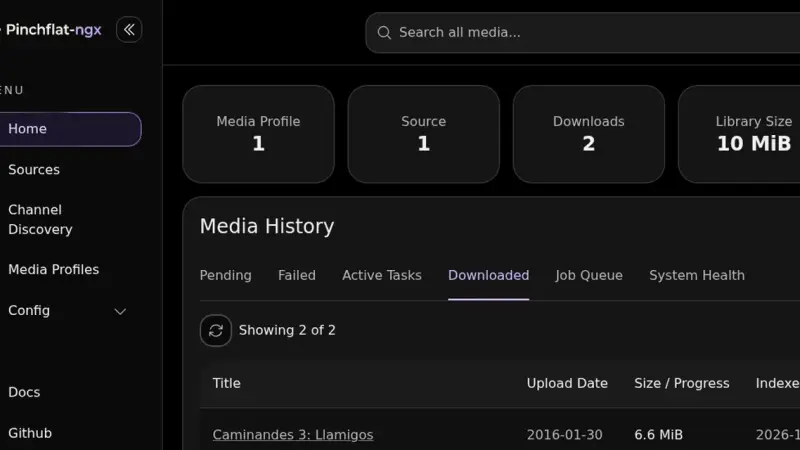
Pinchflat-ngx is a community fork of Pinchflat, the self-hosted YouTube downloader whose repository has had no commits since December 2025. On 7 October 2026 I installed it with Docker Compose, pointed the old Pinchflat volume at the new image and downloaded two Creative Commons videos into a Jellyfin-ready folder, NFO files included.
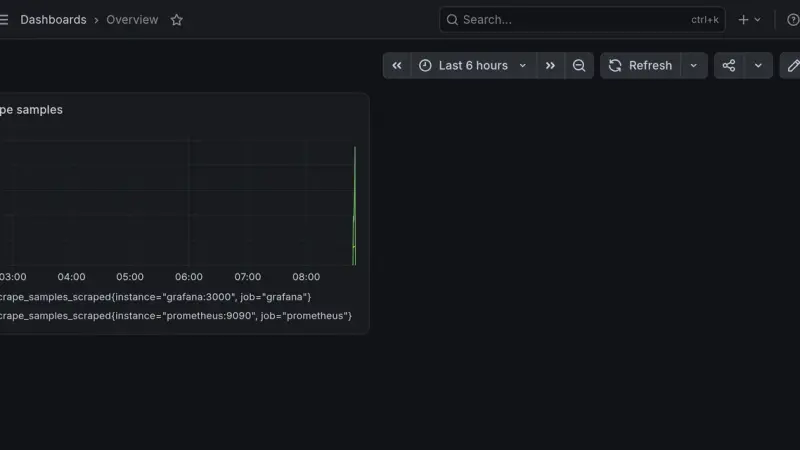
Moving from Grafana 12.4.12 to 13.2.3 in Docker, my two dashboards kept working, but a script that queried Prometheus by numeric id started returning 404. Grafana 13 disables the by-id data source APIs by default, and the fix is to call by uid. Here is the procedure, with a grafana.db backup and a rollback.
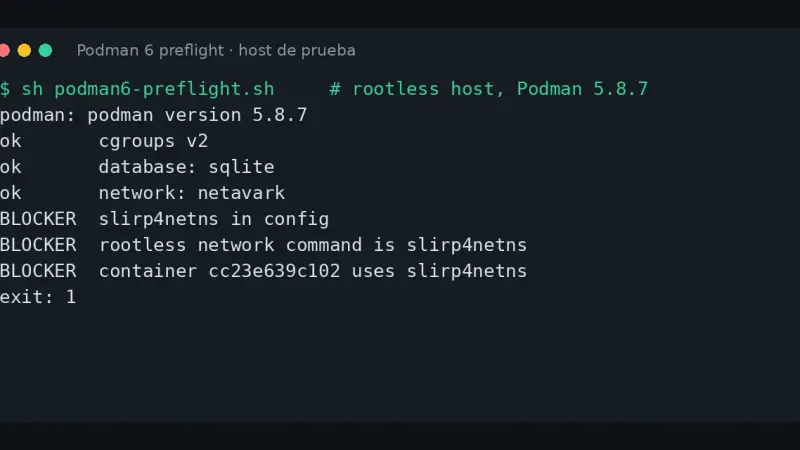
Podman 6 removed cgroups v1, CNI, iptables, slirp4netns and BoltDB. I tested Podman 6.1.3 against state created by 4.9.4 and 5.8.7: BoltDB migrates by itself, but a CNI network silently disappears and a slirp4netns container will not start. A 38-line script detects each case before you upgrade.
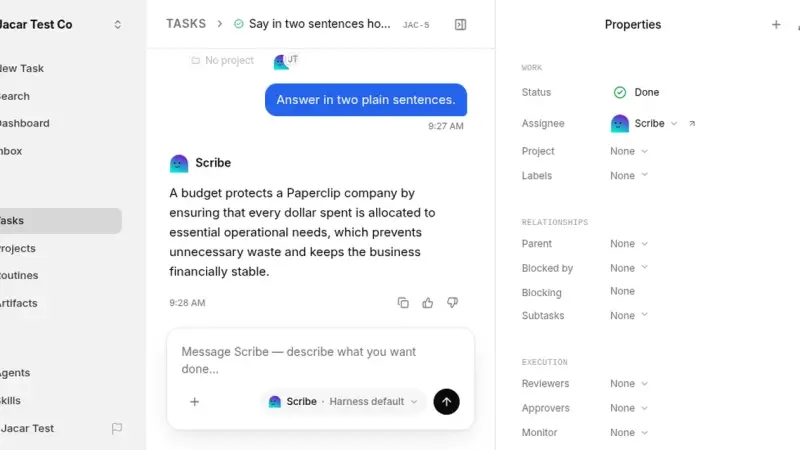
Paperclip is an open-source platform, under the MIT licence, that runs teams of AI agents like a company: tasks, budgets and heartbeats. You self-host it with one Docker Compose file on port 3100, but the first-run wizard asks for a Claude or OpenAI subscription. I tried an agent on a local 0.8B model and it answered wrongly.
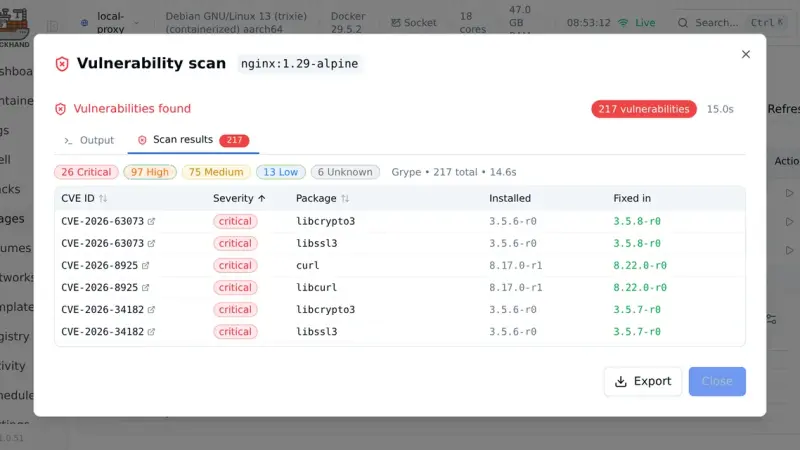
Dockhand is a web interface for managing Docker with Compose stacks, Git deploys, vulnerability scanning and SQLite. This guide installs version 1.0.51 with Docker Compose and a socket proxy, deploys a stack and scans an image with Grype. Its BSL 1.1 licence is free at home but paid inside a company.
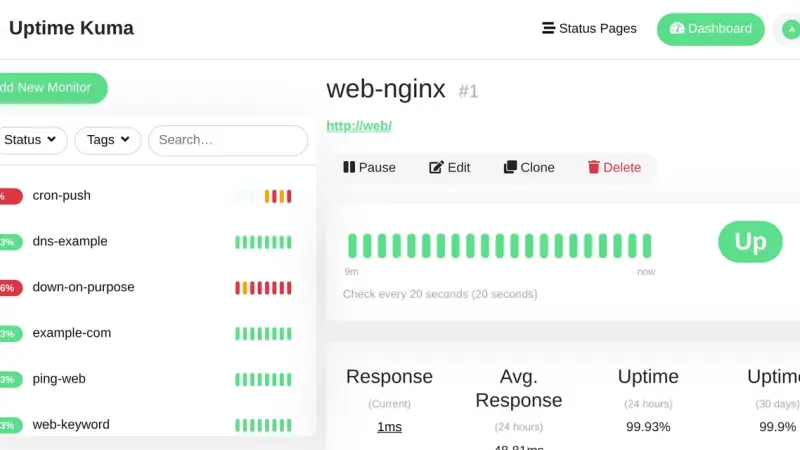
To upgrade Uptime Kuma 1.23 to version 2 with Docker, stop the container, archive the data directory and switch the image to louislam/uptime-kuma:2.5.9, because latest still points to 1.23.17. The first start aggregates the history into new tables and deletes the raw heartbeats: do not interrupt it, and keep the backup to roll back.
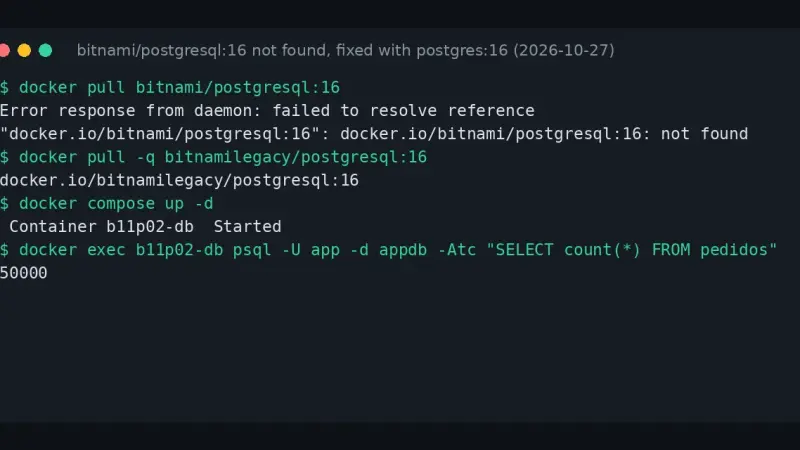
The docker.io/bitnami/postgresql:16: not found error appears because Bitnami removed its versioned tags from Docker Hub and only keeps latest. As a stop-gap, switch to bitnamilegacy/postgresql. The real fix is the official postgres image, pointing PGDATA at the Bitnami directory, creating postgresql.conf and pg_hba.conf and refreshing the collation version.
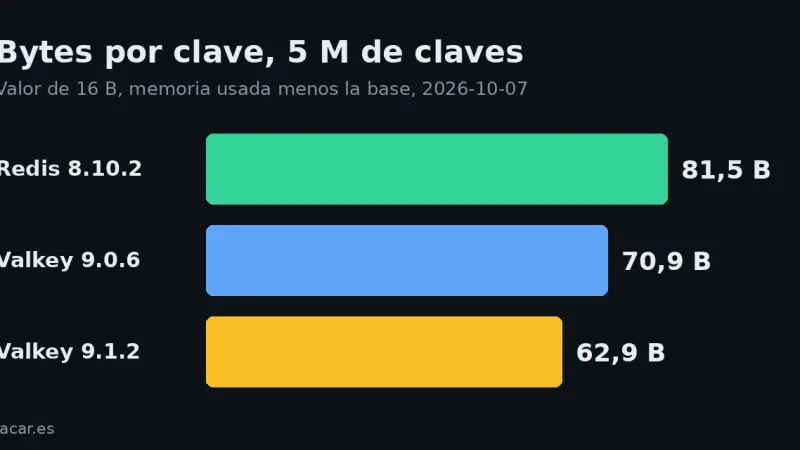
Valkey 9.1.2 used 62.9 bytes per key with 5 million short-value keys, against 70.9 for Valkey 9.0.6 and 81.5 for Redis 8.10.2. The saving disappears with values of 100 bytes or more. And Valkey 9.1 refuses the RDB files of Redis 7.4 and Redis 8.
16 min21
We use first- and third-party cookies to analyze site traffic. You can accept them, reject them, or configure your choice.
Learn more about cookies
Cookie preferences
NecessaryEssential for the site to work. Always on.
AnalyticsHelp us understand how the site is used (Google Analytics).