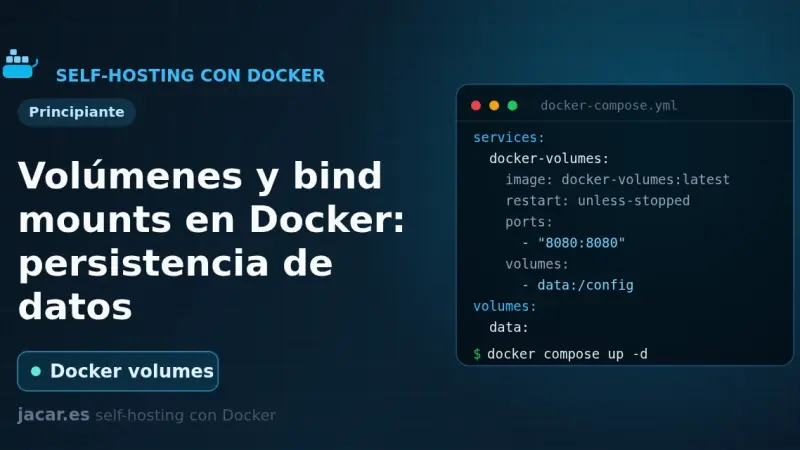
A container loses its data the moment you delete it, unless you store that data outside. Docker gives you two ways: named volumes, which it manages itself under /var/lib/docker/volumes, and bind mounts, which link a host folder. Here you will see when to use each, how to mount them in Compose and how to back them up.
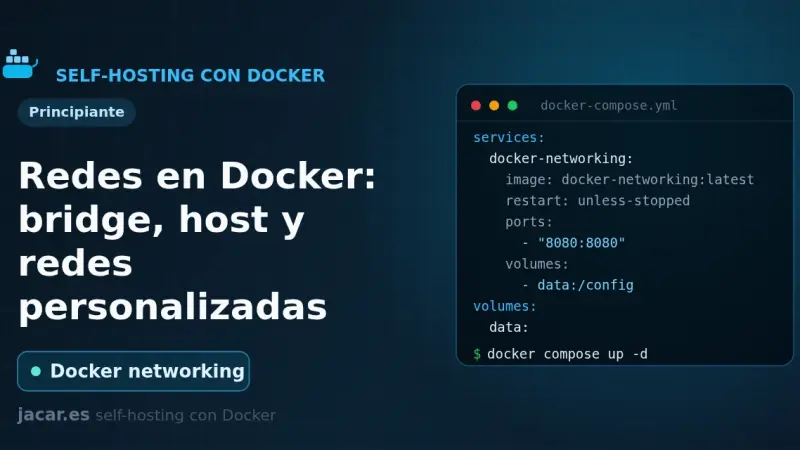
Docker ships six network drivers: bridge, host, none, overlay, macvlan and ipvlan. The default bridge network connects containers by IP but without name resolution. A user-defined bridge adds an internal DNS server so services find each other by name, and it is the recommended choice for almost any deployment.
Docker Agent is a Docker CLI plugin for building and running AI agents from a declarative YAML file, no code required: you define one or more agents, give them MCP tools, run them with docker agent run, and share them through any OCI registry, on OpenAI, Anthropic, Gemini or other providers.
Coolify is a self-hosted deployment platform that runs on top of Docker: it manages Git applications, databases, and SSL certificates from its own web panel. It installs with an official script that brings up Docker and the Coolify containers in 2 to 5 minutes on Ubuntu 24.04 or Debian 13, with no additional manual steps.
You install Portainer with Docker Compose by writing a single compose.yaml file and running two commands. Portainer CE 2.40 STS supports Docker Compose v2 natively, enables HTTPS on port 9443 out of the box, and manages Docker Engine, Swarm, Kubernetes and ACI from one panel. It runs on Ubuntu 24.04 or Debian 13.
Uptime Kuma installs with Docker Compose and the louislam/uptime-kuma:2.5.5 image (not latest, which still points to 1.x), with a persistent volume at /app/data and port 3001. Bring the container up with docker compose up -d, pick SQLite on the first screen, then create the admin account.
Dokku is a single-server open-source PaaS that reproduces Heroku's git push deploy flow using Docker, buildpacks and an automatic SSL reverse proxy. Jeff Lindsay started it in 2013 and it is still actively maintained: release 0.35, from mid-2025, added Cloud Native Buildpack improvements and Caddy as an alternative to nginx.
Coolify delivers a Vercel- or Heroku-like experience on your own servers: automatic HTTPS, managed databases, and branch previews without per-build or bandwidth fees. After several months using it on production VPS, here is where it shines, where it still has rough edges, and which teams will genuinely benefit from it.
A home lab is a self-hosted services lab, at home or on a VPS, where you practice real system administration: reverse proxy, centralized authentication, monitoring with Prometheus and Grafana, and backups verified with Restic. A second-hand mini PC with 16 GB of RAM is enough for thirty or forty containers, and what you learn transfers directly to professional work.
Chainguard Images are minimal Docker containers from the company behind Sigstore, with zero known CVEs, Cosign-signed SBOMs and daily rebuilds on top of Wolfi, its own glibc-based distribution. They pay off over official images when strict compliance, supply chain audits or sensitive production workloads are at stake.
Installing Docker on Debian 13 means replacing Debian's docker.io package (26.1.5) with the official repository: store the key in /etc/apt/keyrings/docker.asc, declare the repository in docker.sources, install docker-ce, docker-ce-cli, containerd.io, docker-buildx-plugin and docker-compose-plugin, then set log rotation and live-restore in daemon.json before exposing the server to production.
containerd is the runtime that runs containers in most modern Kubernetes clusters, and almost nobody notices. It manages the full container lifecycle: pulling the image, starting it, networking, and mounting the filesystem. It became the default runtime after Kubernetes 1.24 removed dockershim in May 2022.
Podman is the Docker alternative with no central daemon and no root privileges required. Each container runs as a direct child process of the launching user, with rootless support since version 1.0 in 2019. If a container escapes, it does not gain host root. When Podman makes sense and what real differences to expect.
nerdctl is a Docker-compatible CLI that talks directly to containerd, the standard Kubernetes runtime since dockershim was removed in 2022. It adds rootless support by default, encrypted images with ocicrypt, lazy-pulling, and native CNI. It fits best where containerd already runs, though Docker Engine still wins on advanced Compose and Swarm.
Migrating from monolith to microservices means splitting a single system into independent services that deploy and scale on their own. It gains granular scalability and team autonomy, but adds real operational complexity: stable interfaces, Kubernetes orchestration, and a mature DevOps culture are conditions, not optional extras, for the migration to pay off.
To install Docker on Ubuntu 24.04 LTS, add Docker's official repository instead of using Ubuntu's packages, then install Docker Engine: the dockerd daemon, the command-line client, and the Compose and Buildx plugins. The repository line needs a GPG key stored under /etc/apt/keyrings, because apt-key add is retired on 24.04, and it carries the noble codename from /etc/os-release.
Docker Compose is Docker's official tool for defining and running multi-container applications with a YAML file: one command spins up every service, network, and volume it describes. On Ubuntu 20.04 it is installed by downloading the standalone binary from GitHub, though Docker recommends moving to the v2 CLI plugin, since v1 is no longer maintained.
To install Docker on Ubuntu 20.04, add Docker's own repository (not Ubuntu's, which tends to lag behind), import its GPG key, install the docker-ce package, and add your user to the docker group so you can run containers without sudo. Running docker run hello-world at the end confirms the daemon works.
4 min2764.4
We use first- and third-party cookies to analyze site traffic. You can accept them, reject them, or configure your choice.
Learn more about cookies
Cookie preferences
NecessaryEssential for the site to work. Always on.
AnalyticsHelp us understand how the site is used (Google Analytics).